
JamJet — open-source safety layer for AI agents. Block unsafe tool calls, require approval, enforce budgets, audit, replay.
Verified details
These details have been verified by PyPIProject links
GitHub Statistics
Maintainers

Project description
JamJet
Write the safety policy once. Run it everywhere your agents can act.





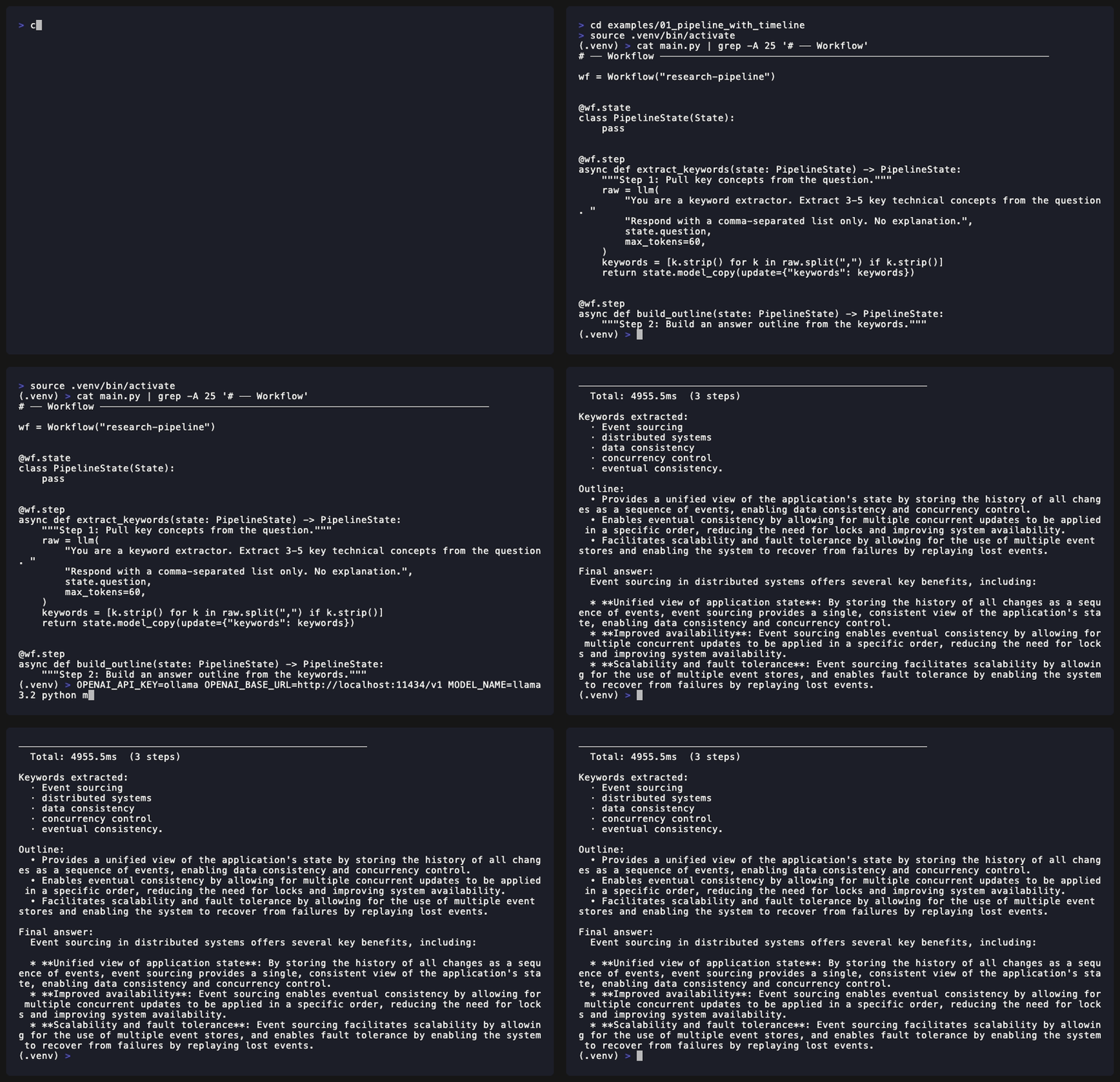
JamJet sits underneath your Python agent — Claude Code, OpenAI Agents SDK, MCP clients, LangChain, CrewAI, ADK, custom code — and enforces what prompts cannot:
- 🛡️ Block unsafe tool calls at runtime (database deletes, payments, file writes)
- ✋ Pause for human approval on risky actions, durably
- 💸 Cap cost per agent, per run, per project
- 📒 Record an audit trail that survives a regulator's review
- ⏪ Replay or resume crashed runs from the last checkpoint
Keep your agent framework. Add JamJet where tool calls need control.
See it in 60 seconds
pip install jamjet
jamjet demo unsafe-tool-call
No API key. No Docker. No cloud account. The model is mocked; the enforcement path is real. Three more demos run the same way:
jamjet demo approval        # pause-for-approval flow
jamjet demo budget-cap      # $0.05 cost cap
jamjet demo mcp-tool-policy # MCP-shaped policy
The rest of this README is the Python authoring guide — workflows, durability shims, MCP/A2A integration, and the hosted control plane. For the full positioning + cross-language adapters (Claude Code hook, MCP shim, OpenAI guardrail, TypeScript SDK, CLI), see the main repo README.
What you get in the Python package
jamjet demo <scenario>— runnable enforcement demos with no setup- Policy as code — YAML beside your workflow OR
jamjet.cloud.policy(...)in Python @durable— exactly-once execution across crashes/restarts for any side-effecting tool, with shims for LangChain, CrewAI, ADK, OpenAI Agents SDK, Anthropic Agent SDKjamjet.cloud— optional two-line install for the hosted control plane (free tier: 5K traces/mo, single project)jamjet.integrations.openai_guardrail— drop-in guardrail for the OpenAI Agents SDK that runs the samepolicy.yaml- MCP client + A2A — connect to MCP servers and delegate to external agents from a workflow; the runtime carries trace context across both protocols
Quick Start
Requirements: Python 3.11+
# Install the CLI (runtime binary included)
pip install jamjet

# Option A — scaffold a new project
jamjet init my-agent-project
cd my-agent-project

# Option B — add JamJet to an existing project (works like git init)
cd my-existing-project
jamjet init

# Start local dev runtime (SQLite, embedded — no server setup needed)
jamjet dev
In another terminal:
# Run the example workflow
jamjet run examples/basic_tool_flow
Hello World — Python
from jamjet import Workflow, tool
from pydantic import BaseModel

class SearchResult(BaseModel):
    summary: str
    sources: list[str]

@tool
async def web_search(query: str) -> SearchResult:
    # your implementation here
    ...

workflow = Workflow("research")

@workflow.state
class ResearchState(BaseModel):
    question: str
    result: SearchResult | None = None

@workflow.step
async def search(state: ResearchState) -> ResearchState:
    result = await web_search(query=state.question)
    return state.model_copy(update={"result": result})

@workflow.step
async def summarize(state: ResearchState) -> ResearchState:
    # model call here
    ...
Hello World — YAML
# workflow.yaml
workflow:
  id: research
  version: 0.1.0
  state_schema: schemas.ResearchState
  start: search

nodes:
  search:
    type: tool
    tool_ref: tools.web_search
    input:
      query: "{{ state.question }}"
    output_schema: schemas.SearchResult
    next: summarize

  summarize:
    type: model
    model: default_chat
    prompt: prompts/summarize.md
    output_schema: schemas.Summary
    next: end
jamjet validate workflow.yaml
jamjet run workflow.yaml --input '{"question": "What is JamJet?"}'
Connecting to an MCP Server
# agents.yaml
agents:
  researcher:
    model: default_chat
    mcp:
      servers:
        github:
          transport: http_sse
          url: https://mcp.github.com/v1
          auth:
            type: bearer
            token_env: GITHUB_TOKEN
# workflow.yaml (node using MCP tool)
nodes:
  search_github:
    type: mcp_tool
    server: github
    tool: search_code
    input:
      query: "{{ state.search_query }}"
    output_schema: schemas.SearchResults
    retry_policy: io_default
Delegating to an External Agent via A2A
nodes:
  code_review:
    type: a2a_task
    remote_agent: partner_reviewer   # defined in agents.yaml
    skill: security_review
    input:
      code: "{{ state.generated_code }}"
    stream: true
    timeout: 300s
    on_input_required: human_review
Durability across frameworks
Wrap any side-effecting tool with @durable to get exactly-once execution
across crashes, restarts, and replays — regardless of which agent framework
you're using.
from jamjet import durable

@durable
def charge_card(amount: float) -> dict:
    return stripe.charges.create(amount=amount)
Pair it with a durable_run() context manager — one shim per framework:
| Framework | Import |
|---|---|
| LangChain | from jamjet.langchain import durable_run |
| CrewAI | from jamjet.crewai import durable_run |
| Google ADK | from jamjet.adk import durable_run |
| Anthropic Agent SDK | from jamjet.anthropic_agent import durable_run |
| OpenAI Agents SDK | from jamjet.openai_agents import durable_run |
Example with LangChain:
from langchain.agents import AgentExecutor
from jamjet import durable, durable_run

@durable
def charge_card(amount): ...  # your real tool

executor = AgentExecutor(...)

# Use a stable execution_id that survives process restarts.
# (Persist this id in your job queue / DB / wherever you start agent runs.)
AGENT_RUN_ID = "booking-agent-run-abc123"

with durable_run(AGENT_RUN_ID):
    executor.invoke({"input": "book a flight to Tokyo"})
    # If the process crashes mid-`charge_card` and restarts under the same
    # AGENT_RUN_ID, the cached result is returned on replay — Stripe is
    # never called twice.
For framework-native run-identity (where you'd otherwise want with durable_run(executor):), see the per-shim docs in jamjet/<framework>/__init__.py — note that most frameworks expose run_id only per-invocation via callbacks, so threading a stable identity across crash boundaries is the user's responsibility.
See the per-module guide at jamjet/durable/README.md.
JamJet Cloud — Hosted Governance (jamjet.cloud)
Starting in 0.6.0, the jamjet package includes a jamjet.cloud submodule for the hosted control plane. Two-line install:
import jamjet.cloud as jamjet
from openai import OpenAI

jamjet.configure(api_key="jj_xxxxxxxxxxxx", project="my-agent")

# Every OpenAI / Anthropic call is now captured automatically.
resp = OpenAI().chat.completions.create(
    model="gpt-4o-mini",
    messages=[{"role": "user", "content": "hello"}],
)
Open app.jamjet.dev/dashboard/traces — the call appears within ~5 seconds with model, tokens, cost, and duration.
Optional governance primitives:
jamjet.policy("block", "payments.*")              # filter tools by name
jamjet.budget(max_cost_usd=5.00)                   # cap spend; raises BudgetExceeded
approval = jamjet.require_approval(action="charge_card", context={...})
@jamjet.trace                                       # decorate any function
def lookup_customer(...): ...
Install with the LLM SDK you use:
pip install jamjet[openai]      # auto-instrument OpenAI
pip install jamjet[anthropic]   # or Anthropic
pip install jamjet[cloud-all]   # both
Full guide: Cloud Quickstart · Sign up free
Architecture
┌──────────────────────────────────────────────────────────┐
│                     Authoring Layer                       │
│              Python SDK  |  YAML  |  CLI                  │
├──────────────────────────────────────────────────────────┤
│                 Compilation / Validation                   │
│         Graph IR  |  Schema  |  Policy lint               │
├────────────────────────────┬─────────────────────────────┤
│      Rust Runtime Core     │      Protocol Layer          │
│  Scheduler  |  State SM    │  MCP Client  |  MCP Server   │
│  Event log  |  Snapshots   │  A2A Client  |  A2A Server   │
│  Workers    |  Timers      │  Protocol Adapter Framework  │
├────────────────────────────┴─────────────────────────────┤
│                      Runtime Services                      │
│  Model Adapters  |  Tool Execution  |  Memory/Retrieval   │
│  Policy Engine   |  Observability   |  Secret Management  │
├──────────────────────────────────────────────────────────┤
│                    Control Plane / APIs                    │
│        REST / gRPC  |  Agent Registry  |  Admin           │
├──────────────────────────────────────────────────────────┤
│                         Storage                           │
│           Postgres (production)  |  SQLite (local)        │
└──────────────────────────────────────────────────────────┘
Read more: Architecture Overview
Documentation
Start here
| Guide | Description |
|---|---|
| Quickstart | Get a workflow running in 10 minutes |
| Core Concepts | Agents, workflows, nodes, state, durability |
| Workflow Authoring | YAML and Python authoring guide |
| Python SDK | Full SDK reference |
| YAML Reference | Complete YAML spec |
Connect to other systems
| Guide | Description |
|---|---|
| MCP Integration | Connect to MCP servers, expose tools |
| A2A Integration | Delegate to and serve external agents |
| Agent Model | Agent Cards, lifecycle, autonomy levels |
| Human-in-the-Loop | Approval nodes, state editing, audit |
| Observability | Traces, replay, cost attribution, OTel GenAI |
| Deployment | Production deployment guide |
Advanced & enterprise
| Guide | Description |
|---|---|
| Security | Auth, secrets, RBAC, OAuth delegated agent auth |
| WASI Sandboxing | Sandboxed tool execution via Wasmtime |
| Eval Node | Evaluation as a workflow primitive |
| ANP Discovery | Decentralized agent discovery via DID |
Architecture deep-dives
| Document | Description |
|---|---|
| Architecture Overview | Full system architecture |
| Execution Model | State machine, node types, IR |
| State & Durability | Event sourcing, snapshotting, recovery |
| Agent Model | Agent-native runtime design |
| MCP Architecture | MCP client/server internals |
| A2A Architecture | A2A protocol internals |
| Protocol Adapters | Extensible protocol layer |
Contributing
We welcome contributions of all kinds — bug reports, feature requests, documentation, and code.
- Read CONTRIBUTING.md to get started
- Check open issues for
good first issuetags - RFCs for major changes: see docs/rfcs/
- Architecture decisions: see docs/adr/
Community
- GitHub Discussions: github.com/jamjet-labs/jamjet/discussions
License
Apache 2.0 — see LICENSE.
Project details
Verified details
These details have been verified by PyPIProject links
GitHub Statistics
Maintainers
Release history Release notifications | RSS feed


Download files
Download the file for your platform. If you're not sure which to choose, learn more about installing packages.
Source Distribution
Built Distribution
Filter files by name, interpreter, ABI, and platform.
If you're not sure about the file name format, learn more about wheel file names.
Copy a direct link to the current filters
File details
Details for the file jamjet-0.8.7.tar.gz.
File metadata
- Download URL: jamjet-0.8.7.tar.gz
- Upload date:
- Size: 492.0 kB
- Tags: Source
- Uploaded using Trusted Publishing? Yes
- Uploaded via: twine/6.1.0 CPython/3.13.12
File hashes
| Algorithm | Hash digest | |
|---|---|---|
| SHA256 |
fc2b4ef370ae82e3028382d55345e6d0870924d84144d00ab2ee5a79db53995f
|
|
| MD5 |
1668afe03cc697932d63bd56ab2228ab
|
|
| BLAKE2b-256 |
1facecedfa4aa856791fca94d9cf1bb10c682786287da5c25c9af1988dca520a
|
Provenance
The following attestation bundles were made for jamjet-0.8.7.tar.gz:
Publisher:
release-wheels.yml on jamjet-labs/jamjet
-
Statement:
-
Statement type:
https://in-toto.io/Statement/v1 -
Predicate type:
https://docs.pypi.org/attestations/publish/v1 -
Subject name:
jamjet-0.8.7.tar.gz -
Subject digest:
fc2b4ef370ae82e3028382d55345e6d0870924d84144d00ab2ee5a79db53995f - Sigstore transparency entry: 1701746334
- Sigstore integration time:
-
Permalink:
jamjet-labs/jamjet@0961acb50215e7180bbd4c0ce62877aacb5c819f -
Branch / Tag:
refs/tags/python-sdk-v0.8.7 - Owner: https://github.com/jamjet-labs
-
Access:
public
-
Token Issuer:
https://token.actions.githubusercontent.com -
Runner Environment:
github-hosted -
Publication workflow:
release-wheels.yml@0961acb50215e7180bbd4c0ce62877aacb5c819f -
Trigger Event:
push
-
Statement type:
File details
Details for the file jamjet-0.8.7-py3-none-any.whl.
File metadata
- Download URL: jamjet-0.8.7-py3-none-any.whl
- Upload date:
- Size: 212.7 kB
- Tags: Python 3
- Uploaded using Trusted Publishing? Yes
- Uploaded via: twine/6.1.0 CPython/3.13.12
File hashes
| Algorithm | Hash digest | |
|---|---|---|
| SHA256 |
8a7f139930a4117dec48ff3eb281061f9c188213700970bf84dbba319568ca86
|
|
| MD5 |
fec31263e5a0776059e74f9e7d0c9ea3
|
|
| BLAKE2b-256 |
a45960927727147b63cdcc8ab563cb912b34b5ce7cca5295d2a36316f80e6be4
|
Provenance
The following attestation bundles were made for jamjet-0.8.7-py3-none-any.whl:
Publisher:
release-wheels.yml on jamjet-labs/jamjet
-
Statement:
-
Statement type:
https://in-toto.io/Statement/v1 -
Predicate type:
https://docs.pypi.org/attestations/publish/v1 -
Subject name:
jamjet-0.8.7-py3-none-any.whl -
Subject digest:
8a7f139930a4117dec48ff3eb281061f9c188213700970bf84dbba319568ca86 - Sigstore transparency entry: 1701746354
- Sigstore integration time:
-
Permalink:
jamjet-labs/jamjet@0961acb50215e7180bbd4c0ce62877aacb5c819f -
Branch / Tag:
refs/tags/python-sdk-v0.8.7 - Owner: https://github.com/jamjet-labs
-
Access:
public
-
Token Issuer:
https://token.actions.githubusercontent.com -
Runner Environment:
github-hosted -
Publication workflow:
release-wheels.yml@0961acb50215e7180bbd4c0ce62877aacb5c819f -
Trigger Event:
push
-
Statement type:






