
⛶ Japtoanki ⛶
Automated pipeline to turn Japanese text from files or images into high-quality anki-flashcards
Extracts sentences containing kanji from manga, screenshots, etc, with mokuro and automatically creates Anki flashcards for later study.
Uses Mokuro OCR to extract text from images, and MeCab (Fugashi) to filter bad grammar and readings.
Features:
-
Morphological analysis (MeCab / Fugashi) to discard OCR hallucinations and junk.
-
Generates standard furigana reading.
-
Option to translate using Google translate API.
-
Users can provide a .txt, .json, .md file containing kanji they have already mastered. Sentences containing only mastered kanji are filtered.
-
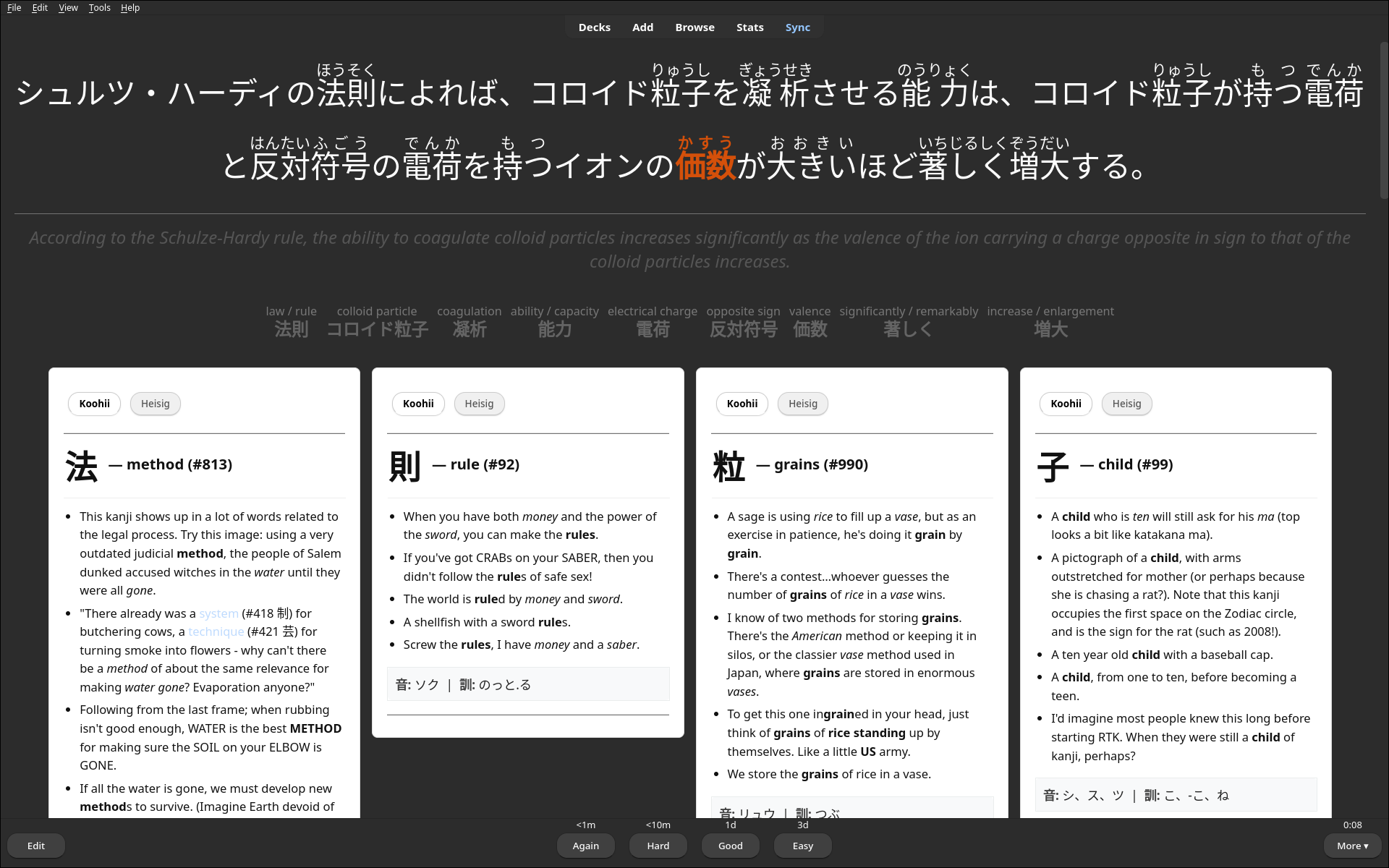
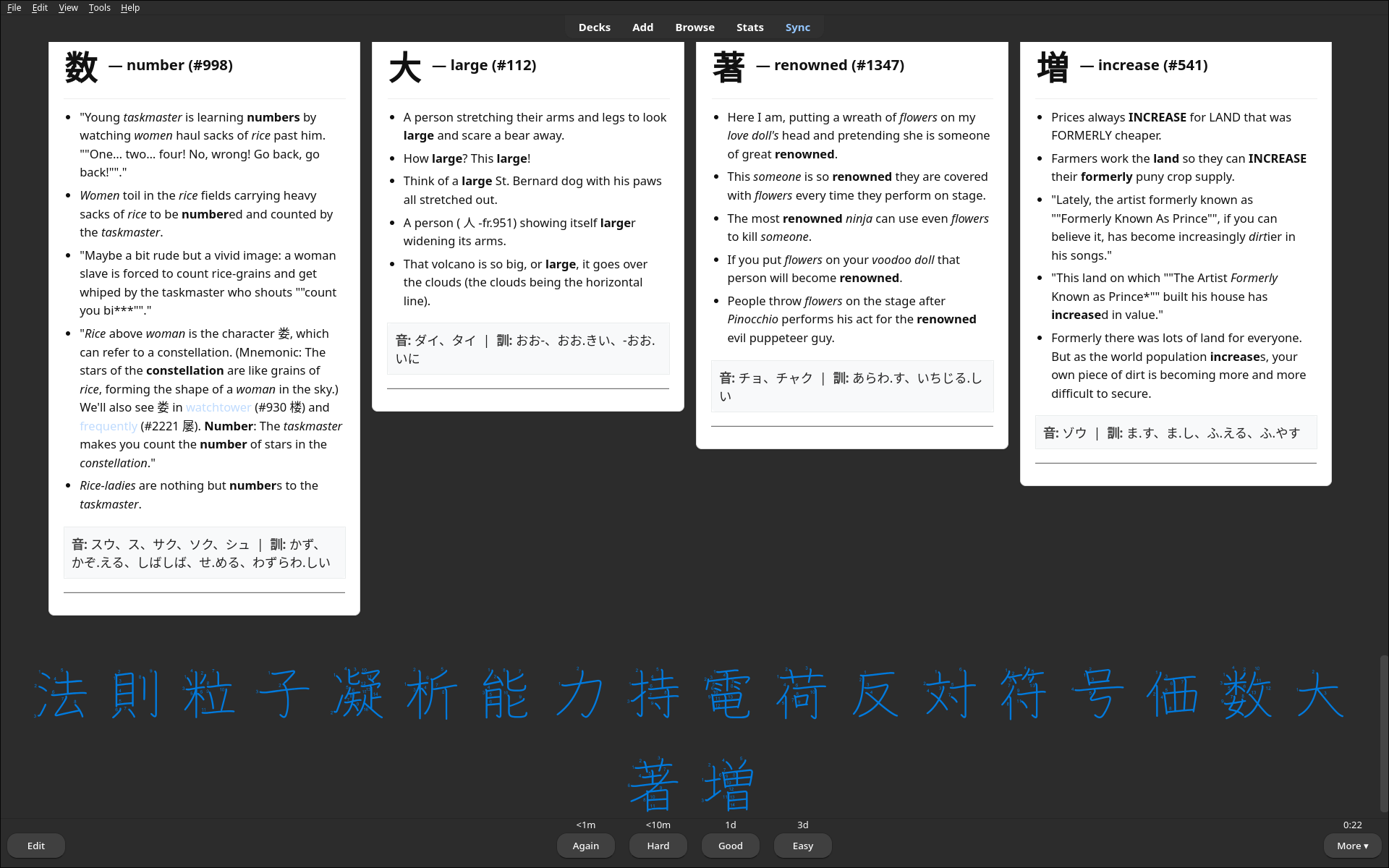
Automatically links every unmastered kanji to the Hochanh RTK Guide.
-
Pushes cards directly to Anki when Anki-connect is enabled, otherwise generates .csv decks to manually import into Anki.
-
Easy file navigation.
-
Mokuro automatically generates .html files to read manga on the web-browser with selectable text.
Installation
pip install japtoAnki
Requirements:
- Python3.12
- Anki
- Mokuro OCR (installed as depency)
Usage
(This is a demo video which is completely outdated, but I can't be arsed to make a better demo video of the current system. . . . I'll get around to that maybe. But I kept it because it does show the idea behind japtoanki)
Your browser does not support the video tag.Command Line Interface
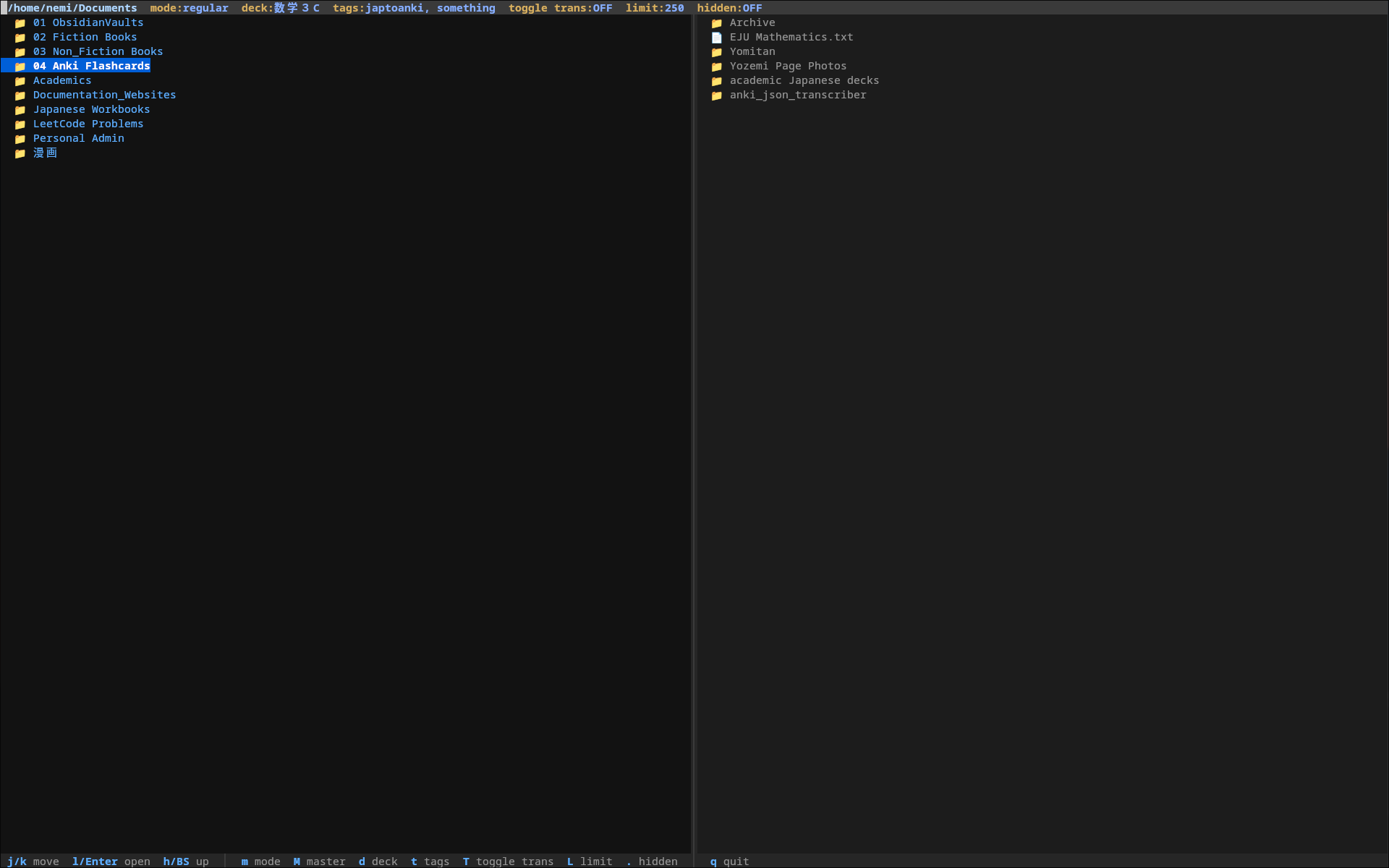
Running japtoAnki opens a file navigator.
japtoAnki
When running without a path argument, japtoAnki opens an interactive file navigator. Translation can be toggled directly inside the navigator.
You can enable/disable translation and set the target language before selecting files.
Highly recommended to use with Anki-connect plugin in Anki. Anki needs to be open as japtoAnki runs.
japtoAnki /path/to/directory --deck Kanji_Sentences --tag manga --no-furigana --translate en --mastered-kanji /path/to/file
run activate-global-python-argcomplete --user in the terminal so that flags autocomplete when TAB is pressed.
Warning for manga / lightnovels: The OCR struggles with front matter and is very prone to making mistakes and the japtAAnki filters struggle with removing these mistakes.
Flags:
--deck Name of the deck in Anki you would like to store the generated cards. If the deck doesn't exist, it will be created.
--tags Tag each generated card. By default every card is tagged "japtoAnki"
--translate Translate each sentence into desired language using Google-translate API (Default is en (english))
--no-furigana Furigana is generated for kanji by default. Use this flag to disable.
--mastered-kanji Provide a document containing kanji you have already mastered to update the known set. Can be manually edited at (~/.mastered_kanji_list(japtoAnki).txt)
Note Model
JaptoAnki creates a custom model in Anki with the following fields:
Note Model
JaptoAnki creates a custom Anki note type with the following fields:
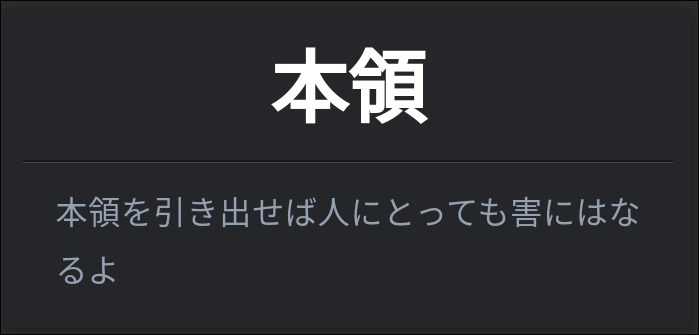
~ Front: Japanese sentence with kanji (e.g.,きょうはいいてんきですね)
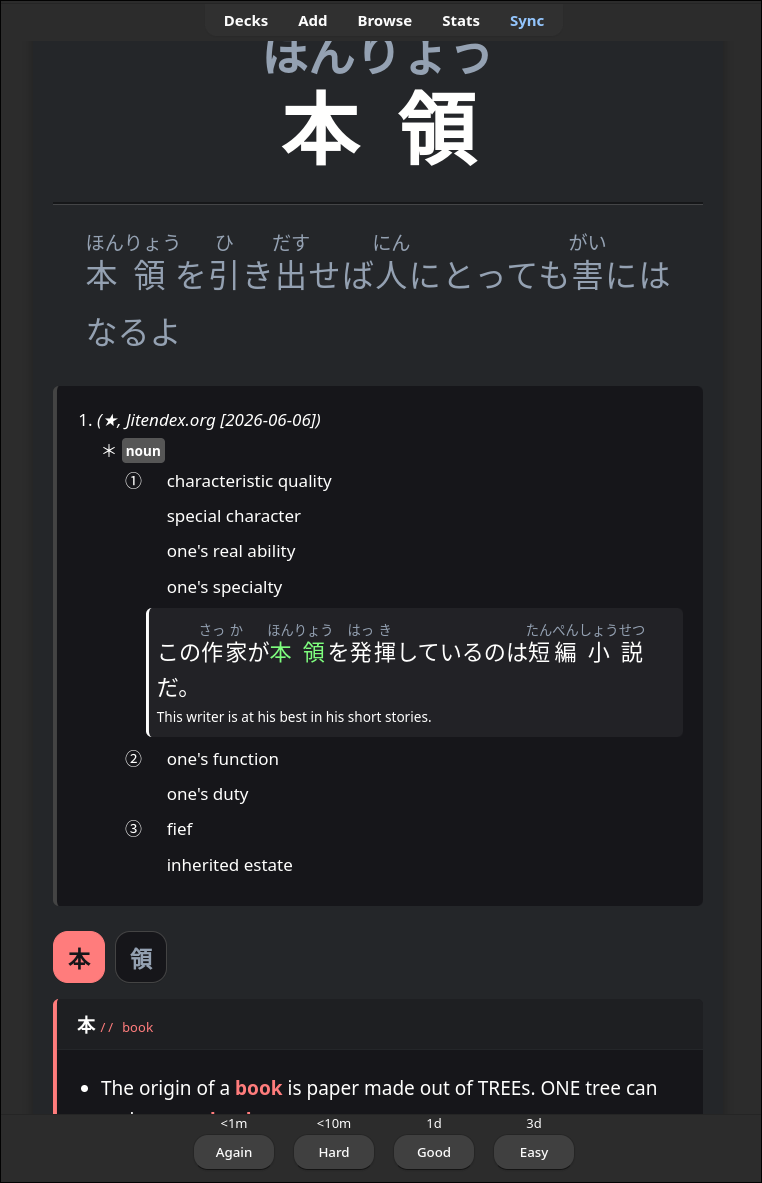
~ Back: Same sentence with furigana readings above kanji (e.g., 今日[きょう]はいい天気[てんき]ですね)
~ Use --no-furigana to show plain kanji
~ HochanhLinks: Clickable kanji links to RTK memorization guides (only shows unmastered kanji)
~ Translation: Optional automatic translation via Google Translate (--translate en)
Examples
Cli file navigation
Navigation mimics Yazi or Ranger (terminal file managers). Using arrow keys or h, j, k, l for navigation. The card-type (when scanning .json files) can automatically change to fit the .json format best.
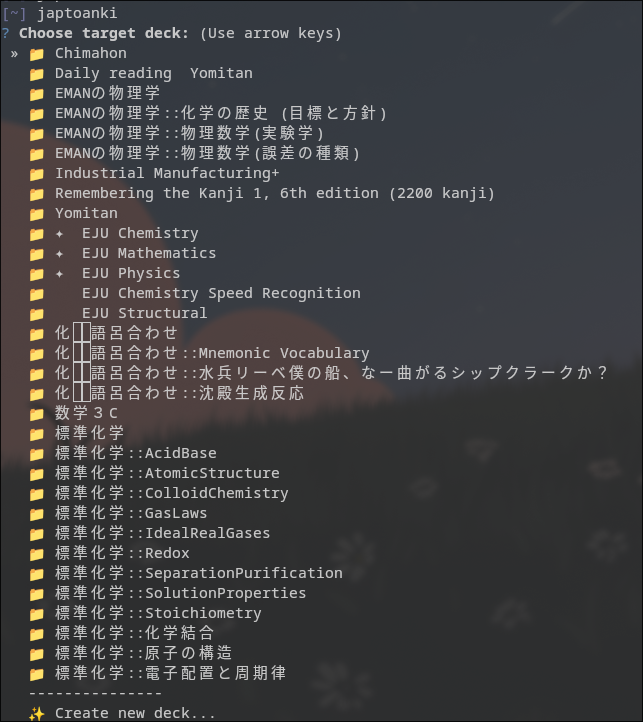
Specifying anki deck
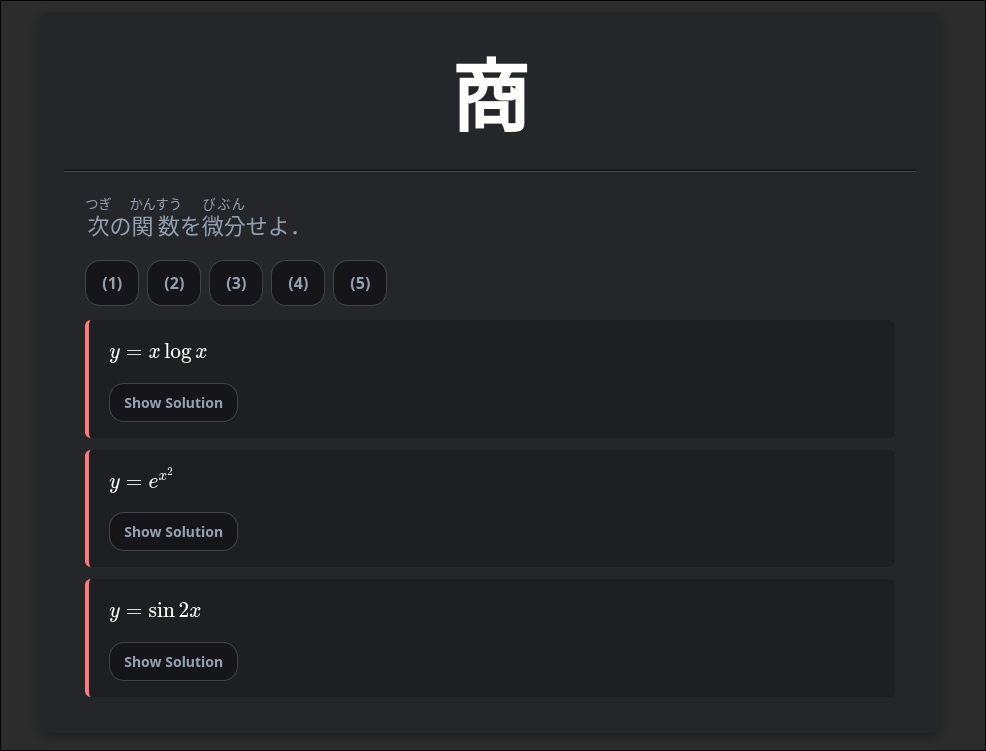
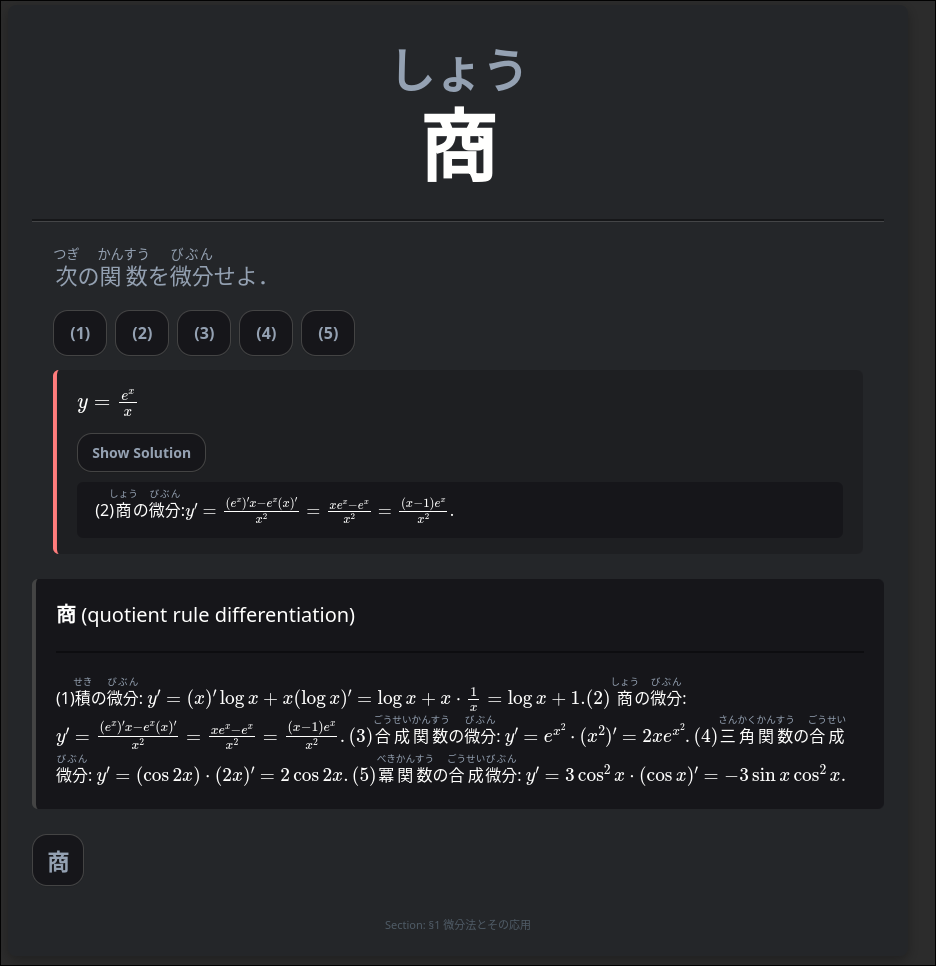
Anki card examples:
Front:
Back:
Cloze format Front:
Cloze Format Back:
Math Front:
Math Back:
When --translate and --no-furigana flags are used:


1 maintainer

Metadata
1 maintainer
Release files for japtoanki 0.2.1
For a detailed explanation of source distributions (sdists) and built distributions (wheels), please see the package formats documentation.
Source distribution (sdist)
| File | Size | Uploaded | |
|---|---|---|---|
| japtoanki-0.2.1.tar.gz | 30.1 kB | Details |
Built distribution (wheel)
| File | Interpreter | ABI | Platform | Reset |
|---|---|---|---|---|
| japtoanki-0.2.1-py3-none-any.whl | Python 3 | none | any | Details |
Total release size: 59.1 kB
Release files / japtoanki-0.2.1.tar.gz
| Download URL | japtoanki-0.2.1.tar.gz |
|---|---|
| Size | 30.1 kB |
| Tags | Source |
|
SHA-256 checksum How to use checksums |
8280675805f3a00360fd7cba675f96cfa2c2ba8cec82a373a4e1f32b2c94d756
|
|
BLAKE2b-256 checksum How to use checksums |
37105e36f79aff25be0a8ac9de0beb3be1a154dd2071bac2bc1f32f9370b28b2
|
| Upload date | |
|
Uploaded using Trusted Publishing? What is trusted publishing? |
No |
| Uploaded via |
twine/7.0.0 CPython/3.14.6
|
Release files / japtoanki-0.2.1-py3-none-any.whl
| Download URL | japtoanki-0.2.1-py3-none-any.whl |
|---|---|
| Size | 29.0 kB |
| Tags | Python 3 |
|
SHA-256 checksum How to use checksums |
8bf3e7d3577ce67c537f9be1d61069f146b560c57817b931583559cfdba87478
|
|
BLAKE2b-256 checksum How to use checksums |
137b81b2b902fd4eb84bf053050935894ef6979b3bc9103fc1b42142858d3b04
|
| Upload date | |
|
Uploaded using Trusted Publishing? What is trusted publishing? |
No |
| Uploaded via |
twine/7.0.0 CPython/3.14.6
|














