
mcpcheck





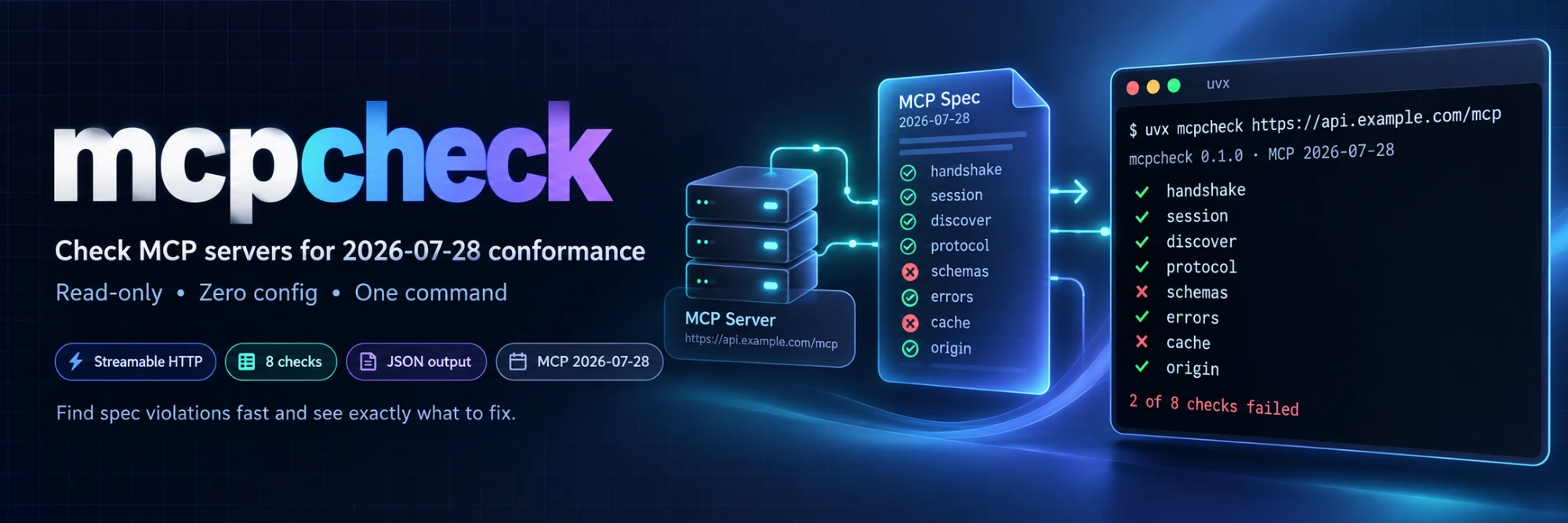
Check that an MCP server conforms to the 2026-07-28 revision of the Model Context Protocol over Streamable HTTP. Read-only. Zero config. One command.
$ mcpcheck https://api.example.com/mcp
mcpcheck 0.1.1 · MCP 2026-07-28 · https://api.example.com/mcp
server: mcpcheck-misbehaving-server 0.1.0 · speaks 2026-07-28 · 8 checks

✓ handshake     Server does not require `initialize`
✓ session       No `Mcp-Session-Id` issued or expected; lists identical across 3 connections
! discover      `server/discover` responds correctly (1 warning)
    ! result._meta["io.modelcontextprotocol/serverInfo"]: server does not identify itself  [should]
    spec: https://modelcontextprotocol.io/specification/2026-07-28/server/discover
✓ protocol      Header validation and version errors conform
✗ schemas       1 of 3 tools have invalid inputSchema (+1 more issue)
    ✗ tool:search_orders: inputSchema is not a valid JSON Schema under https://json-schema.org/draft/2020-12/schema: 'nonsense' is not valid under any of the given schemas (at $.tools[2].inputSchema.properties.query.type)  [must]
    ! tool:search_orders: no outputSchema (optional per spec); publishing one lets clients validate structuredContent  [best-practice]
    spec: https://modelcontextprotocol.io/specification/2026-07-28/server/tools#tool
✓ errors        Tool errors carry actionable messages
✗ cache         8 cache-hint violations: tools/list ttlMs missing; tools/list cacheScope missing (+6 more)
    ✗ tools/list: result has no ttlMs  [must]
    ✗ tools/list: result has no cacheScope  [must]
    ✗ prompts/list: result has no ttlMs  [must]
    ✗ prompts/list: result has no cacheScope  [must]
    ✗ resources/list: result has no ttlMs  [must]
    … and 3 more (use --verbose or --json)
    spec: https://modelcontextprotocol.io/specification/2026-07-28/server/utilities/caching#cacheable-results
✓ origin        Origin header validated

2 of 8 checks failed, 1 warning. See --json for details.
That is a real run against the deliberately misbehaving server that ships in this repository's test suite (only the URL was changed). Every line names the clause it enforces; every finding carries its normative weight.
Try it
No server of your own yet? The repository ships a demo you can run in one command:
git clone https://github.com/suresh-jbt/mcpcheck && cd mcpcheck
make demo                       # same as: bash examples/demo.sh
It takes about three seconds and needs nothing but uv. First it starts examples/demo_server.py — a small, heavily commented, fully conformant 2026-07-28 server built on the official SDK — on a free loopback port, and checks it:
== 1/2  A conformant MCP 2026-07-28 server (examples/demo_server.py)

demo server listening on http://127.0.0.1:60754/mcp (breaks: none)
$ uv run --quiet mcpcheck http://127.0.0.1:60754/mcp

mcpcheck 0.1.1 · MCP 2026-07-28 · http://127.0.0.1:60754/mcp
server: mcpcheck-demo-support-desk 1.0.0 · speaks 2026-07-28 · 8 checks

✓ handshake     Server does not require `initialize`
✓ session       No `Mcp-Session-Id` issued or expected; lists identical across 3 connections
✓ discover      `server/discover` responds correctly
✓ protocol      Header validation and version errors conform
✓ schemas       All 2 tools publish valid schemas
✓ errors        Tool errors carry actionable messages
✓ cache         Cache hints valid on 4 list methods (4 pages)
✓ origin        Origin header validated

All 8 checks passed in 0.1s.

-> mcpcheck exited 0, as expected.
Then it restarts the same server with --break cache,origin,output-schema, which trips two MUSTs and one best practice, runs mcpcheck again (exit 1; that report is shown in full under Examples, and every finding in it has a fix under Fixing what it finds) and ends with the same verdict as machine-readable JSON:
$ uv run --quiet mcpcheck http://127.0.0.1:60782/mcp --json | jq -r '.checks[] | select(.status != "pass") | [.name, .status, (.failures + .warnings)[0].code] | @tsv'

schemas	warn	schemas.output_schema_missing
cache	fail	cache.ttl_missing
origin	fail	origin.evil_accepted
examples/demo_server.py exists to be read: every block that is there because the specification requires it carries a one-line comment naming the requirement, and --break FEATURE introduces one realistic non-conformance at a time (uv run python examples/demo_server.py --list-breaks). examples/README.md tabulates exactly which check, status and finding code each flaw produces.
To point mcpcheck at a server of your own, uvx jbt-mcpcheck http://127.0.0.1:8000/mcp is the whole command — no clone, nothing installed.
Every
consoleblock in this README is real output. A line that is only…marks output elided for brevity, and server URLs are sometimes rewritten.
Why mcpcheck
The 2026-07-28 revision breaks every Streamable HTTP server that still relies on the old handshake:
- No handshake, no sessions.
initializeandMcp-Session-Idare gone. Every request carries its protocol version and client capabilities in_meta, and list results must not vary per connection (changelog, statelessness). server/discoveris mandatory and replacesinitializeas the place where capabilities and supported versions are published (discovery).- Headers became part of the protocol.
MCP-Protocol-Versionon every POST,Mcp-Methodon every request,Mcp-Nameontools/call; mismatches are rejected with HTTP 400 and dedicated error codes (standard request headers, server validation). - Cache hints are required.
ttlMsandcacheScopeMUST appear onserver/discoverand on every*/listresult (cacheable results). - Origin validation is a MUST, with a mandated HTTP 403 for forged origins (Streamable HTTP transport).
A server written for 2025-11-25 still answers initialize and looks healthy in old clients while silently failing new ones. mcpcheck tells you, in a few seconds and without executing a single tool, which requirements your server already meets and points you at the exact clause for each one it does not.
Installation
uvx jbt-mcpcheck https://api.example.com/mcp        # run without installing (uv)
pipx run jbt-mcpcheck https://api.example.com/mcp   # pipx
uv tool install jbt-mcpcheck                        # or install as a tool
pip install jbt-mcpcheck
The package is published as jbt-mcpcheck because PyPI considers mcpcheck too
similar to an unrelated project named mcp-check. Installing it gives you the
mcpcheck command, which is what every example below uses.
Requires Python 3.10 or newer (3.10 support ends at 1.0 or when the mcp SDK drops it, whichever comes first) and is built on the official mcp Python SDK (2.x). Pin a version in CI with uvx jbt-mcpcheck@0.1.1.
To work on mcpcheck itself, clone it instead and prefix the commands with uv run — which is what Try it above does:
git clone https://github.com/suresh-jbt/mcpcheck && cd mcpcheck
uv sync
uv run mcpcheck https://api.example.com/mcp
Quick start
mcpcheck https://api.example.com/mcp                      # run all eight checks
mcpcheck https://api.example.com/mcp --token "$TOKEN"     # authenticated server (or MCPCHECK_TOKEN)
mcpcheck https://api.example.com/mcp --json               # machine-readable report on stdout
mcpcheck https://api.example.com/mcp --check origin,cache # only some checks
mcpcheck https://api.example.com/mcp --skip errors        # everything except one check
mcpcheck https://api.example.com/mcp --strict             # warnings and inconclusive checks also fail the run
mcpcheck https://api.example.com/mcp -vv                  # every HTTP exchange, secrets redacted
python -m mcpcheck --help                                 # also works as a module
The URL is the only required argument, and an all-pass run looks like the conformant half of Try it. mcpcheck --list-checks prints the eight check names and what each one means.
Examples
Recipes for the things people actually do with it. Each one is copy-pasteable; the outputs are real. Inside a clone, prefix every mcpcheck below with uv run; the bare form assumes you installed it (Installation).
Check the server you are developing
python -m my_server --port 8000 &
mcpcheck http://127.0.0.1:8000/mcp
Any Streamable HTTP endpoint will do, local or remote; mcpcheck needs no configuration and no cooperation from the server. Exit 0 means every selected check passed — see Exit codes.
Watch a real failure first
uv run python examples/demo_server.py --port 8000 --break cache,origin,output-schema &
uv run mcpcheck http://127.0.0.1:8000/mcp
Three deliberate flaws in the demo server, and the report that results — two MUST failures and one best-practice warning:
mcpcheck 0.1.1 · MCP 2026-07-28 · http://127.0.0.1:8000/mcp
server: mcpcheck-demo-support-desk 1.0.0 · speaks 2026-07-28 · 8 checks

✓ handshake     Server does not require `initialize`
✓ session       No `Mcp-Session-Id` issued or expected; lists identical across 3 connections
✓ discover      `server/discover` responds correctly
✓ protocol      Header validation and version errors conform
! schemas       2 of 2 tools missing outputSchema
    ! tool:lookup_order: no outputSchema (optional per spec); publishing one lets clients validate structuredContent  [best-practice]
    ! tool:search_faq: no outputSchema (optional per spec); publishing one lets clients validate structuredContent  [best-practice]
    spec: https://modelcontextprotocol.io/specification/2026-07-28/server/tools#tool
✓ errors        Tool errors carry actionable messages
✗ cache         8 cache-hint violations: tools/list ttlMs missing; tools/list cacheScope missing (+6 more)
    ✗ tools/list: result has no ttlMs  [must]
    ✗ tools/list: result has no cacheScope  [must]
    ✗ prompts/list: result has no ttlMs  [must]
    ✗ prompts/list: result has no cacheScope  [must]
    ✗ resources/list: result has no ttlMs  [must]
    … and 3 more (use --verbose or --json)
    spec: https://modelcontextprotocol.io/specification/2026-07-28/server/utilities/caching#cacheable-results
✗ origin        Evil Origin accepted: https://evil.example.com got HTTP 200 + result (expected 403)
    ✗ origin:evil: The server processed a request carrying a foreign Origin; a page on https://evil.example.com, or any hostname DNS-rebound to this server, can drive it from a victim's browser  [must]
    spec: https://modelcontextprotocol.io/specification/2026-07-28/basic/transports/streamable-http

2 of 8 checks failed, 1 warning. See --json for details.
Every finding there has a fix one or two lines long; they are in Fixing what it finds.
A deployed server behind a bearer token
read -rs MCPCHECK_TOKEN && export MCPCHECK_TOKEN   # typed, never in shell history
mcpcheck https://api.example.com/mcp
--token does the same thing, but a token on the command line ends up in your history and in CI logs, so prefer the MCPCHECK_TOKEN environment variable. The token is sent only to that URL and never reaches the report (see Safety). Without it, an authenticating server cannot be judged at all and every check says so:
$ mcpcheck https://api.example.com/mcp
mcpcheck 0.1.1 · MCP 2026-07-28 · https://api.example.com/mcp
server: (no serverInfo) · protocol version unknown · 8 checks

? handshake     Not evaluated: HTTP 401 (pass --token)
? session       Not run: Not evaluated: HTTP 401 (pass --token)
…
No conclusive checks: 8 inconclusive in 0.0s.
That run exits 2: not one check reached a verdict, so mcpcheck verified nothing about the server — the same code it uses for "could not run". A pipeline written as mcpcheck "$URL" && deploy therefore stops, instead of going green against a server it never managed to inspect. An inconclusive check alongside conclusive ones is still fine; use --strict if even that should fail the build.
A server that only answers an allow-listed Origin
mcpcheck https://api.example.com/mcp --origin https://app.example.com
Servers that reject unknown Origin headers answer mcpcheck's plain requests with 403, and you get Not evaluated: HTTP 403 (try --origin). --origin is sent on every request except the origin check's own deliberate variations, so Origin validation is still measured honestly.
Iterate on one check while you fix it
mcpcheck http://127.0.0.1:8000/mcp --check cache        # one check, one second
mcpcheck http://127.0.0.1:8000/mcp --check cache -v     # ... with every finding, including info
A focused run is the fastest feedback loop there is: it prints nothing but the check you are working on, and -v expands the elided findings so you see all eight rather than the first five.
$ mcpcheck http://127.0.0.1:8000/mcp --check cache
mcpcheck 0.1.1 · MCP 2026-07-28 · http://127.0.0.1:8000/mcp
server: mcpcheck-demo-support-desk 1.0.0 · speaks 2026-07-28 · 1 check

✗ cache         8 cache-hint violations: tools/list ttlMs missing; tools/list cacheScope missing (+6 more)
…
1 of 1 checks failed. See --json for details.
After the fix, the same command is the proof:
$ mcpcheck http://127.0.0.1:8000/mcp --check cache
…
✓ cache         Cache hints valid on 4 list methods (4 pages)

All 1 checks passed in 0.0s.
Do not let it call your tools at all
mcpcheck https://api.example.com/mcp --probe none
By default the errors check calls read-only, non-destructive tools with arguments that are proven invalid against their own inputSchema, to see whether the server validates and explains. --probe none disables every tool call: use it when tools bill per invocation, page someone, or share a fixture with other tests. The check then reports itself as not judged rather than silently passing:
? errors Skipped: --probe none
--probe all is the opposite — every tool, annotated or not, gets one schema-invalid call.
Gate a pull request on MUST violations, or on everything
mcpcheck http://127.0.0.1:8000/mcp            # default: only a violated MUST fails the run
mcpcheck http://127.0.0.1:8000/mcp --strict   # warnings and inconclusive checks fail too
The default is deliberately quiet: only a violated MUST fails the run, so a conformant-but-improvable server does not block a merge. --strict promotes warnings and inconclusive checks, and the summary line says how many verdicts it moved. The two runs below are against the broken demo server with its two MUST failures taken out of the way (--skip cache,origin) so that the warning-only case is visible — cache and origin are themselves MUST checks, so never skip them in a real gate:
$ mcpcheck http://127.0.0.1:8000/mcp --skip cache,origin
…
! schemas       2 of 2 tools missing outputSchema
…
All 6 checks passed, 1 warning in 0.1s.

$ mcpcheck http://127.0.0.1:8000/mcp --skip cache,origin --strict
…
1 of 6 checks failed, 1 promoted by --strict. See --json for details.
The first exits 0, the second 1. A common compromise is to run the default in the merge gate and --strict in a nightly job.
Save a report, and diff two environments
mcpcheck https://staging.example.com/mcp -o staging.json
mcpcheck https://api.example.com/mcp     -o prod.json
codes() { jq -r '[.checks[] | (.failures + .warnings)[] | .code] | unique | .[]' "$1"; }
diff <(codes staging.json) <(codes prod.json)
-o writes the JSON report and keeps the human report on stdout, and it writes the file even when the run exits 1 or 2. Diffing the sorted finding codes rather than the whole report keeps the noise out: timestamps, durations and request counts differ on every run, the codes do not.
$ diff <(codes staging.json) <(codes prod.json)
0a1,4
> cache.scope_missing
> cache.ttl_missing
> origin.evil_accepted
> schemas.output_schema_missing
Four findings that only production has: the kind of difference a gateway, a CDN or an older deployed revision introduces, and the reason it is worth running mcpcheck against every environment rather than only the one you develop in.
Slice the JSON report with jq
| What you want | Command |
|---|---|
| every non-passing check, one line each | jq -r '.checks[] | select(.status != "pass") | [.status, .name, .summary] | @tsv' report.json |
| every finding with its normative level | jq -r '.checks[] | (.failures + .warnings)[] | [.level, .code, .subject, .message] | @tsv' report.json |
| just the finding codes, deduplicated | jq -r '[.checks[] | (.failures + .warnings)[] | .code] | unique | .[]' report.json |
| exit non-zero when one specific code is present | jq -e '.checks[] | (.failures + .warnings)[] | select(.code == "origin.evil_accepted")' report.json |
| the counts and the exit code | jq -c '.summary' report.json |
The last two are the useful ones in a script. Grepping for a code lets you fail a build on exactly one requirement — or suppress one you have accepted by ignoring its code and gating on the rest:
$ jq -r '.checks[] | (.failures + .warnings)[] | [.level, .code, .subject] | @tsv' broken.json
best-practice	schemas.output_schema_missing	tool:lookup_order
best-practice	schemas.output_schema_missing	tool:search_faq
must	cache.ttl_missing	tools/list
must	cache.scope_missing	tools/list
…
must	origin.evil_accepted	origin:evil

$ jq -c '.summary' broken.json
{"total":8,"passed":5,"warned":1,"failed":2,"inconclusive":0,"errored":0,"skipped":[],"exit_code":1}
Wire it into a Makefile or a git hook
conformance: ## check the local dev server against MCP 2026-07-28
	mcpcheck http://127.0.0.1:8000/mcp --output reports/mcpcheck.json
A pre-push hook is the natural place for it, because it needs a running server and a second or two:
# .pre-commit-config.yaml
repos:
  - repo: local
    hooks:
      - id: mcpcheck
        name: mcpcheck (MCP 2026-07-28 conformance)
        entry: mcpcheck http://127.0.0.1:8000/mcp
        language: python
        additional_dependencies: [jbt-mcpcheck==0.1.1]
        pass_filenames: false
        stages: [pre-push]
If no server is running locally, keep the check in CI instead, where the job can start one (Use in CI).
Pin the version in CI
uvx jbt-mcpcheck@0.1.1 http://127.0.0.1:8000/mcp --output mcpcheck.json
New checks and new findings arrive in minor releases, so an unpinned mcpcheck can start failing a pull request that did not touch the server. Pin it, read the changelog when you bump it, and keep the report as a build artifact: it records mcpcheck_version, sdk_version and spec_revision, so an old verdict stays explainable.
Debug a verdict you do not believe
mcpcheck http://127.0.0.1:8000/mcp --check origin -vv 2>&1 >/dev/null | head -20
-v logs one line per request, -vv adds headers and bodies, both on stderr (so the redirect above keeps them apart from the report). It is the fastest way to see what mcpcheck actually sent — including the per-request _meta that replaced initialize — and what came back:
# check: runner  conn=main
> 1 POST http://127.0.0.1:8000/mcp  tools/list
>   accept: application/json, text/event-stream
>   content-type: application/json
>   user-agent: mcpcheck/0.1.1 (+https://github.com/suresh-jbt/mcpcheck)
>   mcp-protocol-version: 2026-07-28
>   mcp-method: tools/list
>   {"jsonrpc":"2.0","id":1,"method":"tools/list","params":{"_meta":{"io.modelcontextprotocol/protocolVersion":"2026-07-28","io.modelcontextprotocol/clientCapabilities":{},"io.modelcontextprotocol/clientInfo":{"name":"mcpcheck","version":"0.1.1"}}}}
< 1 200 application/json 1ms
…
# check: origin  conn=origin-evil
> 2 POST http://127.0.0.1:8000/mcp  server/discover [Origin: https://evil.example.com]
…
>   origin: https://evil.example.com
< 2 200 application/json 1ms
A 200 on that second exchange is the whole origin failure: the server answered a request that claimed to come from https://evil.example.com. Secrets are redacted in this output too. If the exchange looks right and the verdict still looks wrong, that is a bug worth reporting — attach the --json report.
What it checks
Each check is independent, cites the clause it enforces, and classifies every finding by normative weight: must (spec MUST / MUST NOT; fails the run), should (spec SHOULD; a warning) or best-practice (mcpcheck's opinion where the spec is permissive; a warning). Warnings affect the exit code only with --strict. mcpcheck --list-checks prints the same eight names.
| Check | What mcpcheck verifies |
Levels | Spec |
|---|---|---|---|
handshake |
A tools/list with per-request _meta and the required headers succeeds on a fresh connection with no initialize first, and the result is 2026-shaped (resultType, _meta serverInfo). Servers that also answer initialize (dual-era) pass; servers that require it, or reject 2026-07-28 with -32022, fail. This check gates the others: when it fails or cannot be evaluated the rest are reported as not run. |
must / should | Statelessness, Backward compatibility |
session |
No Mcp-Session-Id is minted, echoed or required; a bogus one is ignored; tools/list, prompts/list and resources/list return the same set on 3 fresh connections and after other requests on the same connection (MUST NOT vary); tool definitions are stable and tools come back in a deterministic order (SHOULD). |
must / should / best-practice | Earlier Streamable HTTP revisions, Tools capabilities |
discover |
server/discover is implemented (MUST); the result has resultType, supportedVersions, a capabilities object and valid cache hints; _meta carries io.modelcontextprotocol/serverInfo (SHOULD); every capability implied by a non-empty list result is declared and every declared capability answers its list method (MUST). |
must / should / best-practice | Discovery, DiscoverResult, _meta |
protocol |
A header/_meta version mismatch yields HTTP 400 + -32020; an unsupported version yields 400 + -32022 with data.supported; a missing or miscased Mcp-Method or a missing _meta field is rejected; a tools/call naming a tool that does not exist is rejected when Mcp-Name is missing or differs from params.name, and a Base64-encoded Mcp-Name is decoded before comparing; an omitted Mcp-Param-* header is rejected (when an annotated tool exposes an x-mcp-header parameter); an unknown method yields 404 + -32601. A header-less request that is accepted with a 2026-shaped result is a warning (serving it legacy-shaped, or rejecting it for lacking a session, is the dual-era MAY). |
must / should | Protocol version header, Server validation |
schemas |
Every tool's inputSchema is a JSON Schema object with root type: "object", valid under its declared or default (2020-12) dialect, without fetching any $ref (MUST); x-mcp-header annotations obey their constraints (MUST); tool names follow the naming rules (SHOULD); every tool declares an outputSchema (best practice: the spec says optional). |
must / should / best-practice | Tool, Schema validation, x-mcp-header |
errors |
Calling an annotated read-only tool with arguments that violate its own inputSchema is rejected, either as a JSON-RPC error or as a result with isError: true; both are conformant. A success on arguments that miss a required property or fall outside an enum fails (servers MUST validate all tool inputs); a success on wrong-typed arguments is a warning (lenient coercion). The error message is a concise, specific sentence rather than a stack trace, and a call to a tool that does not exist is rejected (best practice). |
must / should / best-practice | Error handling |
cache |
tools/list, prompts/list, resources/list and resources/templates/list results carry a numeric ttlMs >= 0 and a cacheScope of exactly public or private on every page, with the same cacheScope across pages (MUST; a fractional ttlMs is a warning, the spec's prose says integer while its schema says number); every prompt has a name and every resource a uri (schema-typed fields, MUST); a public list whose item names look user-specific is flagged (best practice). server/discover hints are checked by discover. |
must / should / best-practice | Cacheable results, Security considerations |
origin |
A request with Origin: https://evil.example.com is answered with HTTP 403 (MUST); any other rejection status fails too, because the spec mandates 403. Rejecting same-origin or absent Origin, or accepting Origin: null, is a best-practice warning; the spec is silent about those. |
must / should / best-practice | Streamable HTTP transport, Security best practices |
mcpcheck is deliberately opinionated in a few labelled places (best-practice in every report): it recommends an outputSchema on every tool, its errors heuristics encode what makes an error message useful to a language model, and it warns about public cache scopes and Origin handling the spec does not regulate. Nothing else in mcpcheck fails a server for behaviour the specification permits.
Fixing what it finds
The findings below are the ones real servers hit first. Every fix is code from examples/demo_server.py, so it is code that passes the check it claims to fix: the test suite runs all eight checks against that server, and CI runs the demo itself.
cache.ttl_missing, cache.scope_missing (must)
✗ cache         8 cache-hint violations: tools/list ttlMs missing; tools/list cacheScope missing (+6 more)
    ✗ tools/list: result has no ttlMs  [must]
    ✗ tools/list: result has no cacheScope  [must]
Every cacheable result MUST carry ttlMs and cacheScope; without them a client cannot cache a listing at all and re-fetches your tool list on every turn (cacheable results). With the official SDK the whole requirement is one argument, declared once:
from mcp.server.caching import CacheHint
from mcp.server.mcpserver import MCPServer

server = MCPServer(
    name="support-desk",
    version="1.0.0",
    cache_hints={
        "server/discover": CacheHint(ttl_ms=3_600_000, scope="public"),
        "tools/list": CacheHint(ttl_ms=300_000, scope="public"),
        "prompts/list": CacheHint(ttl_ms=300_000, scope="public"),
        "resources/list": CacheHint(ttl_ms=60_000, scope="public"),
        "resources/templates/list": CacheHint(ttl_ms=60_000, scope="public"),
        # `private` because a read can be user-specific; ttl_ms=0 means "do not store".
        "resources/read": CacheHint(ttl_ms=0, scope="private"),
    },
)
Use private for anything whose content depends on who is asking — mcpcheck warns when a public listing contains names that look user-specific.
origin.evil_accepted (must)
✗ origin        Evil Origin accepted: https://evil.example.com got HTTP 200 + result (expected 403)
    ✗ origin:evil: The server processed a request carrying a foreign Origin; a page on https://evil.example.com, or any hostname DNS-rebound to this server, can drive it from a victim's browser  [must]
A server MUST validate Origin and answer a forged one with HTTP 403; otherwise any web page the user visits — or any hostname DNS-rebound to your address — can drive your server from their browser (Streamable HTTP transport). The SDK turns the protection on by default, so a conformant local server is the one that simply does not switch it off:
app = server.streamable_http_app(
    streamable_http_path="/mcp",
    stateless_http=True,
    host="127.0.0.1",   # DNS-rebinding protection is on by default for loopback hosts
)
Behind a proxy or on a public hostname, allow-list what you serve instead of disabling the check:
from mcp.server.transport_security import TransportSecuritySettings

app = server.streamable_http_app(
    streamable_http_path="/mcp",
    stateless_http=True,
    transport_security=TransportSecuritySettings(
        allowed_origins=["https://app.example.com"],
        allowed_hosts=["api.example.com"],
    ),
)
handshake.initialize_required (must)
✗ handshake     Server requires `initialize` (HTTP 400, -32600 "Server not initialized")
    ✗ tools/list: Server rejected a complete 2026-07-28 request with a non-modern error; it requires the legacy initialize handshake  [must]
? session       Not run: Server requires `initialize` (HTTP 400, -32600 "Server not initialized")
This is the 2025-era server in a 2026 world, and it is the one finding that stops everything else: a server that will not answer without initialize cannot be judged further, so the other seven checks report Not run. 2026-07-28 removed the handshake — every request carries its own protocol version and client capabilities in _meta (statelessness). In the SDK that is one flag, and it makes the server horizontally scalable as a bonus:
app = server.streamable_http_app(
    streamable_http_path="/mcp",
    json_response=True,     # or an SSE stream; a server MAY choose either
    stateless_http=True,    # no `initialize`, no `Mcp-Session-Id`
    host="127.0.0.1",
)
Dual-era servers that also still answer initialize pass this check; only requiring it fails.
schemas.output_schema_missing (best practice)
! schemas       2 of 2 tools missing outputSchema
    ! tool:lookup_order: no outputSchema (optional per spec); publishing one lets clients validate structuredContent  [best-practice]
The spec calls outputSchema optional (tool), so this is a warning and never fails a run — but publishing one is what lets a client validate structuredContent instead of parsing prose. The SDK derives the schema from your return annotation, so a TypedDict return type is the whole fix:
from typing import TypedDict

from mcp_types import ToolAnnotations   # the SDK's types live in the top-level `mcp_types`


class Order(TypedDict):
    """Structured result of `lookup_order` — described by its outputSchema."""

    order_id: str
    status: str
    eta_days: int


@server.tool(
    name="lookup_order",
    description="Look up the status and ETA of an order by its id (read-only).",
    annotations=ToolAnnotations(read_only_hint=True, destructive_hint=False),
)
def lookup_order(order_id: str) -> Order:
    status, eta = ORDERS[order_id]
    return Order(order_id=order_id, status=status, eta_days=eta)
Those annotations matter for a second reason: they are how mcpcheck (and any client) knows a tool is safe to call, and they are what the default --probe safe selects.
discover.server_info_missing (should)
! discover      `server/discover` responds correctly (1 warning)
    ! result._meta["io.modelcontextprotocol/serverInfo"]: server does not identify itself  [should]
Results SHOULD identify the server in _meta, so a client can tell a human what it is talking to and report versions in a bug (discovery, _meta). The SDK publishes it for you from the constructor arguments — the fix is to pass them:
server = MCPServer(                      # imports and CACHE_HINTS as in the cache fix above
    name="mcpcheck-demo-support-desk",   # published as
    version="1.0.0",                     # result._meta["io.modelcontextprotocol/serverInfo"]
    instructions="Demo support desk. Every tool is read-only and side-effect free.",
    cache_hints=CACHE_HINTS,
)
It is also what mcpcheck prints on its second line (server: mcpcheck-demo-support-desk 1.0.0 · speaks 2026-07-28), which makes CI logs readable.
errors.non_actionable_messages (best practice)
! errors        3 of 3 probed tools return non-actionable errors
    ! tools/call: 3 of 3 probed tools return non-actionable error messages (0/3 actionable, threshold 80%)  [best-practice]
    ! lookup_order: Error message fails heuristics A3, A4: 'Traceback (most recent call last): File "demo_server.py", line 1, in call_tool raise ValueError(args) ValueError: error'  [best-practice]
Tool errors are read by a language model, which has nothing but the message to recover from (error handling). A stack trace tells it nothing and leaks your internals. Raise a complete sentence that names the argument and, where you can, the valid values:
def lookup_order(order_id: str) -> Order:
    try:
        status, eta = ORDERS[order_id]
    except KeyError:
        known = ", ".join(sorted(ORDERS))
        msg = f"Unknown order_id {order_id!r}. Known demo orders are: {known}."
        raise ValueError(msg) from None
    return Order(order_id=order_id, status=status, eta_days=eta)
Input validation is free with the SDK: it checks arguments against the generated inputSchema before your function runs, which satisfies the MUST that the errors check tests first. The heuristics only grade the message you write for the failures it cannot validate away.
Output
The human report prints one line per check with a glyph (✓ pass, ✗ fail, ! warning, ? inconclusive, E error), the first findings under each failing or warning check, and the spec URL. -v adds the informational findings, -vv prints every HTTP exchange on stderr. ASCII glyphs are used automatically when stdout cannot render UTF-8.
With --json, or --output FILE (which keeps the human report on stdout), you get one JSON document. This is a real report trimmed to one check with jq '.checks |= map(select(.name == "schemas"))':
{
  "$schema": "https://raw.githubusercontent.com/suresh-jbt/mcpcheck/main/schema/mcpcheck-report.v1.schema.json",
  "schema_version": 1,
  "mcpcheck_version": "0.1.1",
  "sdk_version": "2.3.0",
  "python_version": "3.13.5",
  "spec_revision": "2026-07-28",
  "server": "https://api.example.com/mcp",
  "request": {
    "origin": null,
    "auth": "none",
    "extra_headers": [],
    "tls_verify": true
  },
  "options": {
    "strict": false,
    "probe": "safe",
    "max_tools": 20,
    "timeout": 10.0,
    "legacy_probes": false
  },
  "protocol_version": "2026-07-28",
  "server_supported_versions": [
    "2026-07-28"
  ],
  "server_info": {
    "name": "mcpcheck-misbehaving-server",
    "version": "0.1.0"
  },
  "era": "unknown",
  "timestamp": "2026-10-16T11:37:46Z",
  "duration_ms": 58,
  "checks": [
    {
      "name": "schemas",
      "title": "Tool inputSchema/outputSchema are valid JSON Schema",
      "status": "fail",
      "summary": "1 of 3 tools have invalid inputSchema (+1 more issue)",
      "details": "Evaluated 3 tools over 1 tools/list page; schemas validated with jsonschema under their declared or default dialect; no $ref or icon was fetched.",
      "spec_url": "https://modelcontextprotocol.io/specification/2026-07-28/server/tools#tool",
      "failures": [
        {
          "code": "schemas.input_schema_invalid",
          "level": "must",
          "subject": "tool:search_orders",
          "message": "inputSchema is not a valid JSON Schema under https://json-schema.org/draft/2020-12/schema: 'nonsense' is not valid under any of the given schemas (at $.tools[2].inputSchema.properties.query.type)",
          "spec_url": "https://modelcontextprotocol.io/specification/2026-07-28/basic#schema-validation",
          "evidence": {
            "path": "$.tools[2].inputSchema.properties.query.type",
            "page": 0,
            "got": "nonsense",
            "dialect": "https://json-schema.org/draft/2020-12/schema",
            "expected": "valid https://json-schema.org/draft/2020-12/schema schema"
          },
          "tool": "search_orders",
          "issue": "inputSchema is not a valid JSON Schema under https://json-schema.org/draft/2020-12/schema: 'nonsense' is not valid under any of the given schemas (at $.tools[2].inputSchema.properties.query.type)"
        }
      ],
      "warnings": [
        {
          "code": "schemas.output_schema_missing",
          "level": "best-practice",
          "subject": "tool:search_orders",
          "message": "no outputSchema (optional per spec); publishing one lets clients validate structuredContent",
          "spec_url": "https://modelcontextprotocol.io/specification/2026-07-28/server/tools#output-schema",
          "evidence": {
            "path": "$.tools[2].outputSchema",
            "page": 0,
            "expected": "a JSON Schema describing structuredContent"
          },
          "tool": "search_orders",
          "issue": "no outputSchema (optional per spec); publishing one lets clients validate structuredContent"
        }
      ],
      "info": [],
      "duration_ms": 2,
      "requests": 0,
      "error": null,
      "severity": "must",
      "passed": false
    }
  ],
  "summary": {
    "total": 8,
    "passed": 5,
    "warned": 1,
    "failed": 2,
    "inconclusive": 0,
    "errored": 0,
    "skipped": [],
    "exit_code": 1
  }
}
Finding codes (cache.ttl_missing, schemas.input_schema_invalid, origin.evil_accepted, ...) are stable identifiers you can grep or suppress on; adding a code is a non-breaking change, renaming or removing one is not. The report format is versioned by schema_version; the JSON Schema ships in the repository as schema/mcpcheck-report.v1.schema.json and is printed by mcpcheck --json-schema. Your token is never written to the report; only "auth": "bearer" and the names of any --header values are. Slice the JSON report with jq has the one-liners worth keeping.
Exit codes
| Code | Meaning |
|---|---|
0 |
Every selected check passed. Warnings, and inconclusive checks alongside conclusive ones, are allowed unless --strict |
1 |
At least one selected check failed (a MUST was violated). With --strict, a warning or an inconclusive check also produces 1 |
2 |
mcpcheck could not run: bad arguments, connection refused or timed out, TLS failure, an incompatible mcp SDK, an internal error — or every selected check was inconclusive, so nothing was verified (e.g. HTTP 401 without --token, or a URL that is not an MCP endpoint) |
130 |
Interrupted (SIGINT) |
A JSON-RPC error that is a server answer (-32601, -32602, -32020, -32022, ...) is check data, never exit 2. When --output FILE is given the JSON report is written even on exit 1 or 2.
Use in CI
name: MCP conformance
on: [push, pull_request]
jobs:
  mcpcheck:
    runs-on: ubuntu-latest
    steps:
      - uses: actions/checkout@v7
      - uses: astral-sh/setup-uv@v10.3.0
      - name: Start the MCP server under test
        run: |
          python -m my_server --port 8000 &
          # Probe with an empty POST, not GET: a GET to a server that still hosts the legacy SSE
          # stream never returns. Any HTTP answer (e.g. 400) means the endpoint is up.
          timeout 30 bash -c 'until curl -s -o /dev/null -m 5 -X POST -H "Content-Type: application/json" --data "{}" http://127.0.0.1:8000/mcp; do sleep 0.5; done'
      - name: Check conformance with MCP 2026-07-28
        env:
          MCPCHECK_TOKEN: ${{ secrets.MCP_TEST_TOKEN }}   # omit for unauthenticated servers
        run: uvx jbt-mcpcheck@0.1.1 http://127.0.0.1:8000/mcp --output mcpcheck.json
      - uses: actions/upload-artifact@v7
        if: always()
        with: {name: mcpcheck-report, path: mcpcheck.json}
Gate only on MUST violations (the default) or add --strict to fail on warnings too. To make the step advisory while keeping real failures fatal, append || [ $? -eq 1 ] to the run line: it lets exit 1 through and keeps exit 2 (could not run) fatal.
Options
| Option | Description |
|---|---|
--token TEXT |
Bearer token sent as Authorization: Bearer <TEXT>. [env var: MCPCHECK_TOKEN] |
-H, --header KEY:VALUE |
Extra request header; repeatable. |
--origin TEXT |
Origin header to send on every request (default: none). |
--timeout SECONDS |
Per-request timeout. [default: 10.0; x>0] |
-c, --check NAME |
Run only these checks; repeatable or comma-separated. Names: handshake, session, discover, protocol, schemas, errors, cache, origin. |
--skip NAME |
Skip these checks; repeatable or comma-separated. |
--probe [safe|all|none] |
Which tools the errors check may call with invalid arguments: safe = only tools annotated readOnlyHint=true or destructiveHint=false, all = every tool, none = no calls. [default: safe] |
--max-tools N |
Maximum number of tools the errors check probes. [default: 20; x>=1] |
--legacy-probes |
Also send a legacy initialize request and a headers-only GET to classify dual-era servers. |
--strict |
Treat warnings and inconclusive checks as failures (exit code 1). |
--json |
Print the JSON report to stdout instead of the human report. |
-o, --output FILE |
Write the JSON report to FILE as well (- = stdout, implies --json). |
--json-schema |
Print the JSON Schema of the report and exit. |
--list-checks |
List the available checks and exit. |
-v, --verbose |
Show every HTTP exchange on stderr; -vv adds headers and bodies (secrets redacted). |
--no-color |
Disable colored output (NO_COLOR=1 does the same). |
--insecure |
Do not verify the server's TLS certificate. |
-V, --version |
Show the version and exit. |
-h, --help |
Show this message and exit. |
Validation errors (unknown check name, a name in both --check and --skip, a URL without scheme or host, a non-positive timeout) exit 2 before any network I/O. --check and --skip accept comma-separated lists and are case-insensitive; checks always run in the canonical order above regardless of how you list them.
Safety: what mcpcheck sends
mcpcheck is a read-only client. By default it sends only:
POSTserver/discover,tools/list,prompts/list,resources/listandresources/templates/list, followingnextCursoracross pages.POSTtools/callwith arguments that are proven invalid against the tool's owninputSchema(a missing required property or a wrong-typed value), and only to tools whose annotations sayreadOnlyHint: trueordestructiveHint: false. The spec's default fordestructiveHintistrue, so unannotated tools are never called;--probe allopts every tool in (with a warning),--probe nonedisables tool calls entirely,--max-toolscaps their number. Plus onetools/callto a tool name that does not exist (mcpcheck__nonexistent_tool_7f3a).POSTprobes with a deliberately wrong or missing protocol version, a missing or miscasedMcp-Method, a missing_metafield, an omittedMcp-Param-*header or an unknown method (mcpcheck/nonexistent), which no server can execute; threetools/callrequests to the non-existent tool name withMcp-Namemissing, mismatching or Base64-encoded (skipped under--probe none); and fourserver/discoverrequests with differentOriginheaders (one of themhttps://evil.example.com, onenull).- One
OPTIONSpreflight.
Opt-in only, with --legacy-probes: one legacy initialize request (which may allocate a session on dual-era servers; it is never followed by DELETE) and one headers-only GET.
It never sends resources/read, prompts/get, subscriptions/listen, DELETE, notifications or a tool call with valid arguments, and it never follows a cross-origin redirect or fetches a $ref. Your token goes only to SERVER_URL (and to same-origin 307/308 redirects, at most five) and is replaced by **** in --verbose output, in the human report and in the JSON report: every finding message, evidence value, check summary and the server's self-reported identity is scrubbed of the --token and of every --header value, including their URL-encoded and Base64 forms, in case a server echoes your request headers back. TLS certificates are verified unless you pass --insecure, which prints a warning and is recorded in the report. Response bodies are capped at 16 MiB and each nextCursor walk at 100 pages or 64 MiB, every request has a timeout and every check a budget of ten times --timeout, so a hostile or hanging server cannot stall a CI job indefinitely or exhaust its memory; a reply that is not JSON-RPC (an HTML page, a REST API, a body nested too deeply to parse) is a verdict, never a crash.
Expect about 40 requests over up to about 25 connections per full run in your server logs; servers built on the official SDK log the forged-Origin request as a warning. Only run mcpcheck against servers you own or are authorized to test.
Troubleshooting
? handshake Not evaluated: HTTP 401 (pass --token): the server needs authentication. Pass--tokenor setMCPCHECK_TOKEN; the other checks reportNot rununtil the handshake can be evaluated.Not evaluated: HTTP 403 (try --origin): the server rejects requests whoseOriginit does not know (or your credentials lack access). Pass--origin https://<an-allowed-origin>; it is then sent on every request except theorigincheck's deliberate variations.Not evaluated: redirects (302) to ...:mcpcheckfollows only same-origin307/308redirects. Run it against the final URL.Not evaluated: no MCP endpoint at URL (HTTP 404 text/html)or✗ handshake Non-MCP response to \tools/list` (HTTP 200 text/html): wrong path, or an HTML page in front of the API. Check the URL you give clients; the other checks reportNot run` because nothing downstream can be judged without a JSON-RPC answer.? errors No probe-safe tools (N listed; annotate readOnlyHint/destructiveHint or use --probe all): annotate the tools that are safe to call, or opt in with--probe allif you accept that every tool receives one schema-invalid call.- A WAF, CDN or API gateway in front of the server can turn a well-formed request into
-32020(Not evaluated: well-formed request rejected with -32020 (intermediary?)), strip theMcp-*headers, inject its ownOriginpolicy or answer the unknown-method probe with an HTML 404. Runmcpcheckagainst the origin server directly as well; a difference between the two runs is itself a finding worth fixing. - A load balancer that pins sessions or caches
tools/listcan make thesessioncheck report lists that vary per connection orMcp-Session-Idheaders you never set. Compare with a run against a single instance. Run incomplete,ConnectErroror an exit code of2: the endpoint is unreachable from this machine, TLS failed, or the request timed out.-vshows the exchange;--timeoutraises the per-request budget.
Limitations and non-goals
- Streamable HTTP only: no stdio, no legacy HTTP+SSE transport.
- Not the official conformance suite.
mcpcheckcomplementsmodelcontextprotocol/conformancewith a read-only, CI-friendly view of the 2026-07-28 MUSTs that a client can observe. - No authorization flows: a bearer token or extra headers are passed through, nothing is negotiated.
- Never executes a tool with valid input, never reads a resource or renders a prompt;
resources/readcache hints are therefore not verified (thecachecheck says so in its details). - Not a security scanner beyond the
OriginMUST; HTTP cache headers are not evaluated. - Never resolves a network
$refor fetches an icon, so schemas that depend on remote documents are reported as unverifiable. - No retries or backoff beyond one wait on
429 Retry-Afterinerrorsand one retry on a 5xx inhandshake. - Targets 2026-07-28 only; 2026-10-13 appears in the spec's version index but had no published pages when this version was released.
Compatibility
| Supported | |
|---|---|
| MCP specification | 2026-07-28. 2026-10-13 is listed in the spec's version index but has no published pages as of October 2026 |
| Servers | Any Streamable HTTP server, including dual-era servers that also answer initialize; both application/json and text/event-stream responses |
| Python | 3.10 to 3.14 (3.15 experimental in CI). 3.10 support ends at 1.0 or when mcp 2.x drops it, whichever comes first |
mcp SDK |
2.2 to any 2.x; CI tests 2.2.0 and the newest 2.x |
| Platforms | Linux, macOS, Windows |
Where the official SDK hides a non-conformance when used as a client (it fills in missing ttlMs/cacheScope, echoes Mcp-Session-Id, drops tools with invalid x-mcp-header values and collapses HTTP errors), mcpcheck inspects the raw HTTP exchange instead and uses the SDK's own validators as a second witness.
Testing locally
Clone the repository and uv sync, and make lists everything there is to run:
$ make help
  make help              list these targets
  make install           create the dev environment (uv sync); then: uvx pre-commit install
  make demo              run the one-command demo (conformant server, then a broken one)
  make test              run the whole test suite in parallel
  make test-fast         run only the tests that need no socket
  make lint              ruff check + ruff format --check
  make format            apply ruff's autofixes and formatting
  make typecheck         mypy (strict)
  make check             lint + typecheck + test, in that order
  make build             build the sdist and wheel and validate them for PyPI
  make clean             remove build, cache and report artefacts
  make serve-reference   serve the bundled conformant reference server on a free port
  make readme-options    regenerate the README options table from mcpcheck --help
The demo server (examples/demo_server.py) is the one to start with: conformant, commented, and breakable one requirement at a time. make demo runs the scripted version; by hand it is two commands in two shells:
$ uv run python examples/demo_server.py --port 0
demo server listening on http://127.0.0.1:60754/mcp (breaks: none)

$ uv run python examples/demo_server.py --list-breaks
cache          strip ttlMs/cacheScope from every */list result
origin         accept any Origin header (no DNS-rebinding protection)
output-schema  drop outputSchema from every tool
errors         answer a failing tools/call with a stack trace
discover       omit serverInfo from the server/discover _meta
session        mint an Mcp-Session-Id response header
initialize     demand the legacy initialize handshake (2025-era server)
all            every break above at once
examples/README.md has the verified table of what each --break does to which check.
The test fixtures go further than the demo and are part of the test suite rather than of the installed package. tests/fixtures/reference_server.py is a fully conformant SDK server that every check must pass against — make serve-reference, or directly for its switches:
$ uv run python -m tests.fixtures.reference_server --port 0
mcpcheck reference server 0.1.0 listening on http://127.0.0.1:64782/mcp
Flags: --port N (0 = a free port, printed on stderr), --json-response, --stateful (dual-era: also answers initialize), --no-origin-check, --require-token TOKEN, --no-output-schema, --empty, --bare. tests/fixtures/misbehaving_server.py is its opposite: a hand-rolled server with around a hundred independent toggles, one per finding mcpcheck can report. Pick the findings you want to see — this one reports ! discover (one should warning) and ✗ cache (eight MUST violations) and passes the other six checks:
uv run python -m tests.fixtures.misbehaving_server --port 0 --toggle omit_ttl --toggle omit_cache_scope --toggle discover_no_server_info
The hero block at the top of this file is a third configuration of the same server (those three toggles plus a --set tools=… listing with one invalid inputSchema); tests/test_readme_hero.py rebuilds that configuration, re-runs all eight checks against it and asserts the report still matches the README character for character, so the hero cannot go stale.
See CONTRIBUTING.md for the full list of toggles and for how to add a check.
Contributing
Bug reports, wrong-verdict reports (attach the --json report; it never contains your token) and new-check proposals (they must cite a spec clause) are welcome. Start with CONTRIBUTING.md; security issues go through SECURITY.md. This project follows the Contributor Covenant.
License
MIT, see LICENSE.
1 maintainer

Metadata
1 maintainer
Release files for jbt-mcpcheck 0.1.1
For a detailed explanation of source distributions (sdists) and built distributions (wheels), please see the package formats documentation.
Source distribution (sdist)
| File | Size | Uploaded | Provenance | Actions |
|---|---|---|---|---|
| jbt_mcpcheck-0.1.1.tar.gz | 892.8 kB | With provenance | Details for jbt_mcpcheck-0.1.1.tar.gz |
Built distribution (wheel)
| File | Interpreter | ABI | Platform | Actions Reset |
|---|---|---|---|---|
| jbt_mcpcheck-0.1.1-py3-none-any.whl | Python 3 | none | any | Details for jbt_mcpcheck-0.1.1-py3-none-any.whl |
Total release size: 1.1 MB
Release files / jbt_mcpcheck-0.1.1.tar.gz
| Download URL | jbt_mcpcheck-0.1.1.tar.gz |
|---|---|
| Size | 892.8 kB |
| Tags | Source |
|
SHA-256 checksum How to use checksums |
717cfff2e27c4fcc65b644e95f115aa420a445903405a377b3f87d6f371386bb
|
|
BLAKE2b-256 checksum How to use checksums |
9dd1966faa4c54578597d81335dbce2c44a32f77ce87a9b304ae425af54df1bb
|
| Upload date | |
|
Uploaded using Trusted Publishing? What is trusted publishing? |
Yes |
| Uploaded via |
twine/7.0.0 CPython/3.13.14
|
Provenance
Provenance describes where a file came from. On PyPI, provenance is shared via attestations, which provide a verifiable record of the build or publishing details. View details, limitations and caveats.


PyPI Publish Attestation
PyPI verified that this artifact, at this checksum, originated from the publisher listed below.
Signed by GitHub Actions, verified by PyPI on Oct 19, 2026.
Transparency logRelease files / jbt_mcpcheck-0.1.1-py3-none-any.whl
| Download URL | jbt_mcpcheck-0.1.1-py3-none-any.whl |
|---|---|
| Size | 162.0 kB |
| Tags | Python 3 |
|
SHA-256 checksum How to use checksums |
e10005b57290205424e161c3b6035b4edad0dccd600e90b1f05ff22b5fdae61d
|
|
BLAKE2b-256 checksum How to use checksums |
0bc9be7cd20d4afc1701b3c64e2132dcafa3087f5f3a33418529cd4561f7b577
|
| Upload date | |
|
Uploaded using Trusted Publishing? What is trusted publishing? |
Yes |
| Uploaded via |
twine/7.0.0 CPython/3.13.14
|
Provenance
Provenance describes where a file came from. On PyPI, provenance is shared via attestations, which provide a verifiable record of the build or publishing details. View details, limitations and caveats.
PyPI Publish Attestation
PyPI verified that this artifact, at this checksum, originated from the publisher listed below.
Signed by GitHub Actions, verified by PyPI on Oct 19, 2026.
Transparency logSecurity for jbt-mcpcheck 0.1.1
Provenance
Provenance describes where a file came from. On PyPI, provenance is shared via attestations, which provide a verifiable record of the build or publishing details. View details, limitations and caveats.
Full provenance
All 2 files in this release have been uploaded with provenance metadata.
Attestation for jbt_mcpcheck-0.1.1.tar.gz
PyPI Publish Attestation
PyPI verified that this artifact, at this checksum, originated from the publisher listed below.
Signed by GitHub Actions, verified by PyPI on Oct 19, 2026.
Transparency logA note on package security
PyPI is a repository for distributing packages, not a service for auditing them. While third-party security researchers and our staff do their best to detect and remove malicious packages, PyPI cannot guarantee the quality, security or suitability of any given package.
To learn more about protecting yourself from malicious actors, visit our package security documentation.














