






jev-ra
A fast browser-use layer for CLI coding agents. Claude Code, Codex, or any MCP client hands jev-ra a goal. TypeSafe Jev, a System One decision model, picks the operation and the target element for every step in one round trip. Your agent plans, supplies the text values, reads what the page says, and takes over when jev-ra escalates. No second LLM runs inside the loop.

| task | browser-use 0.13.10 + gemini-3-flash flash_mode |
jev-ra | |
|---|---|---|---|
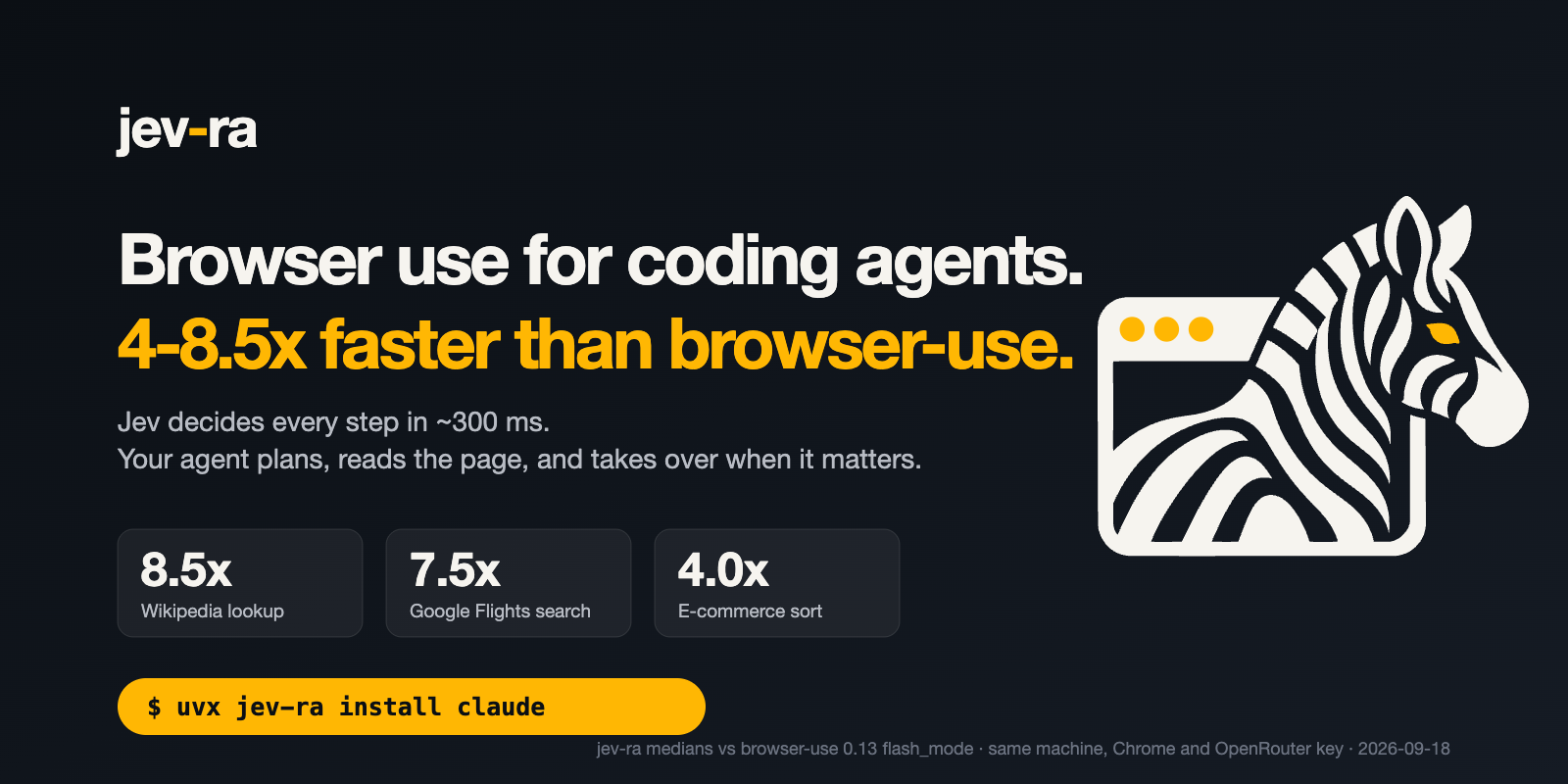
| Wikipedia: open the Gödel incompleteness article | 23,058 ms | 2,714 ms | 8.50× |
| Google Flights ZRH→LON one-way, results on screen | 66,414 ms | 8,888 ms | 7.47× |
| Olive Young category: sort by 신상품순 | 15,071 ms | 3,806 ms | 3.96× |
Medians over 5 runs each, 2026-09-18, same machine, same dedicated Chrome, both through OpenRouter. Each run was verified against the final page; 25 of 25 passed with no text-model calls. Method, p90, cost and raw rows.
Quick start
Claude Code
export OPENROUTER_API_KEY=sk-or-...
uvx jev-ra install claude
# then, in Claude Code: "open wikipedia.org and find the Gödel incompleteness article"
Codex
export OPENROUTER_API_KEY=sk-or-...
uvx jev-ra install codex
# then, in Codex: "use jev-ra to open wikipedia.org and find the Gödel incompleteness article"
Shell
export OPENROUTER_API_KEY=sk-or-...
uvx jev-ra doctor
uvx jev-ra run https://en.wikipedia.org/wiki/Main_Page "Open the Godel incompleteness article." \
  --value "search_query=Godel incompleteness theorems"
No Python setup? npx -y jev-ra install claude does the same thing through the npm launcher. The
npm package is a launcher only: it finds uv, offers to install it, and runs the PyPI package pinned
to its own version.
There is no install step either way: uvx runs jev-ra straight from PyPI and registers uvx jev-ra mcp as the server command. For a permanent copy, uv tool install jev-ra. The key is forwarded
from the variable you already exported and is never printed.
How it works
  your agent                      jev-ra                              Chrome
 ────────────                ───────────────                      ─────────────
  goal + values  ──────────▶  observe ─────────────────────────▶  snapshot.js
                              │   elements, guards, page marker  ◀──── one eval
                              ▼
                              one request: operation? target?
                              value? prev_ok? goal_achieved?  ──▶  Jev  (~300 ms)
                              │
                              ▼
                              freshness guard ──▶ act ──────────▶  trusted CDP input
                              │                                    (no JS clicks)
                              ▼
                              verify url/title/text/fields
                              │
       Result  ◀──────────────┴── done · blocked · escalate · budget
One decision per step. The only text typed into the page is text you supplied.
MCP tools
| tool | arguments | what it does |
|---|---|---|
browser_open |
url | Open a URL in the shared session and summarise the page. |
browser_run |
goal, values?, max_steps? | Pursue a whole goal. Supply values for anything that must be typed. |
browser_search |
query, goal?, max_pages? | Search, read the best results in parallel tabs, rank them against the goal. |
browser_act |
instruction, values? | Take one decided step towards an instruction. |
browser_observe |
max_elements? | List the observed controls and the visible text. |
browser_extract |
mode? | Structured page data: text, elements, links, tables, main. |
browser_click |
ref | Click one observed element by its ref. |
browser_type |
ref, text | Type into one observed field. |
browser_select |
ref, option | Select an observed dropdown option. |
browser_scroll |
direction? | Scroll one viewport step up or down. |
browser_press |
key | Press Enter, Escape or Tab. |
browser_wait |
- | Wait a moment and observe again. |
browser_screenshot |
- | JPEG of the current viewport. |
browser_close |
- | Close the session held by the server. |
Every response carries elapsed_ms, and decisions plus cost whenever Jev was called.
CLI
| command | what it does |
|---|---|
run URL "goal" [--value name=text ...] [--max-steps N] |
pursue a goal from a URL until it is done or escalates |
search "query" ["what the page must answer"] [--max-pages 3] |
search the web and read the best results |
open URL |
open a URL and keep the session for later commands |
observe |
list the controls and text of the open page |
extract [--mode text|elements|links|tables|main] |
pull structured data out of the open page |
act "instruction" [--value name=text ...] |
take one decided step on the open page |
click REF |
click one observed element |
type REF TEXT |
type into one observed field |
select REF OPTION |
select an observed dropdown option |
scroll down|up |
scroll the open page |
press Enter|Escape|Tab |
press Enter, Escape or Tab |
wait |
wait a moment and observe again |
screenshot [PATH] |
save a JPEG of the viewport |
close |
close the session kept by open |
mcp |
run the MCP stdio server |
skill |
print the agent guide, for saving as a skill file |
install claude|codex [--scope user|project|local] |
register jev-ra as an MCP server with a coding agent |
doctor |
check the key, the endpoint, Chrome and one live decision |
bench [--live] |
time the offline fixtures, and the live tasks with --live |
corpus run |
run the real-site corpus |
open … close share one browser across invocations through a target id in
$XDG_STATE_HOME/jev-ra/session.json. Add --json to any command for the raw payload.
Python
from jev_ra import Agent

with Agent() as agent:
    result = agent.run(
        "Place the order with express shipping.",
        values={"name": "Ada Lovelace", "email": "ada@example.com"},
        url="https://example.com/checkout",
    )
print(result.status, result.elapsed_ms, [step["target_label"] for step in result.steps])
Values
TYPE_TEXT needs a string, and jev-ra will not invent one. Jev picks which of your values belongs in
the field it is about to fill, in the same round trip that picks the field. If nothing fits and no
text helper is configured, the run stops with needs_value and reports the field's label, role and
current value. You supply the value and call again. The default install has no text model.
When it hands control back
Result.status is done, blocked, escalate or budget. When a run stops short, reason is one
of needs_value, stuck_loop, unverified_done, stale, invalid_decision, too_many_controls,
blocked or budget. budget also names the budget that was hit (steps, decisions, time, or a
decision the provider would not answer) in detail. An escalation
also carries the top eight operation/target candidates with their probabilities, and up to 3,000
characters of page text — enough to decide what to do without observing again.
Verification is deterministic: after every action jev-ra compares url, title, text and field state,
and page_changed comes from a semantic page marker, not from the model.
Benchmarks
Five tasks, five runs each, every run verified against the page it left behind:
| task | median | p90 | success | decisions | cost | ratio |
|---|---|---|---|---|---|---|
| Wikipedia article | 2,714 ms | 3,179 ms | 5/5 | 3 | $0.00075 | 8.50× |
| Google Flights search | 8,888 ms | 10,573 ms | 5/5 | 14 | $0.00317 | 7.47× |
| Olive Young sort | 3,806 ms | 4,858 ms | 5/5 | 4 | $0.00204 | 3.96× |
| Search with a citation | 2,416 ms | 2,571 ms | 5/5 | 4 | $0.00035 | no baseline |
| Local checkout form | 2,191 ms | 2,338 ms | 5/5 | 5 | $0.00049 | no baseline |
Ratios are against browser-use 0.13.10 + gemini-3-flash flash_mode on the same machine and the
same Chrome: 23,058 ms, 66,414 ms and 15,071 ms respectively. Text-model calls across all 25 runs: 0.
A same-harness re-run of browser-use, five runs per task, was slower still: 9.07×, 8.31× and 7.26×.
Our median against browser-use's fastest single run of each task (15,759 ms, 49,914 ms,
17,647 ms) is 5.8×, 5.6× and 4.6×; the headline claim of 3-5× is below that.
jev-ra bench --live --runs 5 reproduces this table and prints PASS/FAIL against the v0.1 bar of
≥ 3× on every task with a baseline. Method, the browser-use rows, and how to reproduce
them.
jev-ra on the left, browser-use flash_mode on the right, same task, same Chrome, real time:
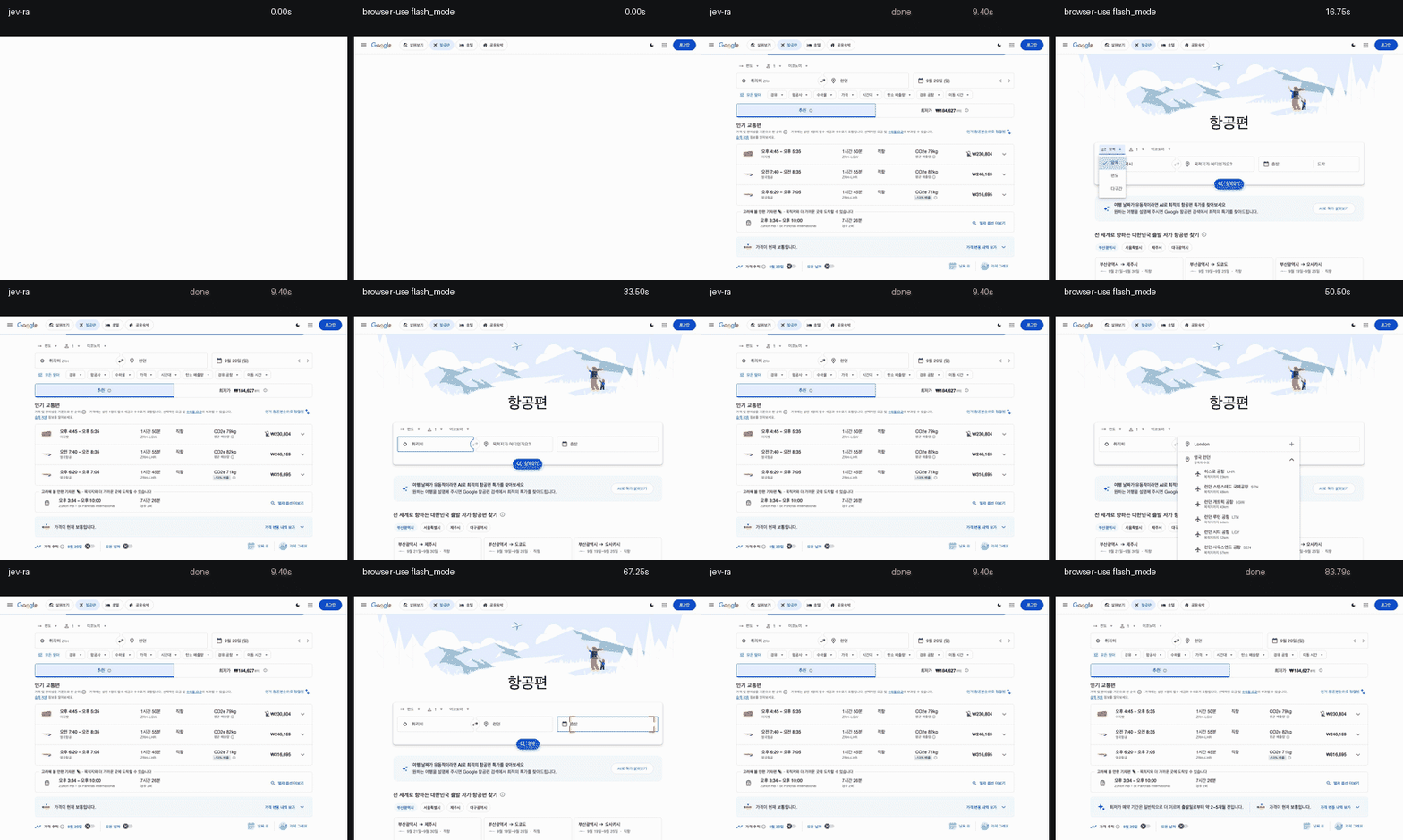
A run that finishes without doing the task counts as a failure, not as a time.
What it will not do
| limit | what happens |
|---|---|
| Canvas drawing, games, anything painted rather than marked up | blocked: no observed control can advance the goal |
| File upload | blocked: a file input is never offered, and never typed into |
| CAPTCHA, bot walls, stealth | blocked, with the page text, for you to decide |
| Auth flows | needs_value with the field named; jev-ra never guesses a credential |
| Pop-up windows, multi-tab workflows | the run stays on its own target |
| Cross-origin iframes | reported as one opaque element; open shadow roots and same-origin iframes are traversed |
| More than 250 visible controls | omitted is reported, and a stuck run escalates too_many_controls rather than guessing |
Each returns an escalation with the page text and the ranked candidates.
FAQ
OpenRouter or a TypeSafe key? Either. jev-ra resolves JEV_RA_API_KEY, then TYPESAFE_API_KEY,
then OPENROUTER_API_KEY. A key starting sk-or- selects the OpenRouter route
(typesafe/jev-1.13); anything else goes direct (jev-latest). JEV_RA_ENDPOINT and
JEV_RA_MODEL override both. OpenRouter is easier to get; direct TypeSafe is roughly 140 ms faster
per decision according to the upstream measurements.
What does a task cost? Between $0.00035 (a search, 4 decisions) and $0.00317 (the whole Google Flights flow, 14 decisions). Cost scales with decisions, not with page size, because the state sent is the element table and the visible text, never the HTML.
Does it need its own Chrome? It will find or launch one on its own profile
($XDG_STATE_HOME/jev-ra/chrome-profile) and reuse it. Point BU_CDP_URL at a different Chrome to
override. Do not point it at a browser signed into anything you would not let an agent operate.
Why no text model? The host agent already has the context. A second model adds 675-938 ms per
field and invents values. You can still configure one with JEV_RA_TEXT_MODEL.
Configuration
| variable | effect |
|---|---|
JEV_RA_API_KEY, TYPESAFE_API_KEY, OPENROUTER_API_KEY |
key, in that order of precedence |
JEV_RA_ENDPOINT, JEV_RA_MODEL |
override the route |
JEV_RA_CHROME |
path to the browser binary to launch |
BU_CDP_URL |
an existing Chrome to drive instead of launching one |
JEV_RA_VIEWPORT |
e.g. 1280x900 (the default) |
JEV_RA_MAX_STEPS, JEV_RA_MAX_DECISIONS, JEV_RA_TIMEOUT_S |
budgets (40 / 80 / 120) |
JEV_RA_BLOCK_RESOURCES |
0 to stop blocking fonts and media |
JEV_RA_SEARCH_URL |
search endpoint template, {query} substituted |
JEV_RA_TEXT_MODEL, JEV_RA_TEXT_BASE_URL, JEV_RA_TEXT_API_KEY |
optional text helper, off by default |
$XDG_CONFIG_HOME/jev-ra/config.json sets the same keys; the environment wins.
Credits
jev_ra/browser/snapshot.js and the NEXT_ACTION / TARGET instruction texts are adapted from
browser-use/jev-ultrafast (MIT), where they were
measured. Chrome is driven through
browser-harness (MIT).
See THIRD_PARTY_NOTICES.md.
MIT licensed. Contributing · Security · Agent guide · Usage reference · 한국어
1 maintainer

Release files for jev-ra 0.1.0
For a detailed explanation of source distributions (sdists) and built distributions (wheels), please see the package formats documentation.
Source distribution (sdist)
| File | Size | Uploaded | |
|---|---|---|---|
| jev_ra-0.1.0.tar.gz | 3.2 MB | Details |
Built distribution (wheel)
| File | Interpreter | ABI | Platform | Reset |
|---|---|---|---|---|
| jev_ra-0.1.0-py3-none-any.whl | Python 3 | none | any | Details |
Total release size: 3.3 MB
Release files / jev_ra-0.1.0.tar.gz
| Download URL | jev_ra-0.1.0.tar.gz |
|---|---|
| Size | 3.2 MB |
| Tags | Source |
|
SHA-256 checksum How to use checksums |
1a47f81838aa63b764b29b82c974a76ac57c817e106bfdf9287a61664fceedbb
|
|
BLAKE2b-256 checksum How to use checksums |
19d3a9f9766fc7776433ae59c53c213ee852b0704a835d0751f33d15e25cd469
|
| Upload date | |
|
Uploaded using Trusted Publishing? What is trusted publishing? |
No |
| Uploaded via |
twine/7.0.0 CPython/3.13.12
|
Release files / jev_ra-0.1.0-py3-none-any.whl
| Download URL | jev_ra-0.1.0-py3-none-any.whl |
|---|---|
| Size | 83.9 kB |
| Tags | Python 3 |
|
SHA-256 checksum How to use checksums |
94927ada15d31499fd5ec9d7d81cf6314a9c4cb4d83551818131b022921ca698
|
|
BLAKE2b-256 checksum How to use checksums |
d874888910389ca88ba75bd719972312400fcc1ffc4ae7522d8c9e067c3395e2
|
| Upload date | |
|
Uploaded using Trusted Publishing? What is trusted publishing? |
No |
| Uploaded via |
twine/7.0.0 CPython/3.13.12
|














