
Joplin-jrnl
This is a CLI to append notes to a notebook as a running, append-only journaling system. The general inspiration was the jrnl command line tool. I like the general simplicity of how it works, but wanted the data to be more accessible through Joplin, which I use for general notetaking.
How the heck do I use this?
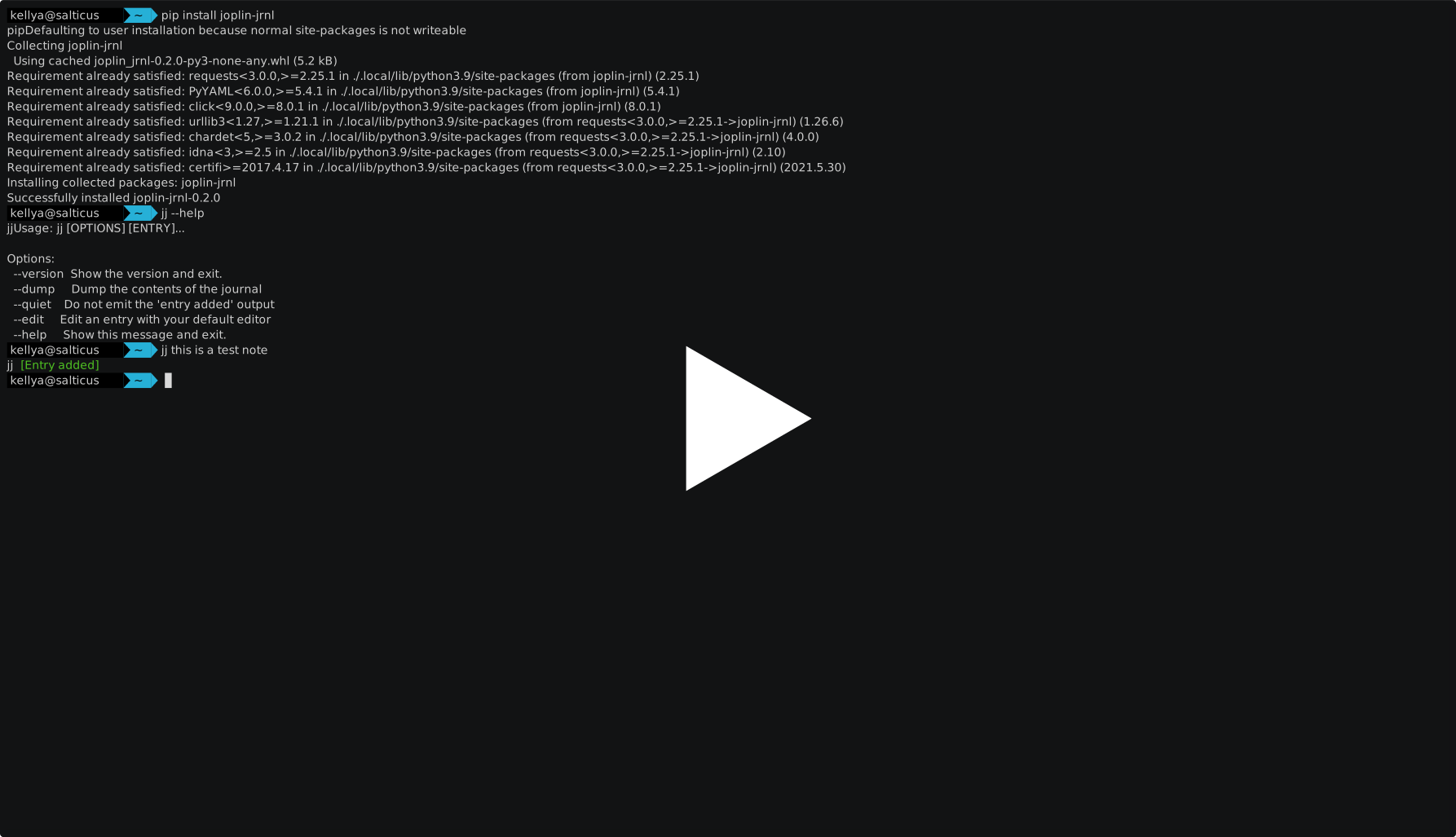
joplin-jrnl has been published to PyPi, so you should be able to get this
running by simply executing pip install joplin-jrnl. You may then run the
jj command to see how to further interact with it.
This is an early development version, as such there aren't many sanity checks in place. So at the moment you have to create an area for the configuration to live and there is currently no option to specify an alternate location (I'll get there ;) )
Create a note in joplin that will serve as your journal
In order for the script to work, you must have a note designated as the journal. To do this:
1. Open Joplin
2. Create a note (you can name it anything you wish)
3. Right click the note and select "copy markdown link"
4. You will get a value like "[note-name](:/df36fc8138da4169b29f0a577cba601e)  You need to paste in just the 'df36fc8138da4169b29f0a577cba601e' part as the note id in ~/.config/jj/conf.yaml.
create configuration file and path
1. `mkdir ~/.config/joplin-jrnl/`
2. `cp conf.yaml ~/.config/joplin-jrnl/`
3. Edit conf.yaml to reflect your values
demo
Roadmap/Hopes and Dreams
- Add entries to a joplin note
- Optionally use editor to make bigger edits (or to deal with annoying characters in entry that shell wants to expand to something
- Search for entries based on content
- Search for entries based on tags
- More intelligent handling of options
- Create a note if you don't specify one
- Utilize options to override settings
- Print out entries to CLI
- Basically work like jrnl, but with joplin :)
- Figure out asyncio stuff and use that instead of requests
1 maintainer

Metadata
1 maintainer
Release files for joplin-jrnl 0.3.2
For a detailed explanation of source distributions (sdists) and built distributions (wheels), please see the package formats documentation.
Source distribution (sdist)
| File | Size | Uploaded | |
|---|---|---|---|
| joplin-jrnl-0.3.2.tar.gz | 5.1 kB | Details |
Built distribution (wheel)
| File | Interpreter | ABI | Platform | Reset |
|---|---|---|---|---|
| joplin_jrnl-0.3.2-py3-none-any.whl | Python 3 | none | any | Details |
Total release size: 10.5 kB
Release files / joplin-jrnl-0.3.2.tar.gz
| Download URL | joplin-jrnl-0.3.2.tar.gz |
|---|---|
| Size | 5.1 kB |
| Tags | Source |
|
SHA-256 checksum How to use checksums |
c9665ec3eb0b4aea18b2669175aaee0dab7998084e58ffade6cd2a4161963b38
|
|
BLAKE2b-256 checksum How to use checksums |
71f888c6488e2a391d4d45cc808535bc7c68122b635ca4842ad446cfac6d3b85
|
| Upload date | |
|
Uploaded using Trusted Publishing? What is trusted publishing? |
No |
| Uploaded via |
poetry/1.1.6 CPython/3.9.5 Linux/5.12.14-300.fc34.x86_64
|
Release files / joplin_jrnl-0.3.2-py3-none-any.whl
| Download URL | joplin_jrnl-0.3.2-py3-none-any.whl |
|---|---|
| Size | 5.4 kB |
| Tags | Python 3 |
|
SHA-256 checksum How to use checksums |
0e008bc8aab6b85cfbb6438b6b80bb826afc5c5f6fa9d1d5660d352a26522772
|
|
BLAKE2b-256 checksum How to use checksums |
6cd9b46c1528f1b55d17b5987f172dd24259a37d0d73ab9bd601d274d3150142
|
| Upload date | |
|
Uploaded using Trusted Publishing? What is trusted publishing? |
No |
| Uploaded via |
poetry/1.1.6 CPython/3.9.5 Linux/5.12.14-300.fc34.x86_64
|














