
JPG to HEIF Converter
This project allows you to freely convert JPG images to HEIF format. HEIF (High Efficiency Image Format) is a more efficient image format in terms of storage and quality compared to traditional formats like JPG.
Why HEIF?
HEIF, as the name suggests, is a high-efficiency image format. Not only does it offer smaller file sizes compared to JPG, but it also provides better image quality. This makes it an excellent choice for anyone looking to save storage space without compromising on image quality.
Getting Started
To get started with this project, follow the steps below:
-
Clone the repository:
git clone https://github.com/Devasy23/JPG2HEIF
-
Create a virtual environment:
python3 -m venv venv
-
Activate the virtual environment:
- On Windows:
.\venv\Scripts\activate
- On Unix or MacOS:
source venv/bin/activate
- On Windows:
-
Install the required packages:
pip install -r requirements.txt
Usage
Using the CLI
To convert a JPG image to HEIF using the command line interface, use the following command:
jpg2heif file file.jpg file.heic
You can also convert a folder of images or a zip file:
jpg2heif folder input_folder output_folder
jpg2heif zip input.zip output.zip
To benchmark the conversion algorithm:
jpg2heif file file.jpg file.heic --benchmark
To compare SSIM index of other converted images with the original:
jpg2heif file original.jpg --compare converted1.heic converted2.heic
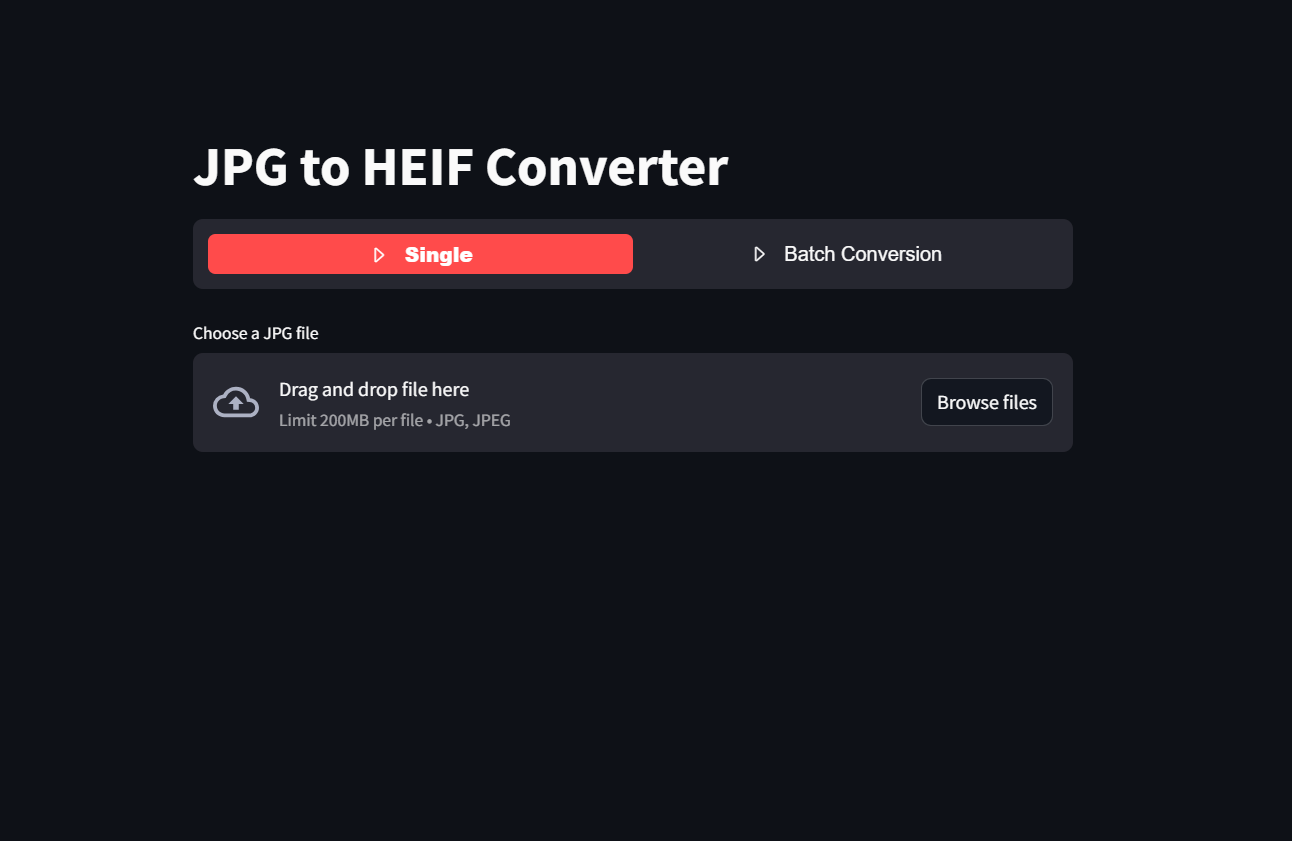
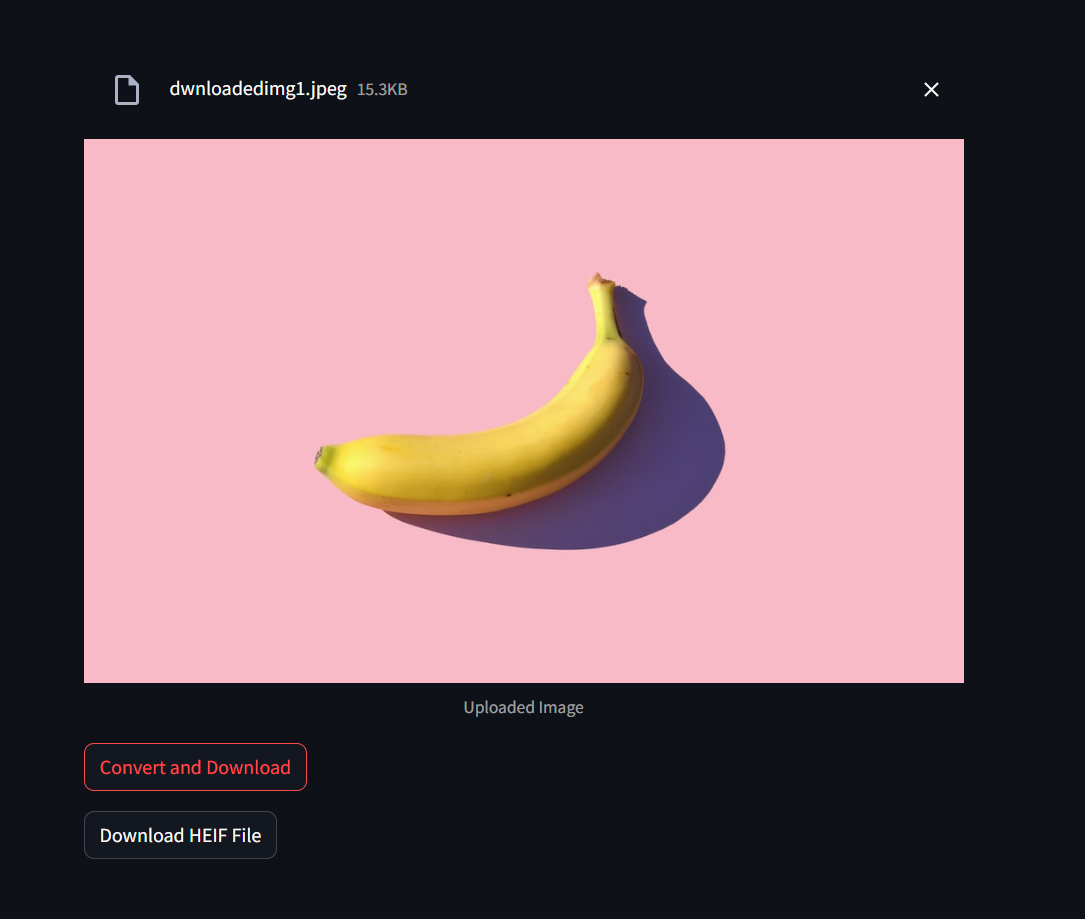
Using the Streamlit App
To convert a JPG image to HEIF using the Streamlit app, use the following command:
streamlit run app.py
or using the link
Images:
1 maintainer

Release files for jpg2heif 0.1.8
For a detailed explanation of source distributions (sdists) and built distributions (wheels), please see the package formats documentation.
Source distribution (sdist)
| File | Size | Uploaded | |
|---|---|---|---|
| jpg2heif-0.1.8.tar.gz | 4.6 kB | Details |
Built distribution (wheel)
| File | Interpreter | ABI | Platform | Reset |
|---|---|---|---|---|
| jpg2heif-0.1.8-py3-none-any.whl | Python 3 | none | any | Details |
Total release size: 10.1 kB
Release files / jpg2heif-0.1.8.tar.gz
| Download URL | jpg2heif-0.1.8.tar.gz |
|---|---|
| Size | 4.6 kB |
| Tags | Source |
|
SHA-256 checksum How to use checksums |
cc03a1a5b4031870b87cdc34d3629f5566555fc3dc78f79a3bc14b63c4980571
|
|
BLAKE2b-256 checksum How to use checksums |
000ace0885de2f89626e18b5607a79218dd8dd902bbeff8166c92f2aa7829d49
|
| Upload date | |
|
Uploaded using Trusted Publishing? What is trusted publishing? |
No |
| Uploaded via |
twine/6.1.0 CPython/3.9.21
|
Release files / jpg2heif-0.1.8-py3-none-any.whl
| Download URL | jpg2heif-0.1.8-py3-none-any.whl |
|---|---|
| Size | 5.4 kB |
| Tags | Python 3 |
|
SHA-256 checksum How to use checksums |
6a1014a3c4650893b58591847f25c7e9ead21d27c51f413536dc4ecdb629bd2c
|
|
BLAKE2b-256 checksum How to use checksums |
05b09ecf1071d2c8802f8ca3e30ed6759a5adb474931da589ae525ddf3ad8410
|
| Upload date | |
|
Uploaded using Trusted Publishing? What is trusted publishing? |
No |
| Uploaded via |
twine/6.1.0 CPython/3.9.21
|














