
jpg2xlsx
Turn any image into an Excel spreadsheet where every cell becomes a pixel
Create surprisingly visual .xlsx files from JPG, PNG, BMP, GIF, and other raster images supported by Pillow.






From image to spreadsheet art

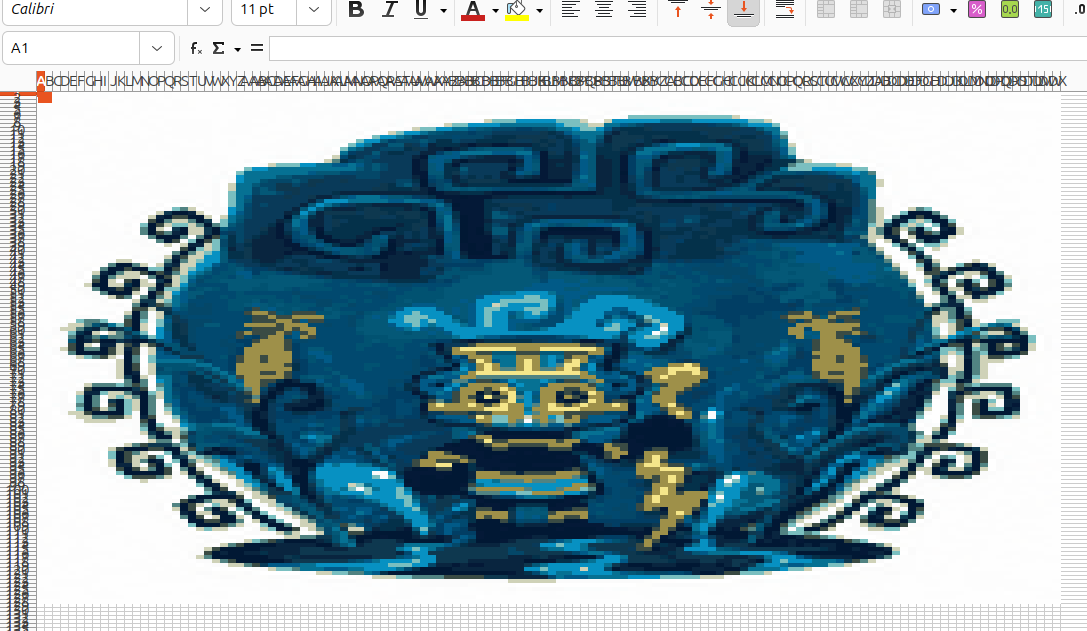
Before: a normal image
After: the same picture rebuilt as colored Excel cells
jpg2xlsx is a small Python CLI and library for generating .xlsx files from raster images. It is useful for pixel art experiments, spreadsheet demos, teaching, and weird outputs that are much more eye-catching than a normal spreadsheet should be.
Why this exists
- Converts images into native Excel workbooks.
- Works as both a CLI and an importable Python package.
- Uses a simple
src/layout,uv,ruff, tests, and GitHub Actions. - Supports JPEG, PNG, BMP, GIF, and other formats that Pillow can read.
Install
With uv
uv tool install jpg2xlsx
With pip
pip install jpg2xlsx
CLI usage
Convert an image and write output.xlsx:
jpg2xlsx input.jpg output.xlsx
If you omit the output path, the tool writes next to the input file using the same stem:
jpg2xlsx assets/pixel-cat.png
Useful options:
jpg2xlsx input.png output.xlsx --cell-width 0.18 --cell-height 1.6 --overwrite
Compact large exports
This project writes one Excel cell per image pixel. That means file size grows quickly with image dimensions.
- A
512x512image becomes262,144formatted cells. - More cells means more worksheet XML inside the
.xlsxfile. - More unique colors usually means more cell formats too.
So a large image producing a workbook around 1.5 MB is not unusual for this output model.
If you want smaller .xlsx files, reduce one or both of these before export:
- Total pixels with
--max-dimension - Color variety with
--colors
Recommended commands:
jpg2xlsx image.png output.xlsx --max-dimension 256 --colors 64
jpg2xlsx image.png output.xlsx --max-dimension 128 --colors 32
jpg2xlsx image.png output.xlsx --max-dimension 384 --colors 128
Practical guidance:
- Use
--max-dimension 128 --colors 32when file size matters more than fidelity. - Use
--max-dimension 256 --colors 64as a balanced default for big images. - Use
--max-dimension 384 --colors 128when you want to preserve more detail.
Option reference:
--max-dimension: downscales the image so its largest side matches the given value before generating the workbook.--colors: reduces the image palette to the given number of colors, from1to256.
Run help:
jpg2xlsx --help
Running in development
If you are running from the source tree, prefer module or script entrypoint execution instead of calling the package directory directly.
Correct:
uv run jpg2xlsx input.png output.xlsx
uv run python -m jpg2xlsx input.png output.xlsx
Incorrect:
uv run python src/jpg2xlsx
That direct directory execution does not establish package context correctly in Python, so relative imports can fail.
Python usage
from jpg2xlsx import convert

convert("input.jpg", "output.xlsx")
You can also use the compacting options from Python:
from jpg2xlsx import convert

convert(
    "input.jpg",
    "output.xlsx",
    max_dimension=256,
    colors=64,
)
Development
uv sync --all-groups
uv run ruff check .
uv run ruff format --check .
uv run pytest
Release flow
- CI runs lint, tests, and package builds on pushes and pull requests.
- Version bump workflows use Commitizen and update the changelog.
- Publish workflows build with
uvand upload to PyPI or TestPyPI.
Contributing
See CONTRIBUTING.md for local setup and contribution guidelines.
Security
See SECURITY.md for vulnerability reporting.
License
This project is licensed under the MIT License.

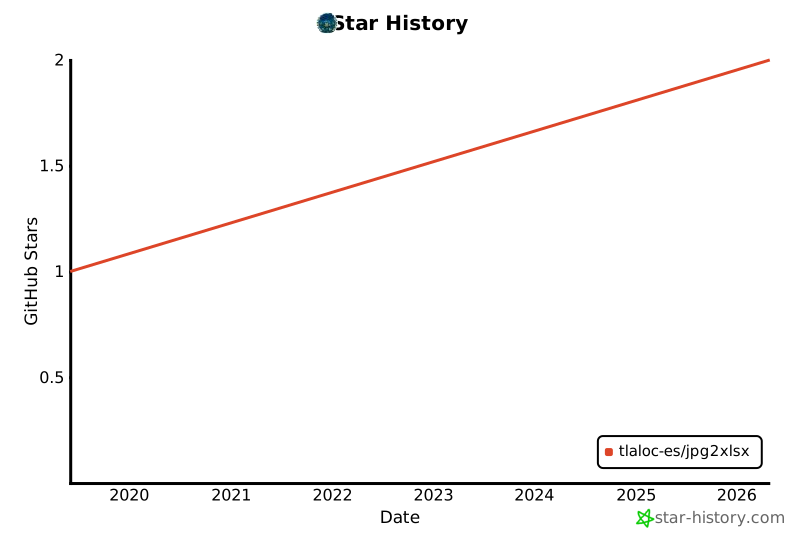
Star History
1 maintainer

Metadata
1 maintainer
Release files for jpg2xlsx 0.2.1
For a detailed explanation of source distributions (sdists) and built distributions (wheels), please see the package formats documentation.
Source distribution (sdist)
| File | Size | Uploaded | |
|---|---|---|---|
| jpg2xlsx-0.2.1.tar.gz | 2.4 MB | Details |
Built distribution (wheel)
| File | Interpreter | ABI | Platform | Reset |
|---|---|---|---|---|
| jpg2xlsx-0.2.1-py3-none-any.whl | Python 3 | none | any | Details |
Total release size: 2.5 MB
Release files / jpg2xlsx-0.2.1.tar.gz
| Download URL | jpg2xlsx-0.2.1.tar.gz |
|---|---|
| Size | 2.4 MB |
| Tags | Source |
|
SHA-256 checksum How to use checksums |
f19b407c834a31d86d6b7ad235d2f79e8e157be107613c995086685516a719d8
|
|
BLAKE2b-256 checksum How to use checksums |
c3215208d4909d2e877394058c55f0fa844eac5a8657330294d6fbf0b021c72b
|
| Upload date | |
|
Uploaded using Trusted Publishing? What is trusted publishing? |
No |
| Uploaded via |
uv/0.11.6 {"installer":{"name":"uv","version":"0.11.6","subcommand":["publish"]},"python":null,"implementation":{"name":null,"version":null},"distro":{"name":"Ubuntu","version":"24.04","id":"noble","libc":null},"system":{"name":null,"release":null},"cpu":null,"openssl_version":null,"setuptools_version":null,"rustc_version":null,"ci":true}
|
Release files / jpg2xlsx-0.2.1-py3-none-any.whl
| Download URL | jpg2xlsx-0.2.1-py3-none-any.whl |
|---|---|
| Size | 7.7 kB |
| Tags | Python 3 |
|
SHA-256 checksum How to use checksums |
44969f60bbb1fe07b08bb50b62fcea7f9c1d5ad68bda5d28fdcca3f0724c1f3f
|
|
BLAKE2b-256 checksum How to use checksums |
4cd527abf09b50a8e10db6143915e9ae2e8694635f229d5d39f427e443113e0c
|
| Upload date | |
|
Uploaded using Trusted Publishing? What is trusted publishing? |
No |
| Uploaded via |
uv/0.11.6 {"installer":{"name":"uv","version":"0.11.6","subcommand":["publish"]},"python":null,"implementation":{"name":null,"version":null},"distro":{"name":"Ubuntu","version":"24.04","id":"noble","libc":null},"system":{"name":null,"release":null},"cpu":null,"openssl_version":null,"setuptools_version":null,"rustc_version":null,"ci":true}
|














