
Jazz Piano Trainer

Project description
Jazz Piano Trainer
A desktop application to help you learn jazz piano modes and chords using your MIDI keyboard.
Press NEXT to get a question, play the notes on your keyboard, and the app reveals the answer automatically once you hit all the right keys.
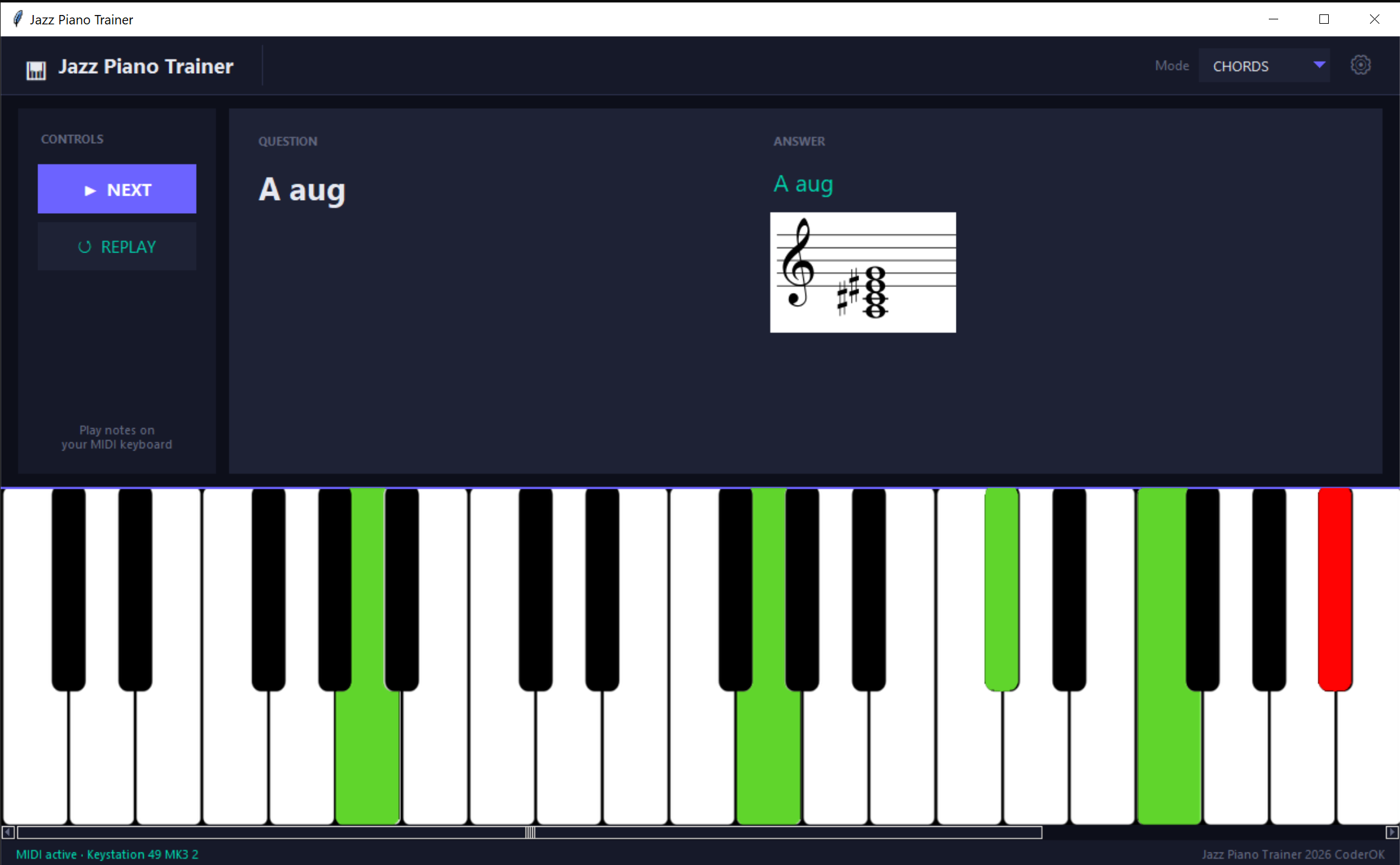
Watch the walkthrough video: https://www.youtube.com/watch?v=WCQai649s_Q
Features
- Modes & Chords — randomised questions covering all 12 keys, 7 modes, and a curated set of jazz chords
- MIDI input — connect one or more MIDI keyboards; correct notes light up green, wrong notes red on the virtual keyboard
- Virtual piano keyboard — resizable, scrollable, supports 1–7 octaves
- Built-in sampler — plays back audio samples for each note via piano-sampler; can be disabled
- Persistent settings — MIDI ports, sampler options, and display preferences saved to
jptrainer.json
Dependencies
| Package | Purpose |
|---|---|
| piano-sampler | Audio sample playback engine (sister project) |
| mido + python-rtmidi | MIDI input handling |
| pygame | Audio mixing |
| Pillow | Image loading and keyboard scaling |
| tkinter (stdlib) | GUI framework |
Installation
With uv (recommended)
uv tool install jptrainer
jptrainer
With pip
pip install jptrainer
jptrainer
Usage
- Launch the app — the virtual keyboard and dark-themed UI open automatically.
- Open ⚙ Settings (gear icon, top-right of the header) to:
- Select which MIDI input port(s) to use
- Configure the sampler (enable/disable, velocity, sustain, polyphony, sample path)
- Set how many octaves to display (1–7)
- Choose MODES or CHORDS from the mode selector in the header.
- Click ▶ NEXT — a question appears (e.g. "G Dorian").
- Play the required notes on your MIDI keyboard. Correct notes glow green; the answer reveals itself when all notes are played. After 10 seconds the answer is shown automatically.
- Click ↺ REPLAY to hear the audio example again.
Settings file
Settings are saved to jptrainer.json in the project root:
{
  "midi_ports": ["Your MIDI Device"],
  "sampler_enabled": true,
  "ignore_velocity": true,
  "sustain": false,
  "polyphony": 32,
  "samples_path": "./piano_samples.zip",
  "octaves": 4,
  "debug": false
}
Related projects
- piano-sampler — the simple piano sampler used by this app

🚨 WARNING: INCOMING SHAMELESS PLUG 🚨 Please avert your eyes if you are allergic to indie devs promoting their own stuff on their free MIT repos! 🫣
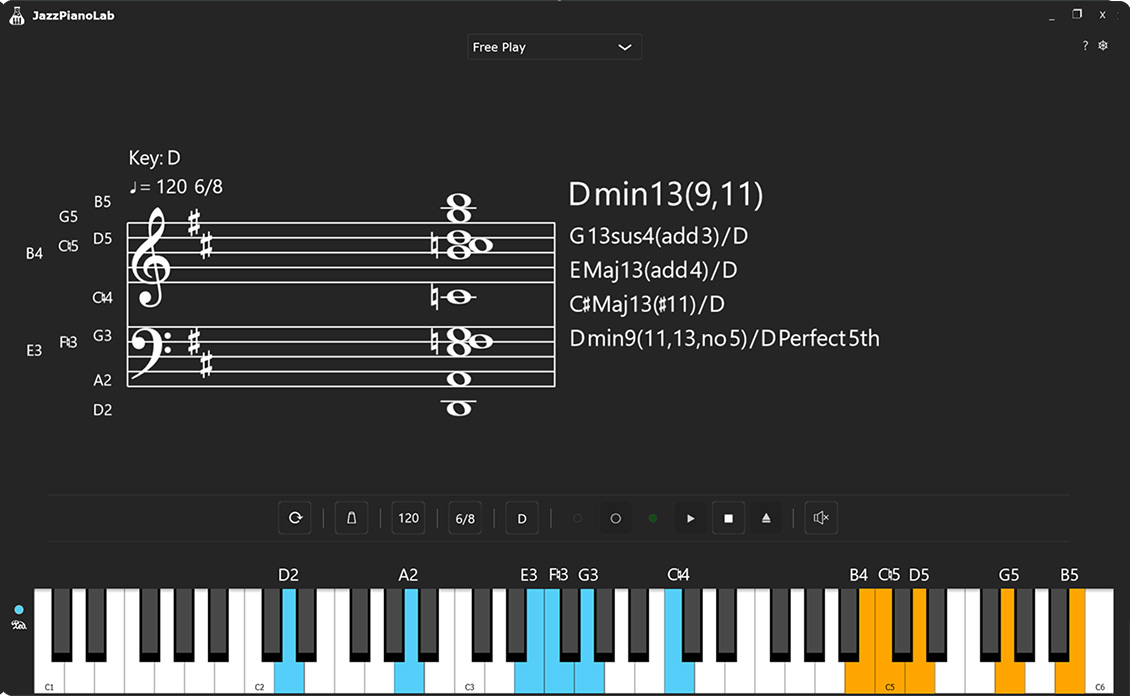
🎹 JazzPianoTrainer — Meet its beefy C++ sibling, JazzPianoLab!
I loved working on this repo, but my curiosity got the better of me. I really wanted to build my own highly controllable audio tool from the ground up, just to see what I could do. Fast forward a bit, and I accidentally spent way too much time creating a massive, supercharged version called JazzPianoLab!
It's written in C++ using the JUCE 8 audio framework and is packed with features I nerded out on:
🎹 VST3 Virtual Instrument Support
🎼 Advanced Chord Profile System
⚡ Real-Time Chord Identification
🔴 Built-in MIDI Recorder
...and much more!
Don't worry, this MIT project isn't going anywhere! But if you’re looking for a next-level jazz piano training tool (or just want to see what happens when a developer gets completely carried away), check out JazzPianoLab for the latest updates and downloads.
Let’s make jazz piano learning smarter and more fun together!
Release history Release notifications | RSS feed

Download files
Download the file for your platform. If you're not sure which to choose, learn more about installing packages.
Source Distribution
Built Distribution
Filter files by name, interpreter, ABI, and platform.
If you're not sure about the file name format, learn more about wheel file names.
Copy a direct link to the current filters
File details
Details for the file jptrainer-0.2.0.tar.gz.
File metadata
- Download URL: jptrainer-0.2.0.tar.gz
- Upload date:
- Size: 87.3 MB
- Tags: Source
- Uploaded using Trusted Publishing? No
- Uploaded via: uv/0.10.0 {"installer":{"name":"uv","version":"0.10.0","subcommand":["publish"]},"python":null,"implementation":{"name":null,"version":null},"distro":null,"system":{"name":null,"release":null},"cpu":null,"openssl_version":null,"setuptools_version":null,"rustc_version":null,"ci":null}
File hashes
| Algorithm | Hash digest | |
|---|---|---|
| SHA256 |
8d3d81936e227ebafc57988e6754ad5a4a575753246b0652efdc97d0fddfc239
|
|
| MD5 |
ff898ba47a8c4a2e4e8495835b59c192
|
|
| BLAKE2b-256 |
89d2630009615d7aa4644e09a516295e52ca586263898cdff6933c4d95dc32ce
|
File details
Details for the file jptrainer-0.2.0-py3-none-any.whl.
File metadata
- Download URL: jptrainer-0.2.0-py3-none-any.whl
- Upload date:
- Size: 87.6 MB
- Tags: Python 3
- Uploaded using Trusted Publishing? No
- Uploaded via: uv/0.10.0 {"installer":{"name":"uv","version":"0.10.0","subcommand":["publish"]},"python":null,"implementation":{"name":null,"version":null},"distro":null,"system":{"name":null,"release":null},"cpu":null,"openssl_version":null,"setuptools_version":null,"rustc_version":null,"ci":null}
File hashes
| Algorithm | Hash digest | |
|---|---|---|
| SHA256 |
532889a88e6900970d951c3e118bc12dc1c1310cdd95af8148ca002fca511432
|
|
| MD5 |
3b5a3315cbc818ce390a39623f3b799a
|
|
| BLAKE2b-256 |
62bb5b5d9d157eac65b6da8b3d094a51a11711fb553cd562158b127c0c19d71d
|






