
jsw-wcc(marker.py)
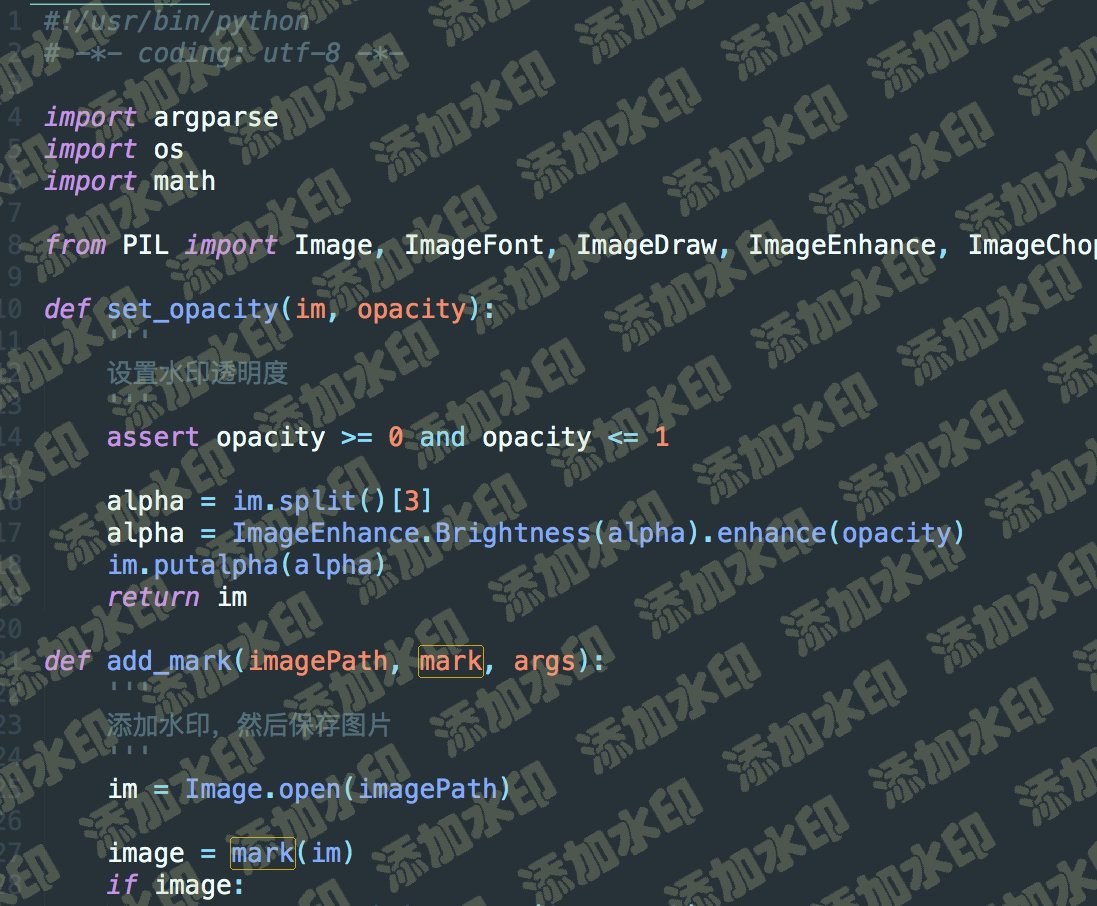
为图片添加文字水印 可设置文字大小、颜色、旋转、间隔、透明度
installation
pip install jsw-wcc -U
usage
需要 PIL 库
pip install Pillow
usage: wcc [-h] [-f FILE] [-m MARK] [-o OUT] [-c COLOR] [-s SPACE] [-a ANGLE] [--font-family FONT_FAMILY] [--font-height-crop FONT_HEIGHT_CROP] [--size SIZE]
                 [--opacity OPACITY] [--quality QUALITY]

optional arguments:
  -h, --help            show this help message and exit
  -f FILE, --file FILE  image file path or directory
  -m MARK, --mark MARK  watermark content
  -o OUT, --out OUT     image output directory, default is ./output
  -c COLOR, --color COLOR
                        text color like '#000000', default is #8B8B1B
  -s SPACE, --space SPACE
                        space between watermarks, default is 75
  -a ANGLE, --angle ANGLE
                        rotate angle of watermarks, default is 30
  --font-family FONT_FAMILY
                        font family of text, default is './font/青鸟华光简琥珀.ttf'
                        using font in system just by font file name
                        for example 'PingFang.ttc', which is default installed on macOS
  --font-height-crop FONT_HEIGHT_CROP
                        change watermark font height crop
                        float will be parsed to factor; int will be parsed to value
                        default is '1.2', meaning 1.2 times font size
                        this useful with CJK font, because line height may be higher than size
  --size SIZE           font size of text, default is 50
  --opacity OPACITY     opacity of watermarks, default is 0.15
  --quality QUALITY     quality of output images, default is 90
wcc -f ./input/test.png -m 添加水印
1 maintainer

Metadata
1 maintainer
Release files for jsw-wcc 0.1.11
For a detailed explanation of source distributions (sdists) and built distributions (wheels), please see the package formats documentation.
Source distribution (sdist)
| File | Size | Uploaded | |
|---|---|---|---|
| jsw_wcc-0.1.11.tar.gz | 2.8 MB | Details |
Built distribution (wheel)
| File | Interpreter | ABI | Platform | Reset |
|---|---|---|---|---|
| jsw_wcc-0.1.11-py3-none-any.whl | Python 3 | none | any | Details |
Total release size: 5.6 MB
Release files / jsw_wcc-0.1.11.tar.gz
| Download URL | jsw_wcc-0.1.11.tar.gz |
|---|---|
| Size | 2.8 MB |
| Tags | Source |
|
SHA-256 checksum How to use checksums |
27b9969defeda63ca0ead0289a8ac2f90caba59877bda0511a1556c388ca1b8e
|
|
BLAKE2b-256 checksum How to use checksums |
d497f09a2d82e27cb97b77e82bc30609f452424eb43f576d67475cc034418d99
|
| Upload date | |
|
Uploaded using Trusted Publishing? What is trusted publishing? |
No |
| Uploaded via |
poetry/1.2.2 CPython/3.10.0 Darwin/17.7.0
|
Release files / jsw_wcc-0.1.11-py3-none-any.whl
| Download URL | jsw_wcc-0.1.11-py3-none-any.whl |
|---|---|
| Size | 2.8 MB |
| Tags | Python 3 |
|
SHA-256 checksum How to use checksums |
714d18d40f8eac3b3bf7cc4e12df0b2b8ed42543d2b065c271bfa292fa6755dc
|
|
BLAKE2b-256 checksum How to use checksums |
a66255945fb2c49cc7c7d8267ef7e3d379fbb5bce5d00c5c10a2017b0e687189
|
| Upload date | |
|
Uploaded using Trusted Publishing? What is trusted publishing? |
No |
| Uploaded via |
poetry/1.2.2 CPython/3.10.0 Darwin/17.7.0
|














