
jupyslack
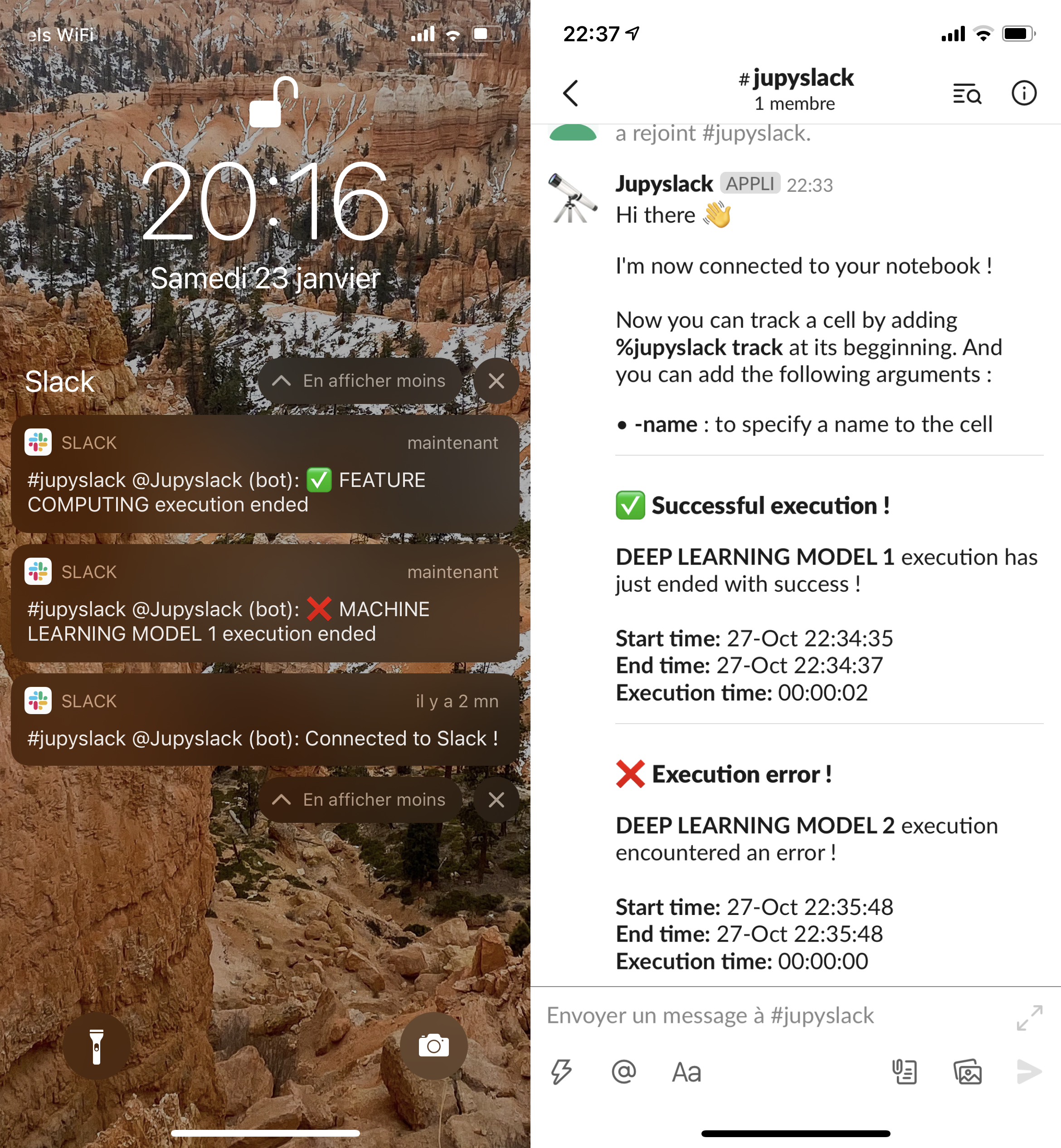
Slack integration for notebooks. Keep track of your code right in your pocket.
Installation :
$ pip install jupyslack
Connection to Slack :
First, you need to create an authorization token on your Slack account.
In [1]: %load_ext jupyslack

In [2]: %jupyslack setup <slack_token> <channel_name>
"Connected to Slack !"
To track a cell, simply put this magic line at its beggining :
In [3]: %jupyslack track
You can give a name to the cell with : -name
In [4]: %jupyslack track -name <name>
New feature : automatic tracking
This will notify you for all cells whose runtime is above 2 minutes
In [5]: %jupyslack autotrack
You can set the minimum runtime with : -mintime (default=120)
In [6]: %jupyslack autotrack -mintime <time_in_sec>
And stop the automatic tracking with :
In [7]: %jupyslack untrack
1 maintainer

Metadata
1 maintainer
Release files for jupyslack 0.2.1
For a detailed explanation of source distributions (sdists) and built distributions (wheels), please see the package formats documentation.
Source distribution (sdist)
| File | Size | Uploaded | |
|---|---|---|---|
| jupyslack-0.2.1.tar.gz | 3.7 kB | Details |
Built distribution (wheel)
| File | Interpreter | ABI | Platform | Reset |
|---|---|---|---|---|
| jupyslack-0.2.1-py3-none-any.whl | Python 3 | none | any | Details |
Total release size: 8.3 kB
Release files / jupyslack-0.2.1.tar.gz
| Download URL | jupyslack-0.2.1.tar.gz |
|---|---|
| Size | 3.7 kB |
| Tags | Source |
|
SHA-256 checksum How to use checksums |
1290827ca1365eaab1af655e24bf080990a036c487ea59f4ffaf8ef37e28945e
|
|
BLAKE2b-256 checksum How to use checksums |
f09e38021a7cd250bc5692398e16c0df023f439855d71399ea21ad55ad0adbb8
|
| Upload date | |
|
Uploaded using Trusted Publishing? What is trusted publishing? |
No |
| Uploaded via |
twine/3.3.0 pkginfo/1.7.0 requests/2.25.1 setuptools/49.2.1 requests-toolbelt/0.9.1 tqdm/4.56.0 CPython/3.9.1
|
Release files / jupyslack-0.2.1-py3-none-any.whl
| Download URL | jupyslack-0.2.1-py3-none-any.whl |
|---|---|
| Size | 4.6 kB |
| Tags | Python 3 |
|
SHA-256 checksum How to use checksums |
8e828f0d74c2b71797fa5426d0c9cb2932cea560a341663913dc95e49b2f674f
|
|
BLAKE2b-256 checksum How to use checksums |
87f832c7b563b919554b806155269b648c3272d24b4ff7d3f39c199f6dfa148b
|
| Upload date | |
|
Uploaded using Trusted Publishing? What is trusted publishing? |
No |
| Uploaded via |
twine/3.3.0 pkginfo/1.7.0 requests/2.25.1 setuptools/49.2.1 requests-toolbelt/0.9.1 tqdm/4.56.0 CPython/3.9.1
|














