
jupyter_coder_server


Disclaimer
Many developers are forced to use jupyterlab\jupyterhub during work, without the ability to use VSCODE. Our comrades from coder have done a great job to make it possible to use VSCODE through a browser. My job is left to make these two technologies friends and provide the ability to quickly and conveniently launch both of these applications.
This library works in tandem with the jupyter-server-proxy library, which in turn allows you to create additional servers inside Jupyter.
| VSCode button | Web Code Server (proxy) |
|---|---|
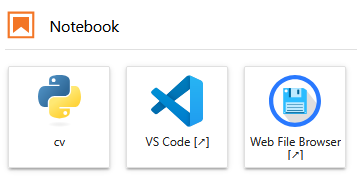 |
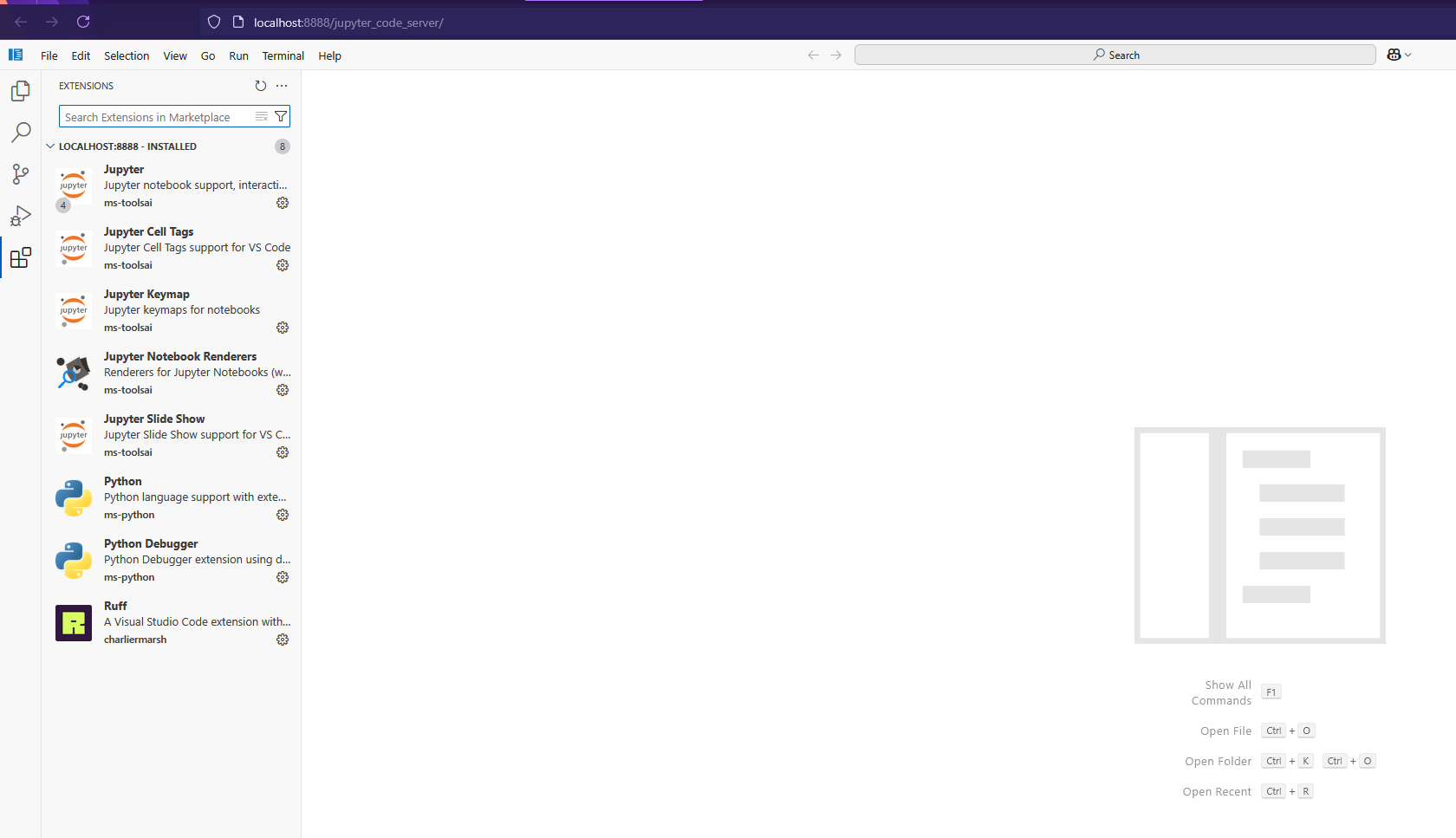 |
Install
Just run the installation from pypi and enjoy After installation, be sure to restart the server (if it is running in docker, then restart docker)
pip install jupyter_coder_server
Extra install
By default, this library installs the latest version of code-server on your device in the ~/.local/lib directory
Installing a specific version of code-server
To do this, you need to set env CODE_SERVER_VERSION CODE_SERVER_VERSION - lataset by default Since version search is controlled by github tags.
Installation example tag_name "v4.99.1"
CODE_SERVER_VERSION=v4.99.1 jupyter_coder_server --install
CLI Commands
usage: jupyter_coder_server [-h] [--version] [--install] [--install-from INSTALL_FROM] [--install-server] [--install-extensions] [--install-settings] [--install-filebrowser] [--patch-tornado] [--remove] [--remove-server] [--remove-filebrowser]

options:
  -h, --help            show this help message and exit
  --version             show program's version number and exit
  --install             Install coder-server, extensions, settings and Web File Browser
  --install-from INSTALL_FROM
                        Install coder-server, extensions, settings and Web File Browser from jupyter-coder-extensions.zip
  --install-server      Install coder-server
  --install-extensions  Install extensions
  --install-settings    Install settings
  --install-filebrowser
                        Install Web File Browser
  --patch-tornado       Monkey patch tornado.websocket
  --remove              Remove coder-server and Web File Browser
  --remove-server       Remove coder-server
  --remove-filebrowser  Remove Web File Browser
Extra install
Offline installation from archive
For environments without internet access, you can build an archive with all dependencies and install from it.
Step 1: Build the archive
On a machine with internet access, clone the repository and build the archive:
git clone https://github.com/MiXaiLL76/jupyter_coder_server.git
cd jupyter_coder_server
make build_ext
This will create jupyter-coder-extensions.zip containing:
- code-server binary
- filebrowser binary
- All VSCode extensions (Python, Jupyter, Ruff, Continue, etc.)
Step 2: Transfer and install
Copy jupyter-coder-extensions.zip to your target machine and install:
pip install jupyter_coder_server
jupyter_coder_server --install-from jupyter-coder-extensions.zip
This will:
- Extract the archive to a temporary directory
- Install code-server, filebrowser, and all extensions from the archive
- Configure settings and patch tornado
- Clean up temporary files
After installation, restart your Jupyter server to see the changes.
Requirements
- Linux amd64
- Installed CURL
For more details see here
License
Since the code-server project has an MIT license, I also use it in this project.
Citation
@article{jupyter_coder_server,
title = {{jupyter_coder_server}: VSCODE integration in jupyter-lab},
author = {MiXaiLL76},
year = {2024}
}
1 maintainer

Metadata
1 maintainer
Release files for jupyter-coder-server 0.0.16
For a detailed explanation of source distributions (sdists) and built distributions (wheels), please see the package formats documentation.
Source distribution (sdist)
| File | Size | Uploaded | |
|---|---|---|---|
| jupyter_coder_server-0.0.16.tar.gz | 17.5 kB | Details |
Release files / jupyter_coder_server-0.0.16.tar.gz
| Download URL | jupyter_coder_server-0.0.16.tar.gz |
|---|---|
| Size | 17.5 kB |
| Tags | Source |
|
SHA-256 checksum How to use checksums |
228aa43639575ef78ff543dc18d31e2ead015f95ab60934396b11a819e3efba1
|
|
BLAKE2b-256 checksum How to use checksums |
29eeb996d0a3b6044a4472df97d0726170c96fafa452f602da8f0fce91888f0b
|
| Upload date | |
|
Uploaded using Trusted Publishing? What is trusted publishing? |
No |
| Uploaded via |
twine/6.1.0 CPython/3.13.7
|














