
Jupyter Dash - Multiprocessing
This is a fork of Jupyter Dash that enables servers to start and stop easier.

This library makes it easy to develop Plotly Dash apps interactively from within Jupyter environments (e.g. classic Notebook, JupyterLab, Visual Studio Code notebooks, nteract, PyCharm notebooks, etc.).
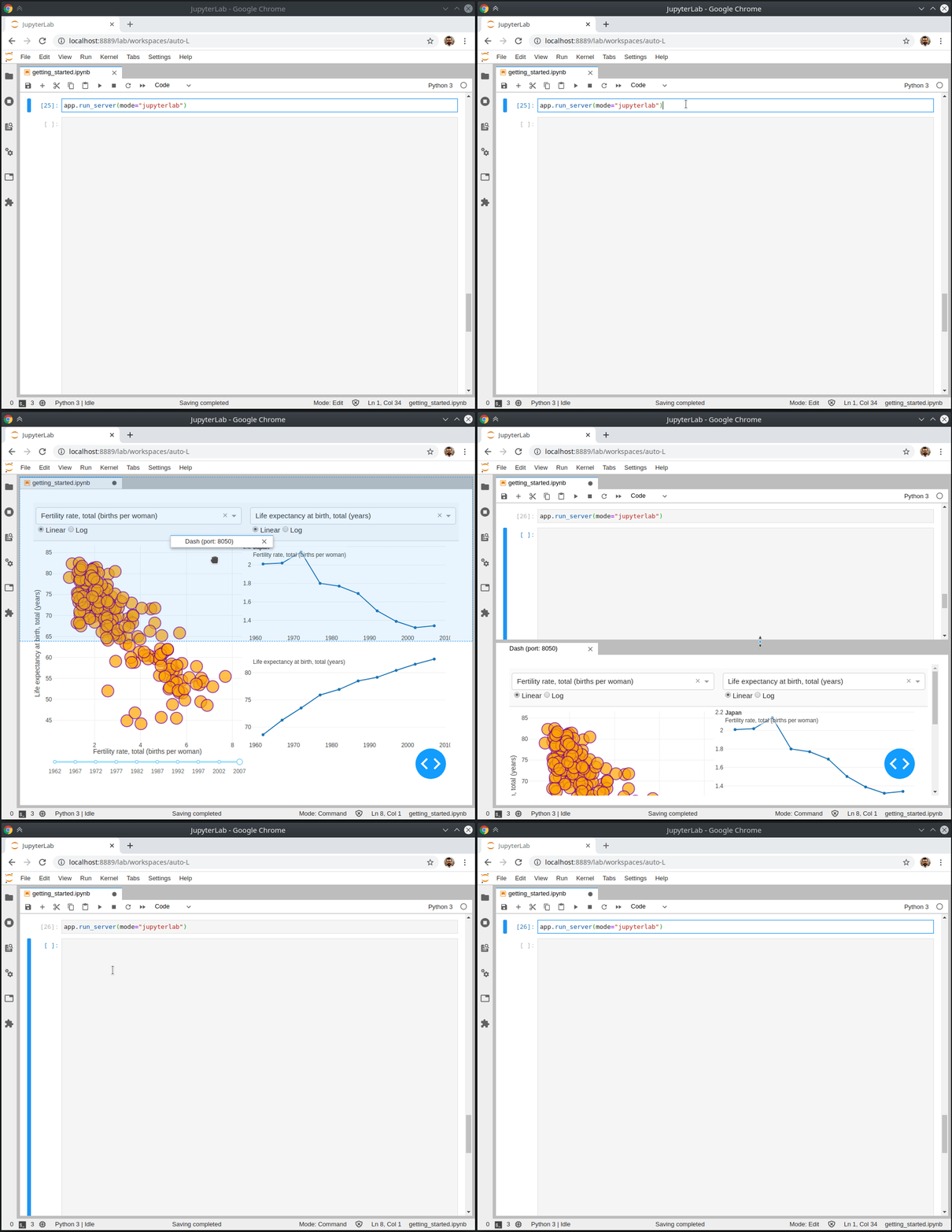
See the notebooks/getting_started.ipynb for more information and example usage.
Installation
You can install the JupyterDash Python package using pip...
$ pip install jupyter-dash
or conda
$ conda install -c conda-forge -c plotly jupyter-dash
JupyterLab support
When used in JupyterLab, JupyterDash depends on the jupyterlab-dash JupyterLab extension, which requires JupyterLab version 2.0 or above.
This extension is included with the Python package, but in order to activate it JupyterLab must be rebuilt. JupyterLab should automatically produce a popup dialog asking for permission to rebuild, but the rebuild can also be performed manually from the command line using:
$ jupyter lab build
To check that the extension is installed properly, call jupyter labextension list.
Colab support
As of version 0.3.0, JupyterDash works in Colab with no additional configuration. Just install jupyter-dash using pip in a Colab notebook cell
!pip install jupyter-dash
Features
To learn more about the features of JupyterDash, check out the announcement post.
Development
To develop JupyterDash, first create and activate a virtual environment using virtualenv or conda.
Then clone the repository and change directory to the repository root:
$ git clone https://github.com/plotly/jupyter-dash.git
$ cd jupyter-dash
Then install the dependencies:
$ pip install -r requirements.txt -r requirements-dev.txt
Then install the Python package in editable mode. Note: this will require nodejs to be installed.
$ pip install -e .
Then install the classic notebook extension in development mode:
$ jupyter nbextension install --sys-prefix --symlink --py jupyter_dash
$ jupyter nbextension enable --py jupyter_dash
Then install the JupyterLab extension in development mode:
$ jupyter labextension link extensions/jupyterlab
For release, build the JupyterLab extension to bundle with the Python package:
$ python setup.py build_js
1 maintainer

Metadata
1 maintainer
Release files for jupyter-dash-mp 0.5.0
For a detailed explanation of source distributions (sdists) and built distributions (wheels), please see the package formats documentation.
Source distribution (sdist)
| File | Size | Uploaded | Provenance | |
|---|---|---|---|---|
| jupyter-dash-mp-0.5.0.tar.gz | 19.3 kB | Without provenance | Details |
Built distribution (wheel)
| File | Interpreter | ABI | Platform | Reset |
|---|---|---|---|---|
| jupyter_dash_mp-0.5.0-py3-none-any.whl | Python 3 | none | any | Details |
Total release size: 42.1 kB
Release files / jupyter-dash-mp-0.5.0.tar.gz
| Download URL | jupyter-dash-mp-0.5.0.tar.gz |
|---|---|
| Size | 19.3 kB |
| Tags | Source |
|
SHA-256 checksum How to use checksums |
9698f72e826e2d1791e2e6ef15ef371a23fa8d81a99641675ddaf156624ffee1
|
|
BLAKE2b-256 checksum How to use checksums |
f631a3f729861832befc1522440f454dcbe82a5762cce867f6491a930905927c
|
| Upload date | |
|
Uploaded using Trusted Publishing? What is trusted publishing? |
No |
| Uploaded via |
twine/3.5.0 importlib_metadata/4.8.1 pkginfo/1.7.1 requests/2.26.0 requests-toolbelt/0.9.1 tqdm/4.62.3 CPython/3.9.7
|
Release files / jupyter_dash_mp-0.5.0-py3-none-any.whl
| Download URL | jupyter_dash_mp-0.5.0-py3-none-any.whl |
|---|---|
| Size | 22.8 kB |
| Tags | Python 3 |
|
SHA-256 checksum How to use checksums |
f928b6f167c8c324b458473e06735873a0009272e137d082a03201732173bb02
|
|
BLAKE2b-256 checksum How to use checksums |
1160b2dbf8ac5867bd25ce35cd3f4ea89b9adddd8a61ca7d1b23a6596a46718e
|
| Upload date | |
|
Uploaded using Trusted Publishing? What is trusted publishing? |
No |
| Uploaded via |
twine/3.5.0 importlib_metadata/4.8.1 pkginfo/1.7.1 requests/2.26.0 requests-toolbelt/0.9.1 tqdm/4.62.3 CPython/3.9.7
|
Security for jupyter-dash-mp 0.5.0
Provenance
Provenance describes where a file came from. On PyPI, provenance is shared via attestations, which provide a verifiable record of the build or publishing details. View details, limitations and caveats.
No provenance found
None of the files in this release were uploaded with provenance metadata.
A note on package security
PyPI is a repository for distributing packages, not a service for auditing them. While third-party security researchers and our staff do their best to detect and remove malicious packages, PyPI cannot guarantee the quality, security or suitability of any given package.














