
Jupyter helpers for IPython


This collection of IPython helpers optimized for JupyterLab users will help you to:
Play a sound once the computations have finished (or failed)
Integrate the notifications with your OS (ready for GNOME shell)
Enable auto-completion for rpy2 (great for using ggplot2!) - now also available in jupyterlab-lsp
Summarize dictionaries and other structures in a nice table
Selectively import from other notebooks
Scroll to the recently executed cell on error or when opening the notebook
Use interactive (following) tail for long outputs
The examples are available in demos directory. Please, see the Productivity tips for Jupyter (Python) article for introduction and more code samples. For jump-to-definition feature, please visit jupyterlab-lsp.
Installation
For basic functionality:
pip3 install jupyter_helpersTo include interactive widgets:
pip3 install ipywidgets
jupyter labextension install @jupyter-widgets/jupyterlab-manager
To use advanced GNOME integration, run setup.sh script from the installation directory (PRs welcome to propose a better setup procedure).
To check if you have required system libraries for the better GNOME integration, see notify-send.sh repository.
Showcase
Notifications
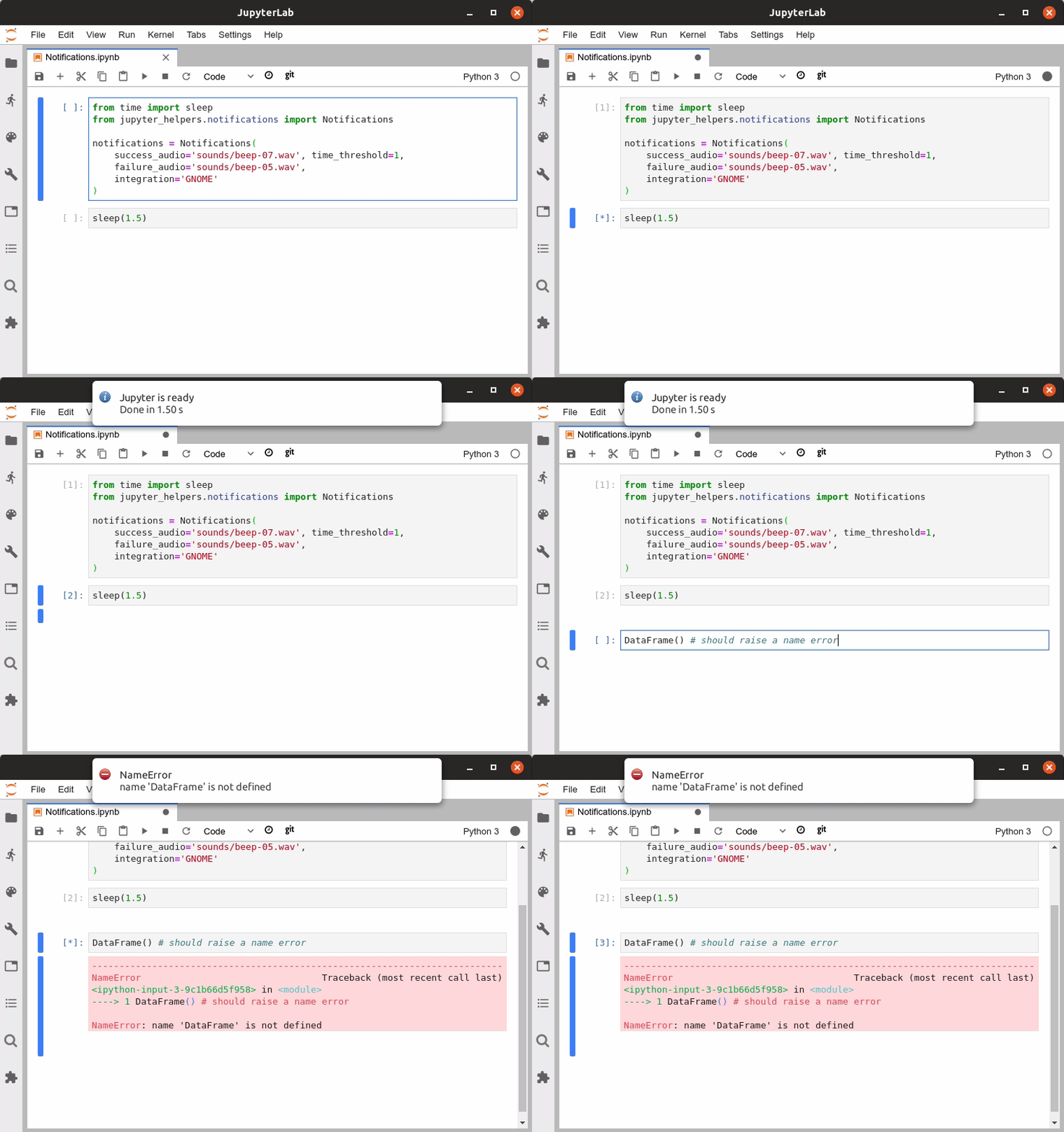
Notifications
Tailing outputs
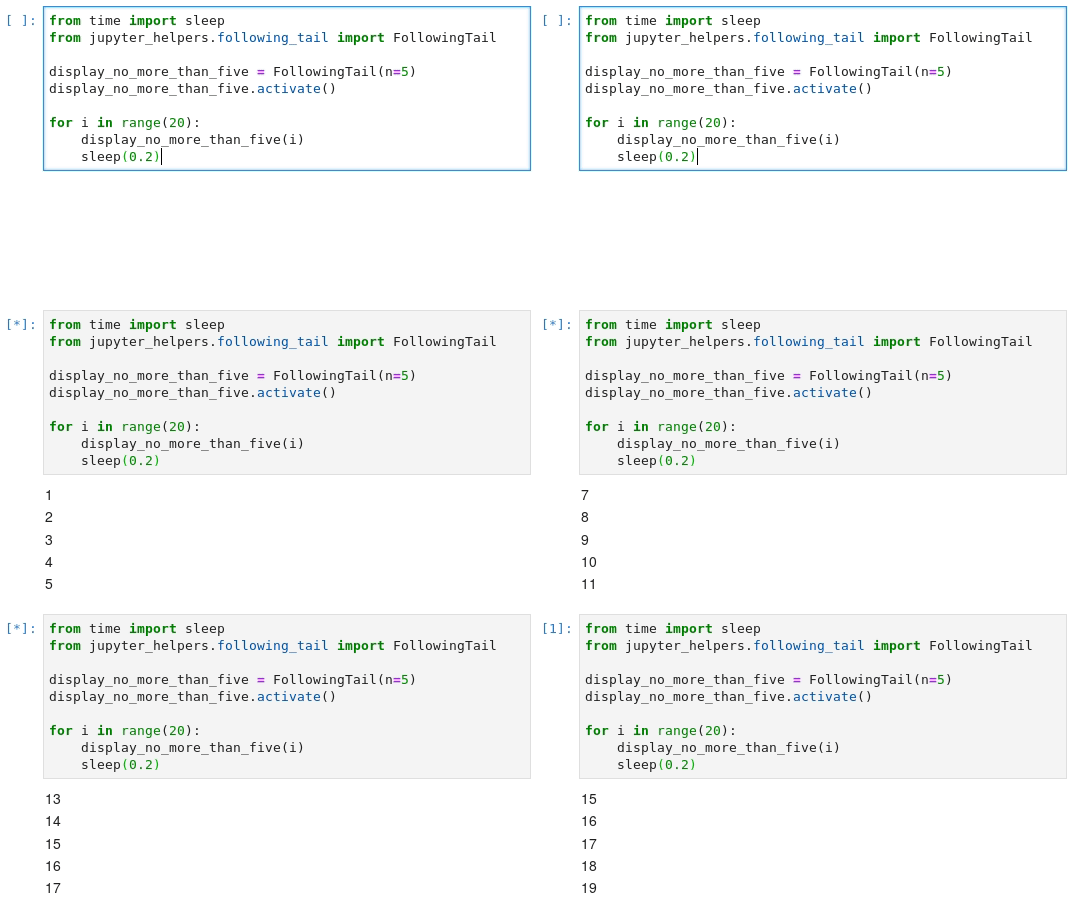
Following tail
Auto-completion in R cells
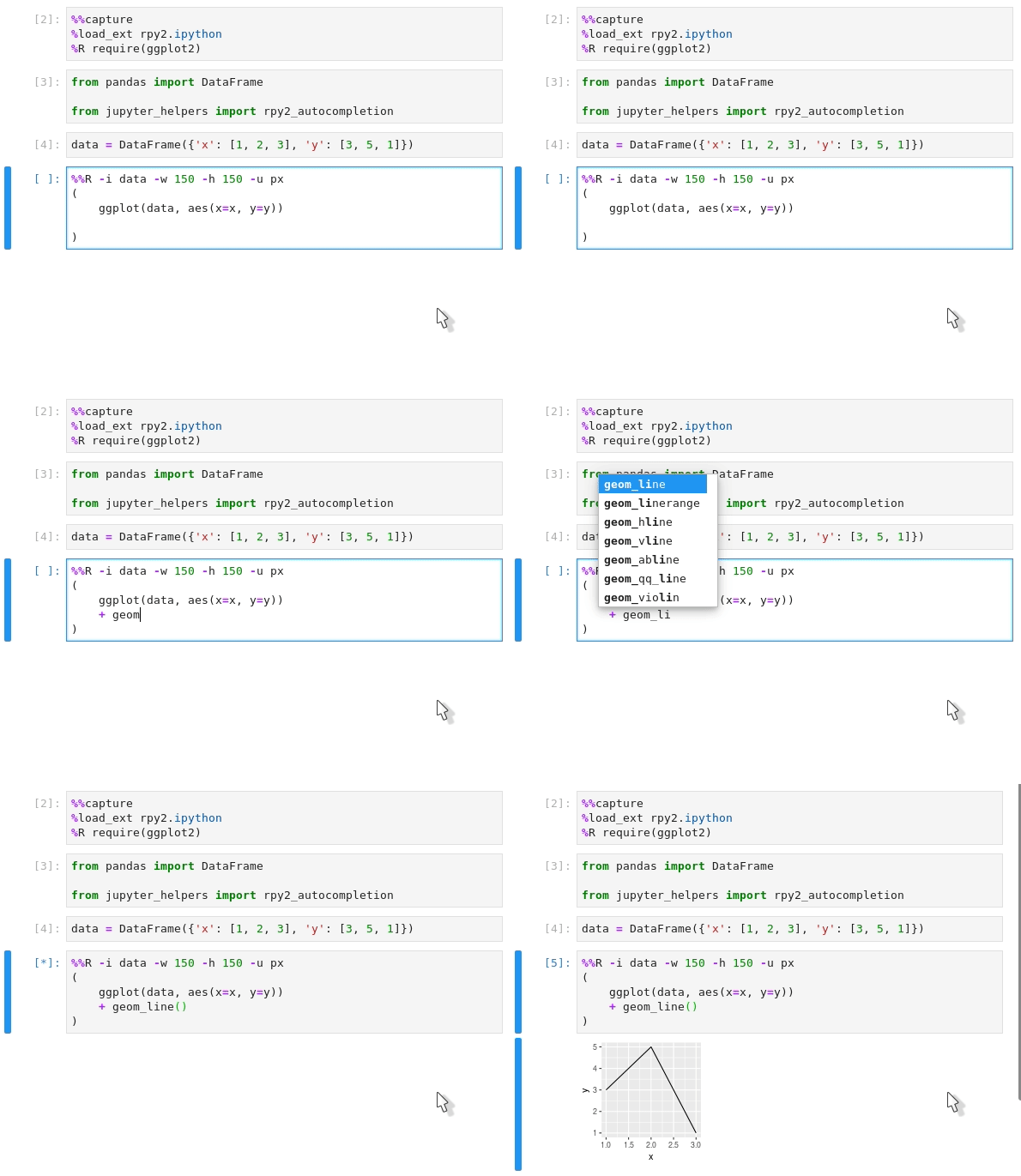
R auto-completion
Neat namespaces
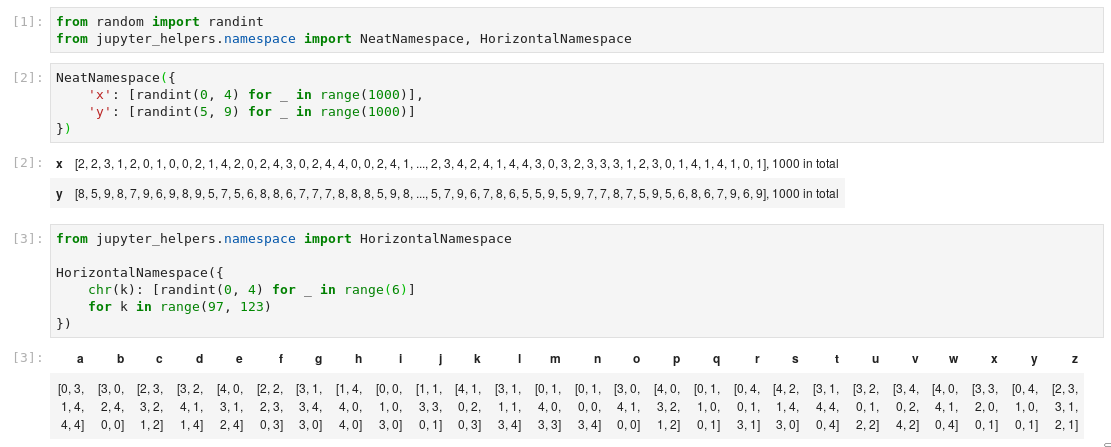
NeatNamespace
Selective imports
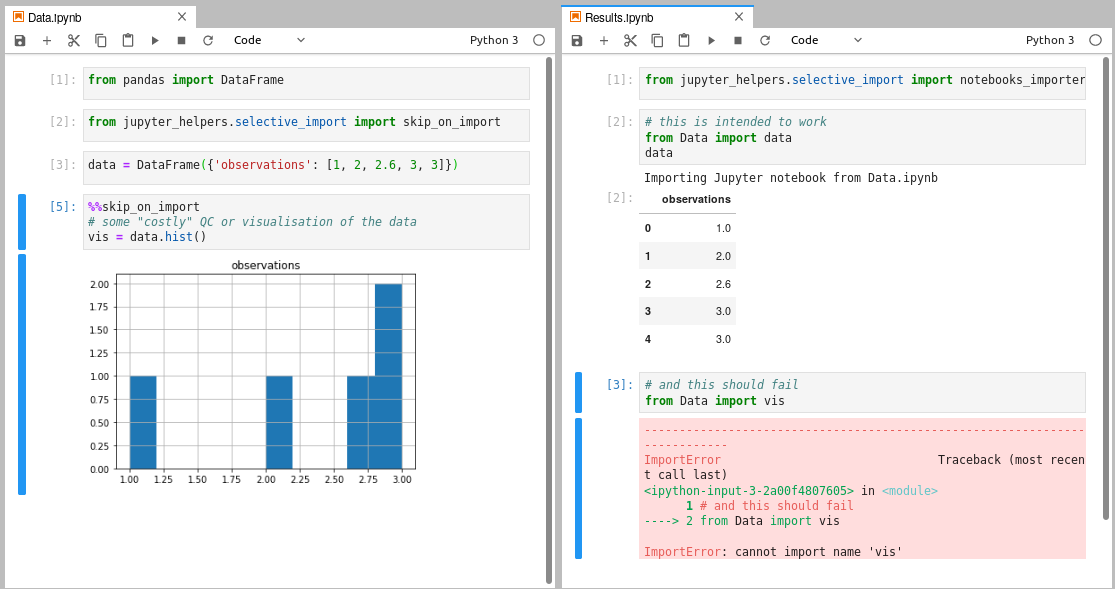
Selective imports
1 maintainer

Metadata
1 maintainer
Release files for jupyter-helpers 0.2.3
For a detailed explanation of source distributions (sdists) and built distributions (wheels), please see the package formats documentation.
Source distribution (sdist)
| File | Size | Uploaded | |
|---|---|---|---|
| jupyter_helpers-0.2.3.tar.gz | 10.6 kB | Details |
Built distribution (wheel)
| File | Interpreter | ABI | Platform | Reset |
|---|---|---|---|---|
| jupyter_helpers-0.2.3-py3-none-any.whl | Python 3 | none | any | Details |
Total release size: 22.5 kB
Release files / jupyter_helpers-0.2.3.tar.gz
| Download URL | jupyter_helpers-0.2.3.tar.gz |
|---|---|
| Size | 10.6 kB |
| Tags | Source |
|
SHA-256 checksum How to use checksums |
3ca6d00808c89349bb8b3f66b864c2ac6e9dde2cc0a148d2dd167b779137c257
|
|
BLAKE2b-256 checksum How to use checksums |
1e44da65543fa1d2491ec3405eeb4d51916a65bbcf5a27ed2128ed921a6c5c13
|
| Upload date | |
|
Uploaded using Trusted Publishing? What is trusted publishing? |
No |
| Uploaded via |
twine/3.3.0 pkginfo/1.7.0 requests/2.25.1 setuptools/53.0.0 requests-toolbelt/0.9.1 tqdm/4.56.1 CPython/3.8.7
|
Release files / jupyter_helpers-0.2.3-py3-none-any.whl
| Download URL | jupyter_helpers-0.2.3-py3-none-any.whl |
|---|---|
| Size | 11.9 kB |
| Tags | Python 3 |
|
SHA-256 checksum How to use checksums |
28d57a0c1cabb3ea7467c86def67c9d38f615459c9b92777ec54508d43835d4e
|
|
BLAKE2b-256 checksum How to use checksums |
e1a6390a2ad970829a8b65c55be6ae53ba80cf7b97cc57052a634f8599740b99
|
| Upload date | |
|
Uploaded using Trusted Publishing? What is trusted publishing? |
No |
| Uploaded via |
twine/3.3.0 pkginfo/1.7.0 requests/2.25.1 setuptools/53.0.0 requests-toolbelt/0.9.1 tqdm/4.56.1 CPython/3.8.7
|














