
Jupyterlab code material management tool powered by AI.

Project description
This package has been renamed to jupyter_pieces instead of jupyter-pieces. See: https://github.com/jupyterlab/jupyterlab/issues/15603
Pieces for Developers | JupyterLab Extension
In 2022, our team embarked on a mission to transform the way you code with your personal micro-repo.
With the debut release of our Flagship Desktop App, we laid the foundation, and now our JupyterLab extension is here to revolutionize your coding workflow further by incorporating key capabilities and our users' favorite features directly into their JupyterLab environment.

Elevate your coding & problem-solving in JupyterLab with the Pieces Copilot. Interact with the Copilot from any code workspace right within your JupyterLab interface. Ask questions about code or content within a file, gain insight on keywords or patterns within code materials, ask the Copilot to generate a sample using an SDK you’re researching, and even use it to help you understand PRs.
As you move through your workflow, our JupyterLab extension enables you to effortlessly capture, manage, share, and discover code materials, such as code screenshots, with a simple click.
The Pieces for Developers JupyterLab extension is designed to become your go-to development partner, transforming your workflow with efficiency and organization.
Table of Contents
Recent Updates
v1.6.1 - Improved Pieces Copilot Experience
Oct. 3, 2023
- Introduction of Quick Actions for easy selection of LLM runtime and file context in Copilot chats.
- Theme Matching feature to align Copilot's appearance with the environment's theme.
- Styling updates including new icons for an enhanced user experience.
v1.4.0 - Filter your Material List
Sept. 8, 2023
- Ability to filter material lists based on tags, titles, language, and more.
- Access to filtering options via a filter button and a user-friendly interface for setting up filters.
- Improved search functionality with the search bar now properly accepting user input.
v1.1.1 - Introducing Pieces Copilot
Jul. 21, 2023
- Launch of qGPT RAG Copilot, a chatbot contextualized by the code within a user's notebook(s), facilitating plain text queries.
- Incorporation of live data synchronization to ensure real-time update of modifications made in your Pieces repository via other integrations.
- New Context Menu Enrich Button to allow automatic generation of comments explaining the selected code, aimed at enhancing JupyterLab workflow.
Getting Started
Requirements
- JupyterLab >= 4.0.0
- You must have PiecesOS installed.
PiecesOS facilitates the local operation of Pieces products on your machine and coordinates connections to Pieces extensions. The extension will not function as intended without PiecesOS active on your machine.
*PiecesOS installation comes with the Pieces for Developers Desktop App where your materials can also be viewed and managed.
Install Instructions
Execute pip install jupyter_pieces in your terminal.
or
Search for jupyter_pieces within the JupyterLab Extensions Manager and install.
Features
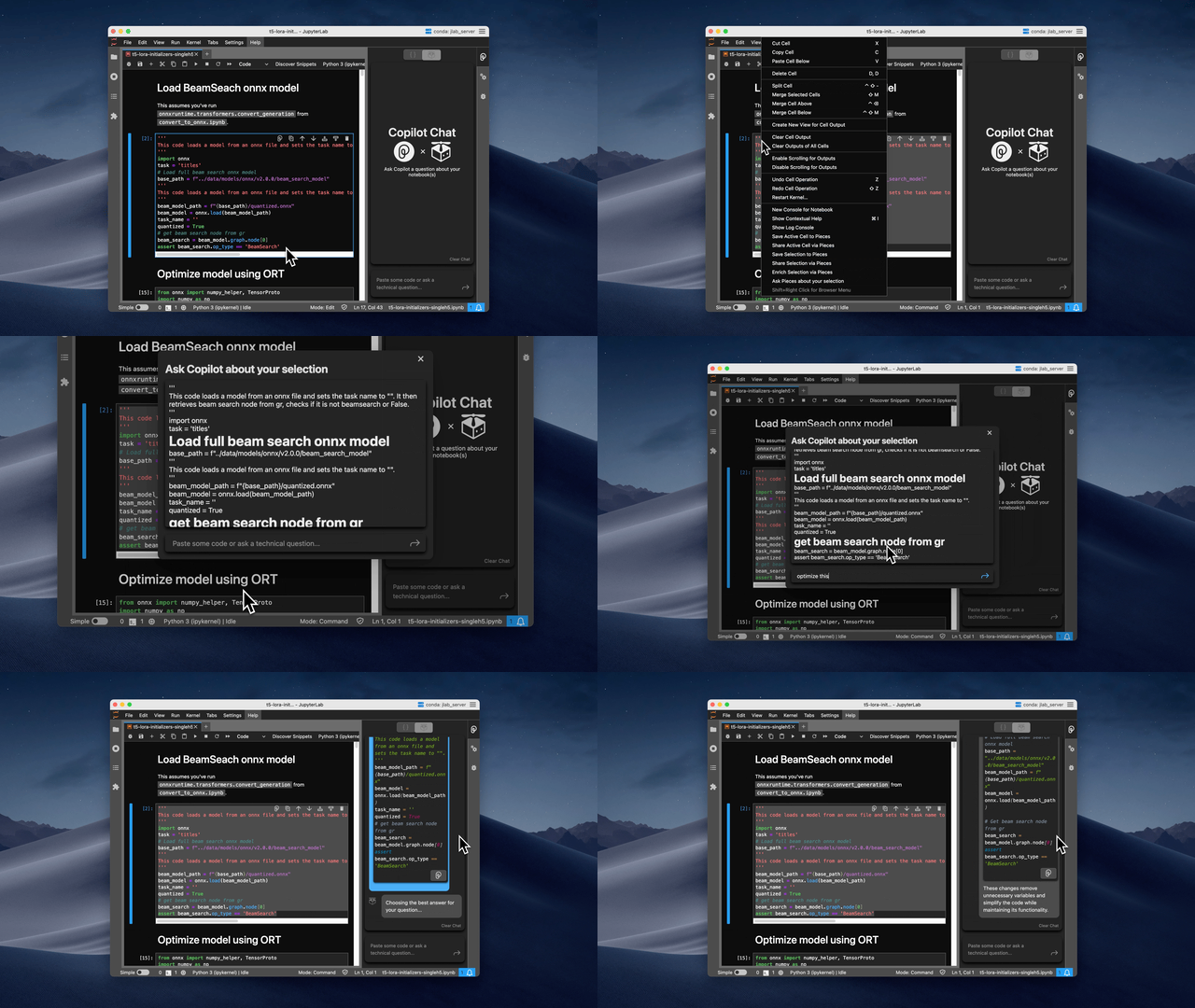
Meet Your New Copilot
Your personal copilot, powered by local or cloud-based LLMs (i.e. Llama 2, GPT-3.5, GPT-4, and PaLM 2) for maximum security and privacy, that’s contextualized by your workflow to help solve coding problems, onboard into new projects faster, and connect you with the right people.
Save Valuable Code
Templates, commands, useful materials, notes... quickly save aspects of your code for future reference or reuse.
How to save
- Highlight code, right-click, and select "Save to Pieces."
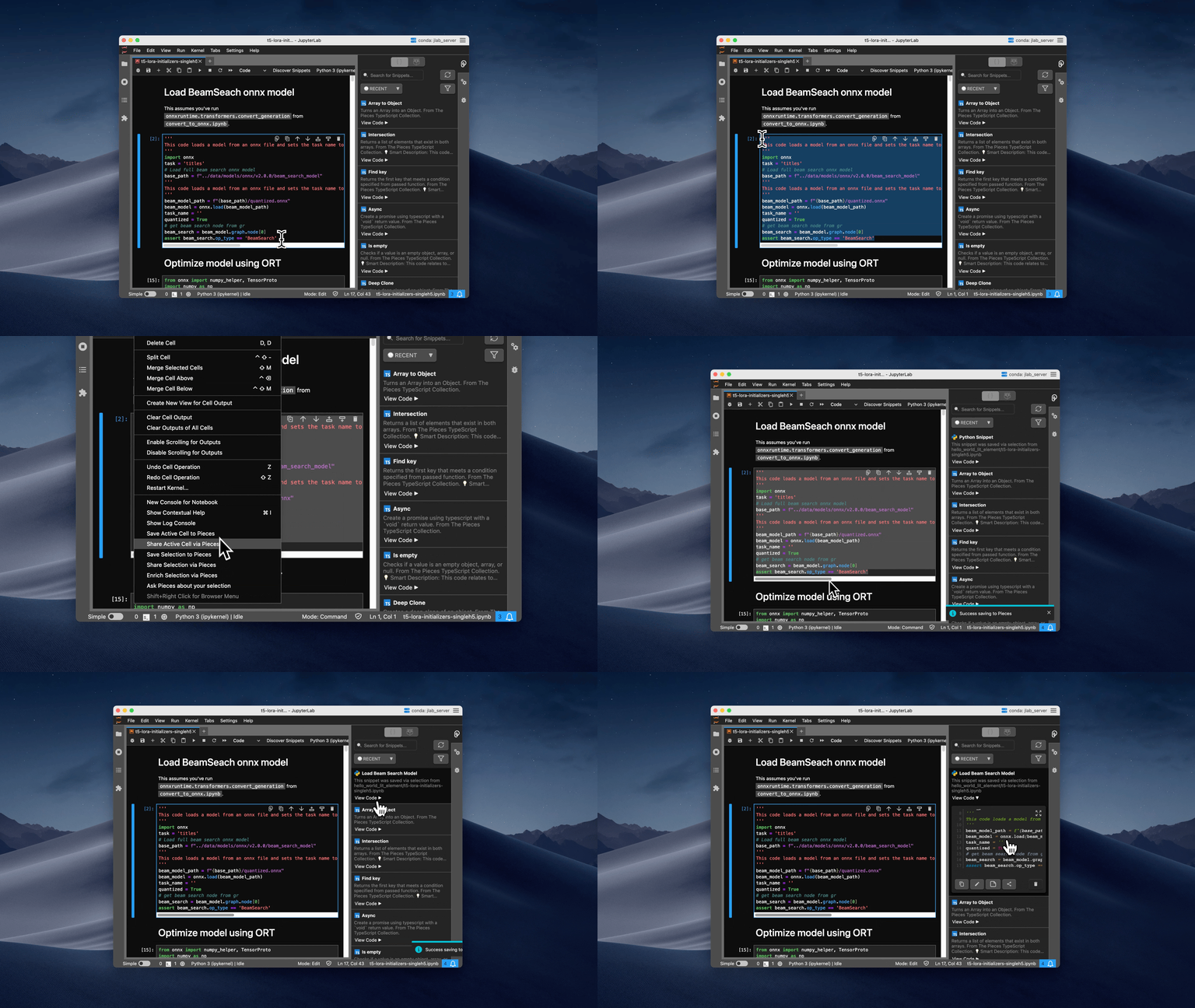
- Click the Pieces Save button within any code block.
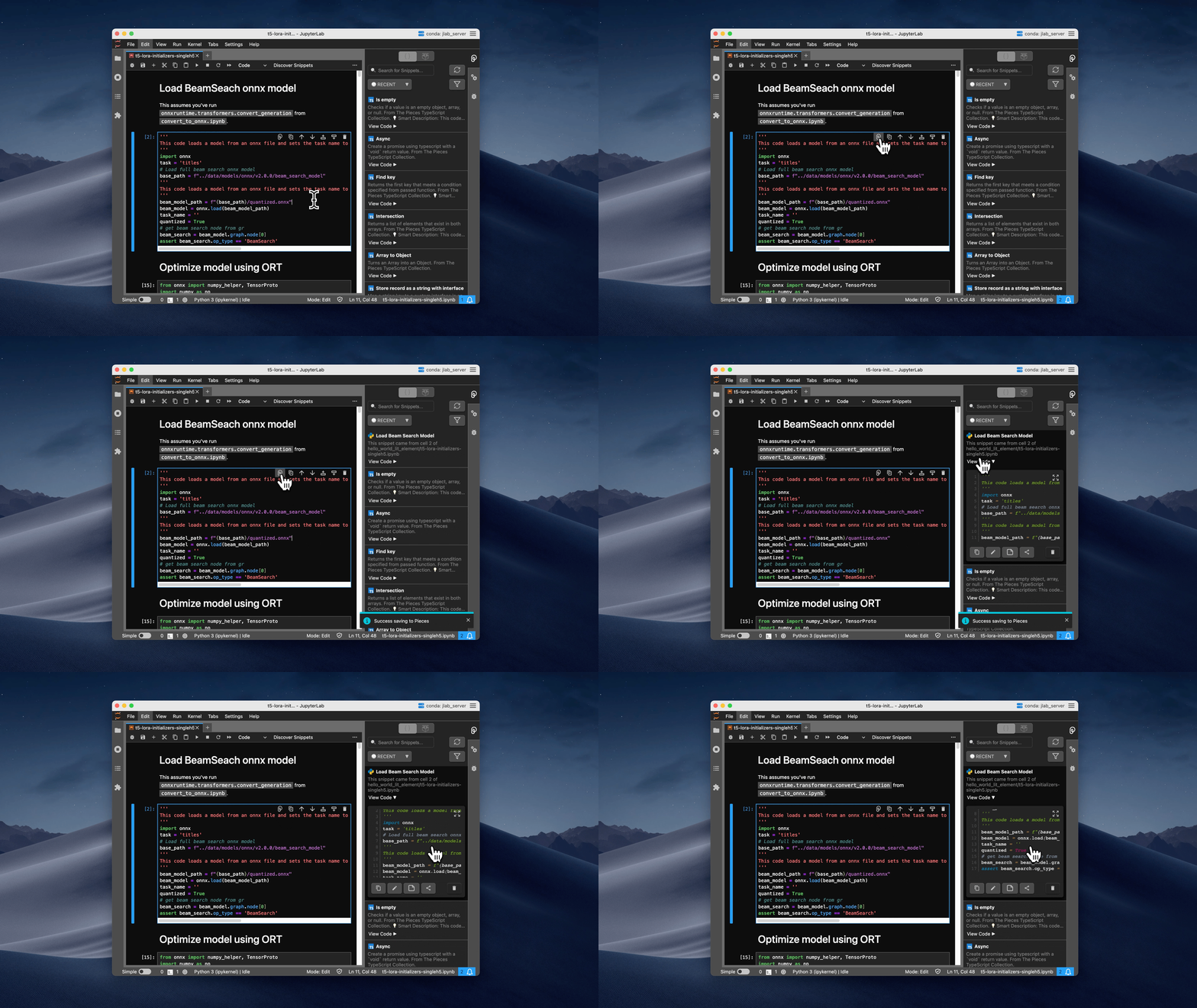
Find and Reuse Code Materials
Fast, robust search of your code materials right within JupyterLab.

Share Code from JupyterLab
Share materials with a simple right-click, complete with relevant context - tags, descriptions, origin, and more!

Keyboard Shortcuts
To use a Pieces command, simply highlight code in your editor or hover a material in your Pieces List.
| Command | macOS | Windows |
|---|---|---|
| Save Selection to Pieces | Cmd+Shift+S | Ctrl+Shift+S |
| Share Selection via Pieces | Cmd+Shift+K | Ctrl+Shift+K |
| Save Cell to Pieces | Cmd+Shift+Enter | Ctrl+Shift+Enter |
| Share Cell via Pieces | Cmd+Shift+X | Ctrl+Shift+X |
| Discover Materials | Cmd+Shift+A | Ctrl+Shift+A |
| Refresh Materials | Cmd+Shift+E | Ctrl+Shift+E |
| Quick Search | Cmd+Shift+M | Ctrl+Shift+M |
| Toggle View | Cmd+Shift+Y | Ctrl+Shift+Y |
Explore the Pieces Ecosystem
Maximize productivity with our Flagship Desktop App and other products designed to streamline your coding workflow across different platforms.

For detailed descriptions and features of each product, visit our docs for JupyterLab.
Need Help?
Encountered a hurdle? We've got you covered. Reach out for support:
Stay Connected
Stay in the loop! Follow us for the latest updates, tips, and insights:
Release history Release notifications | RSS feed


Download files
Download the file for your platform. If you're not sure which to choose, learn more about installing packages.
Source Distribution
Built Distribution
Filter files by name, interpreter, ABI, and platform.
If you're not sure about the file name format, learn more about wheel file names.
Copy a direct link to the current filters
File details
Details for the file jupyter_pieces-1.23.0.tar.gz.
File metadata
- Download URL: jupyter_pieces-1.23.0.tar.gz
- Upload date:
- Size: 5.0 MB
- Tags: Source
- Uploaded using Trusted Publishing? No
- Uploaded via: twine/6.1.0 CPython/3.12.3
File hashes
| Algorithm | Hash digest | |
|---|---|---|
| SHA256 |
426f467ea2abce49c1f3a1fe79a9c60dfef6784e7e4caa34e8a638a6b7b45f92
|
|
| MD5 |
884af4c984161f92bd8a0fe90f9118c9
|
|
| BLAKE2b-256 |
6828b4b9a9fe50c1f30d9c31138dcfb0c7d0426e5fdbf6d2e53b412446c73945
|
File details
Details for the file jupyter_pieces-1.23.0-py3-none-any.whl.
File metadata
- Download URL: jupyter_pieces-1.23.0-py3-none-any.whl
- Upload date:
- Size: 3.1 MB
- Tags: Python 3
- Uploaded using Trusted Publishing? No
- Uploaded via: twine/6.1.0 CPython/3.12.3
File hashes
| Algorithm | Hash digest | |
|---|---|---|
| SHA256 |
7cce621c247d749c3c04be5c06ad41f30c29b10a2cad55815f4fd7e3b3ae8f71
|
|
| MD5 |
e8f170e8de3537ccc59e6d42d5709481
|
|
| BLAKE2b-256 |
e0d570136d76a4c0ee9712aaecf4990cafa75b06271ebfdf6e6c74b5ed0d1ee5
|






