


🪐 ⚛️ Jupyter React
Jupyter React is a set of React.js components that allow a frontend developer to build data products compatible with the Jupyter ecosystem. The user interface delivers executable notebooks and cells.
The below image shows a gallery of the available React.js components ready to be used in you custom application. These open source components are used to build the online Datalayer service, a collaborative platform for data analysis.
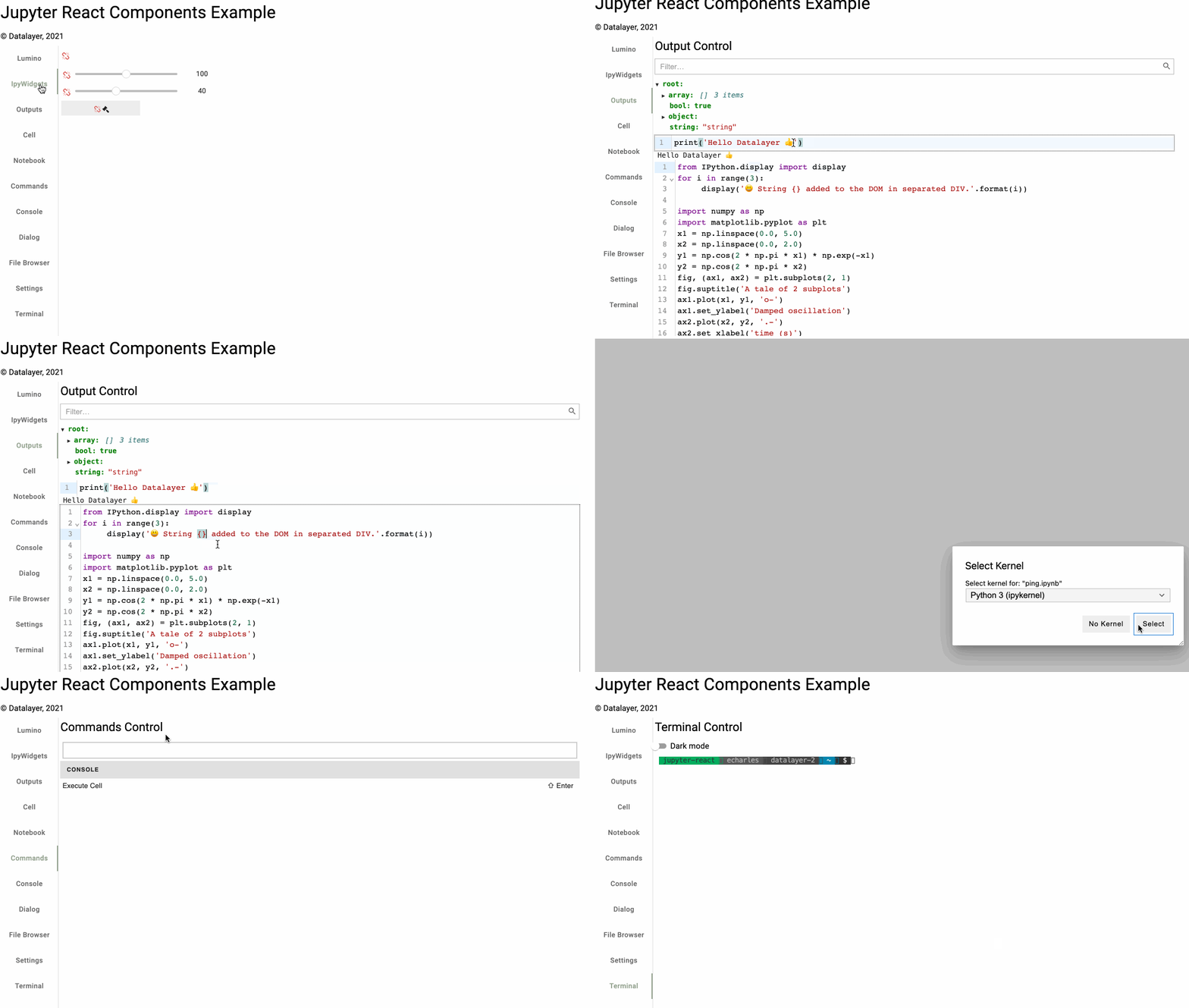
We host a Storybook on ✨ https://jupyter-ui-storybook.datalayer.tech that showcases various low-level as high-level React.js components useful to build a Data Product.
The Jupyter(Lab) notebook is a tool that allows data scientist to analyse dataset. However, it is not easy to create a custom user interface integrated in an existing application. Jupyter React, an open-source library, fills that gap and provides components that a developer can easily integrate in any React.js application.
In terms of technical stack, the Jupyter(Lab) user interface is built on top of Lumino, which is an imperative way to build user interface and can not be consumed by industry standard declarative frameworks like React.js. As a user interface developer, if you want to create a custom data product on top of Jupyter, you have to stick to Lumino and carry-on the full notebook interface not tailored to your specific needs. This is not what you want. You just want to expose what you need, you want to develop with your favorite toolkit (like React.js) and you also want to integrate on a per-component basis the Jupyter functionality in your application.
Although a developer can embed a React.js component into JupyterLab, the reverse is not possible: you can not embed JupyterLab into a React.js application. To solve that issue, Jupyter-React ships components to easily create a React.js data product compatible with the Jupyter ecosystem. Those components can be used in any React.js application, and also in static websites like Docusaurus, Next.js or Remix. They wrap underneath the JupyterLab code and allow developing React.js applications with code execution capability. State management is based on Zustand.
flowchart LR
    subgraph Host["Host React Application"]
        HA[Components]
    end

    subgraph Zustand["Zustand Store"]
        ZA[Actions]
        ZS[State]
    end

    subgraph JupyterUI["Jupyter UI"]
        JR[React Components]
    end

    subgraph JupyterLab["JupyterLab/Lumino"]
        LC[Commands]
        LS[Signals]
        LW[Widgets]
    end

    subgraph Kernel["Jupyter Server"]
        K[Kernel]
    end

    HA -->|"dispatch"| ZA
    ZA -->|"proxy"| LC
    LC -->|"execute"| LW
    LW -->|"request"| K

    K -->|"response"| LS
    LS -->|"emit"| ZS
    ZS -->|"subscribe"| HA

    JR -.->|"wraps"| LW
IPyWidgets are supported (the Comm feature needs to be fixed). JupyterLite and PyScript support is on the roadmap. Autocompletion is also available.
You can find more context reading this abstract of the talk given at FOSDEM 2022 (video recording).
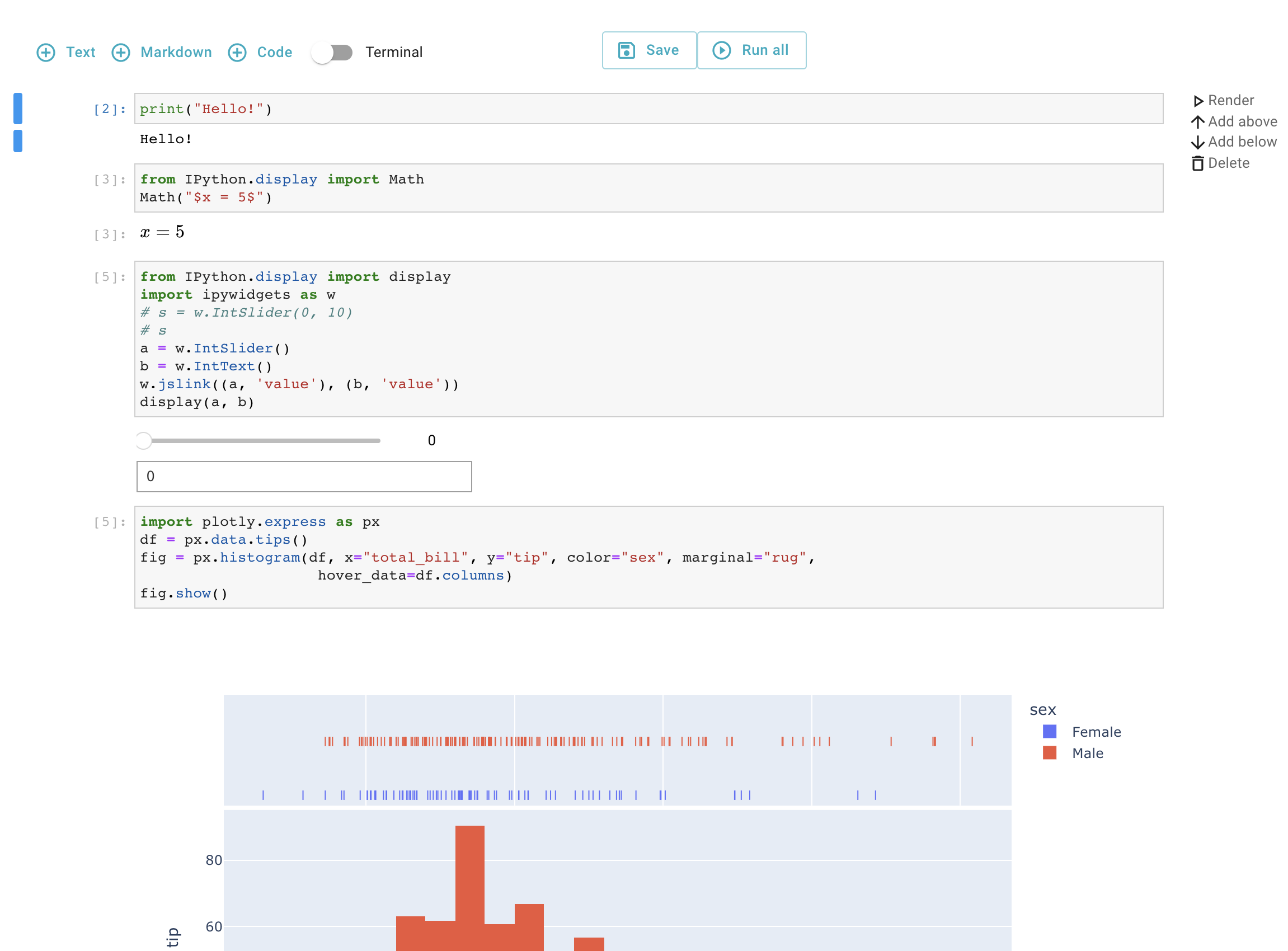
As a React.js developer, you just write a few lines of code get a live notebook or live cell in your application.
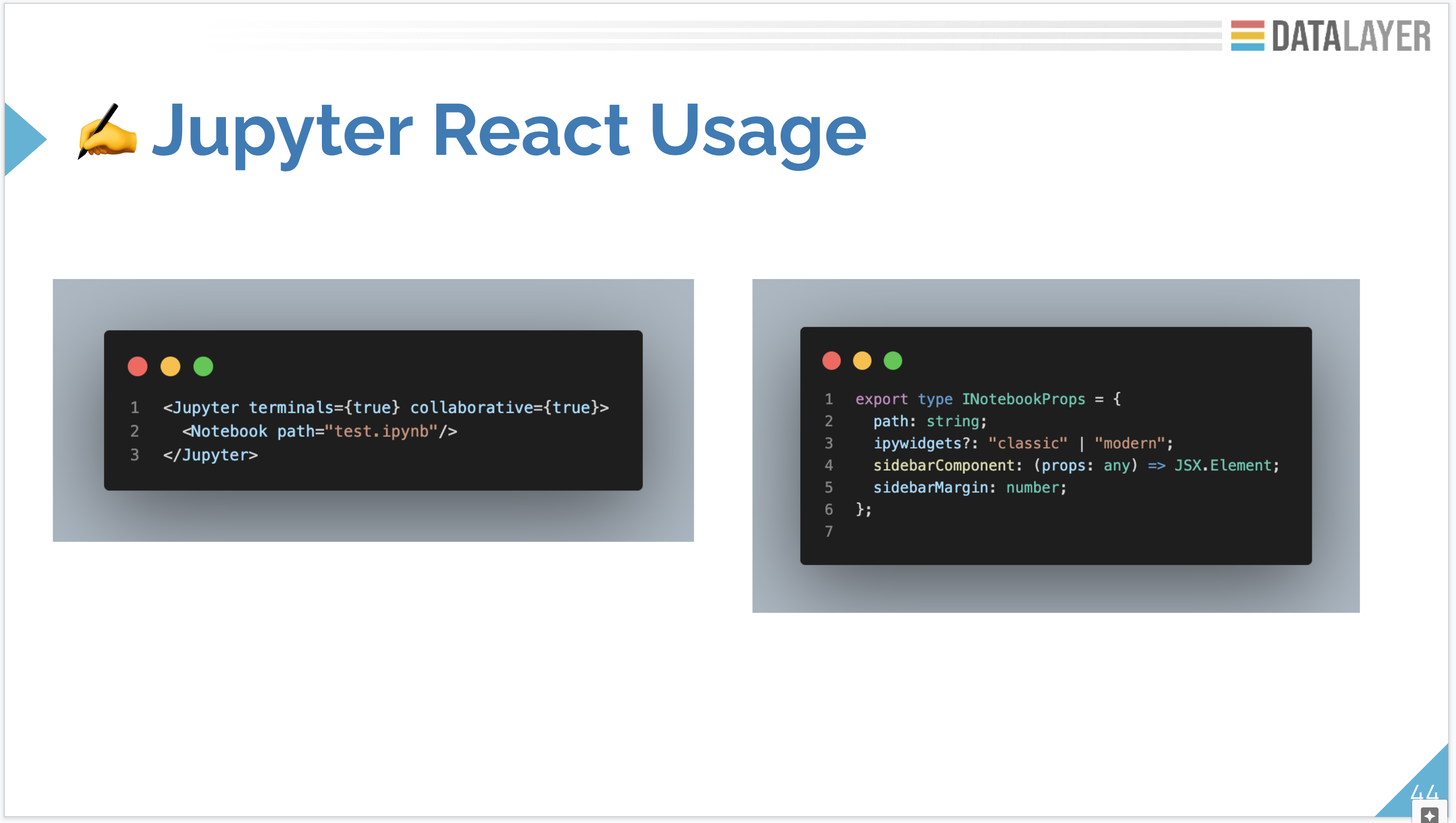
The typedoc documentation is available online.
Jupyter React can be used in any React.js application. Install the latest @datalayer/jupyter-react npm package and get inspired by the examples in this repository.
Releases
Jupyter React is released in Npm.js and PyPI.
Development
Running Examples
This package includes multiple example applications demonstrating various Jupyter React components. You can run these examples using either Vite (recommended) or Webpack.
Using Vite (Recommended)
Vite provides faster development server startup and hot module replacement (HMR).
# Install dependencies
npm install

# Start development server (default example: Notebook2Actions)
npm run dev:vite

# Or use these alternative commands
npm run start:vite              # Same as dev:vite
npm run start-local:vite        # Use local Jupyter server (http://localhost:8686)
npm run start-noconfig:vite     # Run without config
npm run build:vite              # Production build
npm run preview:vite            # Preview production build
The dev server runs on http://localhost:3208.
To run a different example, edit the entry point in index.html:
<script type="module" src="/src/examples/YourExample.tsx"></script>
Using Webpack
Webpack is still available for backward compatibility.
# Start development server
npm run start:webpack

# Or use these alternative commands
npm run start-local:webpack     # Use local Jupyter server
npm run start-noconfig          # Run without config (webpack)
npm run build:webpack           # Production build with webpack
Available Examples
The following examples are available in src/examples/:
- Notebook2Actions - Notebook with action bar controls
- Cell / CellLite - Single cell examples
- Notebook / NotebookLite - Full notebook examples
- Console / ConsoleLite - Console examples
- IPyWidgets - IPyWidgets integration
- JupyterLabApp - Full JupyterLab application
- Terminal - Terminal component
- And many more...
Building the Library
# Build TypeScript library
npm run build:lib

# Full build (resources + TypeScript + webpack)
npm run build

# Production build
npm run build:prod
1 maintainer

Metadata
1 maintainer
Release files for jupyter-react 0.9.1
For a detailed explanation of source distributions (sdists) and built distributions (wheels), please see the package formats documentation.
Source distribution (sdist)
| File | Size | Uploaded | |
|---|---|---|---|
| jupyter_react-0.9.1.tar.gz | 7.3 MB | Details |
Built distribution (wheel)
| File | Interpreter | ABI | Platform | Reset |
|---|---|---|---|---|
| jupyter_react-0.9.1-py3-none-any.whl | Python 3 | none | any | Details |
Total release size: 14.6 MB
Release files / jupyter_react-0.9.1.tar.gz
| Download URL | jupyter_react-0.9.1.tar.gz |
|---|---|
| Size | 7.3 MB |
| Tags | Source |
|
SHA-256 checksum How to use checksums |
eb1d2cc4ff0340c0a37144acb3b47413bad14a3e12f004f23d7e6b448bf5b609
|
|
BLAKE2b-256 checksum How to use checksums |
5034c8627e01b454789c2fa5498f350dc99517df00a788d06ecccb785c2151bc
|
| Upload date | |
|
Uploaded using Trusted Publishing? What is trusted publishing? |
Yes |
| Uploaded via |
twine/7.0.0 CPython/3.13.14
|
Provenance
Provenance describes where a file came from. On PyPI, provenance is shared via attestations, which provide a verifiable record of the build or publishing details. View details, limitations and caveats.


PyPI Publish Attestation
PyPI verified that this artifact, at this checksum, originated from the publisher listed below.
Signed by GitHub Actions, verified by PyPI on Sep 25, 2026.
Transparency logRelease files / jupyter_react-0.9.1-py3-none-any.whl
| Download URL | jupyter_react-0.9.1-py3-none-any.whl |
|---|---|
| Size | 7.2 MB |
| Tags | Python 3 |
|
SHA-256 checksum How to use checksums |
d04fb4d6826df2116d51c572867669b77db09dfc7b5ed23cc3bf04b06c34deeb
|
|
BLAKE2b-256 checksum How to use checksums |
435a1519e4e37882c8bffcdfaa337f7b837362883711289bf07b4062181d3a8e
|
| Upload date | |
|
Uploaded using Trusted Publishing? What is trusted publishing? |
Yes |
| Uploaded via |
twine/7.0.0 CPython/3.13.14
|
Provenance
Provenance describes where a file came from. On PyPI, provenance is shared via attestations, which provide a verifiable record of the build or publishing details. View details, limitations and caveats.
PyPI Publish Attestation
PyPI verified that this artifact, at this checksum, originated from the publisher listed below.
Signed by GitHub Actions, verified by PyPI on Sep 25, 2026.
Transparency log













