
An interactive scatter plot widget for Jupyter Notebook, Lab, and Google Colab that can handle millions of points and supports view linking

Project description
 Jupyter Scatter





An interactive scatter plot widget for Jupyter Notebook, Lab, and Google Colab
that can handle millions of points and supports view linking.
Features?
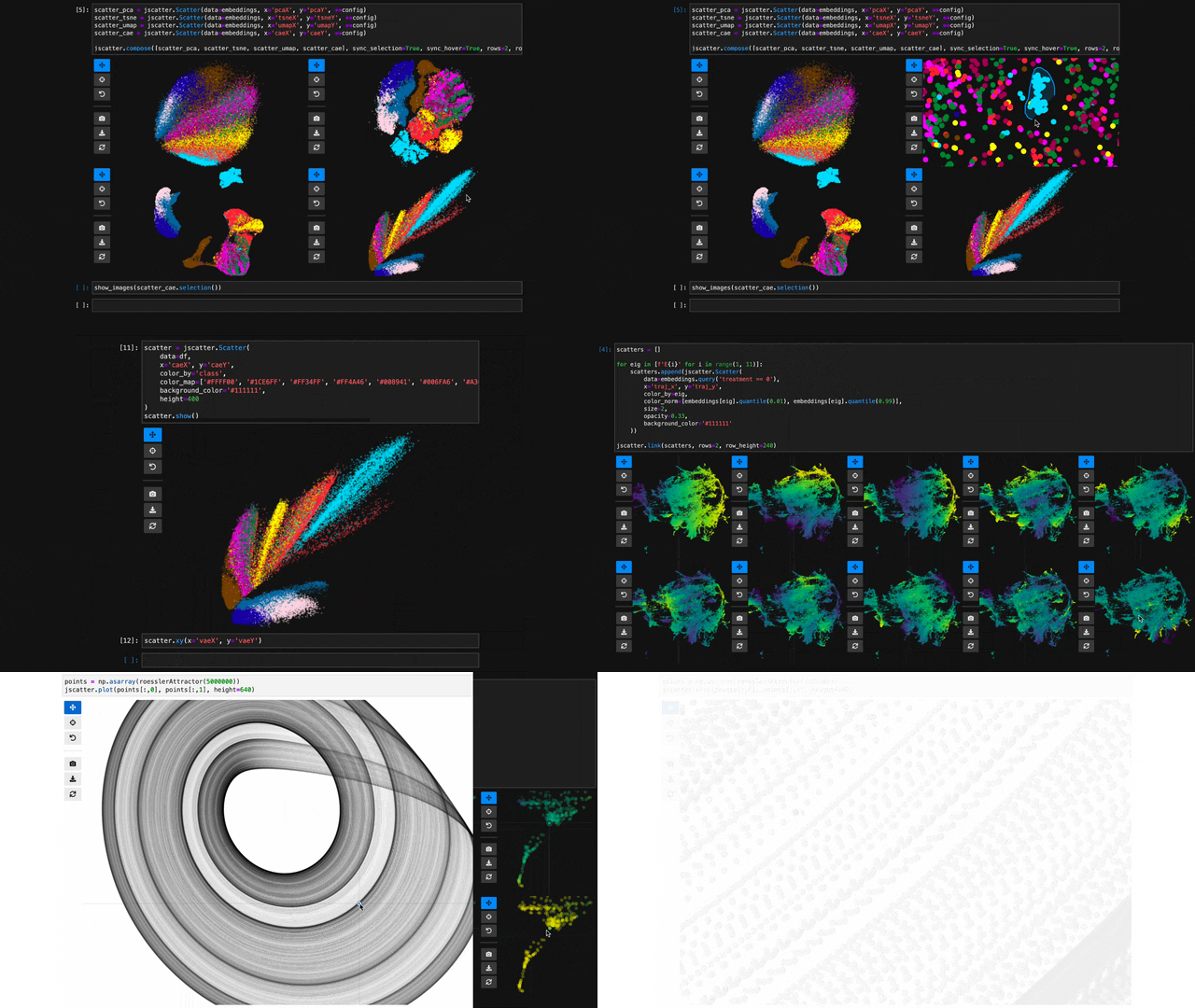
- 🖱️ Interactive: Pan, zoom, and select data points interactively with your mouse or through the Python API.
- 🚀 Scalable: Plot up to several millions data points smoothly thanks to WebGL rendering.
- 🔗 Interlinked: Synchronize the view, hover, and selection across multiple scatter plot instances.
- ✨ Effective Defaults: Rely on Jupyter Scatter to choose perceptually effective point colors and opacity by default.
- 📚 Friendly API: Enjoy a readable API that integrates deeply with Pandas DataFrames.
- 🛠️ Integratable: Use Jupyter Scatter in your own widgets by observing its traitlets.
Why?
Imagine trying to explore a dataset of millions of data points as a 2D scatter. Besides plotting, the exploration typically involves three things: First, we want to interactively adjust the view (e.g., via panning & zooming) and the visual point encoding (e.g., the point color, opacity, or size). Second, we want to be able to select and highlight data points. And third, we want to compare multiple datasets or views of the same dataset (e.g., via synchronized interactions). The goal of jupyter-scatter is to support all three requirements and scale to millions of points.
How?
Internally, Jupyter Scatter uses regl-scatterplot for WebGL rendering, traitlets for two-way communication between the JS and iPython kernels, and anywidget for composing the widget.
Index
Install
pip install jupyter-scatter
If you are using JupyterLab <=2:
jupyter labextension install @jupyter-widgets/jupyterlab-manager jupyter-scatter
For a minimal working example, take a look at test-environments.
Get Started
Info
Visit jupyter-scatter.dev for details on all essential features of Jupyter Scatter and check out our full-blown tutorial from SciPy '23.
Simplest Example
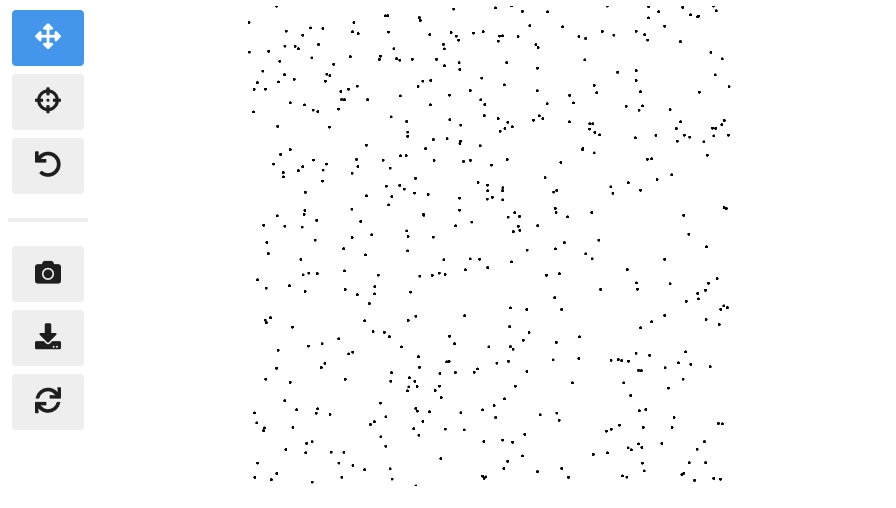
In the simplest case, you can pass the x/y coordinates to the plot function as follows:
import jscatter
import numpy as np

x = np.random.rand(500)
y = np.random.rand(500)

jscatter.plot(x, y)
Pandas Example
Say your data is stored in a Pandas dataframe like the following:
import pandas as pd

# Just some random float and int values
data = np.random.rand(500, 4)
df = pd.DataFrame(data, columns=['mass', 'speed', 'pval', 'group'])
# We'll convert the `group` column to strings to ensure it's recognized as
# categorical data. This will come in handy in the advanced example.
df['group'] = df['group'].map(lambda c: chr(65 + round(c)), na_action=None)
| x | y | value | group | |
|---|---|---|---|---|
| 0 | 0.13 | 0.27 | 0.51 | G |
| 1 | 0.87 | 0.93 | 0.80 | B |
| 2 | 0.10 | 0.25 | 0.25 | F |
| 3 | 0.03 | 0.90 | 0.01 | G |
| 4 | 0.19 | 0.78 | 0.65 | D |
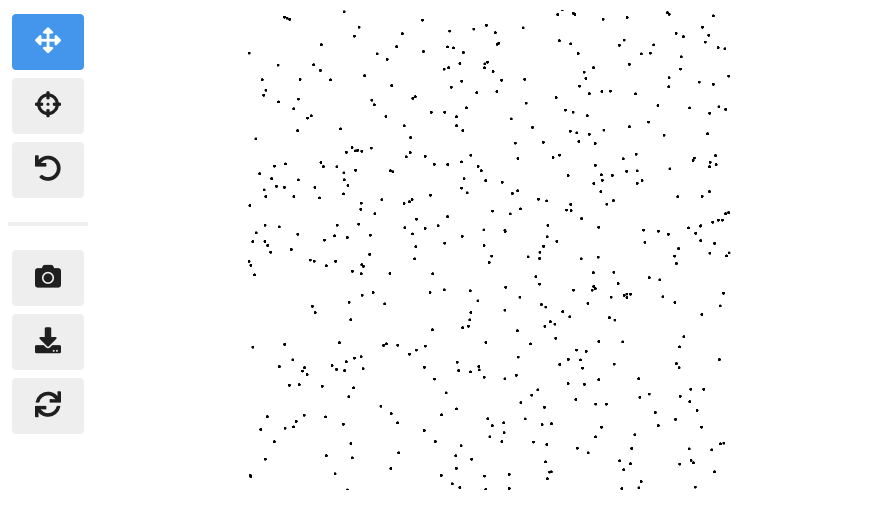
You can then visualize this data by referencing column names:
jscatter.plot(data=df, x='mass', y='speed')
Show the resulting scatter plot
Advanced example
Often you want to customize the visual encoding, such as the point color, size, and opacity.
jscatter.plot(
  data=df,
  x='mass',
  y='speed',
  size=8, # static encoding
  color_by='group', # data-driven encoding
  opacity_by='density', # view-driven encoding
)
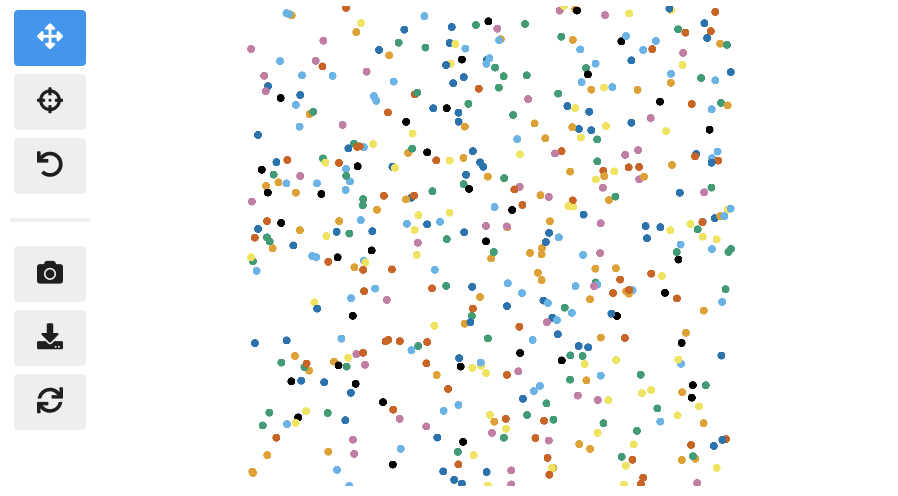
In the above example, we chose a static point size of 8. In contrast, the point color is data-driven and assigned based on the categorical group value. The point opacity is view-driven and defined dynamically by the number of points currently visible in the view.
Also notice how jscatter uses an appropriate color map by default based on the data type used for color encoding. In this examples, jscatter uses the color blindness safe color map from Okabe and Ito as the data type is categorical and the number of categories is less than 9.
Important: in order for jscatter to recognize categorical data, the dtype of the corresponding column needs to be category!
You can, of course, customize the color map and many other parameters of the visual encoding as shown next.
Functional API Example
The flat API can get overwhelming when you want to customize a lot of properties. Therefore, jscatter provides a functional API that groups properties by type and exposes them via meaningfully-named methods.
scatter = jscatter.Scatter(data=df, x='mass', y='speed')
scatter.selection(df.query('mass < 0.5').index)
scatter.color(by='mass', map='plasma', order='reverse')
scatter.opacity(by='density')
scatter.size(by='pval', map=[2, 4, 6, 8, 10])
scatter.height(480)
scatter.background('black')
scatter.show()
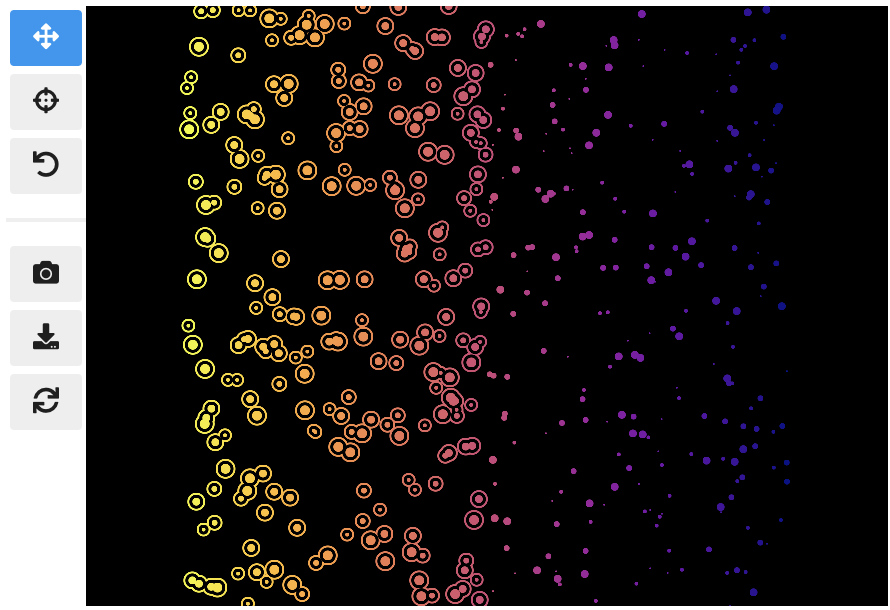
When you update properties dynamically, i.e., after having called scatter.show(), the plot will update automatically. For instance, try calling scatter.xy('speed', 'mass')and you will see how the points are mirrored along the diagonal.
Moreover, all arguments are optional. If you specify arguments, the methods will act as setters and change the properties. If you call a method without any arguments it will act as a getter and return the property (or properties). For example, scatter.selection() will return the currently selected points.
Finally, the scatter plot is interactive and supports two-way communication. Hence, if you select some point with the lasso tool and then call scatter.selection() you will get the current selection.
Linking Scatter Plots
To explore multiple scatter plots and have their view, selection, and hover interactions link, use jscatter.link().
jscatter.link([
  jscatter.Scatter(data=embeddings, x='pcaX', y='pcaY', **config),
  jscatter.Scatter(data=embeddings, x='tsneX', y='tsneY', **config),
  jscatter.Scatter(data=embeddings, x='umapX', y='umapY', **config),
  jscatter.Scatter(data=embeddings, x='caeX', y='caeY', **config)
], rows=2)
https://user-images.githubusercontent.com/932103/162584133-85789d40-04f5-428d-b12c-7718f324fb39.mp4
See notebooks/linking.ipynb for more details.
Visualize Millions of Data Points
With jupyter-scatter you can easily visualize and interactively explore datasets with millions of points.
In the following we're visualizing 5 million points generated with the Rössler attractor.
points = np.asarray(roesslerAttractor(5000000))
jscatter.plot(points[:,0], points[:,1], height=640)
https://user-images.githubusercontent.com/932103/162586987-0b5313b0-befd-4bd1-8ef5-13332d8b15d1.mp4
See notebooks/examples.ipynb for more details.
Google Colab
While jscatter is primarily developed for Jupyter Lab and Notebook, it also runs just fine in Google Colab. See jupyter-scatter-colab-test.ipynb for an example.
Development
Setting up a development environment
Requirements:
- Hatch >= 1.7.0
Installation:
git clone https://github.com/flekschas/jupyter-scatter/ jscatter && cd jscatter
hatch shell
pip install -e ".[dev]"
After Changing Python code: restart the kernel.
Alternatively, you can enable auto reloading by enabling the autoreload
extension. To do so, run the following code at the beginning of a notebook:
%load_ext autoreload
%autoreload 2
After Changing JavaScript code: do cd js && npm run build.
Alternatively, you can run npm run watch and rebundle the code on the fly.
Release history Release notifications | RSS feed


Download files
Download the file for your platform. If you're not sure which to choose, learn more about installing packages.
Source Distribution
Built Distribution
Filter files by name, interpreter, ABI, and platform.
If you're not sure about the file name format, learn more about wheel file names.
Copy a direct link to the current filters
File details
Details for the file jupyter_scatter-0.15.1.tar.gz.
File metadata
- Download URL: jupyter_scatter-0.15.1.tar.gz
- Upload date:
- Size: 196.6 kB
- Tags: Source
- Uploaded using Trusted Publishing? No
- Uploaded via: twine/5.0.0 CPython/3.12.2
File hashes
| Algorithm | Hash digest | |
|---|---|---|
| SHA256 |
1b6ace9b539c66395ed883653f215afd9367549c2dd9829233ccf90c9672f983
|
|
| MD5 |
a50669b9d5932028e7180ed261192d81
|
|
| BLAKE2b-256 |
5a302f207ae7d19cfbc550f0efb6ccc27644bdddac6891eef62033f10cbe9629
|
File details
Details for the file jupyter_scatter-0.15.1-py2.py3-none-any.whl.
File metadata
- Download URL: jupyter_scatter-0.15.1-py2.py3-none-any.whl
- Upload date:
- Size: 191.0 kB
- Tags: Python 2, Python 3
- Uploaded using Trusted Publishing? No
- Uploaded via: twine/5.0.0 CPython/3.12.2
File hashes
| Algorithm | Hash digest | |
|---|---|---|
| SHA256 |
c7d3bcda2c41ad170d6b508e7cd5ea3245ed1e99c7601334aef7ff78d217709e
|
|
| MD5 |
c5d5f65fd894f8c62765da631fdfd453
|
|
| BLAKE2b-256 |
7ffa3bec7eaab99bf0a7ed5e8d1848e2d5eca4b8a34bf11fbee5cd3e20646b79
|






