
jupytercad_salome

JupyterCAD-Salome is an extension for JupyterCAD which enables users to generate meshes from their creations in JupyterCAD, leveraging the powerful meshing capabilities of Salome, a leading open-source platform for numerical simulation.
JupyterCAD-Salome is currently in active development.
Creating a mesh with JupyterCAD in combination with JupyterCAD-Salome
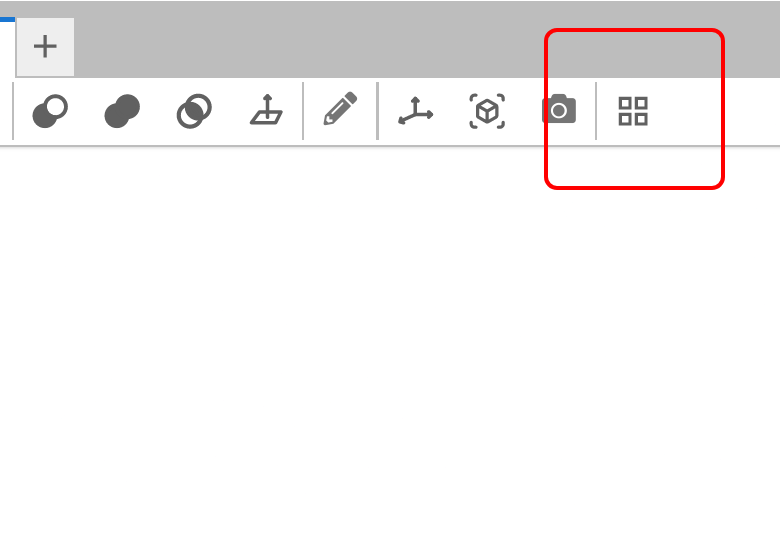
As you can see in the video above, JupyterCAD-Salome will add a new button to the JupyterCAD toolbar allowing to generate a mesh from the currently selected object in the JupyterCAD viewer.
Try it live
A deployment is published for you to give it a try: https://trungleduc-jupytercad.hf.space/lab
This demo is entirely collaborative, which means anybody getting to this link will see what you do and be able to collaborate with you.
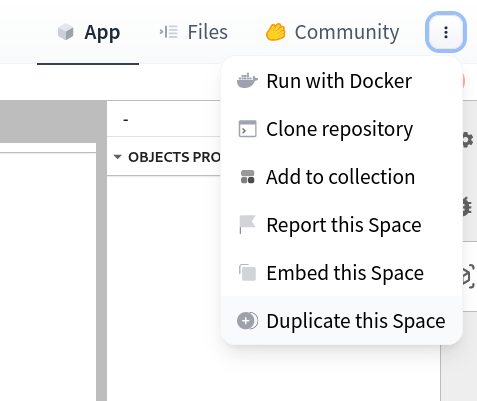
You can make your own deployment on HuggingFace pressing the "⋮" button on the top-right corner of the page, then "Duplicate this Space"
Local Install
- Install Salome from https://www.salome-platform.org/?page_id=2430
- To install the extension, execute:
pip install jupyterlab
pip install --pre jupytercad jupytercad-salome
Then you can either start JupyterLab or JupyterCAD:
jupyter lab
# OR
jupyter cad
Implementation
JupyterCAD-Salome consists of two components:
- A
jupyter-serverendpoint which is ready to compute the mesh upon client demand. This endpoint is defined using an OpenAPI spec. Users are not bound to the provided jupyter-server endpoint,JupyterCAD-Salomecan connect to any server implementing the OpenAPI spec.
[!NOTE] To use
JupyterCAD-Salomewith a different Salome server, set theSALOME_SERVER_BASE_URLenvironment variable to your server address before startingJupyterLab.
- A client plugin for JupyterCAD adding UI elements to interact with the mesh-generation endpoint. Whenever the user clicks on the toolbar button, they are prompted with a dialog to configure the API call:
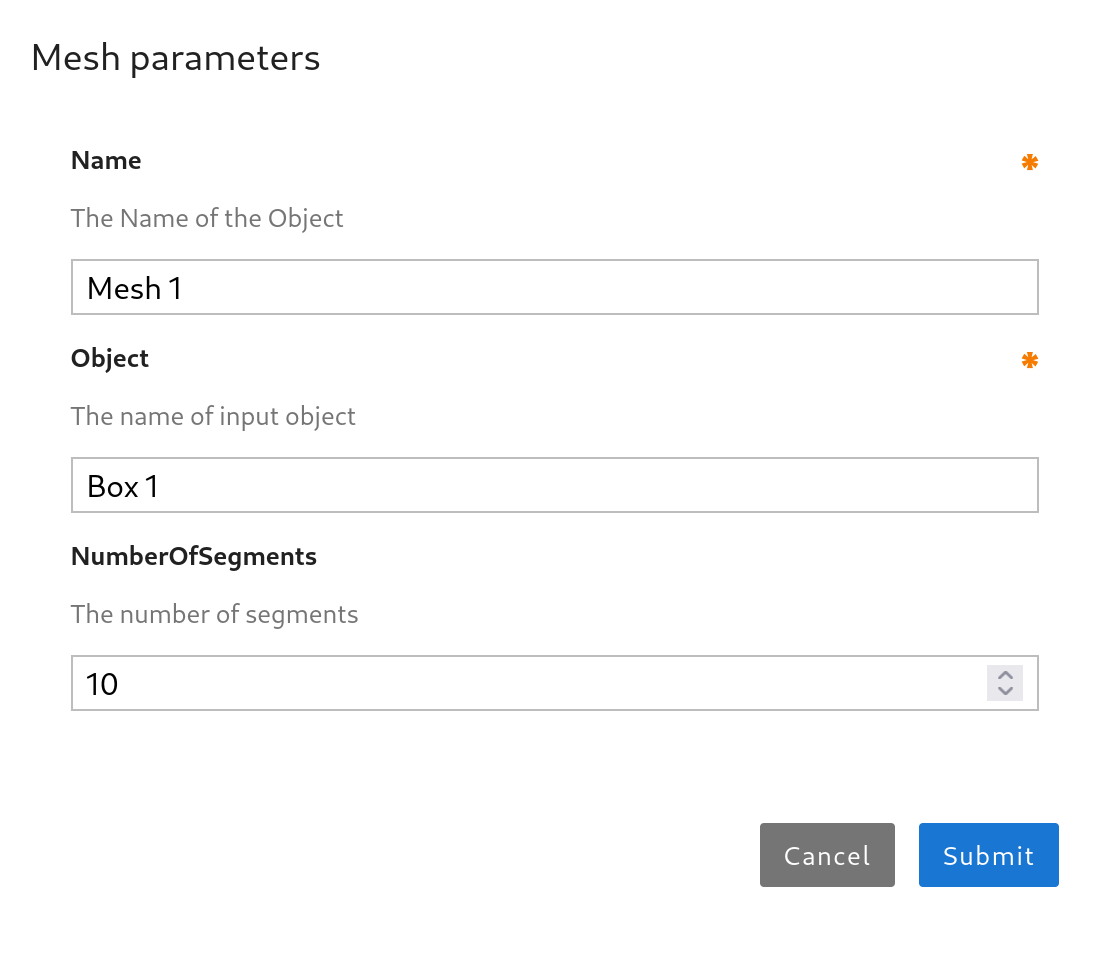
[!NOTE] This user interface is generated automatically from this schema file.
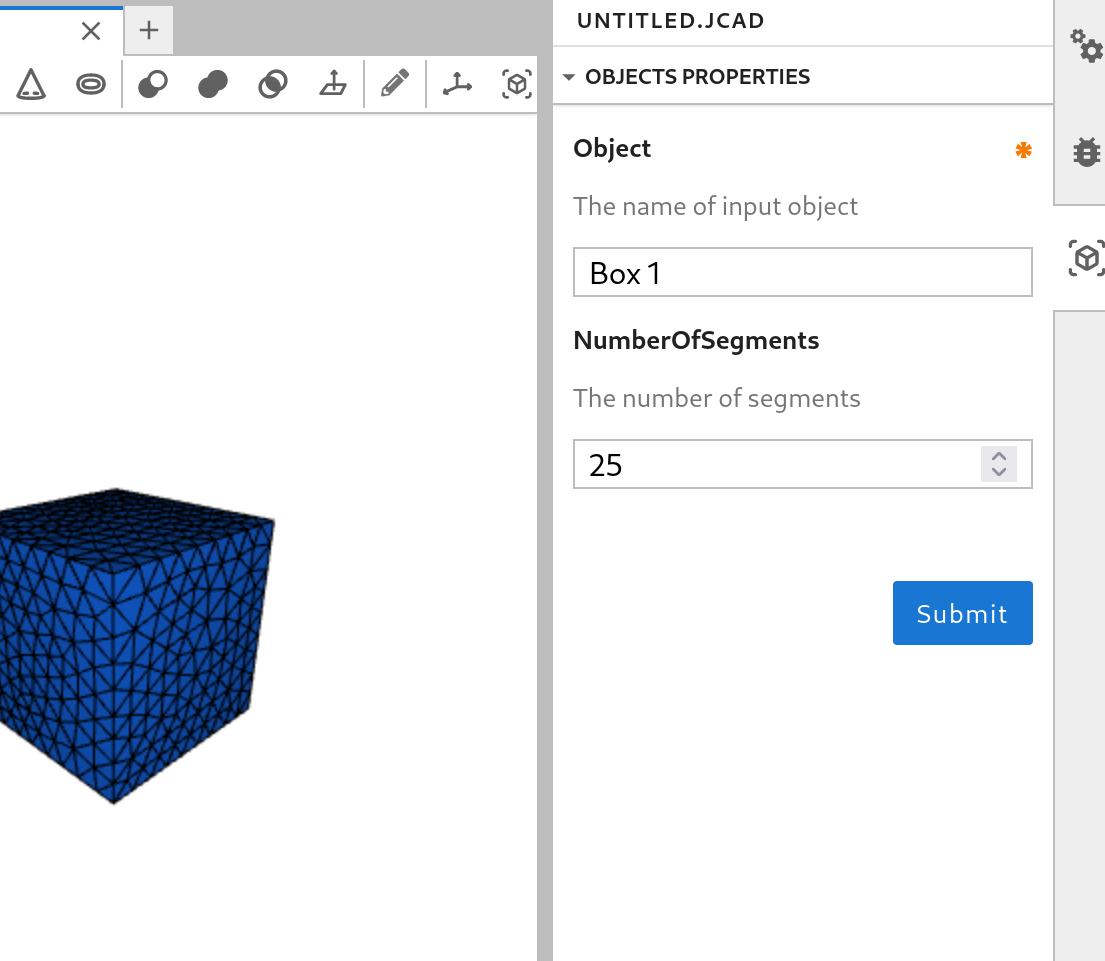
Once the API call is made, the server will compute the mesh using the smesh library and send back the response with the computed mesh to the client.
The user can later on re-generated the mesh with different inputs:
Packaging the extension
See RELEASE
3 maintainers


Metadata
3 maintainers
Release files for jupytercad-salome 2.0.0
For a detailed explanation of source distributions (sdists) and built distributions (wheels), please see the package formats documentation.
Source distribution (sdist)
| File | Size | Uploaded | |
|---|---|---|---|
| jupytercad_salome-2.0.0.tar.gz | 265.4 kB | Details |
Built distribution (wheel)
| File | Interpreter | ABI | Platform | Reset |
|---|---|---|---|---|
| jupytercad_salome-2.0.0-py3-none-any.whl | Python 3 | none | any | Details |
Total release size: 305.3 kB
Release files / jupytercad_salome-2.0.0.tar.gz
| Download URL | jupytercad_salome-2.0.0.tar.gz |
|---|---|
| Size | 265.4 kB |
| Tags | Source |
|
SHA-256 checksum How to use checksums |
d129f9d05ea9692f6378e931e6be2aa39d0e256cd1a62507504a0a52d1f02fd8
|
|
BLAKE2b-256 checksum How to use checksums |
15a2fcc6142abfd2d194bcf06b902df6f952576aef1a4ec751e5921ba51bbd0a
|
| Upload date | |
|
Uploaded using Trusted Publishing? What is trusted publishing? |
No |
| Uploaded via |
twine/5.1.1 CPython/3.11.9
|
Release files / jupytercad_salome-2.0.0-py3-none-any.whl
| Download URL | jupytercad_salome-2.0.0-py3-none-any.whl |
|---|---|
| Size | 40.0 kB |
| Tags | Python 3 |
|
SHA-256 checksum How to use checksums |
e2b8139989facef267ca68b13748f2307bdb8b130d9a95b569c3cf1f925b3dfd
|
|
BLAKE2b-256 checksum How to use checksums |
fc5211adbfd9a2853fd90b7ab95aacd8d8407ff05afec85da41ecec14af0669e
|
| Upload date | |
|
Uploaded using Trusted Publishing? What is trusted publishing? |
No |
| Uploaded via |
twine/5.1.1 CPython/3.11.9
|














