
No project description provided


Project description
JupyterCAD - A JupyterLab extension for collaborative 3D geometry modeling.


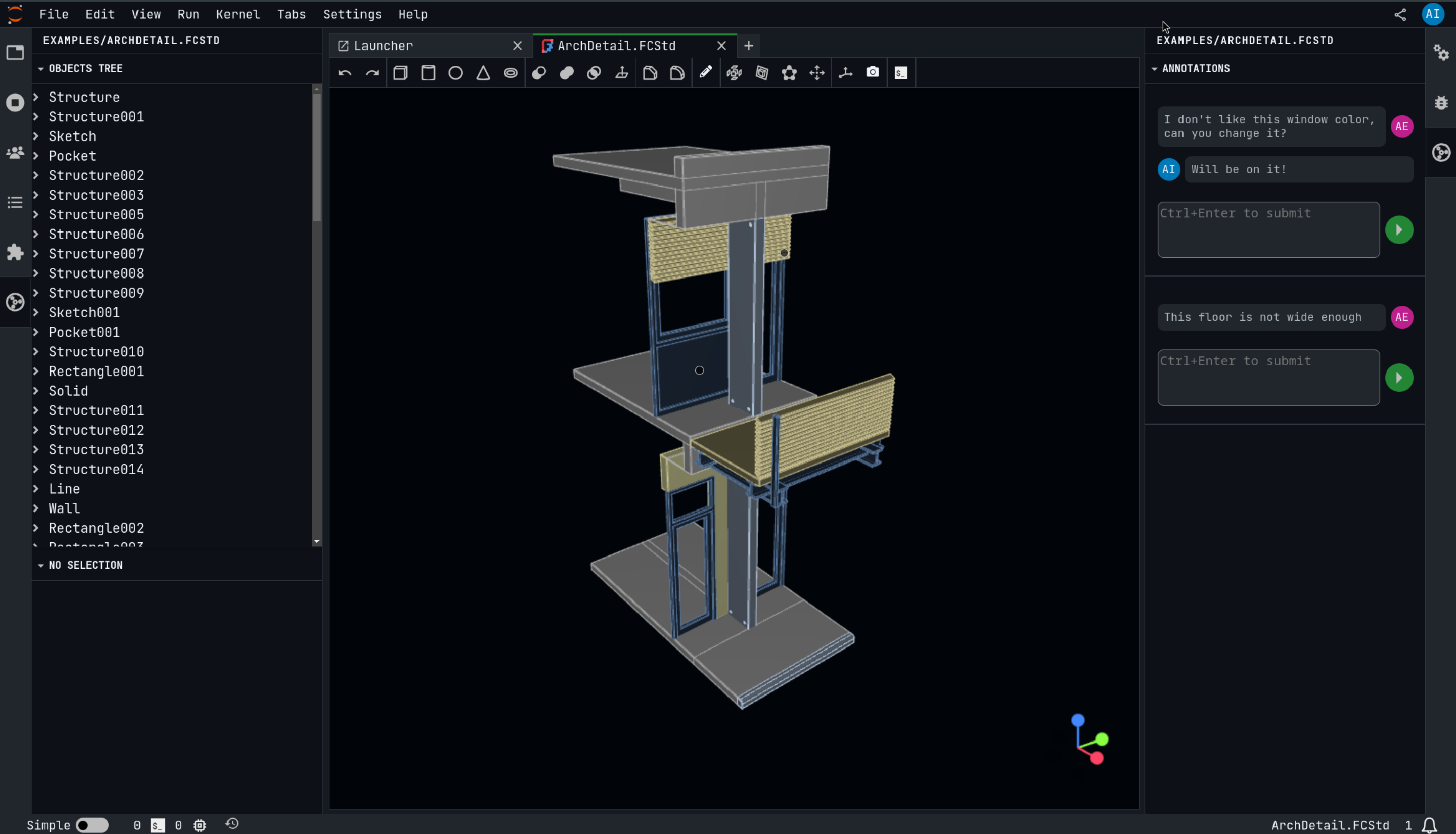
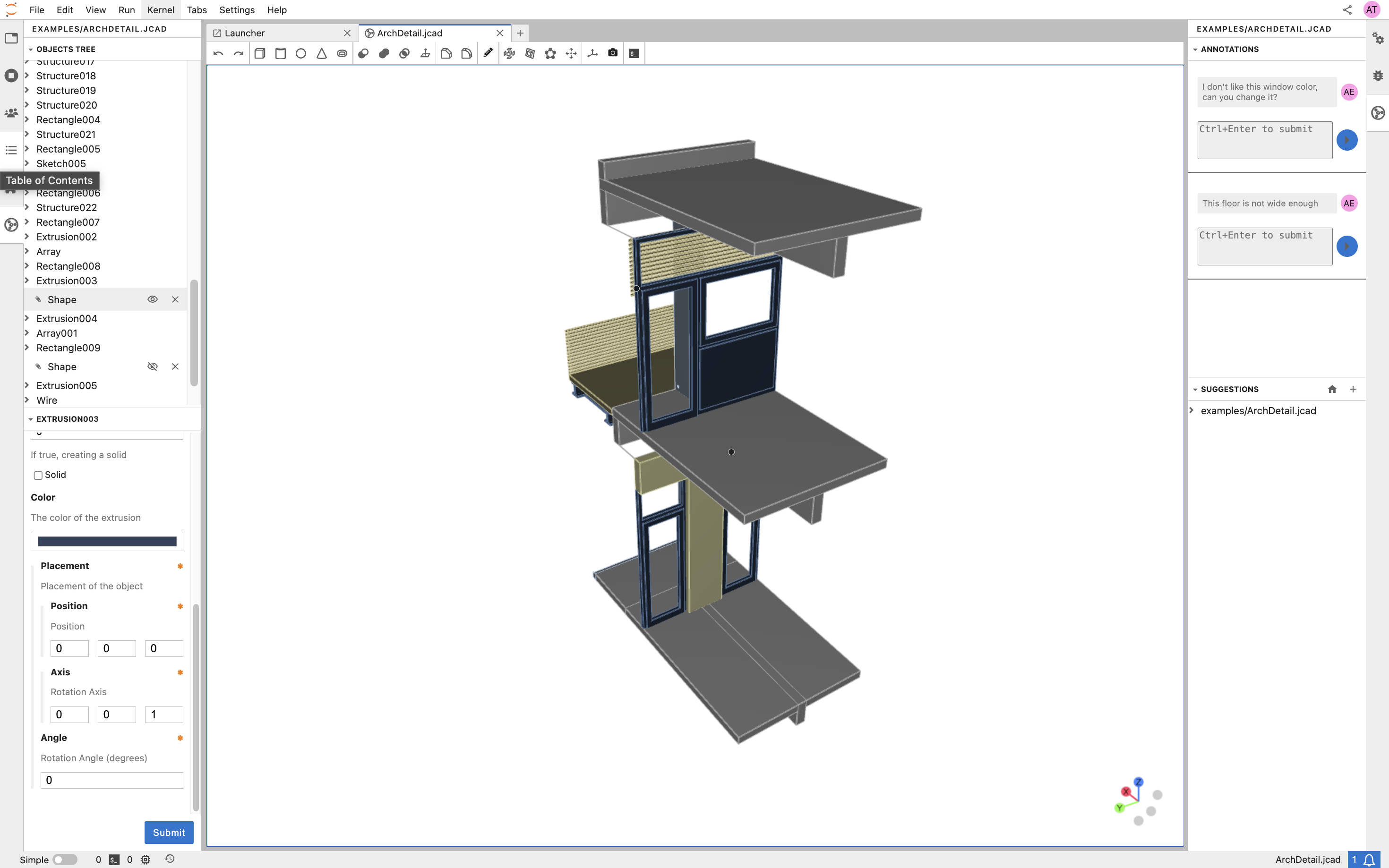
JupyterCAD is a JupyterLab extension for 3D geometry modeling with collaborative editing support. It is designed to allow multiple people to work on the same file at the same time, and to facilitate discussion and collaboration around the 3D shapes being created.
JupyterCAD has support for FreeCAD files, which makes it easy to import and export models from FreeCAD. It also has a range of features for creating and manipulating 3D shapes, including a variety of primitives, transformations, and Boolean operations.
Requirements
- JupyterLab >= 4.0.0
- freecad (optional)
Installation
You can install JupyterCAD using conda/mamba (this installs freecad automatically):
mamba install -c conda-forge jupytercad
Or using pip:
pip install jupytercad
Once you have installed the extension, you should be able to open the CAD viewer in JupyterLab and create 3D shapes!
Additionally, you can install jupytercad-freecad and edit .FCStd files in JupyterLab.
Use JupyterCAD in Notebook.link
The easiest way to get a deployment with JupyterCAD live is using Notebook.link.
Simply install jupytercad-lite in your Notebook.link environment.
Click on this link to try it out: https://notebook.link/github.com/jupytercad/JupyterCAD
Deploying JupyterCAD with JupyterLite
You can run JupyterCAD entirely in the browser using JupyterLite.
- Create a repository using the xeus-lite-demo template.
- In your fork, edit
environment.ymland add:- jupytercad-lite
- Add your jcad and example files under the
content/directory of your repository. These files will be available directly inside your Lite deployment. - Enable GitHub Pages under Settings → Pages for your repository.
- Once the build completes, your Lite deployment will be live at:
https://<username>.github.io/<repo-name>/
This provides a lightweight, fully browser-based JupyterCAD environment — no server required.
[!IMPORTANT] Collaboration is not yet supported in JupyterLite static deployments.
Documentation
Check out the JupyterCAD documentation on ReadTheDocs! https://jupytercad.readthedocs.io
Contributing
JupyterCAD is an open-source project, and contributions are always welcome. If you would like to contribute to JupyterCAD, please fork the repository and submit a pull request.
See CONTRIBUTING for dev installation instructions.
License
JupyterCAD is licensed under the BSD 3-Clause License. See the LICENSE file for more information.
Release history Release notifications | RSS feed


Download files
Download the file for your platform. If you're not sure which to choose, learn more about installing packages.
Source Distribution
Built Distribution
Filter files by name, interpreter, ABI, and platform.
If you're not sure about the file name format, learn more about wheel file names.
Copy a direct link to the current filters
File details
Details for the file jupytercad-3.4.2.tar.gz.
File metadata
- Download URL: jupytercad-3.4.2.tar.gz
- Upload date:
- Size: 5.3 kB
- Tags: Source
- Uploaded using Trusted Publishing? Yes
- Uploaded via: twine/6.2.0 CPython/3.12.13
File hashes
| Algorithm | Hash digest | |
|---|---|---|
| SHA256 |
c722c22ad6c7ae9be14e446f9ff2c62f27db121b5ddde91da542a882a4c43dc6
|
|
| MD5 |
b9cb6ee683a4b0c9a069a560343feff2
|
|
| BLAKE2b-256 |
989064cfa5b0fc9c1c8b44504df457b28ea992220f4cbdc523c33f58e5f838fe
|
File details
Details for the file jupytercad-3.4.2-py3-none-any.whl.
File metadata
- Download URL: jupytercad-3.4.2-py3-none-any.whl
- Upload date:
- Size: 4.5 kB
- Tags: Python 3
- Uploaded using Trusted Publishing? Yes
- Uploaded via: twine/6.2.0 CPython/3.12.13
File hashes
| Algorithm | Hash digest | |
|---|---|---|
| SHA256 |
b057b145fbb03027d87e261ea024d5f6b11a9db458f3c12906838e320f533efb
|
|
| MD5 |
3b4b81ffd3498f4e81548967930c1760
|
|
| BLAKE2b-256 |
d617c591eb520cd0622cba9f1d6387c33633ea0536ffeb131ce2493ff631913e
|






