
A JupyterLab extension.

Project description
jupyterlab-a11y-checker
This tool performs multiple accessibility checks on Jupyter notebook/Lab cells containing images and headings. It verifies the presence of alt-text for images, ensuring that visually impaired users can understand their content. Additionally, it calculates the color contrast ratio to ensure readability for users with low vision and identifies any transparency issues in images. Furthermore, it evaluates the heading structure to align with WCAG standards, ensuring that headers (h1, h2, etc.) are appropriately structured for optimal accessibility.
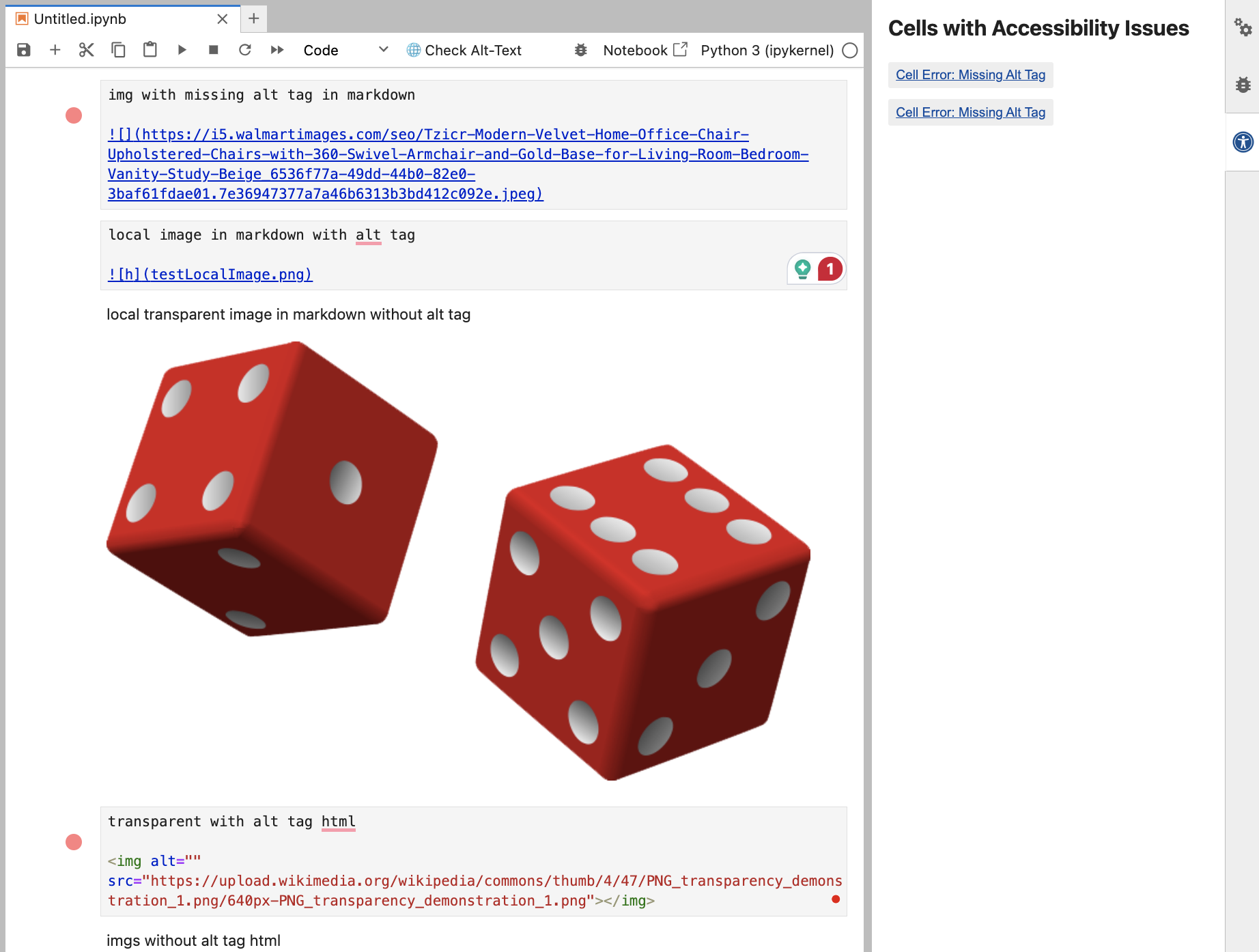
Check for the presence of alt-text in cells containing images
WCAG 2.0/2.1 Guideline 1.1.1: Provide text alternatives for any non-text content so that it can be changed into other forms people need, such as large print, braille, speech, symbols or simpler language.
Check for the header structure in jupyter notebooks
WCAG 2.0/2.1 Guideline 2.4: Provide ways to help users navigate, find content, and determine where they are.

Check for color contrast and transparency issues in images
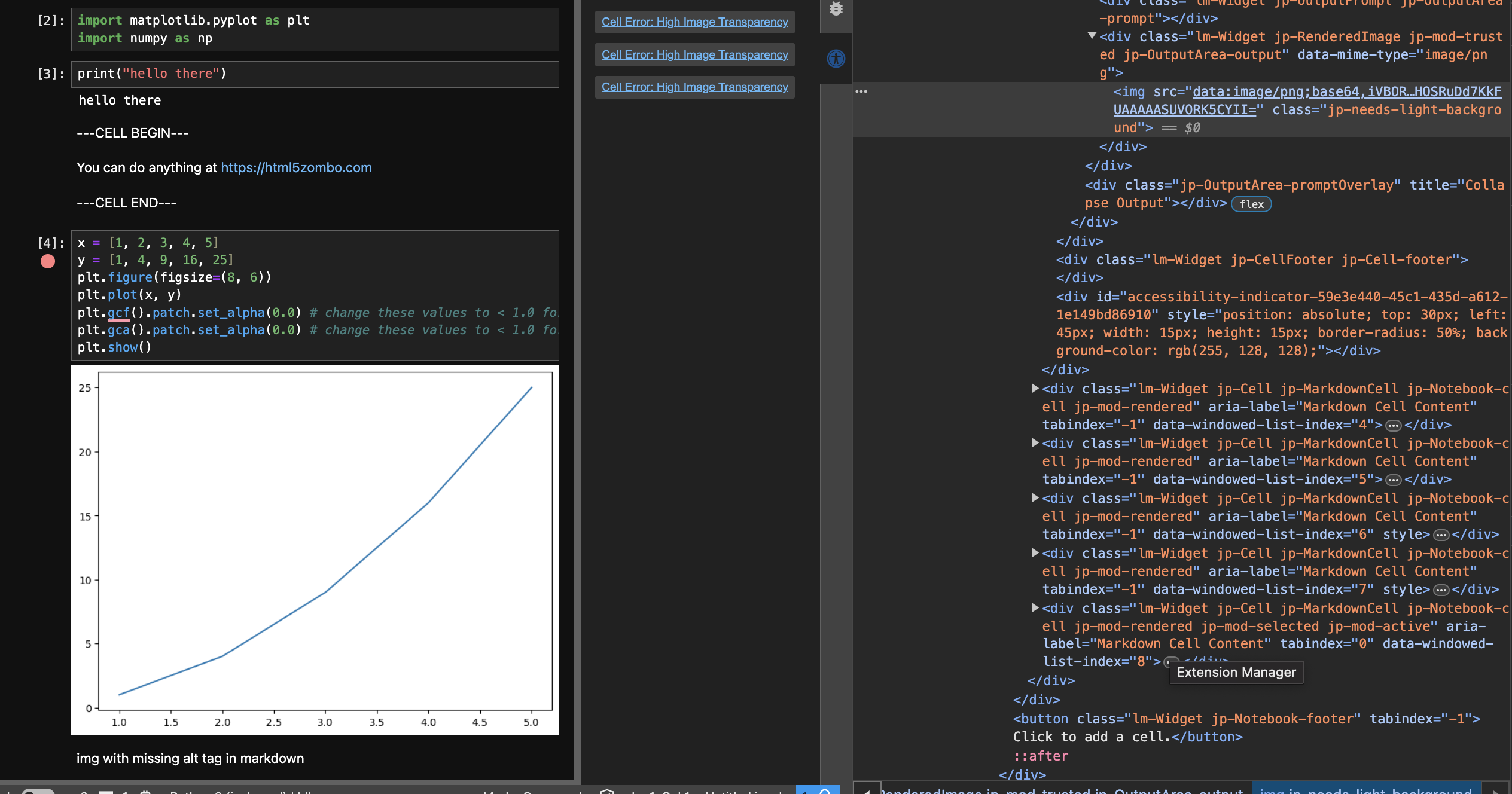
WCAG 2.0/2.1 Guideline 1.4.3: The visual presentation of text and images of text has a contrast ratio of at least 4.5:1, except for the following: (Level AA) Large Text: Large-scale text and images of large-scale text have a contrast ratio of at least 3:1;, Incidental: Text or images of text that are part of an inactive user interface component, that are pure decoration, that are not visible to anyone, or that are part of a picture that contains significant other visual content, have no contrast requirement, Logotypes: Text that is part of a logo or brand name has no minimum contrast requirement.
How to use the extension
For step by step approach to use the extension, see the following snapshots
Pypi link for downloading and installing the extension
https://pypi.org/project/jupyterlab-a11y-checker/
jupyterlab_a11y_checker
A JupyterLab extension.
Requirements
- JupyterLab >= 4.0.0
Install
To install the extension, execute:
pip install jupyterlab_a11y_checker
Contributing
Build from Scratch
# Create an environment using anaconda navigator: <env-name>

conda activate <env-name>
pip install cookie cutter
python -m pip install jupyterlab notebook --pre
mamba install -c conda-forge nodejs=18
node -v #to check version

# <pull code>
OR
cookiecutter https://github.com/jupyterlab/extension-cookiecutter-ts --checkout 4.0

jlpm
jlpm run build
jupyter labextension develop . --overwrite
python -m pip install -e .
pip list #to verify it has been installed in editable mode
jupyter labextension list #to verify it has been installed

jupyter lab --no-browser #run a jupyterlab server

#Run jlpm run build, then jupyter lab --no-browser to test your code after each change
Build from Temp Distribution
jlpm build:prod
npm pack #creates a tarball (*.tgz file) containing your project as it would be uploaded to the npm registry. This file can be shared and installed locally.
jupyter labextension install </path/to/your-package.tgz>


# ALTERNATIOVELY IF GIVEN A tar.gz file:

conda activate <env-name>
jupyter labextension install </path/to/your-package.tgz>
jupyter lab #this will open a local server of jupyterlab with all current extensions installed.
Pip Distribution
pip install twine

# create a ~/.pypirc file at root and add this to it:
[distutils]
index-servers =
	pypi

[pypi]
repository: https://upload.pypi.org/legacy/
username: __token__
password: your-api-token

#run this command and publish to pip.
twine upload your-package.whl
Development uninstall
pip uninstall jupyterlab_a11y_checker
In development mode, you will also need to remove the symlink created by jupyter labextension develop
command. To find its location, you can run jupyter labextension list to figure out where the labextensions
folder is located. Then you can remove the symlink named jupyterlab-a11y-checker within that folder.
Release history Release notifications | RSS feed


Download files
Download the file for your platform. If you're not sure which to choose, learn more about installing packages.
Source Distribution
Built Distribution
Filter files by name, interpreter, ABI, and platform.
If you're not sure about the file name format, learn more about wheel file names.
Copy a direct link to the current filters
File details
Details for the file jupyterlab_a11y_checker-0.1.4a1.tar.gz.
File metadata
- Download URL: jupyterlab_a11y_checker-0.1.4a1.tar.gz
- Upload date:
- Size: 2.6 MB
- Tags: Source
- Uploaded using Trusted Publishing? No
- Uploaded via: twine/6.0.1 CPython/3.12.6
File hashes
| Algorithm | Hash digest | |
|---|---|---|
| SHA256 |
182f25335d9be0b8a7eab23c93a12345ec37b3ef907484707cbe2f8cc36640dd
|
|
| MD5 |
5a70c4a6ba6fd4f23500c7eacd41231f
|
|
| BLAKE2b-256 |
c2256b2ce2d15a5a3df15ac329f0d8ffe3ef49e97ebd054aef95e84b9623dd5f
|
File details
Details for the file jupyterlab_a11y_checker-0.1.4a1-py3-none-any.whl.
File metadata
- Download URL: jupyterlab_a11y_checker-0.1.4a1-py3-none-any.whl
- Upload date:
- Size: 196.0 kB
- Tags: Python 3
- Uploaded using Trusted Publishing? No
- Uploaded via: twine/6.0.1 CPython/3.12.6
File hashes
| Algorithm | Hash digest | |
|---|---|---|
| SHA256 |
397f9cdcbade470714234e0808e54d8373b15d21a49021f88d3163d59d77a5a9
|
|
| MD5 |
01e6b8d348ed632b6742a8f1a2c7f975
|
|
| BLAKE2b-256 |
e620f2f556f83754bdee413b3287826a68360784b9979ff246b73fd86dc66d84
|






