
JupyterLab extension for advanced image viewing: fit-to-screen, cursor-anchored wheel zoom, drag-to-pan, and Left/Right arrow keys to move to the previous and next image in a folder

Project description
jupyterlab_advanced_image_viewer_extension





A JupyterLab 4 extension that makes the built-in image viewer interactive. Images open fitted to the panel just like the stock viewer, then you can zoom with the wheel, pan by dragging, and step through a folder of images with the arrow keys - all in a single viewer tab.
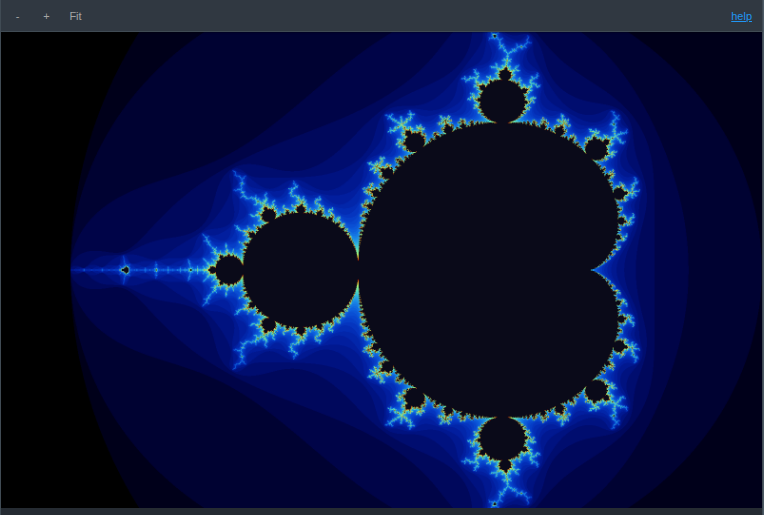
The viewer toolbar adds zoom in / out / fit controls and a help link that lists every keybinding.
Features
- Fit to screen - every image opens scaled to fit the panel (same result as the stock viewer), and reset returns to that fit
- Wheel zoom - scroll to zoom in and out, anchored at the cursor; zoom out as far as you like
- Drag to pan - hold and drag to move the image at any zoom (canvas-style); the grab cursor is always available and Fit recenters
- Toolbar controls - zoom in, zoom out, and reset-to-fit buttons on the viewer toolbar
- Arrow-key navigation - Left and Right open the previous and next image in the same folder, advancing within one viewer instead of opening new tabs
- Copy to clipboard - right-click a raster image (PNG/JPG/…) and choose "Copy to Clipboard" to copy it as PNG to the system clipboard
Requirements
- JupyterLab >= 4.0.0
Install
To install the extension, execute:
pip install jupyterlab_advanced_image_viewer_extension
Uninstall
To remove the extension, execute:
pip uninstall jupyterlab_advanced_image_viewer_extension


Download files
Download the file for your platform. If you're not sure which to choose, learn more about installing packages.
Source Distribution
Built Distribution
Filter files by name, interpreter, ABI, and platform.
If you're not sure about the file name format, learn more about wheel file names.
Copy a direct link to the current filters
File details
Details for the file jupyterlab_advanced_image_viewer_extension-1.0.9.tar.gz.
File metadata
- Download URL: jupyterlab_advanced_image_viewer_extension-1.0.9.tar.gz
- Upload date:
- Size: 1.3 MB
- Tags: Source
- Uploaded using Trusted Publishing? No
- Uploaded via: twine/6.2.0 CPython/3.13.14
File hashes
| Algorithm | Hash digest | |
|---|---|---|
| SHA256 |
5692ce6a3ca482d467169e8584a63f25d6aa05870ed65b3285c31bd7e9c893c2
|
|
| MD5 |
dacf809c694f0cf77394a5cf6dd465ac
|
|
| BLAKE2b-256 |
b889fb87d782a61b92918e980d7855b37796726cd521be37dd3d6863b3e44c34
|
File details
Details for the file jupyterlab_advanced_image_viewer_extension-1.0.9-py3-none-any.whl.
File metadata
- Download URL: jupyterlab_advanced_image_viewer_extension-1.0.9-py3-none-any.whl
- Upload date:
- Size: 23.5 kB
- Tags: Python 3
- Uploaded using Trusted Publishing? No
- Uploaded via: twine/6.2.0 CPython/3.13.14
File hashes
| Algorithm | Hash digest | |
|---|---|---|
| SHA256 |
45c55c2b89ae75707f5b8ed3c0338b222175062cce20735068b63e160d009336
|
|
| MD5 |
24716ddbd417a19918788c9d5bed2945
|
|
| BLAKE2b-256 |
2d693a0a984b7b1d3a40e4b23927206f30a82700ee7d3bb252733f8331fbbac5
|






