
jupyterlab-launchpad


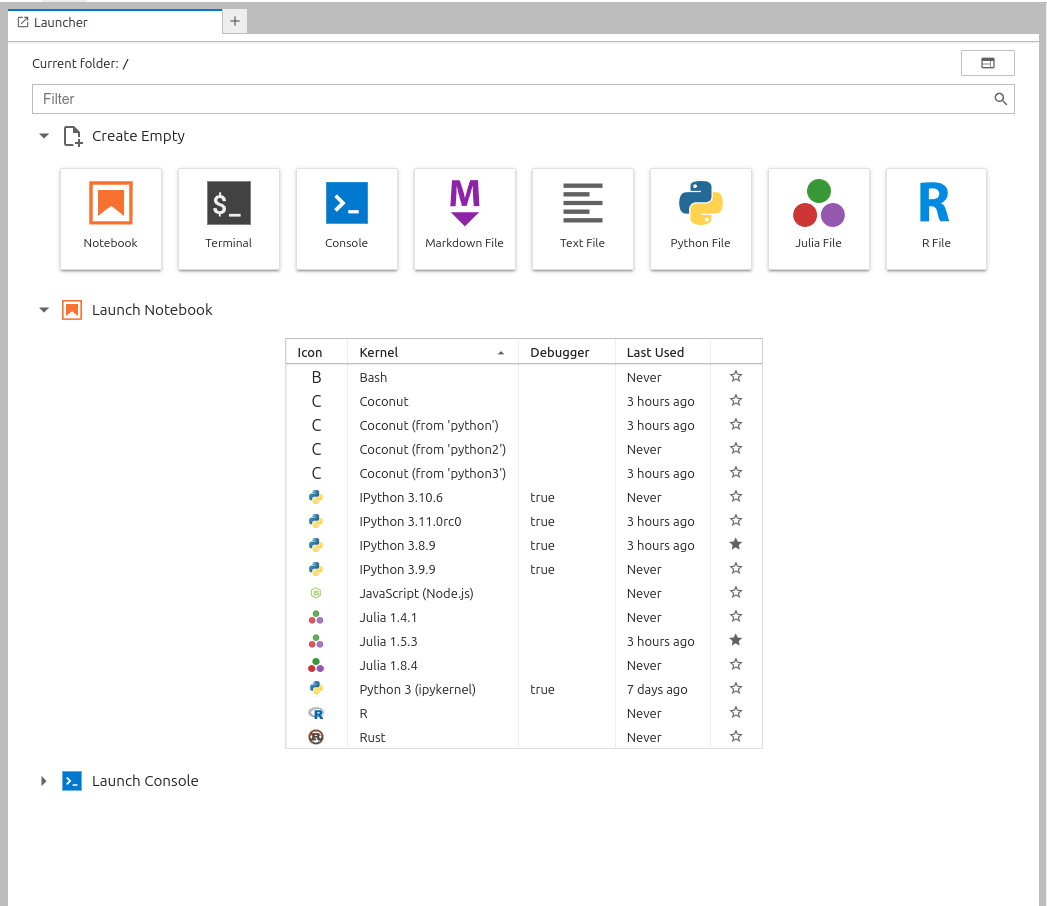
A redesigned JupyterLab launcher
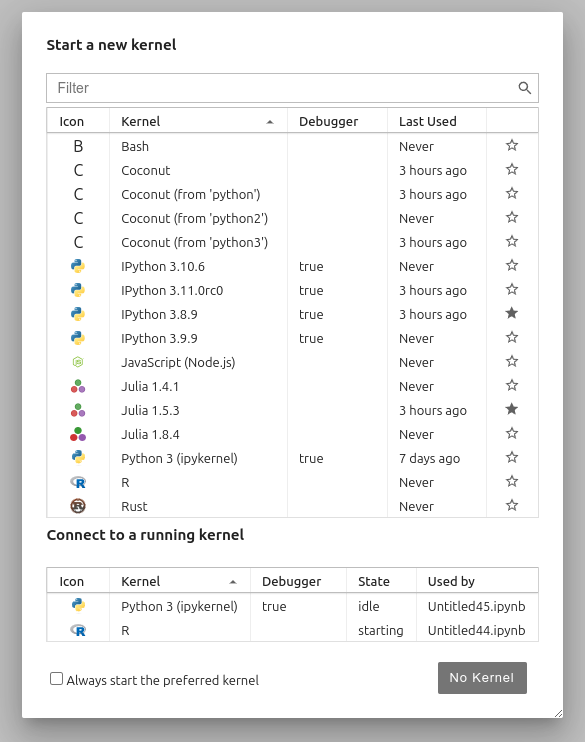
Kernel selection dialog:
Requirements
- JupyterLab >= 4.0.0
Install
To install the extension, execute:
pip install jupyterlab-launchpad
After installation you should restart JupyterLab (or jupyter server if using a remove server in JupyterLab Desktop).
Uninstall
To remove the extension, execute:
pip uninstall jupyterlab-launchpad
Contributing
Development install
Note: You will need NodeJS to build the extension package.
The jlpm command is JupyterLab's pinned version of
yarn that is installed with JupyterLab. You may use
yarn or npm in lieu of jlpm below.
# Clone the repo to your local environment
# Change directory to the jupyterlab_launchpad directory
# Install package in development mode
pip install -e "."
# Link your development version of the extension with JupyterLab
jupyter labextension develop . --overwrite
# Rebuild extension Typescript source after making changes
jlpm build
You can watch the source directory and run JupyterLab at the same time in different terminals to watch for changes in the extension's source and automatically rebuild the extension.
# Watch the source directory in one terminal, automatically rebuilding when needed
jlpm watch
# Run JupyterLab in another terminal
jupyter lab
With the watch command running, every saved change will immediately be built locally and available in your running JupyterLab. Refresh JupyterLab to load the change in your browser (you may need to wait several seconds for the extension to be rebuilt).
By default, the jlpm build command generates the source maps for this extension to make it easier to debug using the browser dev tools. To also generate source maps for the JupyterLab core extensions, you can run the following command:
jupyter lab build --minimize=False
Development uninstall
pip uninstall jupyterlab_launchpad
In development mode, you will also need to remove the symlink created by jupyter labextension develop
command. To find its location, you can run jupyter labextension list to figure out where the labextensions
folder is located. Then you can remove the symlink named jupyterlab-launchpad within that folder.
Testing the extension
Frontend tests
This extension is using Jest for JavaScript code testing.
To execute them, execute:
jlpm
jlpm test
Integration tests
This extension uses Playwright for the integration tests (aka user level tests). More precisely, the JupyterLab helper Galata is used to handle testing the extension in JupyterLab.
More information are provided within the ui-tests README.
Packaging the extension
See RELEASE
1 maintainer

Metadata
1 maintainer
Release files for jupyterlab-launchpad 1.1.1
For a detailed explanation of source distributions (sdists) and built distributions (wheels), please see the package formats documentation.
Source distribution (sdist)
| File | Size | Uploaded | |
|---|---|---|---|
| jupyterlab_launchpad-1.1.1.tar.gz | 491.8 kB | Details |
Built distribution (wheel)
| File | Interpreter | ABI | Platform | Reset |
|---|---|---|---|---|
| jupyterlab_launchpad-1.1.1-py3-none-any.whl | Python 3 | none | any | Details |
Total release size: 531.6 kB
Release files / jupyterlab_launchpad-1.1.1.tar.gz
| Download URL | jupyterlab_launchpad-1.1.1.tar.gz |
|---|---|
| Size | 491.8 kB |
| Tags | Source |
|
SHA-256 checksum How to use checksums |
293ed3abc8436a8ee9e03f006c30a67ae342b6100939bb48e6560802af44d024
|
|
BLAKE2b-256 checksum How to use checksums |
5bccdb5b5800eec3a07b10644c98ad9d8dfc81efac672754c844059c6c2db59e
|
| Upload date | |
|
Uploaded using Trusted Publishing? What is trusted publishing? |
No |
| Uploaded via |
twine/7.0.0 CPython/3.14.0
|
Release files / jupyterlab_launchpad-1.1.1-py3-none-any.whl
| Download URL | jupyterlab_launchpad-1.1.1-py3-none-any.whl |
|---|---|
| Size | 39.8 kB |
| Tags | Python 3 |
|
SHA-256 checksum How to use checksums |
24a7af666d42f552491ae01d00a1d18d5dcd88b547e470a7ad00f5c08d4cc6ba
|
|
BLAKE2b-256 checksum How to use checksums |
478cbb941f9251290a3f01b75124530fd102bfd51948c30c0cdf7da00644f785
|
| Upload date | |
|
Uploaded using Trusted Publishing? What is trusted publishing? |
No |
| Uploaded via |
twine/7.0.0 CPython/3.14.0
|














