
A terminal for JupyterLite
Verified details
These details have been verified by PyPIProject links
Owner
GitHub Statistics
Maintainers

Project description
jupyterlite-terminal


A terminal for JupyterLite.
⚠️ This extension is still in development and not yet ready for general use. ⚠️
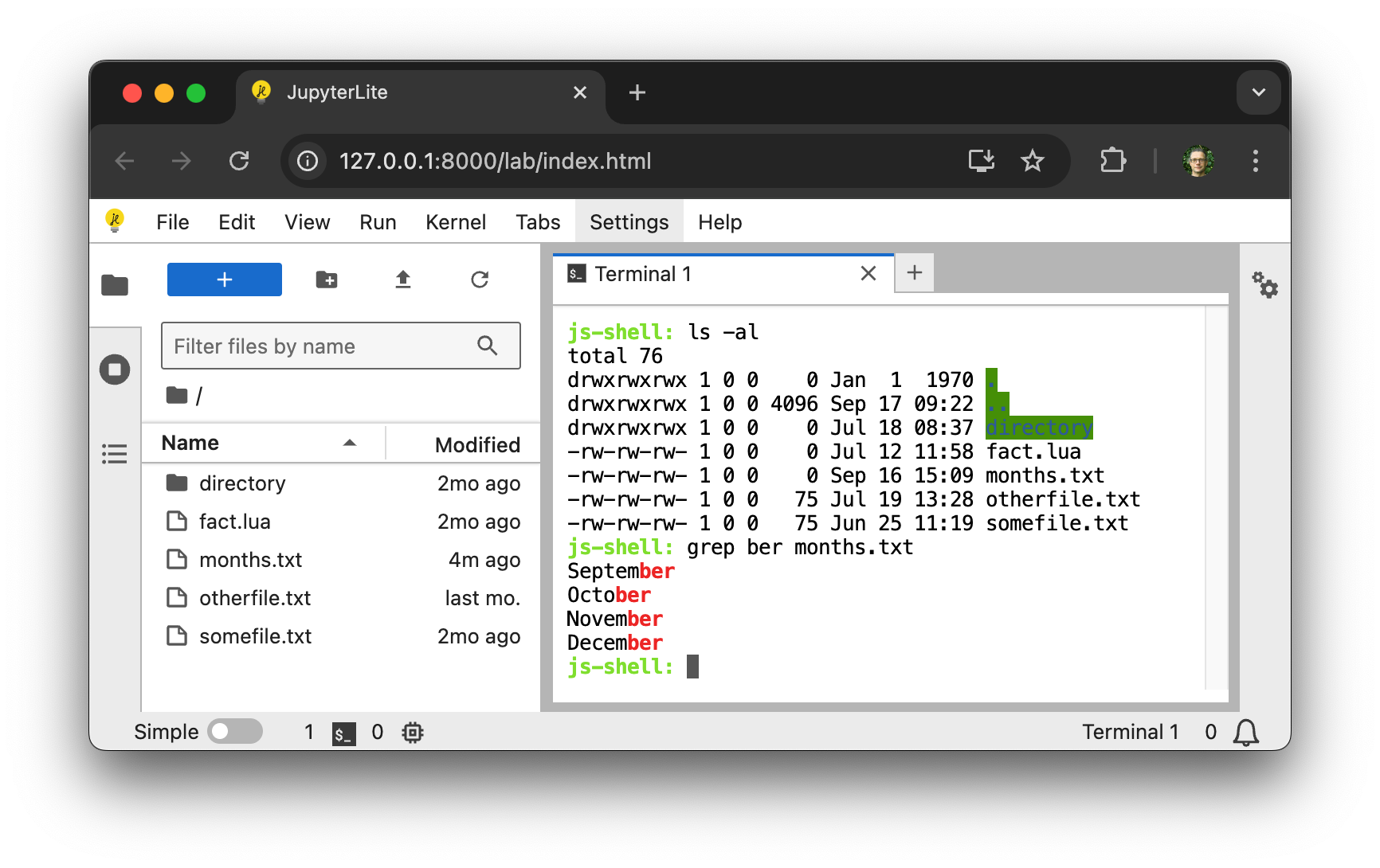
Requirements
- JupyterLite >= 0.6.0
Install
To install the extension, execute:
pip install jupyterlite-terminal
You will also need to install the JupyterLite CLI:
python -m pip install jupyterlite-core
Usage
After installing jupyterlite-core and jupyterlite-terminal, create a jupyter-lite.json file with the following content to activate the terminal extension:
{
  "jupyter-lite-schema-version": 0,
  "jupyter-config-data": {
    "terminalsAvailable": true
  }
}
Then build a new JupyterLite site:
jupyter lite build
Contributing
Development install
Note: You will need NodeJS to build the extension package.
The jlpm command is JupyterLab's pinned version of
yarn that is installed with JupyterLab. You may use
yarn or npm in lieu of jlpm below.
# Clone the repo to your local environment
# Change directory to the jupyterlite_terminal directory
# Install package in development mode
pip install -e "."
# Link your development version of the extension with JupyterLab
jupyter labextension develop . --overwrite
# Rebuild extension Typescript source after making changes
jlpm build
You can watch the source directory and run JupyterLab at the same time in different terminals to watch for changes in the extension's source and automatically rebuild the extension.
# Watch the source directory in one terminal, automatically rebuilding when needed
jlpm watch
# Run JupyterLab in another terminal
jupyter lab
Then build a JupyterLite distribution with the extension installed:
cd deploy
jupyter lite build --contents contents
And serve it either using:
npx static-handler _output/
or:
jupyter lite serve
To enable use of SharedArrayBuffer rather than ServiceWorker for stdin you will have to configure your server to add the Cross-Origin-Embedder-Policy and Cross-Origin-Opener-Policy headers. Do this using either:
npx static-handler --cors --coop --coep --corp _output/
or:
jupyter lite serve --LiteBuildConfig.extra_http_headers=Cross-Origin-Embedder-Policy=require-corp --LiteBuildConfig.extra_http_headers=Cross-Origin-Opener-Policy=same-origin
Packaging the extension
See RELEASE
Project details
Verified details
These details have been verified by PyPIProject links
Owner
GitHub Statistics
Maintainers
Release history Release notifications | RSS feed


Download files
Download the file for your platform. If you're not sure which to choose, learn more about installing packages.
Source Distribution
Built Distribution
Filter files by name, interpreter, ABI, and platform.
If you're not sure about the file name format, learn more about wheel file names.
Copy a direct link to the current filters
File details
Details for the file jupyterlite_terminal-0.2.1.tar.gz.
File metadata
- Download URL: jupyterlite_terminal-0.2.1.tar.gz
- Upload date:
- Size: 790.4 kB
- Tags: Source
- Uploaded using Trusted Publishing? Yes
- Uploaded via: twine/6.1.0 CPython/3.12.10
File hashes
| Algorithm | Hash digest | |
|---|---|---|
| SHA256 |
07b75ae8ef786ad866a832bb7c790d30b435eab3190ac2badcd51d61ce03e706
|
|
| MD5 |
d5672d69ff2d30f20ba37a9b71c62279
|
|
| BLAKE2b-256 |
04cc7bd21f6479f7a42208fa670cc5d9145dd86100020796d6b37bfb3185ee44
|
File details
Details for the file jupyterlite_terminal-0.2.1-py3-none-any.whl.
File metadata
- Download URL: jupyterlite_terminal-0.2.1-py3-none-any.whl
- Upload date:
- Size: 78.0 kB
- Tags: Python 3
- Uploaded using Trusted Publishing? Yes
- Uploaded via: twine/6.1.0 CPython/3.12.10
File hashes
| Algorithm | Hash digest | |
|---|---|---|
| SHA256 |
1705d1eb89c9caee906f7d079d953923be467a6b7b6f60dd4d95fb2afef69690
|
|
| MD5 |
d083fc79ab99824ee4f125a74f4cbfb3
|
|
| BLAKE2b-256 |
227bf8060017013ddea4e4e0500c577206a38d5f4716325582f4e4fe45fca570
|






