
Lmod/Tmod JupyterLab extension

Project description
Jupyter Lmod/Tmod
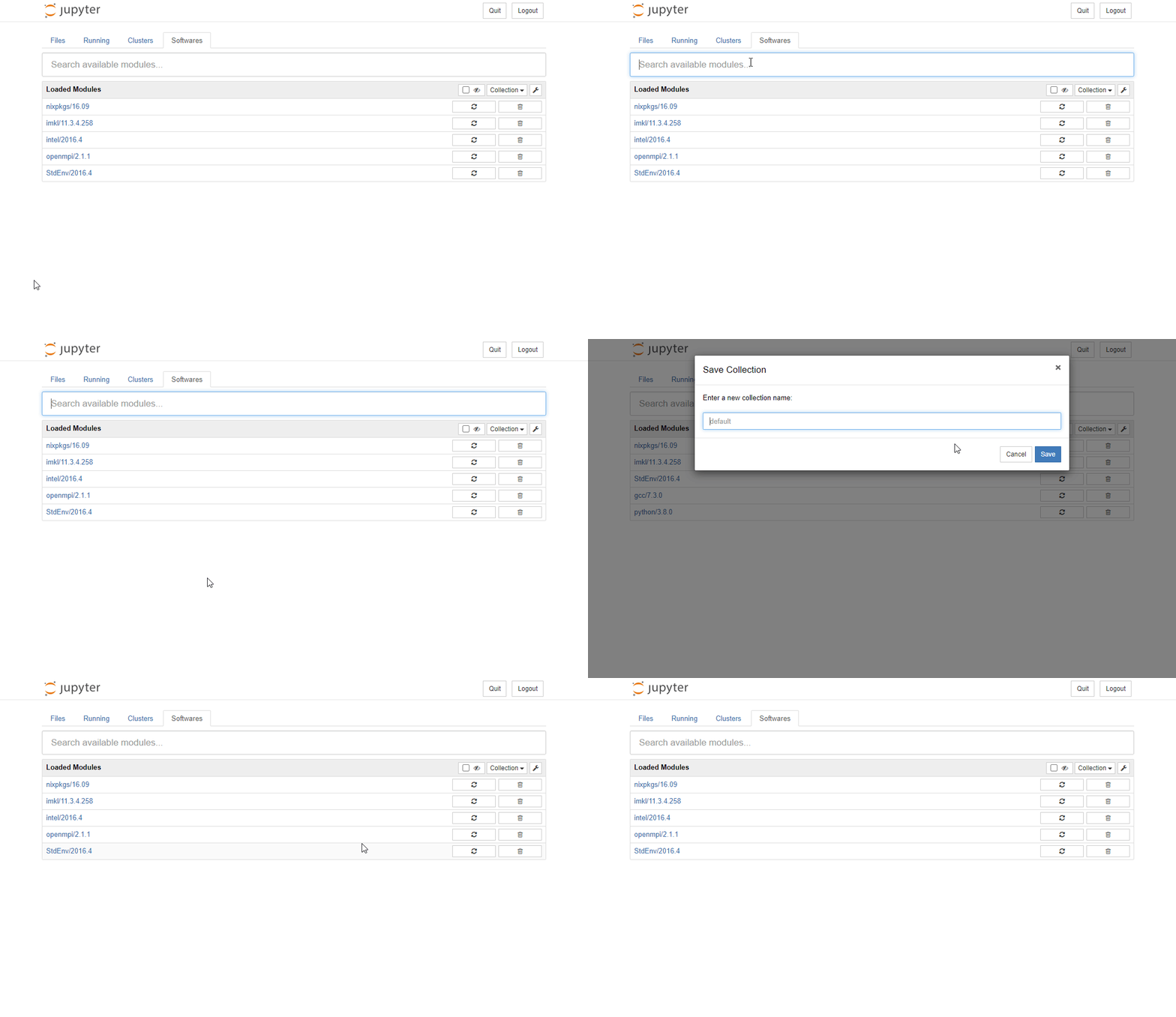
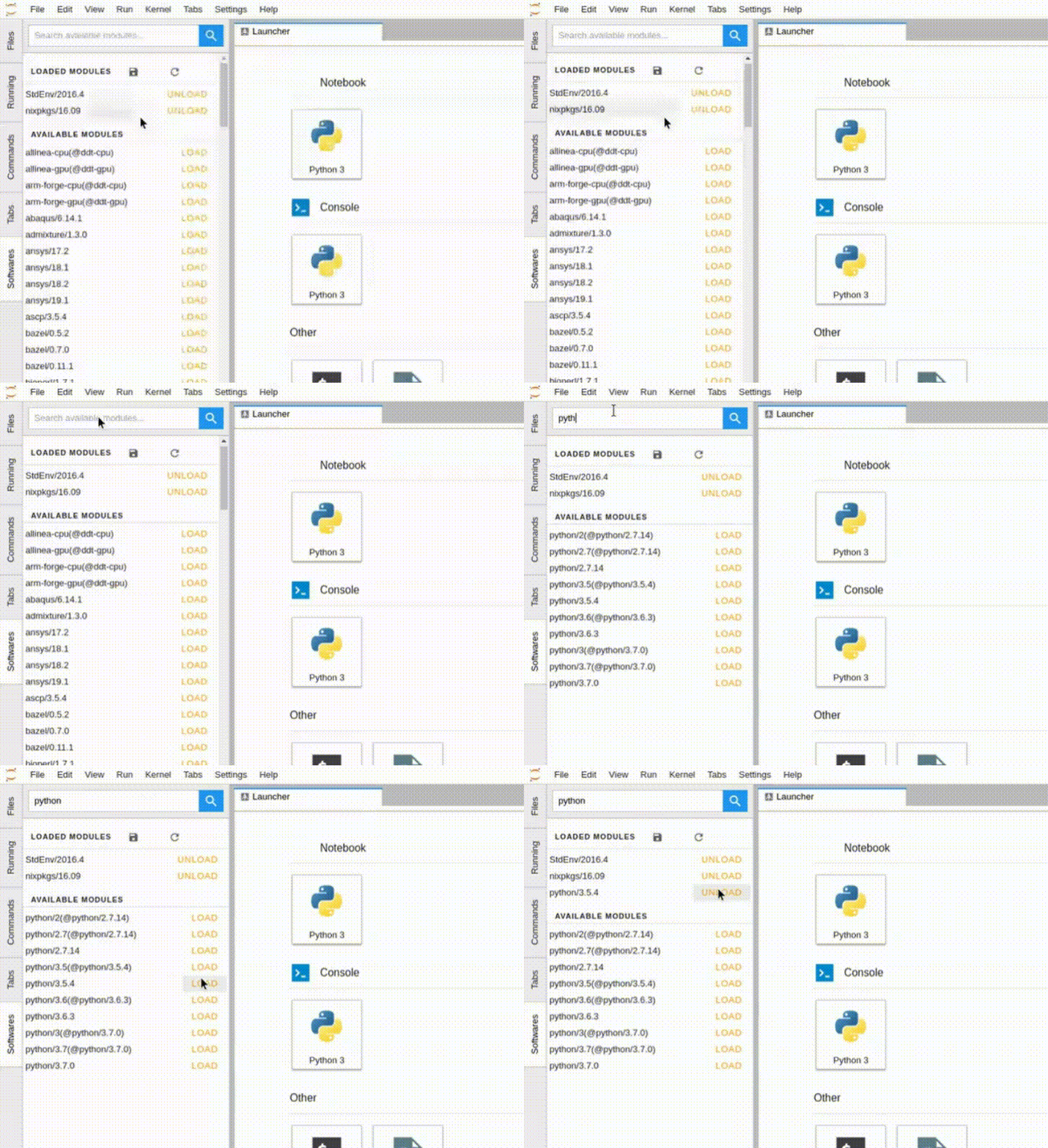
Jupyter interactive notebook server extension that allows user to interact with environment modules (Lmod or Tmod) before launching kernels. The extension use environment module's Python interface to accomplish module related task like loading, unloading, saving collection, etc.
requirements
- jupyter notebook >= 6.0
- Lmod >= 6.0 or Tmod >= 5.0
- optional: jupyterlab >= 3.0
- optional: jupyter-server-proxy >= 3.2.0
- optional: jupyterlab-server-proxy >= 3.2.0
Note that the extension supports Tmod < 5.0 too. However, if MODULES_RUN_QUARANTINE is not empty on the platform, module's Python API does
not have correct behaviour. On default installations, MODULES_RUN_QUARANTINE=LD_LIBRARY_PATH is used. If LD_LIBRARY_PATH is not
empty before loading a module, the existant paths in LD_LIBRARY_PATH is lost
after loading the module. More discussion can be found here.
If jupyter-server-proxy and jupyterlab-server-proxy are detected, jupyter-lmod will add the proxy server launchers to JupyterLab UI when modules with matching names are loaded.
setup
install
pip install jupyterlmod
Disable jupyter-server-proxy notebook and lab extensions
To avoid having items in the launcher that cannot be launched because the binaries location are not in PATH, jupyter-lmod hides launcher items that do not have a corresponding loaded module. jupyter-server-proxy notebook and lab extension always display the launcher item. To avoid a situation where an item would be shown twice, we recommend disabling jupyter-server-proxy notebook and lab extensions.
This can be done with the following command for notebook:
jupyter nbextension disable --py jupyter_server_proxy --sys-prefix
and with the following commands for jupyterlab:
jupyter labextension disable @jupyterlab/server-proxy
jupyter labextension disable jupyterlab-server-proxy
Pinning launcher items
If server proxies do not have a corresponding modules, or you wish to have their launcher items displayed regardless of the loaded modules, you can define a list of items that will be pinned in the Jupyter notebook configuration file, like this:
c.Lmod.launcher_pins = ['Desktop', 'RStudio']
or
c.Tmod.launcher_pins = ['Desktop', 'RStudio']
based on your module system.
Mapping launcher items to modules
If the name of the server proxies do not match a corresponding module, or you wish to have multiple launchers for a single module, you can define a map of server proxies to module names in the Jupyter notebook configuration file, like this:
c.Lmod.launcher_module_map = {'RStudio': ['rstudio-server'], 'paraview': ['paraview-client', 'paraview/5.13']}
or
c.Tmod.launcher_module_map = {'RStudio': ['rstudio-server'], 'paraview': ['paraview-client', 'paraview/5.13']}
based on your module system.
JupyterHub and loading module that add kernels
If you have modules that modify JUPYTER_PATH and you access Jupyter through JupyterHub,
make sure that c.Spawner.disable_user_config = False.
When disable_user_config = True, JupyterHub single-user server monkey-patches the
jupyter_core.jupyter_path function to remove any path related to home. In order to do
that, they retrieve the value of JUPYTER_PATH, remove any paths related to home, then
keep it in a global variable. The jupyter_path function is then patched to only return
versions of the global variable, making the function no longer affected by changer to
JUPYTER_PATH.
The JupyterHub monkey-patching of jupyter_path can be read
here.
demo
develop
requirements
- pip >= 23
- build
- nodejs >= 18.x
build
- wheel and tarball:
pyproject-build
- labextension
npm install
npm run build
# To install extension in jupyterlab in develop mode:
npm run install:extension
Release history Release notifications | RSS feed


Download files
Download the file for your platform. If you're not sure which to choose, learn more about installing packages.
Source Distribution
Built Distribution
Filter files by name, interpreter, ABI, and platform.
If you're not sure about the file name format, learn more about wheel file names.
Copy a direct link to the current filters
File details
Details for the file jupyterlmod-5.3.0.tar.gz.
File metadata
- Download URL: jupyterlmod-5.3.0.tar.gz
- Upload date:
- Size: 254.5 kB
- Tags: Source
- Uploaded using Trusted Publishing? No
- Uploaded via: twine/6.1.0 CPython/3.13.5
File hashes
| Algorithm | Hash digest | |
|---|---|---|
| SHA256 |
20536a9622f534f63253238da91b8611debe9adf6182c144164c443c237bcb9f
|
|
| MD5 |
0c28ac05c512331a33a144d596eb9cf5
|
|
| BLAKE2b-256 |
c6b4021ebd16208bc0e6fb41f7709c973767abb62efb021b6b6da573a582e104
|
File details
Details for the file jupyterlmod-5.3.0-py3-none-any.whl.
File metadata
- Download URL: jupyterlmod-5.3.0-py3-none-any.whl
- Upload date:
- Size: 315.1 kB
- Tags: Python 3
- Uploaded using Trusted Publishing? No
- Uploaded via: twine/6.1.0 CPython/3.13.5
File hashes
| Algorithm | Hash digest | |
|---|---|---|
| SHA256 |
7ae773a1b38b91ba6c745279fd81fc888767cb5de9fd8a9d81a368053dcd1c5a
|
|
| MD5 |
9c26b68b78878e9e42cd1c83ba70ab84
|
|
| BLAKE2b-256 |
7358b7be63705c7da0510daf3dbe7b5024c16a88c86c7dc90378b296b3a052a8
|






