
Easy wrapper for the zip code data of Japan
Powered by Yamato Nagata
Installation
install with pip
$ pip install jusho
Example
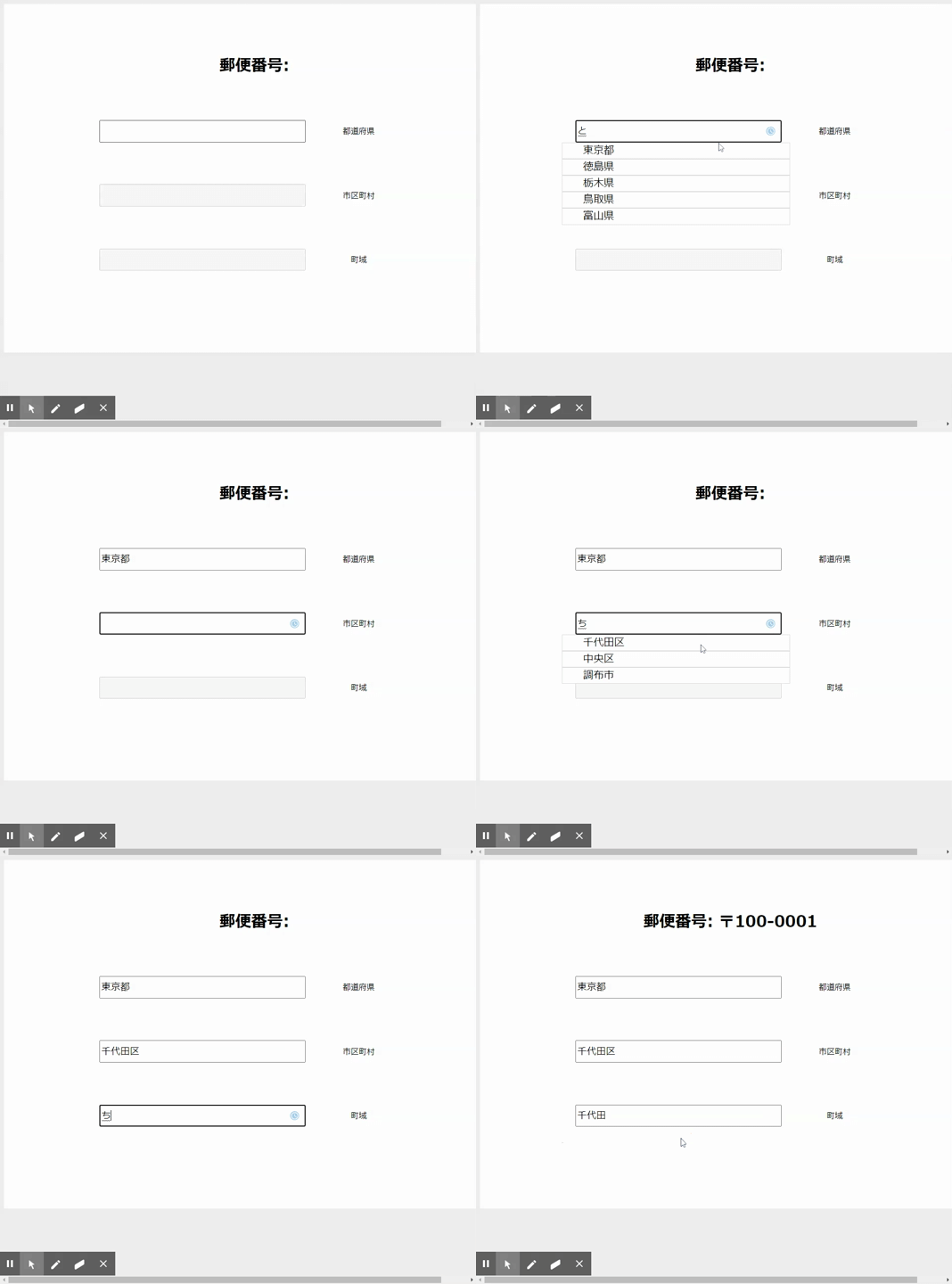
Useful example HERE
from jusho import Jusho, Address, City, Prefecture

postman = Jusho()

print(postman.by_zip_code('160-0021'))  # '1600021', '〒1600021' and whatever is valid
# [Address(id=116156, city=City(id=1972, prefecture=Prefecture(id=36, kanji='東京都', kana='トウキョウト', eng='TOKYO T...

print(postman.prefectures)
# [Prefecture(id=0, kanji='北海道', kana='ホッカイドウ', eng='HOKKAIDO'), Prefecture(id=3, kanji='青森県', kana='アオモリケ...

osaka: Prefecture = postman.search_prefectures('大阪', 'kanji')[0]
print(postman.cities(osaka))
# [City(id=3613, prefecture=Prefecture(id=78, kanji='大阪府', kana='オオサカフ', eng='OSAKA FU'), kanji='大阪市都島区', ka...

shimamoto: City = postman.search_cities('三島郡島本町', prefecture=osaka)[0]
print(postman.addresses(shimamoto))
# [Address(id=264932, city=City(id=3799, prefecture=Prefecture(id=78, kanji='大阪府', kana='オオサカフ', eng='OSAKA FU'), kanji='三島郡島本町', kana='ミシマグンシマモトチョウ', eng='MISHIMA ...

aoba: Address = postman.search_addresses('青葉', city=shimamoto)[0]
# `postman.search_addresses('青葉', prefecture=osaka)`, `postman.search_addresses('青葉')` are also valid
# but the result is not the same.
print(aoba.hyphen_zip)
# 618-0015

"""
Address object has a lot of info
"""

admin_division_code: str = aoba.admin_division_code  # 27301

old_zip_code: str = aoba.old_zip_code  # 618

zip_code: str = aoba.zip_code  # 6180015

prefecture: Prefecture = aoba.prefecture  # Prefecture(id=78, kanji='大阪府', kana='オオサカフ', eng='OSAKA FU')

city: City = aoba.city  # City(id=3799, prefecture=Prefecture(id=78, kanji='大阪府', kana='オオサカフ', eng='OSAKA FU'), kanji='三島郡島本町', kana='ミシマグンシマモトチョウ', eng='MISHIMA GUN SHIMAMOTO CHO')

print('\n'.join((
    aoba.kanji,  # 青葉
    aoba.kana,  # アオバ
    aoba.eng,  # AOBA
    '--------',
    aoba.concat_kanji,  # 大阪府 三島郡島本町 青葉
    aoba.concat_kana,  # オオサカフ ミシマグンシマモトチョウ アオバ
    aoba.concat_eng,  # Aoba, Mishima Gun Shimamoto Cho, Osaka Fu
    '--------',
    aoba.city.kanji,  # 三島郡島本町
    aoba.city.kana,  # ミシマグンシマモトチョウ
    aoba.city.eng,  # MISHIMA GUN SHIMAMOTO CHO
    '--------',
    aoba.city.concat_kanji,  # 大阪府 三島郡島本町
    aoba.city.concat_kana,  # オオサカフ ミシマグンシマモトチョウ
    aoba.city.concat_eng,  # Mishima Gun Shimamoto Cho, Osaka Fu
    '--------',
    aoba.prefecture.kanji,  # 大阪府
    aoba.prefecture.kana,  # オオサカフ
    aoba.prefecture.eng,  # OSAKA FU
)))
TroubleShooting
No database file found!
Database file is already included in the package.
But in case Jusho can't find the database file, you can download it with Jusho.create_database(path: str).
And then specify the path to the database file like Jusho(database_path='/path/to/database.db').
# data
data is from Japan Post
- https://www.post.japanpost.jp/zipcode/dl/kogaki/zip/ken_all.zip
- https://www.post.japanpost.jp/zipcode/dl/roman/ken_all_rome.zip
1 maintainer

Metadata
1 maintainer
Release files for jusho 1.0.1
For a detailed explanation of source distributions (sdists) and built distributions (wheels), please see the package formats documentation.
Source distribution (sdist)
| File | Size | Uploaded | Provenance | |
|---|---|---|---|---|
| jusho-1.0.1.tar.gz | 5.5 MB | Without provenance | Details |
Built distribution (wheel)
| File | Interpreter | ABI | Platform | Reset |
|---|---|---|---|---|
| jusho-1.0.1-py3-none-any.whl | Python 3 | none | any | Details |
Total release size: 10.6 MB
Release files / jusho-1.0.1.tar.gz
| Download URL | jusho-1.0.1.tar.gz |
|---|---|
| Size | 5.5 MB |
| Tags | Source |
|
SHA-256 checksum How to use checksums |
0963cf0b48f7065f20d683b78dca893f293db62a1461ea934fdc7b2defd52957
|
|
BLAKE2b-256 checksum How to use checksums |
8d8f605dcf1cd63635c6b93c0cd23f5cfe9a35bc060630e2189d6e614197d934
|
| Upload date | |
|
Uploaded using Trusted Publishing? What is trusted publishing? |
No |
| Uploaded via |
twine/4.0.2 CPython/3.12.3
|
Release files / jusho-1.0.1-py3-none-any.whl
| Download URL | jusho-1.0.1-py3-none-any.whl |
|---|---|
| Size | 5.1 MB |
| Tags | Python 3 |
|
SHA-256 checksum How to use checksums |
e8f7230fa5607f840d89be7e5b1e9a7f41ff556354447695b1d336c2a2c30ad8
|
|
BLAKE2b-256 checksum How to use checksums |
ce52750669a78beba43ca72873761a18e5698720ad74a7f3f271beb1b61d83a6
|
| Upload date | |
|
Uploaded using Trusted Publishing? What is trusted publishing? |
No |
| Uploaded via |
twine/4.0.2 CPython/3.12.3
|
Security for jusho 1.0.1
Provenance
Provenance describes where a file came from. On PyPI, provenance is shared via attestations, which provide a verifiable record of the build or publishing details. View details, limitations and caveats.
No provenance found
None of the files in this release were uploaded with provenance metadata.
A note on package security
PyPI is a repository for distributing packages, not a service for auditing them. While third-party security researchers and our staff do their best to detect and remove malicious packages, PyPI cannot guarantee the quality, security or suitability of any given package.














