
A minimalistic python package focused solely on extracting databases from Notion

Project description
justnotiondb
A minimalistic python package focused solely on extracting databases from Notion
Installation
pip install justnotiondb
Usage
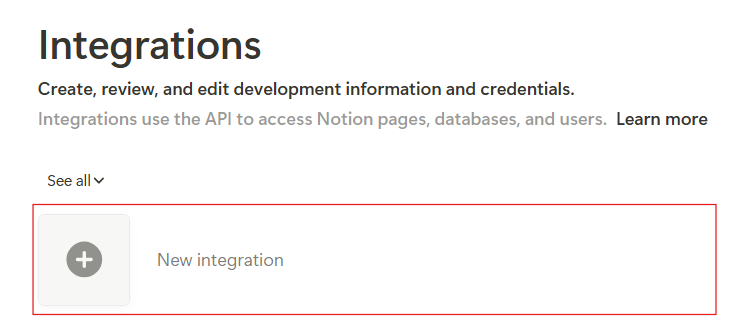
First of all, you will need to create a Notion API token. Visit Notion integrations and create a new integration.
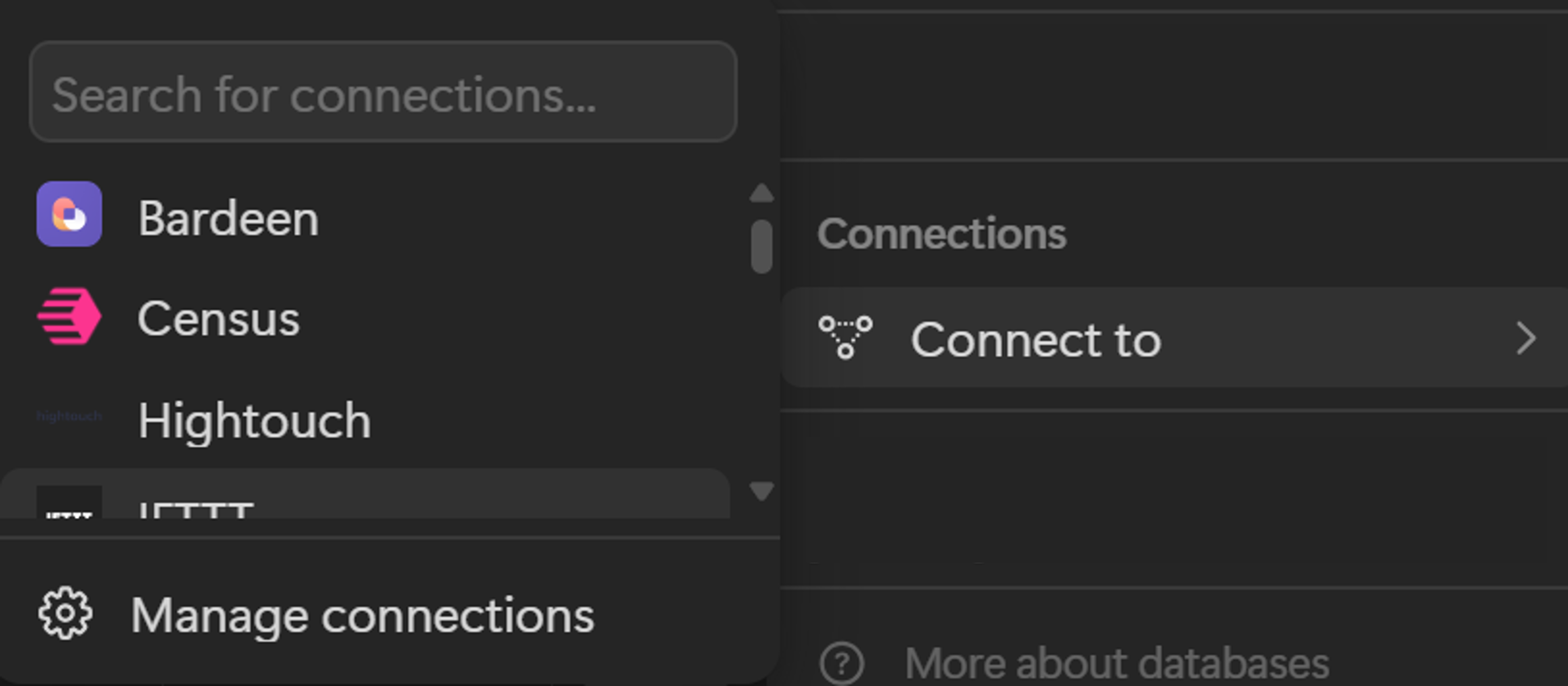
After that, you will need to set up a connection to the database you want to extract. You can do this by going to your database and opening settings (by clicking the three dots in the top right corner) and then clicking "Connect to". Your integration will appear in the list. If your database has relations to other databases, you will need to set up a connection to those databases as well.
Now you can use justnotiondb to extract the database. To do that, first you need to create a NotionClient instance and pass the secret you had created.
from justnotiondb.notion import NotionClient, DB

client = NotionClient(secret='secret')

# You can check if the connection is valid
print(client.check()) # True or False

# If token provided is not valid, you may see the error message
print(client.error)
Now you can create DB class passing the client and database ID. To get database ID visit Notion Database ID to undestand how to do it.
To extract the database use get method. It receives a filter and returns a list of dictionaries, where each dictionary represents a page in the database. The keys of each dictionary are the properties of the page, and the values are the values of the properties. Each property was processed according to its type. You can check how it was processed in the processors.py file.
Visit Notion Database Query Filter to understand how to build a filter.
db_filter = {}
db = DB(client=client, id='database_id').get(filter=db_filter)

# It is also possible to extract raw data using `fetch` method
db_raw = DB(client=client, id='database_id').fetch(filter=db_filter)
If you want, you can also write the results to a CSV or JSON file. Others formats are not supported yet.
DB.write_csv(content=db, path='file.csv')

DB.write_json(content=db, path='file.json')
Processors
Each property has a processor associated with it. These processors are responsible for extracting the property's value appropriately. Below is a list of all processors and how they process the value.
| Notion property | API type | Action |
|---|---|---|
| Date | date | None if empty. If it has end date it returns formatted as 'start -> end', otherwise just start date |
| Checkbox | checkbox | It returns True or False |
| Text | rich_text | None if empty. Otherwise the content of the text |
| Number | number | None if empty. Otherwise the n umber |
| Select | select | None if empty. Otherwise the name of the selected option |
| Multi-select | multi_select | None if empty. Otherwise names concatenated with ` |
| Status | status | None if empty. Otherwise the name of the status |
| Person | people | None if empty. Otherwise names concatenated with ` |
| Files & media | files | None if empty. Otherwise names concatenated with ` |
| URL | url | None if empty. Otherwise the url |
None if empty. Otherwise emails concatenated with ` |
||
| Phone | phone_number | None if empty. Otherwise phone number |
| Formula | formula | None if empty. Otherwise formula value |
| Relation | relation | None if empty. Otherwise ids of related pages concatenated with ` |
| Rollup | rollup | None if empty. Calculated number if any calculation is specified. Otherwise values concatenated with ` |
| Button | button | Always None |
| Created time | created_time | None if empty. Otherwise the date |
| Created by | created_by | None if empty. Otherwise the person's name |
| Last edited time | last_edited_time | None if empty. Otherwise the date |
| Last edited by | last_edited_by | None if empty. Otherwise the person's name |
| ID | unique_id | ID number |
Getting help
If you encounter a clear bug, please file an issue with a minimal reproducible example on GitHub.
Release history Release notifications | RSS feed


Download files
Download the file for your platform. If you're not sure which to choose, learn more about installing packages.
Source Distribution
Built Distribution
Filter files by name, interpreter, ABI, and platform.
If you're not sure about the file name format, learn more about wheel file names.
Copy a direct link to the current filters
File details
Details for the file justnotiondb-0.1.0.tar.gz.
File metadata
- Download URL: justnotiondb-0.1.0.tar.gz
- Upload date:
- Size: 6.4 kB
- Tags: Source
- Uploaded using Trusted Publishing? No
- Uploaded via: twine/5.1.1 CPython/3.12.7
File hashes
| Algorithm | Hash digest | |
|---|---|---|
| SHA256 |
c657aaff48535fa732eb8410ccd9aa4095ae373c6a3083dcb28c520a81abe81f
|
|
| MD5 |
bc219ce0f44bb818b90ab504ee3a644d
|
|
| BLAKE2b-256 |
49ab02fee3d005034bd56bfd8309902bee4973714f77c12a0b7487354f1481f9
|
File details
Details for the file justnotiondb-0.1.0-py3-none-any.whl.
File metadata
- Download URL: justnotiondb-0.1.0-py3-none-any.whl
- Upload date:
- Size: 7.2 kB
- Tags: Python 3
- Uploaded using Trusted Publishing? No
- Uploaded via: twine/5.1.1 CPython/3.12.7
File hashes
| Algorithm | Hash digest | |
|---|---|---|
| SHA256 |
23652217c30252744125021206933b8b38a84b8ab40d46fc539427de16fcd530
|
|
| MD5 |
aab654e1083187fe3990fd4830b6c352
|
|
| BLAKE2b-256 |
2d31deba1eaef19f9f17e581cfe85792af82fa5ba9279c4640861a91938146db
|






