
JWT Toolkit
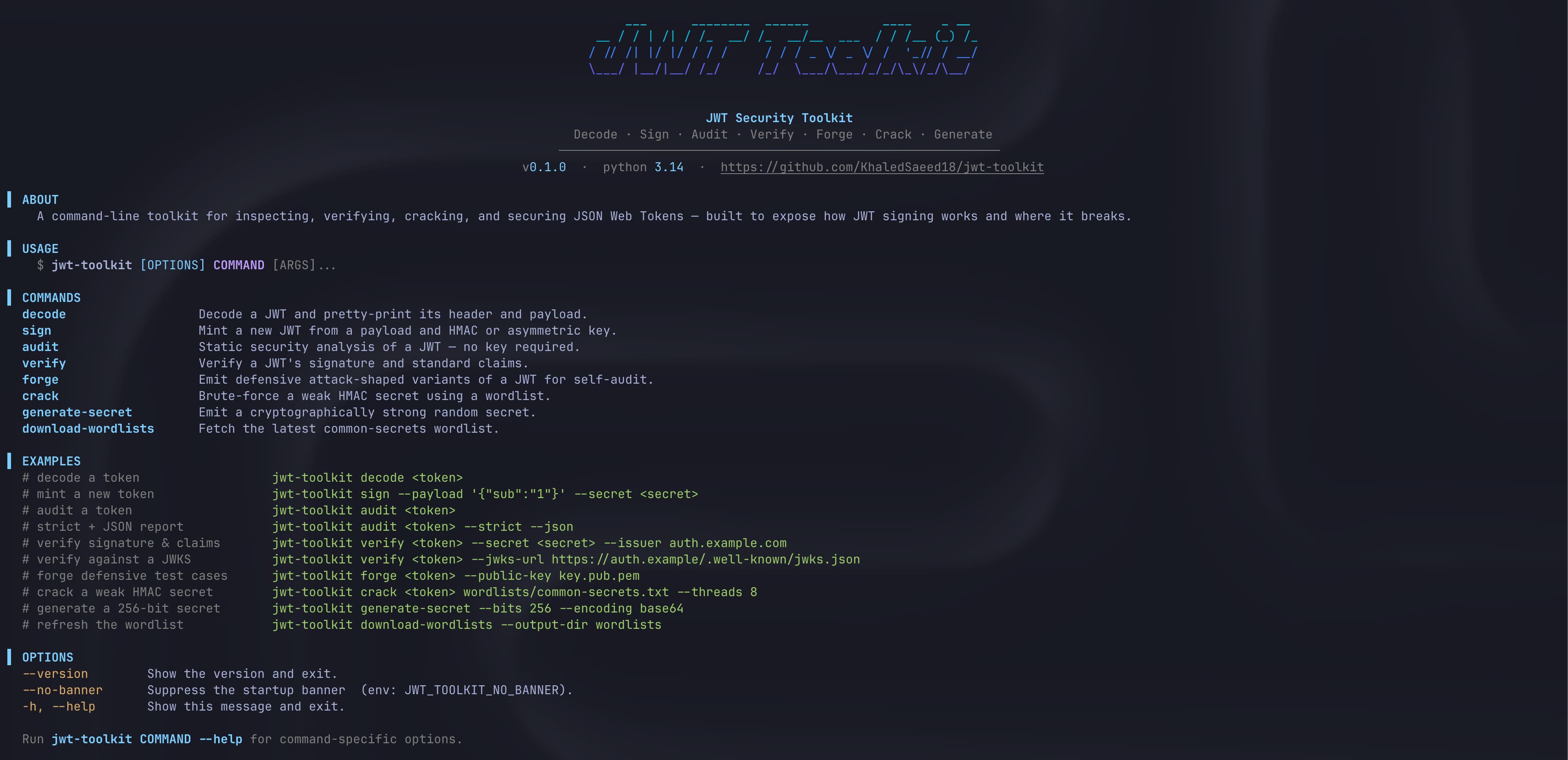





A command-line toolkit for inspecting, verifying, cracking, and securing JSON Web Tokens. Built to expose how JWT signing works and where it breaks.
Use it to audit tokens for misconfigurations, verify signatures and standard claims (including JWKS), brute-force weak HMAC secrets against a wordlist, forge defensive attack-shaped variants for self-audit, and generate cryptographically strong secrets.
- Decode any JWT and pretty-print its header, payload, and signature.
- Audit tokens with no key required, flagging
alg=none, weak HMAC,jwk-in-header, and other CVE-referenced misconfigurations. - Verify signatures and standard claims (
exp,nbf,iat,iss,aud), including remote JWKS. - Sign new tokens with an HMAC secret or an asymmetric key.
- Forge attack-shaped variants (
alg=none, algorithm confusion) so you can test your own verifier. - Crack weak HMAC secrets against a wordlist, streamed line-by-line.
- Generate cryptographically strong random secrets.
Built on cryptography with constant-time signature comparison, no runtime dependency on pyjwt or python-jose — the JWS logic is implemented in the open so you can read exactly how verification works.
Installation
jwt-toolkit is a command-line tool, so the recommended way to install it is with pipx, which installs CLI tools into isolated environments:
pipx install jwt-toolkit
Or with pip / uv:
pip install jwt-toolkit
# or
uv tool install jwt-toolkit
Requires Python 3.13+.
Quick start
# Decode and pretty-print a token
jwt-toolkit decode <token>

# Static security audit (no key needed) flags alg=none, weak HMAC, jwk-in-header, etc.
jwt-toolkit audit <token>
jwt-toolkit audit <token> --strict --json

# Verify signature + standard claims (exp, nbf, iat, iss, aud)
jwt-toolkit verify <token> --secret <secret> --issuer auth.example.com
jwt-toolkit verify <token> --jwks-url https://auth.example.com/.well-known/jwks.json

# Mint a JWT (HMAC or asymmetric)
jwt-toolkit sign --payload '{"sub":"1"}' --secret mysecret

# Generate defensive attack-shaped variants of a token (alg=none, alg confusion, etc.)
jwt-toolkit forge <token> --public-key key.pub.pem

# Brute-force a weak HMAC secret against a wordlist
jwt-toolkit crack <token> wordlists/common-secrets.txt --threads 8

# Generate a strong random secret
jwt-toolkit generate-secret --bits 256 --encoding base64

# Fetch the bundled common-secrets wordlist
jwt-toolkit download-wordlists --output-dir wordlists
Run jwt-toolkit COMMAND --help for command-specific options.
Commands
| Command | Purpose |
|---|---|
decode |
Decode a JWT and pretty-print its header and payload. |
sign |
Mint a new JWT signed with an HMAC secret or an asymmetric key. |
audit |
Static security analysis of a JWT, no key required. CVE-referenced findings. |
verify |
Verify the signature and standard claims of a JWT (supports JWKS). |
forge |
Emit defensive attack-shaped variants of a JWT for self-audit. |
crack |
Brute-force a weak HMAC secret using a wordlist. |
generate-secret |
Emit a cryptographically strong random secret. |
download-wordlists |
Fetch the latest common-secrets wordlist. |
Examples
A few showcases of what the output looks like. Tokens here are throwaway test tokens, never use these secrets in production.
Sign a token
Input:
jwt-toolkit sign \
  --payload '{"sub":"alice","role":"admin","iat":1700000000}' \
  --secret mysecret123
Output:
eyJhbGciOiJIUzI1NiIsInR5cCI6IkpXVCJ9.eyJzdWIiOiJhbGljZSIsInJvbGUiOiJhZG1pbiIsImlhdCI6MTcwMDAwMDAwMH0.cPIGduvFlZtf6Xa3HFDkf8sV7v_8O5fn7_vW7-D1_0c
Decode a token
Input:
jwt-toolkit decode eyJhbGciOiJIUzI1NiIsInR5cCI6IkpXVCJ9.eyJzdWIiOiJhbGljZSIsInJvbGUiOiJhZG1pbiIsImlhdCI6MTcwMDAwMDAwMH0.cPIGduvFlZtf6Xa3HFDkf8sV7v_8O5fn7_vW7-D1_0c
Output:
╭─────────────────── Header ────────────────────╮
│ {                                             │
│   "alg": "HS256",                             │
│   "typ": "JWT"                                │
│ }                                             │
╰───────────────────────────────────────────────╯
╭─────────────────── Payload ───────────────────╮
│ {                                             │
│   "sub": "alice",                             │
│   "role": "admin",                            │
│   "iat": 1700000000                           │
│ }                                             │
╰───────────────────────────────────────────────╯
╭────────────────── Signature ──────────────────╮
│ cPIGduvFlZtf6Xa3HFDkf8sV7v_8O5fn7_vW7-D1_0c   │
╰───────────────────────────────────────────────╯
Audit a token
Input:
jwt-toolkit audit <token>
Output:
╭────────────── Security Verdict ──────────────╮
│ Verdict : WEAK                               │
│ Grade   : B                                  │
│                                              │
│ CRITICAL : 0   WARN : 2   INFO : 3   PASS : 2│
╰──────────────────────────────────────────────╯
                       Findings
┏━━━━━━━━━━┳───────┳────────────────────┳──────────────────────┓
┃ Severity ┃ Field ┃ Detail             ┃ Recommendation       ┃
┡━━━━━━━━━━╇───────╇────────────────────╇──────────────────────┩
│ WARN     │ alg   │ HS256 is symmetric │ Use a strong secret  │
│ WARN     │ exp   │ No exp claim       │ Always set exp       │
│ INFO     │ aud   │ Missing aud claim  │                      │
│ INFO     │ iss   │ Missing iss claim  │                      │
│ INFO     │ jti   │ No jti claim       │ Issue a unique jti   │
│ PASS     │ iat   │ iat looks sane     │                      │
│ PASS     │ typ   │ typ=JWT            │                      │
└──────────┴───────┴────────────────────┴──────────────────────┘
Add --json for machine-readable output and --strict to fail on warnings.
Verify a token
Input:
jwt-toolkit verify <token> --secret mysecret123
Output:
              Verification Checks
┏━━━━━━━━┳───────────┳────────────────────┓
┃ Result ┃ Check     ┃ Detail             ┃
┡━━━━━━━━╇───────────╇────────────────────┩
│ PASS   │ signature │ Signature is valid │
│ WARN   │ exp       │ No expiry claim    │
└────────┴───────────┴────────────────────┘
╭──────────────────────────────────────────╮
│ VALID                                    │
╰──────────────────────────────────────────╯
Generate a strong secret
Input:
jwt-toolkit generate-secret --bits 256 --encoding base64
Output:
╭──────────────── Generated Secret ────────────────╮
│ HTZhdhvS6GPEKeziu3Ey5d6NVf8da9mjjfQTFQD99o8=     │
│                                                  │
│ Encoding : base64                                │
│ Length   : 256 bits (32 bytes)                   │
│ Entropy  : 256 bits, strong                      │
╰──────────────────────────────────────────────────╯
Crack a weak secret
Input:
jwt-toolkit crack <token> wordlists/common-secrets.txt --threads 8
Output:
╭──────────── Weak Secret Detected ────────────╮
│ Secret: mysecret123                          │
│                                              │
│ Algorithm        : HS256                     │
│ Position         : #1 of ~3 candidates       │
│ Candidates tried : 1                         │
│ Time elapsed     : 0.001s                    │
│                                              │
│ This secret is in a common wordlist.         │
│ Generate a strong one with:                  │
│   jwt-toolkit generate-secret                │
╰──────────────────────────────────────────────╯
Scripting
Suppress the banner and color output for clean machine-readable runs:
jwt-toolkit --quiet audit <token> --json
JWT_TOOLKIT_QUIET=1 NO_COLOR=1 jwt-toolkit audit <token> --json
Use responsibly
jwt-toolkit is built for defensive work: auditing your own tokens, hardening your own systems, and learning how JWTs break. Only use it against tokens and systems you are authorized to test.
Contributing
Contributions are welcome. See CONTRIBUTING.md for the codebase layout, development setup, branch and commit conventions, and the pull-request workflow.
License
MIT © Khaled Saeed
1 maintainer

Download files
Download the file for your platform. If you're not sure which to choose, learn more about installing packages.
Source Distribution
Built Distribution
Filter files by name, interpreter, ABI, and platform.
If you're not sure about the file name format, learn more about wheel file names.
Copy a direct link to the current filters
File details
Details for the file jwt_toolkit-1.0.0.tar.gz.
File metadata
- Download URL: jwt_toolkit-1.0.0.tar.gz
- Upload date:
- Size: 337.0 kB
- Tags: Source
- Uploaded using Trusted Publishing? Yes
- Uploaded via:
twine/6.1.0 CPython/3.13.12
File hashes
| Algorithm | Hash digest | |
|---|---|---|
| SHA256 |
33fc698775f3e108b417ffac2257ebabd84c2fb60b89a0019cd181653b40dc3f
|
|
| MD5 |
f39fd260b43b0af324d0a0e61dc09148
|
|
| BLAKE2b-256 |
8c5ae81166f921b1757ec15012dbc184882d34507381ff6f670f1b2ff6d29ce8
|
Provenance
The following attestation bundles were made for jwt_toolkit-1.0.0.tar.gz:
Publisher:
publish.yml on KhaledSaeed18/jwt-toolkit
-
Statement:
-
Statement type:
https://in-toto.io/Statement/v1 -
Predicate type:
https://docs.pypi.org/attestations/publish/v1 -
Subject name:
jwt_toolkit-1.0.0.tar.gz -
Subject digest:
33fc698775f3e108b417ffac2257ebabd84c2fb60b89a0019cd181653b40dc3f - Sigstore transparency entry: 2063492407
- Sigstore integration time:
-
Permalink:
KhaledSaeed18/jwt-toolkit@02cfdaaac3dfa532b2d6c29e1ebfac58a4015a42 -
Branch / Tag:
refs/tags/v1.0.0 - Owner: https://github.com/KhaledSaeed18
-
Access:
public
-
Token Issuer:
https://token.actions.githubusercontent.com -
Runner Environment:
github-hosted -
Publication workflow:
publish.yml@02cfdaaac3dfa532b2d6c29e1ebfac58a4015a42 -
Trigger Event:
release
-
Statement type:
File details
Details for the file jwt_toolkit-1.0.0-py3-none-any.whl.
File metadata
- Download URL: jwt_toolkit-1.0.0-py3-none-any.whl
- Upload date:
- Size: 49.6 kB
- Tags: Python 3
- Uploaded using Trusted Publishing? Yes
- Uploaded via:
twine/6.1.0 CPython/3.13.12
File hashes
| Algorithm | Hash digest | |
|---|---|---|
| SHA256 |
12fd6bf538c0b28726bbfd90e1370f9429110f458e0861b86766962550321599
|
|
| MD5 |
b6dedcbceadbaca5ea9fd2c3455cf4bc
|
|
| BLAKE2b-256 |
fbf86212234bdae7dc88d1a3037e7940c7f897161dfe50563932357c5ebf6384
|
Provenance
The following attestation bundles were made for jwt_toolkit-1.0.0-py3-none-any.whl:
Publisher:
publish.yml on KhaledSaeed18/jwt-toolkit
-
Statement:
-
Statement type:
https://in-toto.io/Statement/v1 -
Predicate type:
https://docs.pypi.org/attestations/publish/v1 -
Subject name:
jwt_toolkit-1.0.0-py3-none-any.whl -
Subject digest:
12fd6bf538c0b28726bbfd90e1370f9429110f458e0861b86766962550321599 - Sigstore transparency entry: 2063492416
- Sigstore integration time:
-
Permalink:
KhaledSaeed18/jwt-toolkit@02cfdaaac3dfa532b2d6c29e1ebfac58a4015a42 -
Branch / Tag:
refs/tags/v1.0.0 - Owner: https://github.com/KhaledSaeed18
-
Access:
public
-
Token Issuer:
https://token.actions.githubusercontent.com -
Runner Environment:
github-hosted -
Publication workflow:
publish.yml@02cfdaaac3dfa532b2d6c29e1ebfac58a4015a42 -
Trigger Event:
release
-
Statement type:














