
A kawaii system monitor with cute emojis and detailed system info.

Project description
Kawaii Monitor 🌸
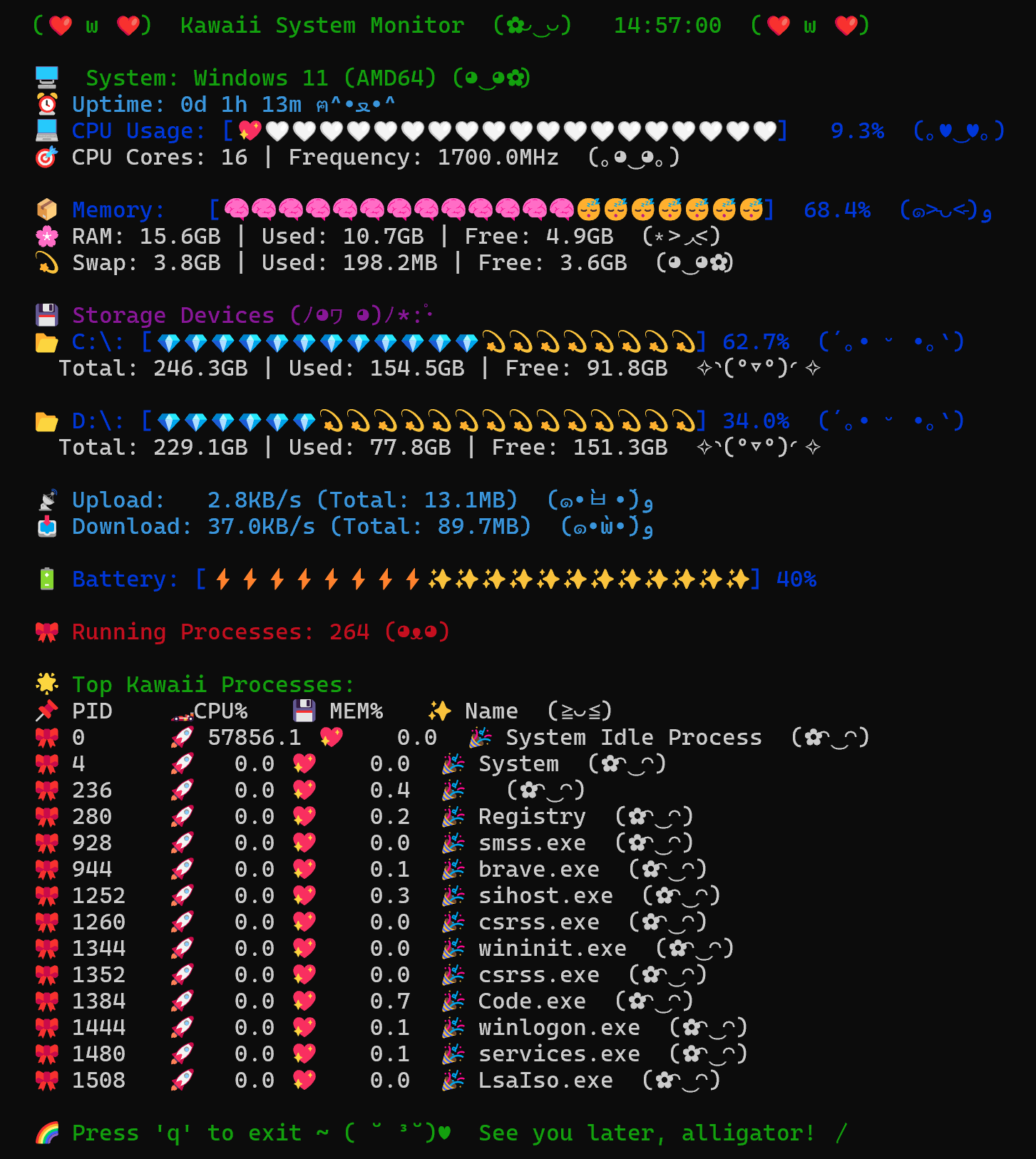
Welcome to Kawaii Monitor – the adorable system monitor that makes keeping an eye on your computer’s stats as delightful as possible! With plenty of cute emojis and a playful design, monitoring your CPU, memory, storage, network, battery, and processes has never been so fun!
Overview ✨
Kawaii Monitor is a terminal-based system monitor that:
- Displays CPU Info 💻: Shows CPU usage with sparkly heart icons.
- Shows Memory Stats 📦: Visualizes RAM and swap usage with dreamy emojis.
- Lists Disk Info 💾: Presents your storage devices in a fun, graphical way.
- Monitors Network Speed 🌐: Tracks upload and download speeds in real time.
- Checks Battery Levels 🔋: (If available) Displays battery status in a cute format.
- Highlights Top Processes 🌟: Lists the busiest processes with extra charm.
All these features come together in a real-time, refreshing display that brings a touch of kawaii magic to your terminal!
Features 🍭
- Adorable Design: Every stat is decorated with cute emojis and charming text.
- Real-Time Updates: Refreshes every second for live system monitoring.
- Cross-Platform: Works on Linux, macOS, and Windows (in a terminal that supports curses).
- Detailed System Stats: From CPU and memory to disks, network, battery, and processes—all in one place!
Installation 🎀
You can install Kawaii Monitor directly from PyPI with pip:
pip install kawaii-monitor
Then, run it directly using:
kawaii-monitor


Download files
Download the file for your platform. If you're not sure which to choose, learn more about installing packages.
Source Distribution
Built Distribution
Filter files by name, interpreter, ABI, and platform.
If you're not sure about the file name format, learn more about wheel file names.
Copy a direct link to the current filters
File details
Details for the file kawaii_monitor-1.1.2.tar.gz.
File metadata
- Download URL: kawaii_monitor-1.1.2.tar.gz
- Upload date:
- Size: 6.5 kB
- Tags: Source
- Uploaded using Trusted Publishing? No
- Uploaded via: twine/6.1.0 CPython/3.13.2
File hashes
| Algorithm | Hash digest | |
|---|---|---|
| SHA256 |
ac891ab9fe0a41159af46cd4c41cba6b73e59f95f4aec91996fbbf9537ffbeea
|
|
| MD5 |
7ddfc0bc5d75d12352bbdc0450c63eee
|
|
| BLAKE2b-256 |
323db5e8cf23f8bff7713bce2d0d85670b2b29dccae671b2f2e21bd788ff7e09
|
File details
Details for the file kawaii_monitor-1.1.2-py3-none-any.whl.
File metadata
- Download URL: kawaii_monitor-1.1.2-py3-none-any.whl
- Upload date:
- Size: 7.7 kB
- Tags: Python 3
- Uploaded using Trusted Publishing? No
- Uploaded via: twine/6.1.0 CPython/3.13.2
File hashes
| Algorithm | Hash digest | |
|---|---|---|
| SHA256 |
35ef452c0a0379841fef67cfe34d6add80cd084490b5f03107653b4f31ad7c6d
|
|
| MD5 |
773aaa3f8b77b1fc83589a9120966b6c
|
|
| BLAKE2b-256 |
b87b4b904f92ce639b779ab82a2a3634eb6ad42e0c75d50f2c92652be9bdb9d4
|






