
keel ⚓






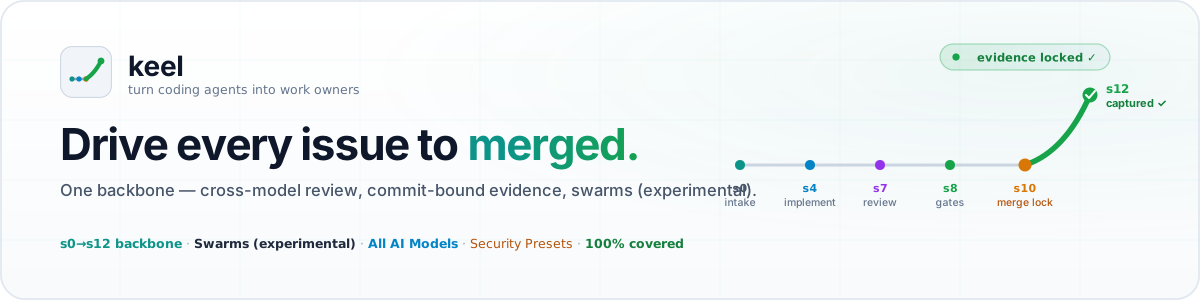
Keel turns coding agents into work owners. It is a project-neutral, multi-agent workflow backbone that drives a unit of work — a GitHub issue — from intake to done: understand readiness, branch, implement, wait on CI, review, test, merge safely, run capture hooks, and close. Projects never fork the backbone: they set per-project values in
project.yamland snap their own Lego pieces into named extension slots.
The keel is a ship's backbone — the fixed spine every project builds on. Work is driven
by keel:ship; keel:swarm aims the same backbone at a whole backlog as parallel waves,
but it is experimental and does not land work yet (#1281). keel is where
ships and fleets are built.
Keel is based on the work pattern of a strong teammate in a real engineering team: take an issue from the queue, decide whether it is ready, own the implementation, get it reviewed, keep the quality gates green, merge inside policy, and leave useful memory behind for the next session. keel focuses on one agent owning work end to end.
The Vision-to-Production Gap in Agentic AI
While over 70% of engineering organizations experiment with autonomous AI agents, only a small fraction (~11-15%) successfully run agentic workflows in production. The bottleneck is rarely code generation—it is work ownership and delivery governance.
Most coding agents stop at "I opened a PR." Without an invariant delivery backbone, agent-written code stalls in review loops, introduces silent regressions, causes merge collisions, or bypasses compliance.
Keel closes the vision-to-production gap. It provides the fixed backbone (s0–s12) that drives every unit of work through scope validation, multi-agent adversarial reviews, commit-bound evidence verification, timezone-aware merge locks, and post-merge proof—guaranteeing work either lands safely in production or fails loudly at a named step.
keel uses a thin-consumer model: the core is installed + pinned, never copied, so the drift/overwrite class of bug is structurally gone. Background:
docs/proposals/keel-architecture.md.
Three layers
Layer 3  EXTENSIONS   project-owned Lego pieces, ADD-ONLY into named slots
Layer 2  CONFIG       project.yaml — per-project values (branch, build cmd, globs, agents…)
Layer 1  BACKBONE     keel-core — fixed ordered step machine + invariants (this package)
Changing the backbone is a keel-core change. Projects only ever touch layers 2–3.
What you get
- One backbone, every agent — install once;
/keel:<command>runs as native Claude commands and as a single shared skill set every other agent (Codex, Antigravity, Gemini) reads. - High-concurrency Swarm orchestration (experimental) — cluster entire backlogs into topological dependency waves, execute disjoint clusters in isolated git worktrees, and land them under a single-writer merge lock with sequential
git merge --no-ff(guide). The planning commands run; a live run cannot produce a commit or a pull request. The childkeel shipis a dry assessment that never commits or opens a PR in any mode — keel's design has the agent implement by following/keel:ship— and--liveis not forwarded to it either (#1269); scope cannot be given per issue, so a multi-issue plan returns one flat wave (#1274). Audit epic: #1281. Use/keel:shipfor work you need merged. - Project Lego + policy packs — snap gates/steps into named hooks (
guard,tester,pre-merge, …) and keep labels, path policy, health sources, local commands, and workflow preferences inpolicy_packdata instead of packaged command prose. - Security presets — declarative
policy_pack.presets: ["bandit", "gitleaks", "semgrep", "trivy"]automatically slot SAST, secret scanning, and vulnerability auditing into the pipeline. - Opt-in
jurygate — addjuryto your project'sgates:list (off by default). Once listed, it runs the ai-jury multi-agent reviewer on the diff when thejurybinary is installed, or is a fail-soft no-op otherwise. Core resolves the mode from the panel that actually ran: a cross-vendor gate needs ≥2 distinct vendors, so a short panel downgrades to advisory instead of blocking on a jury that never convened. - …or the panel is the review — set
knobs.team.review.by_tier."3": juryand s7 dispatches ai-jury once instead of running host reviewers beside it.keel review --from-jury <report.json>turns each panelist's ballot into a head-pinnedkeel.review-verdict.v1with the vendor and model that produced it, posts the jury verdict as the consensus record, and hands the fix loop the panel's verified findings. The evidence gate then requires one verdict per ballot (the panel declares its own size) plus that verdict. Too few participating vendors relaxes neither: on a panel tier the verdict stays required and the thin span is refused asreview-vendor-distinctness, because a short panel may not excuse itself from the record that says it was short. The bench is a function of config alone, so every surface of a run agrees on it. Needs ai-jury's ballot report (jury --format json, schema 1.1+); keel still never imports it. - Headless with just an API key — the hosted-API delegates
(
--delegate anthropic-api:MODEL/openai-api:MODEL/google-api:MODEL) drive the implement/review steps with onlyANTHROPIC_API_KEY/OPENAI_API_KEY/GEMINI_API_KEYin the environment — no agent CLI installed. Connect any OpenAI-compatible provider (OpenRouter, DeepSeek, Groq, local vLLM/Ollama) or custom CLI viaknobs.delegate_profiles(design), or keep operator-owned entries out of the repository entirely in the machine-level provider registry (~/.keel/providers.yaml). - A team, not a delegate —
knobs.teamstates who implements (per issue role, with model and reasoning effort), who gives the gate review from a different vendor, who reviews at each risk tier — orjury, when the cross-vendor panel is the review — and who applies the findings (reference).keel plan/keel ship --jsonrender it as one resolvedassignmentso every host runs the same team, andkeel validaterefuses a policy keel cannot execute: an unknown provider, an effort a vendor cannot honour, or a gate reviewer that is the implementer. The reviewer count and the jury mode are enforced by the evidence gate; the gate review is emit-only — core publishes the seat and the adapter dispatches it, with no evidence item behind it, the same boundary operator consent sits behind. - Test-first when you want it —
knobs.implement_mode: tdd(or--tddfor a single run) splits s4 into two phases: a test-only commit carrying the issue's acceptance criteria, then the implementation. s8 gains the pure, blockingtdd-ordergate, which checks that commit order against thepolicy_pack.test_groupspaths, so "tests first" is verified rather than asserted. The resolved profile is published ascontract.implement_mode({"mode": "tdd", "gate": "tdd-order", "phases": ["tests", "implementation"], …}) and recorded in the ledger, and--phase-implementer tests=…/implementation=…records a run where the two phases were written by different seats (reference). - Iterate s4 with the gates as the judge —
knobs.loop(or--loopfor a single run) wraps the implement pass in a bounded, gate-verified loop: after each iteration the command gates run; green ends the loop, red starts the next iteration with the same brief plus the gate output, up tomax_iterations. The completion criterion is the gate run, never the implementer's own "done" — the Ralph loop's iteration without its judge or its amnesia: every iteration is one commit the ledger names, published ascontract.implement_mode.loopand rendered in the closure comment. It composes with--tdd(the loop wraps phase B only) and runs on every host keel runs in (reference). - Every merge can leave a lesson the next run reads — with
policy_pack.capture.learning.sinkset, an appliedcreate-learningcapture writes one Markdown learning: the issue, the gate results on the head it merges, and a link to every file it changed, so a knowledge-graph builder gets the edges (reference). With an in-repo sink, s10 runskeel capture-land --write --onto "$BRANCH", which commits that lesson onto the pull request itself, so the same squash carries it into the base branch: a protected base never sees a direct push, and there is no second pull request to forget (reference). The review still holds for the head that landing produces — the evidence gate accepts a pin across a commit with one parent, thekeel.capture-land.v1marker and exactly one added or modified file inside the sink, and across nothing else.keel planandkeel shipread matching lessons back into the implement and review briefs, at most five (reference). - Know which providers this machine can actually dispatch to —
keel doctor --providers [--json]probes every provider keel supports (agent CLIs, hosted APIs, local Ollama models, delegate profiles and registry entries) and reportsavailable/reason/ transport / capabilities / model list for each. Probes are time-boxed and fail-soft, and print key names only, never values (reference). - Auditable evidence chain & compliance — every PR merged through Keel carries a
tamper-evident, commit-SHA-bound record of reviewer verdicts, test results, and model
attributions (guide). Approvals are locked to the exact HEAD commit,
preventing approval drift across subsequent pushes — a lesson
keel capture-landlands is the one commit they survive, under the rule above — with first-class, audited exception tracking. - Safe merges by construction — the core-owned
keel mergepath (resource claim, window re-check, live CI rollup, and evidence verification before the merge), timezone-aware night no-merge window, risk-tier → reviewer count, hotfix bypass with an audit line, vendor+model attribution. The PR evidence gate arms from ship provenance by default — only the operator-appliedkeel:evidence-waivedlabel disarms it, and a gate that never armed now blocks rather than reporting a pass having checked nothing. Requirements are split by phase, so the merge gate asks for the review/jury evidence that exists at s10 and not the closure comments s11 writes after it. Where a host's egress proxy blocks GitHub's GraphQL endpoint,keel mergeasks the same questions over REST (--transport auto|graphql|rest) — the claim, window, rollup, evidence and SHA-pinned gates-pass are unchanged — and its read-only drift check,keel verify-merge, takes the same flag (reference).
How Keel compares
Keel sits between three established tool categories:
| category | examples | where they usually stop | what Keel adds |
|---|---|---|---|
| Coding agents | OpenHands, SWE-agent, Copilot coding agent, Devin | create or update a PR | intake, review gates, merge policy, closeout, capture hooks |
| PR reviewers | CodeRabbit, Qodo / PR-Agent, Greptile, Cursor Bugbot | review an existing PR | implementation loop, tests, merge lock/window, closeout capture |
| Merge queues | GitHub Merge Queue, Mergify, Graphite, Trunk | serialize tested PRs | issue ownership before the PR exists |
Keel is not trying to replace those tools. It is the work-ownership backbone that can use
coding agents, reviewers, gates, and merge policy in one lifecycle. See
docs/keel/comparison.md for the source-backed comparison and
the ideas Keel should borrow.
The backbone
| step | name | primary hooks | |
|---|---|---|---|
| s0 | config | after:config |
|
| s1 | select | before:select, select, after:select |
|
| s2 | branch | before:branch, after:branch |
|
| s3 | guard | guard |
|
| s4 | implement | before:implement, after-implement |
agent |
| s5 | classify | classify, after:classify |
agent |
| s6 | ci | before:ci, after:ci |
|
| s7 | review | reviewers, after:review |
agent |
| s8 | test | tester, test, after:test |
|
| s9 | fixloop | before:fixloop, fixloop, after:fixloop |
|
| s10 | merge | pre-merge, after:merge |
|
| s11 | capture | capture, post-merge |
|
| s12 | close | before:close, on-close, after:close |
Invariants the backbone always preserves: merge lock, night no-merge window, fail-soft, orchestrator-only-writes, vendor+model attribution.
The capture step has a core marker/verifier contract:
compound-learning: pr=<N> status=<applied|deferred|skipped:reason>. Projects provide
capture content and destinations through capture / post-merge extensions; keel owns the
marker, fail-soft semantics, redaction-before-durability, offline capture-verify, and the
learning-quality decision recorded in capture.learning. Durable learning is optional:
policy can choose create-learning, marker-only, or defer, while duplicate candidates
are suppressed by stable fingerprints so routine merges do not flood the learning surface.
Install
Homebrew (macOS & Linux)
brew tap berkayturanci/keel
brew install keel
Or install in a single command:
brew install berkayturanci/keel/keel
Standalone Curl Installer (macOS, Linux, WSL)
curl -fsSL https://raw.githubusercontent.com/berkayturanci/keel/main/scripts/install.sh | sh
PyPI / pipx / uv
pipx install keel-workflow                                    # isolated global CLI tool
pip install keel-workflow                                     # from PyPI (provides the `keel` command)
pip install "git+https://github.com/berkayturanci/keel@v1.24.0"  # or pin an existing git tag
In a cloud agent session, install it from a SessionStart hook (or add keel to the
session's repo scope) so the selected core ref is available before a run.
Release maintainers should follow docs/keel/release.md and run
python scripts/release_smoke.py before tagging or announcing a package.
Quickstart
Prerequisites: Python 3.11+, git, and — for a live run (keel ship --live) — an
authenticated gh (gh auth login). A dry run needs only Python and git.
keel setup --root .                          # add keel config + adapters to this project
keel setup --root . --wizard                 # …and pick the team interactively
keel validate .keel/project.yaml --root .    # validate the config setup just wrote
keel plan     .keel/project.yaml --root .    # show the backbone plan for this project
keel doctor   .keel/project.yaml --root .    # check versions, adapters and prerequisites
keel version
keel setup wraps first-run onboarding (init + install-adapter + strict validate +
plan) for a consumer project. With --wizard it also runs a team step: it probes
which agent CLIs, hosted APIs and local models are usable on this machine (the same probe
as keel doctor --providers) and writes knobs.team from what it found — who implements,
who gives the mandatory gate review, who reviews at each risk tier. Only providers that
are actually reachable are offered. keel ship --wizard picks the same seats for a single
run. See docs/keel/onboarding.md. keel plan renders the fixed backbone with each project's
gates/extensions slotted in — exactly what a dry-run executes:
keel plan — my-project
  base_branch: main   core_version: ^1.0
  backbone:
     s0  config
     s1  select
     s2  branch
     s3  guard
     s4  implement  [agent]
     s5  classify  [agent]
     s6  ci
     s7  review  [agent]
     s8  test
           - gate: build
     s9  fixloop
    s10  merge
    s11  capture
    s12  close
A project adds its own gates and extensions under each step; the plan above is a
generic project with the default build gate.
Invocation (/keel:<command>)
The agentic workflows ship with the package as project-neutral adapters and install into
the two surfaces agents actually read — so the same /keel:<command> works in every
project; only that project's .keel/project.yaml + extensions change the behaviour:
keel install-adapter claude   # native Claude commands → /keel:ship, /keel:regression, …
keel install-adapter skills   # one shared keel-<cmd> skill set under .agents/skills/
#                               (read by every non-Claude agent: Codex, Antigravity, Gemini)
keel install-adapter all      # both surfaces
Install into an agent
Everything above needs the CLI on your machine — Install puts it
there, and install-adapter writes files into a project with it. Installing keel
as a plugin is how an agent gets the commands and skills: from this
repository's own marketplace, with no install-adapter step. It is not a
replacement for the CLI — the command bodies shell out to keel, so it still has
to be on your PATH. Jump to the agent you use:




Each badge jumps to that agent's box; open it for the commands. (A browser scrolls
to a collapsed <details>; it does not expand one.)
Claude Code — marketplace plugin
Install
claude plugin marketplace add https://github.com/berkayturanci/keel
claude plugin install keel@keel
In a running session: /plugin marketplace add berkayturanci/keel then
/plugin install keel.
Update
claude plugin marketplace update keel
claude plugin update keel@keel
claude plugin install is a no-op on an already-installed plugin, so it is
not an upgrade path. plugin update needs the qualified name@marketplace: the
bare name exits 1 with Plugin "keel" not found.
Codex — marketplace plugin
Install
codex plugin marketplace add https://github.com/berkayturanci/keel
codex plugin add keel@keel
Update
codex plugin marketplace upgrade
codex plugin add keel@keel
AGENTS.md is read by Codex with no plugin at all, which is what makes the plain
CLI route useful in a container.
Antigravity (agy) — git install
Install
agy plugin install https://github.com/berkayturanci/keel
agy plugin enable keel
install alone leaves it disabled.
Update
agy plugin install https://github.com/berkayturanci/keel
Overwrites in place, keeps the enabled flag. agy discovers components by
root-directory convention only — keel's root skills/ and commands/ — and
agy plugin list reports what was imported rather than what is on disk, so
re-run the install after a release that adds a component directory.
Cursor — two routes, and they differ
Cursor has no CLI install command — cursor-agent plugin exposes only
marketplace — and the two routes do not register the same things.
Install — marketplace (registers the /keel: commands)
cursor-agent plugin marketplace add https://github.com/berkayturanci/keel
Then install it from Cursor's /plugins screen.
Install — local checkout (skills only, but its update is a git pull)
git clone --depth 1 https://github.com/berkayturanci/keel ~/.cursor/plugins/local/keel
Then restart Cursor. It is reported to list as keel (Local) under
Settings → Plugins — a GUI claim, not confirmed from a CLI session.
Update
Whichever route you took — they are alternatives, not steps:
git -C ~/.cursor/plugins/local/keel pull # if you cloned
cursor-agent plugin marketplace update berkayturanci/keel # if you used the marketplace
Restart Cursor either way. The second re-indexes the marketplace — Cursor's
own words — which is not the same as moving an installed plugin forward, and this
session did not establish that it does. The two routes trade off: marketplace
registers the commands, the local checkout has an update that is a git pull.
A locally installed Cursor plugin registers skills only — and here that is one
skill. .cursor-plugin/plugin.json names ./skills, and the repository root's
skills/ holds keel-onboard alone; the 17 workflow skills live in
.agents/skills/, which no plugin manifest points at. keel's 17
/keel:<command> entries, where they appear in Cursor, are being read out of
Claude Code's plugin cache — pinned to whichever version directory Claude kept.
The marketplace route is the one that registers commands.
Full detail, including what each route actually registers:
docs/keel/install.md.
The plugin ships the same project-neutral command bodies as keel install-adapter; the two
flows are additive. The plugin's command files under commands/ are generated from
src/keel/adapters/commands/ (the single source of truth) by make plugin /
keel install-adapter plugin, and a test fails on any drift. The pip install keel-workflow
keel install-adapterpath is unchanged.
17 shipped commands — ship (flagship, with a --compound profile flag), implement,
review-cycle, review-all-day, pr-loop, regression, triage, morning, work-block,
overnight, swarm, wrap, ci-check, coverage, deps-audit, flake-audit, stale-prs.
Each is described in
docs/keel/commands.md. The keel CLI does the deterministic work;
the adapters are the agentic flows (per-round review, inline comments, delegation).
Dogfooding
keel drives itself from .keel/project.yaml using the latest ^1.0 core contract
(Python, make test + make lint gates), and CI runs keel on keel-core on every push.
projects/keel.yaml remains a seed copy and is tested to stay in sync with the dogfood
config.
keel plan      .keel/project.yaml --root . # render keel's own backbone
keel run-gates .keel/project.yaml --root . # keel runs its own test + lint gates
keel ship      .keel/project.yaml --root . # full dry assessment: tier, window, gates, decision
#   risk tier     : TIER-3  → 3 reviewer(s)
#   decision      : MERGE — clear to merge
If a step's gate fails, keel blocks its own merge — the same backbone every consumer gets.
Docs
- 🌐 Website + live coverage report — the
published site is live at https://keel-ship.dev/ (deployed via the
pages.ymlworkflow). Locally,make sitebuilds the coverage HTML intowebsite/coverage/and serves it at http://localhost:8000. docs/keel/configuration.md—project.yamlreferencedocs/keel/evidence.md— evidence chain, commit-SHA binding, and compliance auditabilitydocs/keel/models.md— supported AI models, providers, and delegate profiles (Claude, OpenAI, Gemini, OpenRouter, DeepSeek, Groq, Ollama, CLI tools)docs/keel/parameter-reference.md— exhaustive per-flag reference for every CLI command and the/keel:shipadapter argumentsdocs/keel/install.md— installing keel into an agent (Claude Code, Codex, Antigravity, Cursor), with the update path for eachdocs/keel/onboarding.md— one-command consumer setup and follow-up checksdocs/keel/keel-visual.md— the live run board (dash/render/serve, the per-run 2D/3D drawer,--allmulti-project, the auto-stampedkeel activitychannel)docs/keel/extensions.md— authoring Lego extensionsdocs/keel/artifacts.md— where runtime state and agent scratch live (the.keel/dir, its auto-scaffolded.gitignore, andkeel scratch-dir)docs/keel/consumer-neutrality.md— core vs project policy boundarydocs/keel/parity-matrix.md— legacy-to-keel command parity status and owning issuesdocs/keel/runtime-capabilities.md— runtime capability detection and requirement declarationsdocs/keel/github-transport.md— GitHub transport selection and normalized operation capabilitiesdocs/keel/command-contracts.md— structured JSON plan/result contracts for adaptersdocs/keel/operator-consent.md— live-run operator consent scopes and delegated-agent scope rulesdocs/keel/cli.md— CLI referencedocs/keel/commands.md— the 17/keel:<command>workflows (plus thekeel statusprogress command), each with its descriptiondocs/keel/swarm.md— multi-agent swarm architecture, dependency DAG wave scheduling, isolated worktrees, single-writer batch landing, and the 2D/pseudo-3D snapshot visualizerdocs/keel/cutover.md— staged guide to retire a project's copied command bodies (install → verify → retire), losing nothingdocs/keel/comparison.md— competitive landscape (Mergify, GitHub merge queue, Qodo/PR-Agent, CodeRabbit, Sweep, OpenHands, Danger, …) + ranked borrow-ideasdocs/keel/github-actions.md— run keel live on GitHub's free runner (thekeel-shipworkflow)docs/keel/release.md— PyPI/TestPyPI release runbook and package smoke testdocs/keel/homebrew-release-chain.md— how a release reachesbrew install, every guard on the way, and what has already gone wrongdocs/proposals/keel-architecture.md— full designdocs/proposals/api-token-delegate.md— hosted-API (API-token) implementer/reviewer delegate design (#548)
Development
Stdlib-first, pure-core + thin-I/O, deterministic, fully covered (ai-jury ethos).
make test       # offline unit suite (no network, no credentials)
make lint       # ruff
make coverage   # coverage gate (fail_under in pyproject)
make validate   # validate projects/*.yaml and .keel/project.yaml
make site       # build the coverage report + serve the website at localhost:8000
The pure core (config, model, extensions, findings, gates, orchestrator,
cli) is held at 100% line + branch coverage; the coverage gate (fail_under = 100)
runs in CI.
Companion: keel-visual
keel-visual is an optional, separately
installable animated run visualizer (pipx install keel-visual). It renders a
keel run from the ledger/checkpoint keel already writes — it never drives one — for
any of the 17 command flows (ship is the s0–s12 backbone; every other command
renders its own phases).
Four surfaces:
play— the run animates in the terminal (flow + wave ribbon,--loopfor a demo, live--follow;--theaterhands off to ai-jury's deliberation theater at the review step, then resumes).dash— a terminal board of every active run;dash --allaggregates every keel project under a parent folder into one board. It showsshipruns and non-ship commands (triage, morning, pr-loop …) live via thekeel activitychannel — each with its own phases.render— a self-contained web page: a 2D flow and a 3D scene with five selectable styles (plexus/comet/aurora/combined/line);render --allwrites a multi-project board with a 2D grid / 3D scene toggle, automatic light/dark theme, and an all / active filter that fades finished runs.serve/serve --all— a live localhost web dashboard (polls every ~0.5s): a filterable board, and per-run a detail drawer with a 2D / 3D switch (a live per-run scene withcurve · helix · ring · line · plexus · aurora · cometstyles, drag-orbit + scroll/pinch zoom, theme-aware) and, from the ledger record, the run's command / phase / status, risk tier, merge-window state, per-named-gate status (build / lint / evidence / jury …), agent attribution (implementer, reviewers, host — including the hosted-API delegates), and the jury verdict itself when ai-jury ran, not just the jury mode.
As of keel 1.6.4, the deterministic backbone commands (keel plan at Step 0, keel run-gates at s8, keel merge at s10) auto-stamp the keel activity board when given a
--run-id, so a run shows up and advances even if the agent skips the per-phase
keel activity calls. Since 1.6.5, keel merge stamps the run merged (a real merge
landed) rather than a soft done, so the board distinguishes a green confirmed-merge from
a closed-out run; runs whose --run-id ends in their issue/PR (ship-585) are labelled
#585 even when no explicit issue is passed.
Depends on this core (keel-workflow >= 1.6.0); the core never depends on it (it only
reads records, and probes shutil.which("jury") — never imports ai-jury). See
keel-visual/README.md.
Repo layout
src/keel/            the core package (config, model, extensions, findings, gates, orchestrator, cli)
src/keel/schema/     project.schema.json (bundled)
.keel/project.yaml   keel's own dogfood consumer config
projects/*.yaml      example configs and the keel seed copy
src/keel/adapters/   the packaged /keel:<command> bodies (install-adapter: claude commands + shared skills)
keel-visual/         optional companion: animated 2D/3D run visualizer (separate package)
website/             static site + coverage report (make site)
tests/               unit suite
docs/                docs + proposals
1 maintainer

Metadata
1 maintainer
Release files for keel-workflow 1.24.0
For a detailed explanation of source distributions (sdists) and built distributions (wheels), please see the package formats documentation.
Source distribution (sdist)
| File | Size | Uploaded | |
|---|---|---|---|
| keel_workflow-1.24.0.tar.gz | 1.4 MB | Details |
Built distribution (wheel)
| File | Interpreter | ABI | Platform | Reset |
|---|---|---|---|---|
| keel_workflow-1.24.0-py3-none-any.whl | Python 3 | none | any | Details |
Total release size: 2.2 MB
Release files / keel_workflow-1.24.0.tar.gz
| Download URL | keel_workflow-1.24.0.tar.gz |
|---|---|
| Size | 1.4 MB |
| Tags | Source |
|
SHA-256 checksum How to use checksums |
f9a81aef0e4e6150565c51dd2ebec47d3c9bf2c17415f569dc129754749fc66f
|
|
BLAKE2b-256 checksum How to use checksums |
6013f6f94b08f6a2a58e25cf459919e9379a0e7137abc98aca06813fd1aceb1f
|
| Upload date | |
|
Uploaded using Trusted Publishing? What is trusted publishing? |
Yes |
| Uploaded via |
twine/7.0.0 CPython/3.13.14
|
Provenance
Provenance describes where a file came from. On PyPI, provenance is shared via attestations, which provide a verifiable record of the build or publishing details. View details, limitations and caveats.


PyPI Publish Attestation
PyPI verified that this artifact, at this checksum, originated from the publisher listed below.
Signed by GitHub Actions, verified by PyPI on Sep 22, 2026.
Transparency logRelease files / keel_workflow-1.24.0-py3-none-any.whl
| Download URL | keel_workflow-1.24.0-py3-none-any.whl |
|---|---|
| Size | 745.3 kB |
| Tags | Python 3 |
|
SHA-256 checksum How to use checksums |
4d6097aff1a4d51c0aae519b03583d0613f89242f10924a62e6c97ddc9ec6451
|
|
BLAKE2b-256 checksum How to use checksums |
090b86c9441e62dded6f7051905f8344493dce19fc5a6f8652aaed550b9192cb
|
| Upload date | |
|
Uploaded using Trusted Publishing? What is trusted publishing? |
Yes |
| Uploaded via |
twine/7.0.0 CPython/3.13.14
|
Provenance
Provenance describes where a file came from. On PyPI, provenance is shared via attestations, which provide a verifiable record of the build or publishing details. View details, limitations and caveats.
PyPI Publish Attestation
PyPI verified that this artifact, at this checksum, originated from the publisher listed below.
Signed by GitHub Actions, verified by PyPI on Sep 22, 2026.
Transparency log













