
MCP server for Keila API - comprehensive campaign and contact management

Project description
Keila MCP


MCP server for Keila — gives any MCP-compatible AI assistant full control over your Keila email campaigns, contacts, segments and forms.
[!NOTE] Migrating from an earlier clone? The source directory was renamed from
repo/tokeila-mcp/. Update any paths in your MCP client config accordingly.
Two ways to use keila-mcp
Option A — uvx ✅ recommended |
Option B — Local install | |
|---|---|---|
| What it does | Downloads and runs keila-mcp automatically from PyPI | You clone the repo and manage the install yourself |
| Requires | uv |
Python 3.10+, git |
| Updates | Automatic — always runs the latest version | Manual — git pull + pip install . |
| Best for | Most users | Offline use, development, contributors |
Requirements
- A running Keila instance — self-host with Docker or use Keila Cloud
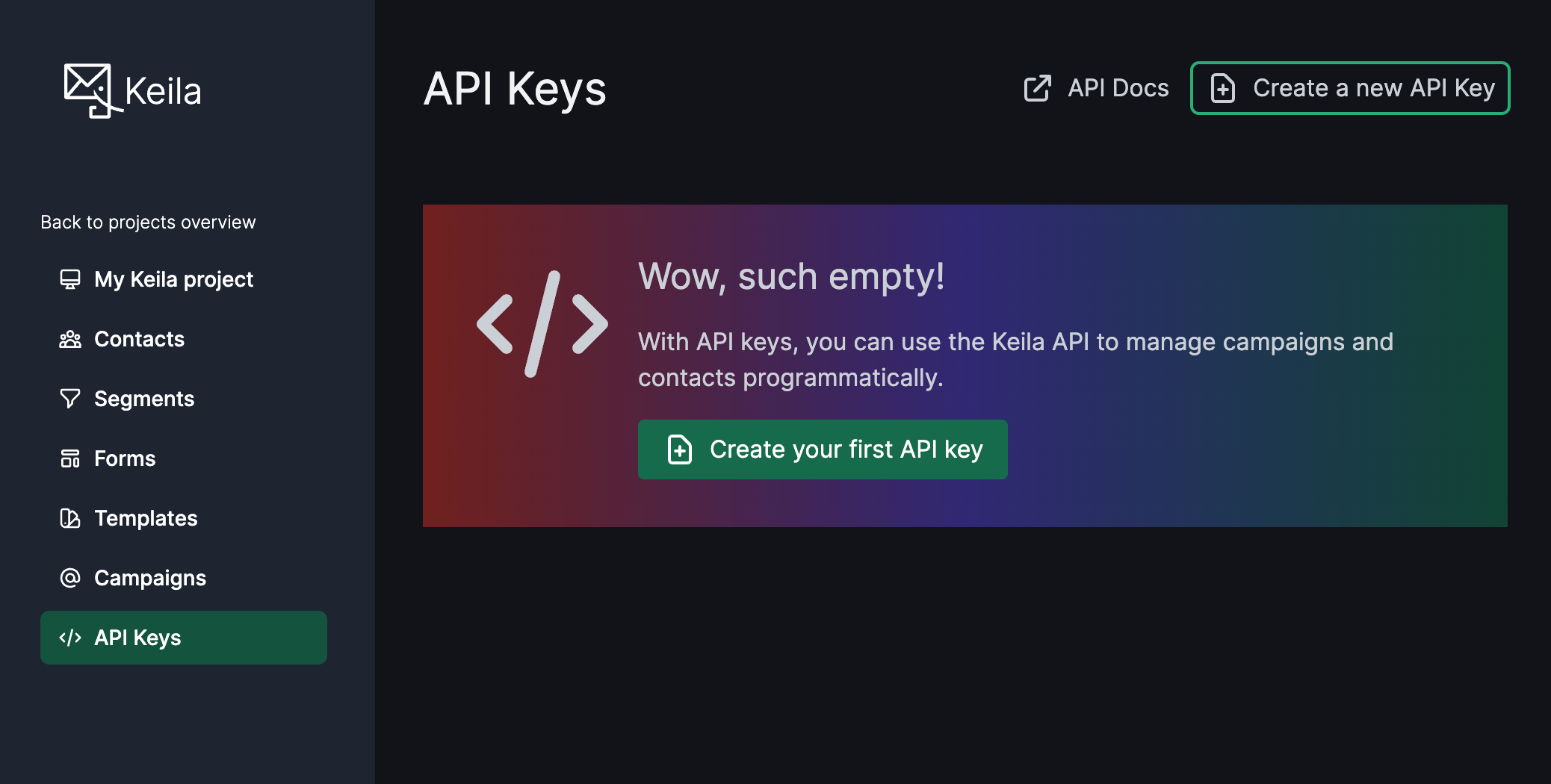
- A Keila API key — Settings → API Keys → Create
Option A — uvx (recommended)
[!IMPORTANT] You need
uvinstalled first. If you don't have it:# macOS / Linux curl -LsSf https://astral.sh/uv/install.sh | sh # Windows powershell -ExecutionPolicy ByPass -c "irm https://astral.sh/uv/install.ps1 | iex"Then restart your terminal.
No cloning, no virtualenv, no pip install. Just add the config to your MCP client — uvx downloads and caches keila-mcp automatically on first run.
Skip straight to Client Configuration and use the Option A config for your client.
Option B — Local install
Use this for offline access, to modify the code, or to contribute.
- Python 3.10+, git
macOS / Linux
git clone https://github.com/punkyard/keila-mcp.git keila-mcp
cd keila-mcp
python -m venv .venv
source .venv/bin/activate
pip install .
pwd
Copy the path printed by pwd — you will need it in the Option B configs below.
Windows
git clone https://github.com/punkyard/keila-mcp.git keila-mcp
cd keila-mcp
python -m venv .venv
.venv\Scripts\activate
pip install .
cd
Copy the path printed by cd — you will need it in the Option B configs below.
Client Configuration
Set these environment variables in your MCP client config:
| Variable | Value |
|---|---|
KEILA_URL |
Your Keila instance URL, e.g. https://keila.mydomain.com |
KEILA_API_KEY |
Your Keila API key — Settings → API Keys → Create |
KEILA_MCP_HTTP_PORT |
(optional) HTTP port for the MCP server. Default: 3001 |
Each client below shows Option A (uvx) and Option B (local install) — pick yours.
[!IMPORTANT] Option B users: replace
/path/to/keila-mcpwith the path printed bypwd(orcdon Windows) from the install step above.
Claude Desktop
File (macOS): ~/Library/Application Support/Claude/claude_desktop_config.json
File (Windows): %APPDATA%\Claude\claude_desktop_config.json
Option A — uvx:
{
  "mcpServers": {
    "keila": {
      "command": "uvx",
      "args": ["keila-mcp"],
      "env": {
        "KEILA_URL": "https://your-keila-instance.com",
        "KEILA_API_KEY": "your-api-key"
      }
    }
  }
}
Option B — Local install:
{
  "mcpServers": {
    "keila": {
      "command": "/path/to/keila-mcp/.venv/bin/python",
      "args": ["-m", "keila_mcp.mcp_server"],
      "env": {
        "KEILA_URL": "https://your-keila-instance.com",
        "KEILA_API_KEY": "your-api-key"
      }
    }
  }
}
Fully quit and relaunch Claude Desktop after saving.
Claude Code
Option A — uvx:
claude mcp add-json keila '{
  "type": "stdio",
  "command": "uvx",
  "args": ["keila-mcp"],
  "env": {
    "KEILA_URL": "https://your-keila-instance.com",
    "KEILA_API_KEY": "your-api-key"
  }
}'
Option B — Local install:
claude mcp add-json keila '{
  "type": "stdio",
  "command": "/path/to/keila-mcp/.venv/bin/python",
  "args": ["-m", "keila_mcp.mcp_server"],
  "env": {
    "KEILA_URL": "https://your-keila-instance.com",
    "KEILA_API_KEY": "your-api-key"
  }
}'
Add --scope global to make it available in all projects.
Cursor · Cline / Roo Code · Windsurf · OpenClaw
- Cursor:
.cursor/mcp.jsonin your project, or~/.cursor/mcp.jsonfor global - Cline / Roo Code: MCP Servers config via the sidebar
- Windsurf:
~/.codeium/windsurf/mcp_config.json - OpenClaw:
~/.openclaw/mcp.json
Option A — uvx:
{
  "mcpServers": {
    "keila": {
      "command": "uvx",
      "args": ["keila-mcp"],
      "env": {
        "KEILA_URL": "https://your-keila-instance.com",
        "KEILA_API_KEY": "your-api-key"
      }
    }
  }
}
Option B — Local install:
{
  "mcpServers": {
    "keila": {
      "command": "/path/to/keila-mcp/.venv/bin/python",
      "args": ["-m", "keila_mcp.mcp_server"],
      "env": {
        "KEILA_URL": "https://your-keila-instance.com",
        "KEILA_API_KEY": "your-api-key"
      }
    }
  }
}
VS Code (GitHub Copilot Agent Mode)
Create .vscode/mcp.json in your project:
Option A — uvx:
{
  "servers": {
    "keila": {
      "command": "uvx",
      "args": ["keila-mcp"],
      "env": {
        "KEILA_URL": "https://your-keila-instance.com",
        "KEILA_API_KEY": "${input:keilaApiKey}"
      }
    }
  },
  "inputs": [
    {
      "id": "keilaApiKey",
      "type": "promptString",
      "description": "Keila API Key",
      "password": true
    }
  ]
}
Option B — Local install:
{
  "servers": {
    "keila": {
      "command": "/path/to/keila-mcp/.venv/bin/python",
      "args": ["-m", "keila_mcp.mcp_server"],
      "env": {
        "KEILA_URL": "https://your-keila-instance.com",
        "KEILA_API_KEY": "${input:keilaApiKey}"
      }
    }
  },
  "inputs": [
    {
      "id": "keilaApiKey",
      "type": "promptString",
      "description": "Keila API Key",
      "password": true
    }
  ]
}
Requires Copilot Chat in Agent mode. VS Code will prompt for the API key on first use.
Zed
In ~/.config/zed/settings.json (global) or .zed/settings.json (project):
Option A — uvx:
{
  "context_servers": {
    "keila": {
      "command": {
        "path": "uvx",
        "args": ["keila-mcp"],
        "env": {
          "KEILA_URL": "https://your-keila-instance.com",
          "KEILA_API_KEY": "your-api-key"
        }
      }
    }
  }
}
Option B — Local install:
{
  "context_servers": {
    "keila": {
      "command": {
        "path": "/path/to/keila-mcp/.venv/bin/python",
        "args": ["-m", "keila_mcp.mcp_server"],
        "env": {
          "KEILA_URL": "https://your-keila-instance.com",
          "KEILA_API_KEY": "your-api-key"
        }
      }
    }
  }
}
OpenCode
In ~/.config/opencode/opencode.json (global) or opencode.json (project):
Option A — uvx:
{
  "mcp": {
    "keila": {
      "type": "local",
      "command": ["uvx", "keila-mcp"],
      "env": {
        "KEILA_URL": "https://your-keila-instance.com",
        "KEILA_API_KEY": "your-api-key"
      }
    }
  }
}
Option B — Local install:
{
  "mcp": {
    "keila": {
      "type": "local",
      "command": ["/path/to/keila-mcp/.venv/bin/python", "-m", "keila_mcp.mcp_server"],
      "env": {
        "KEILA_URL": "https://your-keila-instance.com",
        "KEILA_API_KEY": "your-api-key"
      }
    }
  }
}
Pi Agent
In ~/.pi/agent/mcp.json:
Option A — uvx:
{
  "keila": {
    "command": "uvx",
    "args": ["keila-mcp"],
    "env": {
      "KEILA_URL": "https://your-keila-instance.com",
      "KEILA_API_KEY": "your-api-key"
    },
    "lifecycle": "on-demand"
  }
}
Option B — Local install:
{
  "keila": {
    "command": "/path/to/keila-mcp/.venv/bin/python",
    "args": ["-m", "keila_mcp.mcp_server"],
    "env": {
      "KEILA_URL": "https://your-keila-instance.com",
      "KEILA_API_KEY": "your-api-key"
    },
    "lifecycle": "on-demand"
  }
}
Hermes
In ~/.hermes/config.yaml:
Option A — uvx:
mcp_servers:
  keila:
    command: uvx
    args:
      - keila-mcp
    env:
      KEILA_URL: https://your-keila-instance.com
      KEILA_API_KEY: your-api-key
Option B — Local install:
mcp_servers:
  keila:
    command: /path/to/keila-mcp/.venv/bin/python
    args:
      - -m
      - keila_mcp.mcp_server
    env:
      KEILA_URL: https://your-keila-instance.com
      KEILA_API_KEY: your-api-key
OpenAI Codex CLI
File: ~/.codex/config.toml (global) or .codex/config.toml (project):
Option A — uvx:
[mcp_servers.keila]
command = "uvx"
args = ["keila-mcp"]

[mcp_servers.keila.env]
KEILA_URL = "https://your-keila-instance.com"
KEILA_API_KEY = "your-api-key"
Option B — Local install:
[mcp_servers.keila]
command = "/path/to/keila-mcp/.venv/bin/python"
args = ["-m", "keila_mcp.mcp_server"]

[mcp_servers.keila.env]
KEILA_URL = "https://your-keila-instance.com"
KEILA_API_KEY = "your-api-key"
Running manually (for testing)
# Option A — uvx
uvx keila-mcp

# Option B — local install, stdio mode (default)
python -m keila_mcp.mcp_server

# Option B — local install, HTTP mode
python -m keila_mcp.mcp_server --http
# optional: export KEILA_MCP_HTTP_PORT=8325
Tools
| Tool | Description |
|---|---|
list_campaigns |
List all campaigns with optional status/search filter |
create_campaign |
Create a new campaign |
get_campaign |
Get a campaign by ID |
update_campaign |
Update an existing campaign |
delete_campaign |
Delete a campaign |
send_campaign |
Send a campaign immediately |
schedule_campaign |
Schedule a campaign for later delivery |
create_contact |
Create a new contact |
get_contact |
Get a contact by ID |
update_contact |
Update a contact |
delete_contact |
Delete a contact |
list_contacts |
List contacts with optional filtering |
update_contact_data |
Merge custom data fields on a contact |
replace_contact_data |
Replace all custom data fields on a contact |
list_senders |
List all senders |
create_segment |
Create a new segment |
list_segments |
List all segments |
get_segment |
Get a segment by ID |
update_segment |
Update a segment |
delete_segment |
Delete a segment |
list_forms |
List all forms |
get_form |
Get a form by ID |
create_form |
Create a new signup form |
update_form |
Update a form |
delete_form |
Delete a form |
submit_form |
Submit a signup form on behalf of a contact |
Campaigns
list_campaigns
List all email campaigns with optional filtering.
| Param | Type | Required | Description |
|---|---|---|---|
status |
string | No | Filter by: draft/scheduled/sent/archived/paused |
q |
string | No | Search by subject (case-insensitive substring) |
create_campaign
Create a new email campaign.
| Param | Type | Required | Description |
|---|---|---|---|
subject |
string | Yes | Campaign subject line |
body_type |
string | Yes | Body type: markdown/text/block/mjml |
text_body |
string | No | Plain text body |
preview_text |
string | No | Preview text for inbox |
sender_id |
string | No | Sender identity ID |
segment_id |
string | No | Target segment ID |
data |
object | No | Liquid template variables |
do_not_track |
boolean | No | Disable open/click tracking |
get_campaign
Get a single campaign by ID.
| Param | Type | Required | Description |
|---|---|---|---|
id |
string | Yes | Campaign ID |
update_campaign
Update an existing campaign.
| Param | Type | Required | Description |
|---|---|---|---|
id |
string | Yes | Campaign ID |
subject |
string | No | New subject line |
preview_text |
string | No | New preview text |
delete_campaign
Delete a campaign.
| Param | Type | Required | Description |
|---|---|---|---|
id |
string | Yes | Campaign ID |
send_campaign
Send a campaign immediately.
| Param | Type | Required | Description |
|---|---|---|---|
id |
string | Yes | Campaign ID |
sender_id |
string | No | Override sender identity |
schedule_campaign
Schedule a campaign for later delivery.
| Param | Type | Required | Description |
|---|---|---|---|
id |
string | Yes | Campaign ID |
scheduled_for |
string | Yes | ISO 8601 datetime (e.g. 2026-06-01T09:00:00Z) |
Contacts
create_contact
Create a new contact.
| Param | Type | Required | Description |
|---|---|---|---|
email |
string | Yes | Email address |
first_name |
string | No | First name |
last_name |
string | No | Last name |
external_id |
string | No | External system ID |
status |
string | No | Status: active/inactive/bouncing/blocked/spam |
data |
object | No | Custom fields |
get_contact
Get a contact by ID, email, or external ID.
| Param | Type | Required | Description |
|---|---|---|---|
id |
string | Yes | Contact identifier |
id_type |
string | No | Lookup type: id (default)/email/external_id |
update_contact
Update an existing contact.
| Param | Type | Required | Description |
|---|---|---|---|
id |
string | Yes | Contact identifier |
email |
string | No | New email |
first_name |
string | No | New first name |
last_name |
string | No | New last name |
external_id |
string | No | New external ID |
data |
object | No | New custom fields |
id_type |
string | No | Lookup type: id (default)/email/external_id |
delete_contact
Delete a contact.
| Param | Type | Required | Description |
|---|---|---|---|
id |
string | Yes | Contact identifier |
id_type |
string | No | Lookup type: id (default)/email/external_id |
list_contacts
List contacts with pagination and optional search.
| Param | Type | Required | Description |
|---|---|---|---|
page |
integer | No | Page number (default: 0) |
page_size |
integer | No | Results per page (default: 50) |
q |
string | No | Search query |
Senders
list_senders
List all sender identities.
No parameters.
Contact Data
Custom data is a free-form JSON object attached to each contact. Use it to store any extra fields (e.g. plan, score, tags). Fields can be used as merge tags in campaigns via {{ contact.data.my_field }} and as segment filters. See Keila — Segments and Custom Data and Contacts API docs.
update_contact_data
Merge new key/value pairs into a contact's custom data field. Keys not present in data are preserved.
| Param | Type | Required | Description |
|---|---|---|---|
id |
string | Yes | Contact ID (or email/external_id when id_type set) |
data |
object | Yes | Key/value pairs to merge |
id_type |
string | No | id (default), email, or external_id |
replace_contact_data
Replace a contact's entire custom data field with the provided dict.
| Param | Type | Required | Description |
|---|---|---|---|
id |
string | Yes | Contact ID (or email/external_id when id_type set) |
data |
object | Yes | New data dict (replaces existing) |
id_type |
string | No | id (default), email, or external_id |
Segments
create_segment
Create a contact segment with a filter.
| Param | Type | Required | Description |
|---|---|---|---|
name |
string | Yes | Segment name |
filter |
object | Yes | Keila filter expression |
list_segments
List all segments.
No parameters.
get_segment
Get a segment by ID.
| Param | Type | Required | Description |
|---|---|---|---|
id |
string | Yes | Segment ID |
delete_segment
Delete a segment.
| Param | Type | Required | Description |
|---|---|---|---|
id |
string | Yes | Segment ID |
update_segment
Update a segment's name and/or filter. At least one of name or filter must be provided.
| Param | Type | Required | Description |
|---|---|---|---|
id |
string | Yes | Segment ID |
name |
string | No | New segment name |
filter |
object | No | New filter expression |
Forms
list_forms
List all subscription forms.
No parameters.
get_form
Get a form by ID.
| Param | Type | Required | Description |
|---|---|---|---|
id |
string | Yes | Form ID |
create_form
Create a new subscription form.
| Param | Type | Required | Description |
|---|---|---|---|
name |
string | Yes | Form name |
sender_id |
string | No | Sender identity ID |
fields |
array | No | Form field definitions |
settings |
object | No | Form settings (double opt-in, redirect URLs, etc.) |
delete_form
Delete a form.
| Param | Type | Required | Description |
|---|---|---|---|
id |
string | Yes | Form ID |
update_form
Update an existing signup form.
| Param | Type | Required | Description |
|---|---|---|---|
id |
string | Yes | Form ID |
name |
string | No | New form name |
sender_id |
string | No | New sender identity ID |
fields |
array | No | Replacement field definitions |
settings |
object | No | Updated form settings |
submit_form
Submit a signup form on behalf of a contact. Returns the created/updated contact on success, or {"data": {"double_opt_in_required": true}} if the form has double opt-in enabled.
| Param | Type | Required | Description |
|---|---|---|---|
form_id |
string | Yes | Form ID |
email |
string | Yes | Contact email address |
first_name |
string | No | Contact first name |
last_name |
string | No | Contact last name |
external_id |
string | No | External identifier |
status |
string | No | Contact status (e.g. active) |
data |
object | No | Custom data key/value pairs |
Development
pip install -e ".[dev]"
pytest tests/ -v
© 2026 — LICENSE AGPL-3.0
made with ⏳ by punkyard


Download files
Download the file for your platform. If you're not sure which to choose, learn more about installing packages.
Source Distribution
Built Distribution
Filter files by name, interpreter, ABI, and platform.
If you're not sure about the file name format, learn more about wheel file names.
Copy a direct link to the current filters
File details
Details for the file keila_mcp-0.1.4.tar.gz.
File metadata
- Download URL: keila_mcp-0.1.4.tar.gz
- Upload date:
- Size: 584.3 kB
- Tags: Source
- Uploaded using Trusted Publishing? Yes
- Uploaded via: twine/6.1.0 CPython/3.13.12
File hashes
| Algorithm | Hash digest | |
|---|---|---|
| SHA256 |
ac541f10387f6add78f73c9aa6eb14c71c3efdee08fc0e31b3e731e87af67b03
|
|
| MD5 |
636ff9c02657f4b27e17dc182418d4c3
|
|
| BLAKE2b-256 |
71a44259d8409bc8e03a8e32b45a174ec853170a995eaa2a2fb3c6fa68118b31
|
Provenance
The following attestation bundles were made for keila_mcp-0.1.4.tar.gz:
Publisher:
publish.yml on punkyard/keila-mcp
-
Statement:
-
Statement type:
https://in-toto.io/Statement/v1 -
Predicate type:
https://docs.pypi.org/attestations/publish/v1 -
Subject name:
keila_mcp-0.1.4.tar.gz -
Subject digest:
ac541f10387f6add78f73c9aa6eb14c71c3efdee08fc0e31b3e731e87af67b03 - Sigstore transparency entry: 1705383432
- Sigstore integration time:
-
Permalink:
punkyard/keila-mcp@39d4a198c4e83c593f2284a3cbf36e8808b9f733 -
Branch / Tag:
refs/tags/v0.1.4 - Owner: https://github.com/punkyard
-
Access:
public
-
Token Issuer:
https://token.actions.githubusercontent.com -
Runner Environment:
github-hosted -
Publication workflow:
publish.yml@39d4a198c4e83c593f2284a3cbf36e8808b9f733 -
Trigger Event:
release
-
Statement type:
File details
Details for the file keila_mcp-0.1.4-py3-none-any.whl.
File metadata
- Download URL: keila_mcp-0.1.4-py3-none-any.whl
- Upload date:
- Size: 26.0 kB
- Tags: Python 3
- Uploaded using Trusted Publishing? Yes
- Uploaded via: twine/6.1.0 CPython/3.13.12
File hashes
| Algorithm | Hash digest | |
|---|---|---|
| SHA256 |
73b72b0f02dc583ba15b2a19872a3cc8d6f10d2ee9e74721b34ba82a25a2250b
|
|
| MD5 |
cea9ca80de3cb052a60c99c74ca61e46
|
|
| BLAKE2b-256 |
73eb7dfdd98a0264b4e1f32a321a4d928bd7e0c128ecbe06f99e1525d7826700
|
Provenance
The following attestation bundles were made for keila_mcp-0.1.4-py3-none-any.whl:
Publisher:
publish.yml on punkyard/keila-mcp
-
Statement:
-
Statement type:
https://in-toto.io/Statement/v1 -
Predicate type:
https://docs.pypi.org/attestations/publish/v1 -
Subject name:
keila_mcp-0.1.4-py3-none-any.whl -
Subject digest:
73b72b0f02dc583ba15b2a19872a3cc8d6f10d2ee9e74721b34ba82a25a2250b - Sigstore transparency entry: 1705383497
- Sigstore integration time:
-
Permalink:
punkyard/keila-mcp@39d4a198c4e83c593f2284a3cbf36e8808b9f733 -
Branch / Tag:
refs/tags/v0.1.4 - Owner: https://github.com/punkyard
-
Access:
public
-
Token Issuer:
https://token.actions.githubusercontent.com -
Runner Environment:
github-hosted -
Publication workflow:
publish.yml@39d4a198c4e83c593f2284a3cbf36e8808b9f733 -
Trigger Event:
release
-
Statement type:






