
The open source agent evals harness
Verified details
These details have been verified by PyPIProject links
GitHub Statistics
Maintainers

Project description
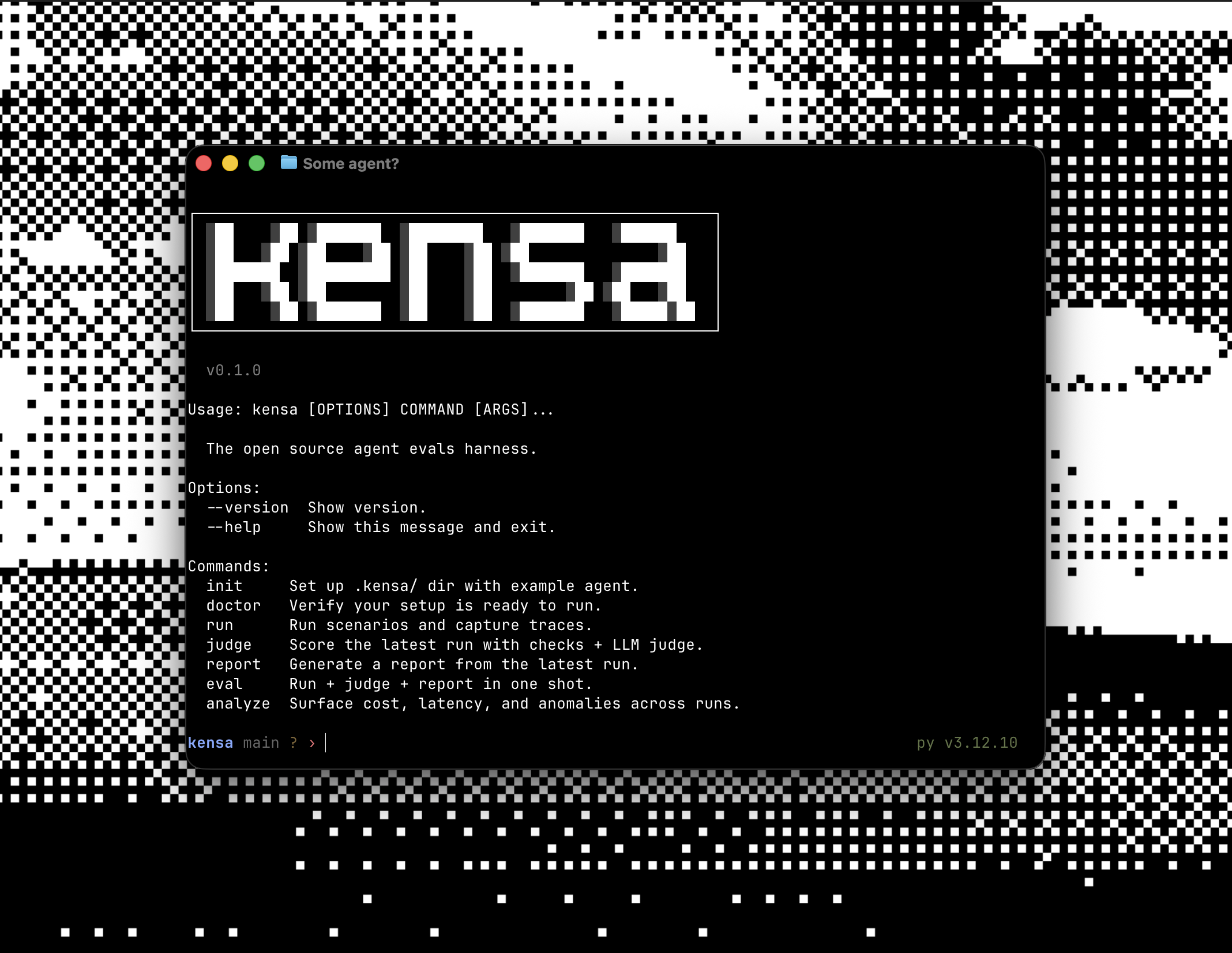
Tell your coding agent to evaluate an agent. Get a working eval suite in minutes.






kensa is an open source eval harness for agent codebases. It gives coding agents an opinionated CLI and bundled skills to generate scenarios, run them in subprocesses, judge results, and report failures.
Note: kensa is under active development. Things may shift between minor versions as the harness stabilizes. Pin your version if you need predictability. If something breaks, open an issue. Your feedback shapes evals.
Installation
Skills + CLI (recommended)
npx skills add satyaborg/kensa
uv add kensa
Works for Claude Code, Codex, Cursor, OpenCode, Gemini CLI, and similar coding agents.
Claude Code plugin
If you primarily use Claude Code, you can install it as a plugin:
/plugin marketplace add satyaborg/kensa
/plugin install kensa
Quickstart
Tell your coding agent:
evaluate this agent
That gives you the basic loop:
- your coding agent inspects the repo, sets up instrumentation and writes evals
- it runs
kensato execute scenarios and capture traces - deterministic checks run first
- the LLM judge only runs when those pass
- reports show what failed and why
- you review changes, approve fixes and iterate
Instrumentation
Zero code changes. kensa captures LLM calls, tool use, tokens, cost, and latency without modifying your agent.
Provider extras
uv add "kensa[anthropic]"
uv add "kensa[openai]"
uv add "kensa[langchain]"
uv add "kensa[all]"
Core commands
| Command | What it does |
|---|---|
kensa init --blank |
Scaffold .kensa/ without example content |
kensa doctor |
Check instrumentation, config, and environment readiness |
kensa eval |
Run + judge + report in one command |
kensa report |
Show the latest results in terminal, Markdown, JSON, or HTML |
kensa analyze |
Flag slow, expensive, anomalous, or error-prone traces |
kensa mcp |
Serve kensa over MCP for LLM clients (stdio or HTTP) |
MCP server
Kensa ships an MCP server that exposes the eval workflow to any MCP-aware client: Claude Code, Cursor, Codex, OpenCode, Gemini CLI, Claude Desktop, anything that speaks MCP.
One-liner for Claude Code (run from your project root):
claude mcp add kensa -- uvx kensa-mcp
uvx pulls kensa-mcp from PyPI into
an isolated environment on first launch. No pre-install needed. The server
reads .kensa/ relative to the cwd it inherits from Claude Code.
Tools (7): init, doctor, run, judge, eval, report, analyze.
Resources (8): read-only data under the kensa:// namespace.
kensa://runs                          # list of recent runs
kensa://runs/{id}                     # manifest + summary for one run
kensa://runs/{id}/results             # full judged results
kensa://runs/{id}/trace/{scenario}/{index}  # spans for one scenario execution
kensa://scenarios                     # list of scenarios
kensa://scenarios/{id}                # full scenario YAML
kensa://judges                        # list of judge prompt names
kensa://judges/{name}                 # judge prompt spec
Long-running tools (run, judge, eval) return a compact summary plus
a results_uri. Fetch detail via the resource only when you need it.
Errors come back as a typed MCPError envelope ({error, code, hint}) with
stable code values so clients can branch on failure type.
Manual config (Cursor, Codex, Claude Desktop, etc.)
Add to your MCP client config (e.g. ~/.claude.json or a project-local .mcp.json):
{
  "mcpServers": {
    "kensa": {
      "command": "uvx",
      "args": ["kensa-mcp"],
      "cwd": "/absolute/path/to/your/project"
    }
  }
}
Already have kensa installed in the project? Add the extra (uv add "kensa[mcp]")
and use the built-in kensa mcp subcommand instead of the shim:
{
  "mcpServers": {
    "kensa": {
      "command": "uv",
      "args": ["run", "kensa", "mcp"],
      "cwd": "/absolute/path/to/your/project"
    }
  }
}
For local Kensa development from a source checkout:
{
  "mcpServers": {
    "kensa": {
      "command": "uv",
      "args": ["run", "--extra", "mcp", "kensa", "mcp"],
      "cwd": "/absolute/path/to/kensa"
    }
  }
}
Manual workflow
If you want to author evals yourself:
kensa init --blank
kensa doctor
Scenarios live in .kensa/scenarios/*.yaml and point at your agent entrypoint with run_command.
id: classify_ticket
input: "Our entire team can't log in. SSO has returned 502 since 7am."
run_command: [python, agent.py]   # input is appended as the final argv element

checks:
  - type: trajectory
    params:
      steps:
        - tool: classify_ticket
      max_steps: 1
      max_tokens: 2000
  - type: output_matches
    params: { pattern: "^P[123]$" }

criteria: |
  P1 is for outages or data loss affecting multiple users.
For complete examples, see examples/.
trajectory is the deterministic path check for tool-call correctness. V1 supports:
ordering: exact | any_orderargs: exact | ignoremin_accuracy- inline budgets:
max_steps,max_tokens,max_duration_seconds
When present, reports surface trajectory_accuracy and step_efficiency alongside pass/fail.
When you run the same scenario multiple times, aggregate reports also surface estimated 3-run and 5-run pass rates assuming independent runs.
If you need custom deterministic assertions beyond the built-ins, add a Python check via
CHECK_REGISTRY rather than embedding logic in scenario YAML.
CI
- name: Run evals
  run: uv run kensa eval --format markdown
If you only use deterministic checks, you do not need API keys. If you use criteria or judge, add judge provider secrets in CI.
Need more?
- Docs
examples/has sample agents and scenariosCONTRIBUTING.mdcovers local development- Homepage
- Issues
- MIT License
Project details
Verified details
These details have been verified by PyPIProject links
GitHub Statistics
Maintainers
Release history Release notifications | RSS feed


Download files
Download the file for your platform. If you're not sure which to choose, learn more about installing packages.
Source Distribution
Built Distribution
Filter files by name, interpreter, ABI, and platform.
If you're not sure about the file name format, learn more about wheel file names.
Copy a direct link to the current filters
File details
Details for the file kensa-0.5.1.tar.gz.
File metadata
- Download URL: kensa-0.5.1.tar.gz
- Upload date:
- Size: 63.4 kB
- Tags: Source
- Uploaded using Trusted Publishing? Yes
- Uploaded via: twine/6.1.0 CPython/3.13.12
File hashes
| Algorithm | Hash digest | |
|---|---|---|
| SHA256 |
e28cbd5791cfed6d1ad7aa7a0182fb12da337aedda7708b024b2dd54acdfd185
|
|
| MD5 |
f967d82b4ea03f7322f28ccc433fed26
|
|
| BLAKE2b-256 |
5a1535a576d04519945e2f67391270ba95e301c54bdc749dfcd0e9bcf5978f01
|
Provenance
The following attestation bundles were made for kensa-0.5.1.tar.gz:
Publisher:
release.yml on satyaborg/kensa
-
Statement:
-
Statement type:
https://in-toto.io/Statement/v1 -
Predicate type:
https://docs.pypi.org/attestations/publish/v1 -
Subject name:
kensa-0.5.1.tar.gz -
Subject digest:
e28cbd5791cfed6d1ad7aa7a0182fb12da337aedda7708b024b2dd54acdfd185 - Sigstore transparency entry: 1335857090
- Sigstore integration time:
-
Permalink:
satyaborg/kensa@a7232b96c59bd59e70476c49b4858aae3d610b1d -
Branch / Tag:
refs/tags/v0.5.1 - Owner: https://github.com/satyaborg
-
Access:
public
-
Token Issuer:
https://token.actions.githubusercontent.com -
Runner Environment:
github-hosted -
Publication workflow:
release.yml@a7232b96c59bd59e70476c49b4858aae3d610b1d -
Trigger Event:
push
-
Statement type:
File details
Details for the file kensa-0.5.1-py3-none-any.whl.
File metadata
- Download URL: kensa-0.5.1-py3-none-any.whl
- Upload date:
- Size: 67.6 kB
- Tags: Python 3
- Uploaded using Trusted Publishing? Yes
- Uploaded via: twine/6.1.0 CPython/3.13.12
File hashes
| Algorithm | Hash digest | |
|---|---|---|
| SHA256 |
27fa89b46539ac4890774090d1a297a2d9327f4ae636d8f9bb5a331653a0dca3
|
|
| MD5 |
8d97a102fd9bbaaf91d339e6a045c95b
|
|
| BLAKE2b-256 |
4f93bb536f81fa40a07e4946003ec1013f379ba610871ae7711fa289247697a0
|
Provenance
The following attestation bundles were made for kensa-0.5.1-py3-none-any.whl:
Publisher:
release.yml on satyaborg/kensa
-
Statement:
-
Statement type:
https://in-toto.io/Statement/v1 -
Predicate type:
https://docs.pypi.org/attestations/publish/v1 -
Subject name:
kensa-0.5.1-py3-none-any.whl -
Subject digest:
27fa89b46539ac4890774090d1a297a2d9327f4ae636d8f9bb5a331653a0dca3 - Sigstore transparency entry: 1335857384
- Sigstore integration time:
-
Permalink:
satyaborg/kensa@a7232b96c59bd59e70476c49b4858aae3d610b1d -
Branch / Tag:
refs/tags/v0.5.1 - Owner: https://github.com/satyaborg
-
Access:
public
-
Token Issuer:
https://token.actions.githubusercontent.com -
Runner Environment:
github-hosted -
Publication workflow:
release.yml@a7232b96c59bd59e70476c49b4858aae3d610b1d -
Trigger Event:
push
-
Statement type:






