
keras_callback_slack
keras custom callback for slack
Installation
$ pip install keras-callback-slack
Usage
from keras_callback_slack import SlackNotifications

slack_notification = SlackNotifications(
    'WEBHOOK_URL', token='TOKEN', channel='CHANNEL', attachment_image=True)

model.fit(x, y, batch_size=64, epochs=5, callbacks=[slack_notification])
Arguments
url: string - Slack Incoming Webhook URLtoken: string(Optional) - Slack bot token
This will be needed when uploading the graph.channel: string(Optional) - Slack channel ID
The ID of the channel to which you want to upload the graph. Specify the same channel as the webhook.loss_metrics: list(Optional) - Loss metrics you want to monitor.
ex.['loss', 'val_loss']acc_metrics: list(Optional) - Acc metrics you want to monitor.
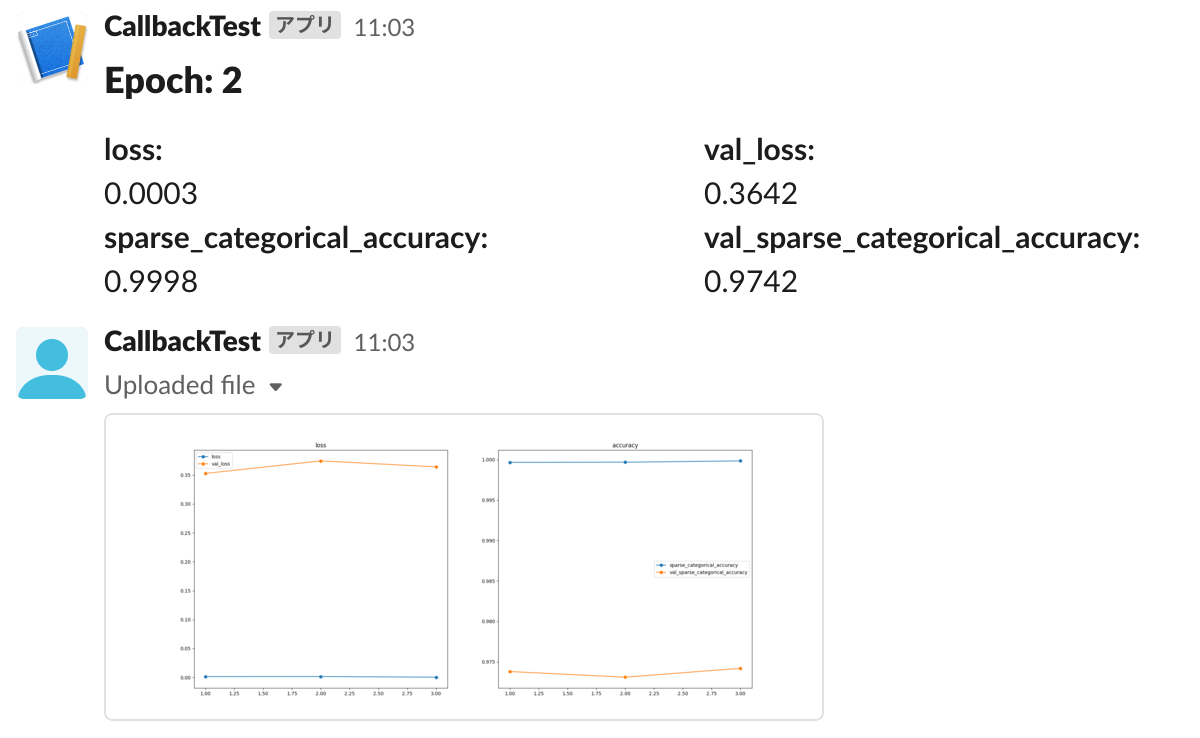
ex.['acc', 'val_acc']attachment_image: bool(Optional) - Whether to upload the graph.period: int(Optional) - Notification interval (epochs).
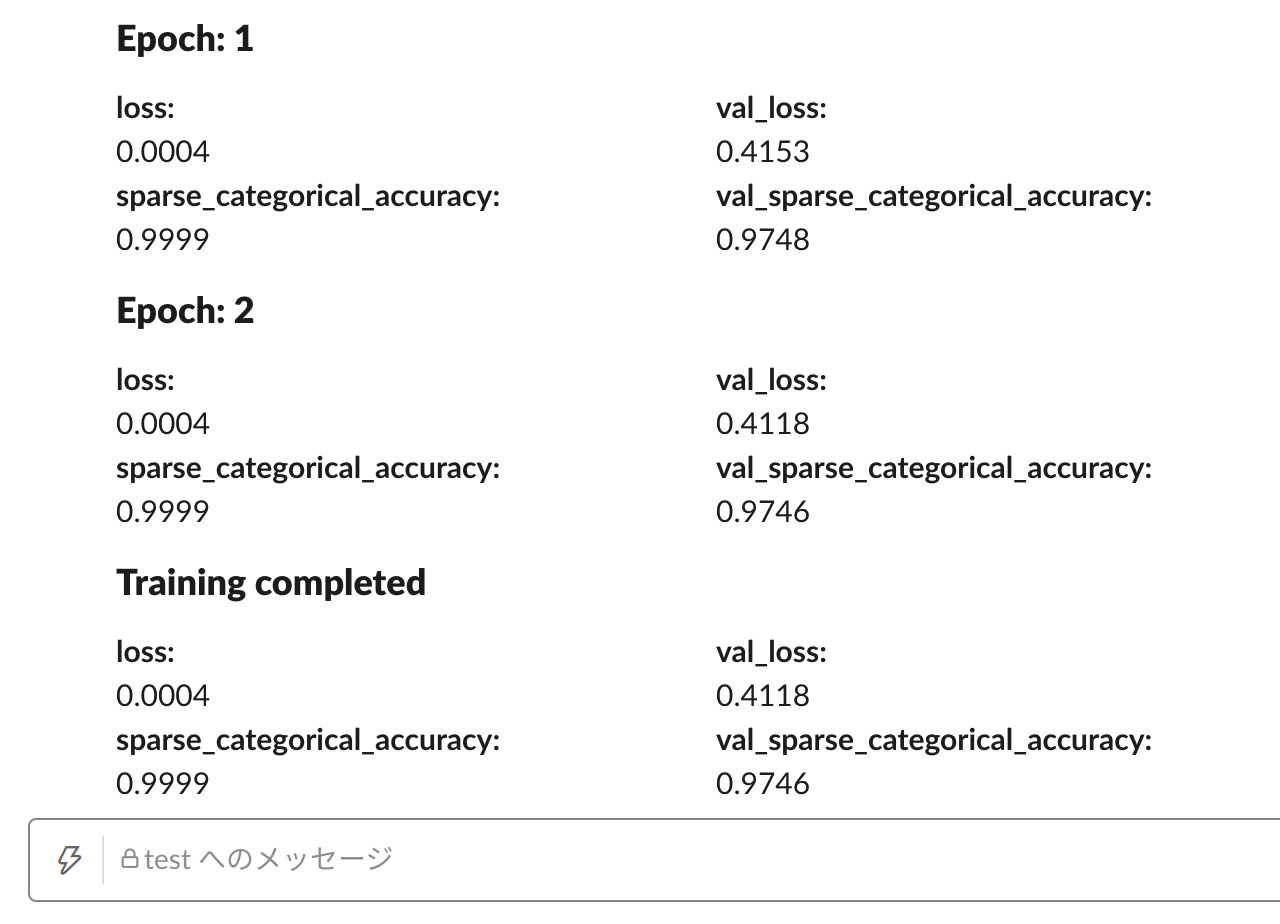
Example
1 maintainer

Release files for keras-callback-slack 0.0.5
For a detailed explanation of source distributions (sdists) and built distributions (wheels), please see the package formats documentation.
Built distribution (wheel)
| File | Interpreter | ABI | Platform | Reset |
|---|---|---|---|---|
| keras_callback_slack-0.0.5-py3-none-any.whl | Python 3 | none | any | Details |
Release files / keras_callback_slack-0.0.5-py3-none-any.whl
| Download URL | keras_callback_slack-0.0.5-py3-none-any.whl |
|---|---|
| Size | 4.6 kB |
| Tags | Python 3 |
|
SHA-256 checksum How to use checksums |
41d98079faed599ba388208c4c402ae33158a93f964922e254079fc26be0892b
|
|
BLAKE2b-256 checksum How to use checksums |
b046ec67c6f809e4051c91af55f48892ed1af427d87c122798241b42ec7c0dfb
|
| Upload date | |
|
Uploaded using Trusted Publishing? What is trusted publishing? |
No |
| Uploaded via |
twine/3.4.1 importlib_metadata/4.0.1 pkginfo/1.7.0 requests/2.25.1 requests-toolbelt/0.9.1 tqdm/4.48.2 CPython/3.6.4
|














