
KeyGlow

Privacy-first keyboard usage heatmap and statistics CLI tool.
KeyGlow is a lightweight command-line application that tracks keyboard usage statistics, generates keyboard heatmaps, and helps you understand your typing habits.
Unlike keyloggers, KeyGlow does not record what you type (typing sequences)
It only stores anonymous key frequency counters:
{
    "A": 245,
    "SPACE": 1200,
    "ENTER": 83
}
It does not save typed text, passwords, or key sequences. Only keyboard usage statistics.
Features
- Keyboard usage heatmap
- Real-time keyboard monitoring
- Keyboard and mouse inactivity detection
- Keyboard statistics
- Total key press counter
- JSON / CSV / TXT exports
- Local only data storage in ~/KeyGlow/ directory.
- Automated Saving
- Automatic inactivity shutdown after certain time passed in a parameter
Installation
Requirements
- Python 3.10+
- pip
Install keyglow:
pip install keyglow
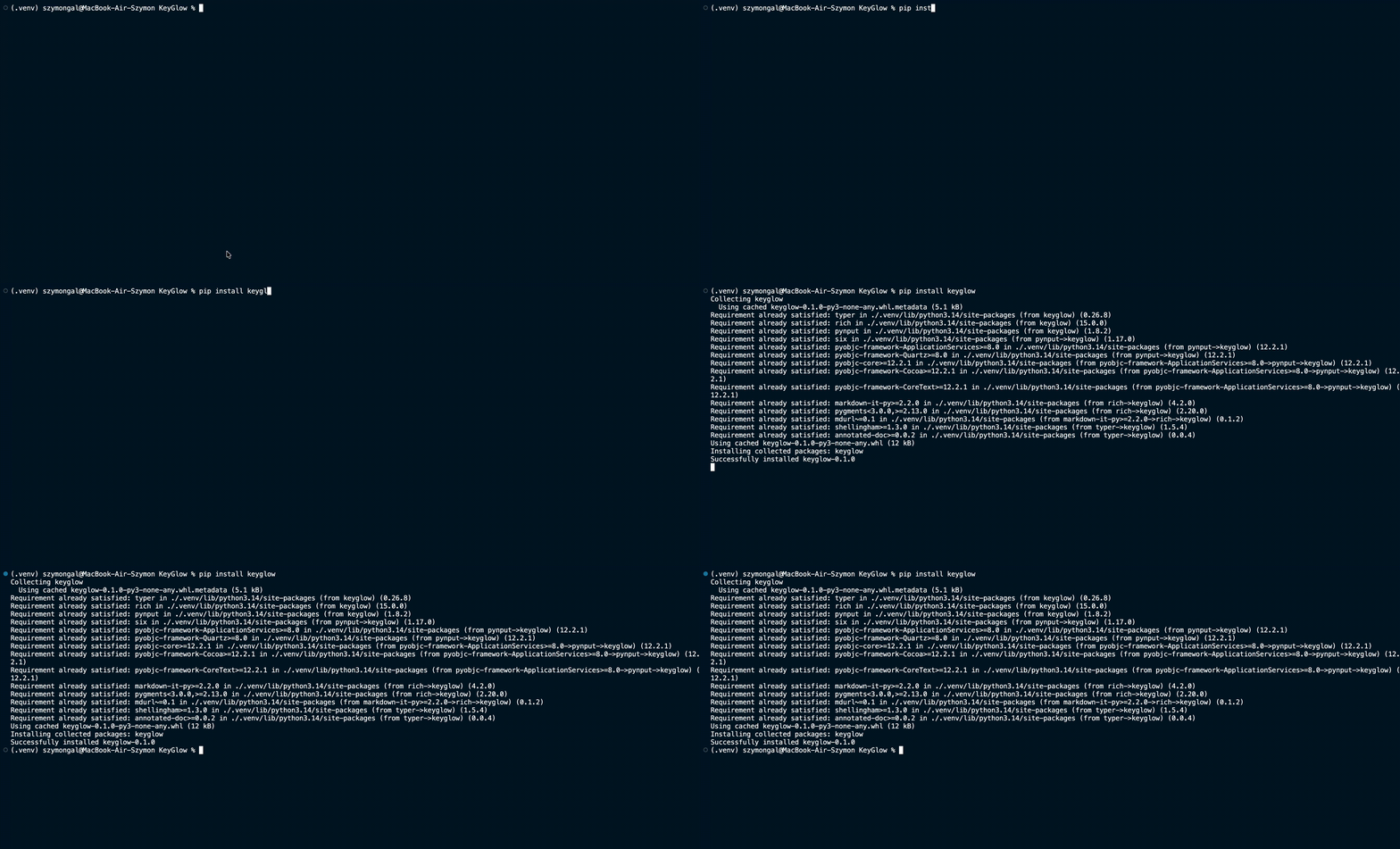
Run:
keyglow --help
Commands
version
Show KeyGlow version.
keyglow version
privacy
Display KeyGlow privacy model.
keyglow privacy
monitor
Start keyboard monitoring.
keyglow monitor

Keyglow tracks keyboard and mouse inactivity.
Default inactivity timeout:
10 minutes
Change timeout:
keyglow monitor --timeout 30
Disable automatic shutdown:
keyglow monitor --timeout 0
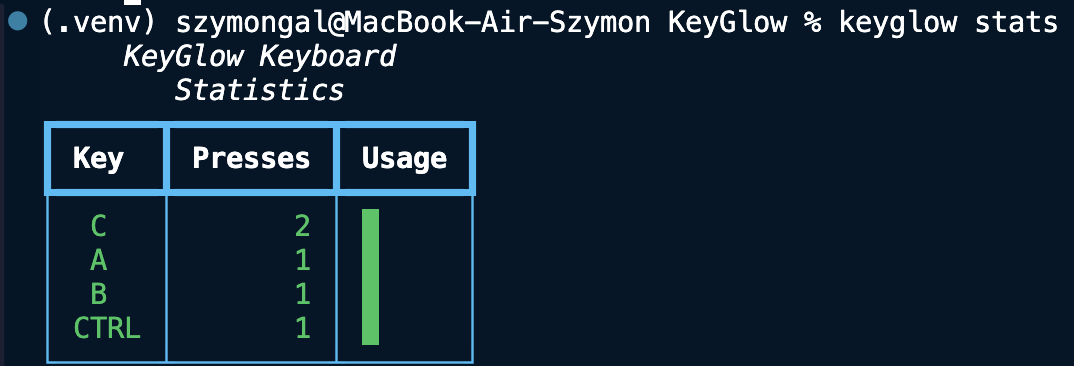
stats
Show keyboard statistics.
keyglow stats
Example:
KeyGlow Keyboard Statistics

Key     Presses     Usage

SPACE   5420        ██████████

E       3120        ███████

ENTER   430         █
map
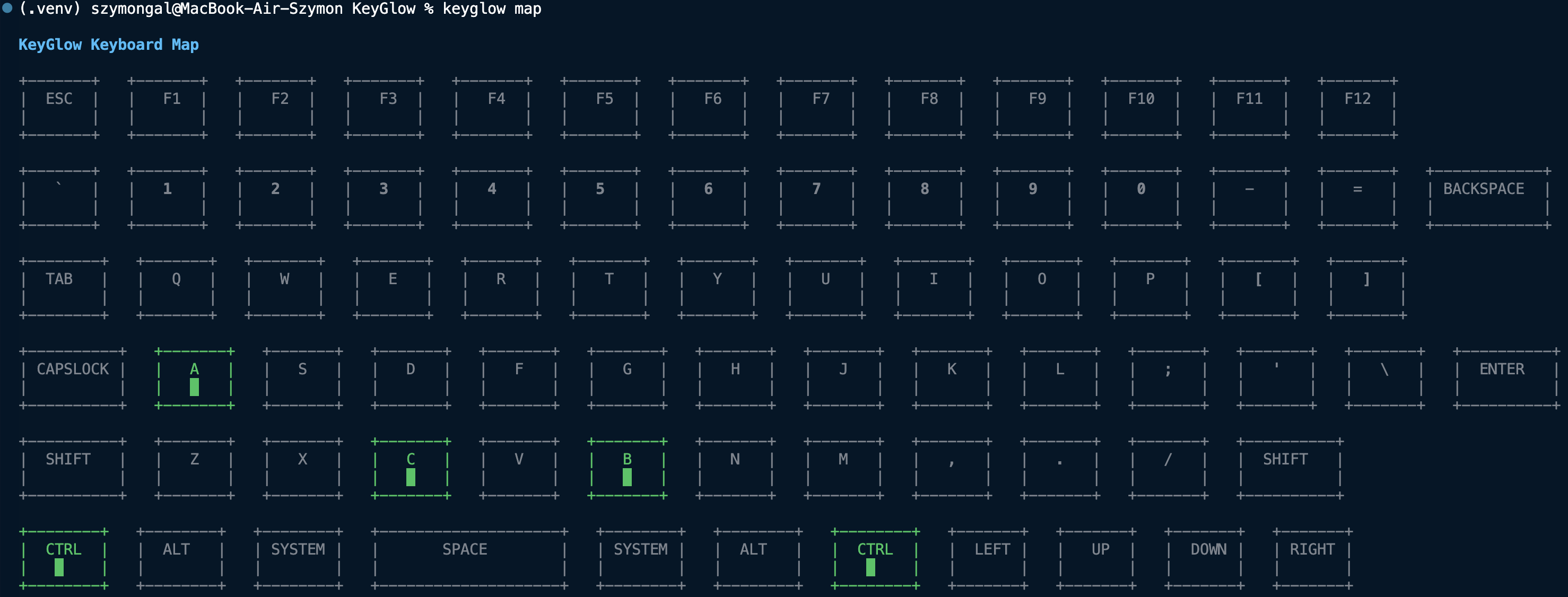
Display keyboard primitive heatmap. Displayed keyboard may not recreate your keyboard's alignment the same way, but it does contain most of commonly used keys.
keyglow map
total
Show total recorded key presses.
keyglow total
Example:
KeyGlow Total Key Presses
Total Presses: 125,340
export
Export collected statistics.
JSON:
keyglow export json
CSV:
keyglow export csv
TXT:
keyglow export txt
Exports are stored in:
~/KeyGlow/Exports/
reset
Delete all collected statistics. (It does not delete exported files though)
keyglow reset
KeyGlow asks for confirmation before deleting data.
man
Display the KeyGlow manual.
keyglow man
joke
Display a random (really funny trust me) joke about keyboard.
keyglow joke
info
Show informations about the version, amount of stored keys, total key presses, storage file size and path to export folder.
keyglow info
logo
Show a KeyGlow logo.
keyglow logo
Privacy Model
KeyGlow was designed with privacy as a priority.
Collected
Only anonymous key frequency counters.
Example:
{
    "A": 500,
    "CTRL": 120,
    "SPACE": 900
}
Never Collected
- Typed text sequences
- Passwords
- Sentences
- Data stored in Clipboard
- Websites
- Apps
Data Storage
KeyGlow stores all the data locally.
Main database:
~/KeyGlow/keyglow_data.json
Exports:
~/Keyglow/Exports/
No cloud synchronization, no external servers, no network needed
Supported Keys
Letters
A-Z
Numbers
0-9
Function Keys
F1-F12
Special Keys
- ESC
- TAB
- ENTER
- BACKSPACE
- CAPSLOCK
- SPACE
Modifiers
- SHIFT
- CTRL
- ALT
- SYSTEM
Navigation
- UP
- DOWN
- LEFT
- RIGHT
Technologies
KeyGlow is built with:
- Python
- Typer
- Rich
- Pynput
Files:
keyglow/

    - main.py
    - monitor.py
    - storage.py
    - export.py
    - map.py
    - keyboard.py
    - data.py
    - joke.py
    - logo.py
Development
Clone repo:
git clone https://github.com/aerissdev-dotcom/KeyGlow.git
Install dependencies:
pip install -r requirements.txt
Run:
python main.py --help
License
MIT License
Author
aeriss-dev
GitHub:
https://github.com/aerissdev-dotcom
Version
0.1.3
Testing and developing OS:
KeyGlow was fully tested and developed on macOS. The author does not guarantee this tool will work on other operating systems.
OS Compatibility
macOS
KeyGlow requires Accessibility permission.
System Settings: Privacy & Security -> Accessibility
Add your Terminal application.
Windows
No additional permissions are normally required.
Linux
Works best on X11 sessions. Wayland sessions may require additional configuration due to system restrictions.
Conclusion
It's a free, silly little tool that might brighten someone's day, and for some specific people, give interesting statistics.
1 maintainer

Metadata
1 maintainer
Release files for keyglow 0.1.3
For a detailed explanation of source distributions (sdists) and built distributions (wheels), please see the package formats documentation.
Source distribution (sdist)
| File | Size | Uploaded | Provenance | |
|---|---|---|---|---|
| keyglow-0.1.3.tar.gz | 12.7 kB | Without provenance | Details |
Built distribution (wheel)
| File | Interpreter | ABI | Platform | Reset |
|---|---|---|---|---|
| keyglow-0.1.3-py3-none-any.whl | Python 3 | none | any | Details |
Total release size: 25.6 kB
Release files / keyglow-0.1.3.tar.gz
| Download URL | keyglow-0.1.3.tar.gz |
|---|---|
| Size | 12.7 kB |
| Tags | Source |
|
SHA-256 checksum How to use checksums |
1ba76b485ad750af7aa75daa00664630eaf71078f6afa2f97cc30e0d6a316848
|
|
BLAKE2b-256 checksum How to use checksums |
652bf46bfa623d80a2104ae9d288d598646d3820d6c014cfc45647020659675f
|
| Upload date | |
|
Uploaded using Trusted Publishing? What is trusted publishing? |
No |
| Uploaded via |
twine/6.2.0 CPython/3.14.6
|
Release files / keyglow-0.1.3-py3-none-any.whl
| Download URL | keyglow-0.1.3-py3-none-any.whl |
|---|---|
| Size | 12.9 kB |
| Tags | Python 3 |
|
SHA-256 checksum How to use checksums |
e447e4c77e20989381fc9c38950d5d5f20df699bd362d0d9e4699f5284c96cdc
|
|
BLAKE2b-256 checksum How to use checksums |
ae4e085a0d71f4fc2697cac7339c83f72827f4ae34a1e21004136dbd4af5915b
|
| Upload date | |
|
Uploaded using Trusted Publishing? What is trusted publishing? |
No |
| Uploaded via |
twine/6.2.0 CPython/3.14.6
|
Security for keyglow 0.1.3
Provenance
Provenance describes where a file came from. On PyPI, provenance is shared via attestations, which provide a verifiable record of the build or publishing details. View details, limitations and caveats.
No provenance found
None of the files in this release were uploaded with provenance metadata.
A note on package security
PyPI is a repository for distributing packages, not a service for auditing them. While third-party security researchers and our staff do their best to detect and remove malicious packages, PyPI cannot guarantee the quality, security or suitability of any given package.














