
Keyhac 2
Python-scriptable keyboard customization for Windows and macOS.
Keyhac installs a system-wide keyboard hook and lets you script what your keys do in
Python. You write one file, ~/.keyhac/config.py, and it runs unchanged on both OSes —
remapping keys, binding keys to Python functions, and driving windows, applications and
the clipboard from the keyboard.
Keyhac 2 replaces the two previous-generation products, Keyhac for Windows (1.x) and Keyhac for macOS (1.x), rebuilt as one shared codebase. Those older versions are no longer developed — if you are coming from one of them, see the migration guides in Documentation below. Keyhac 2's UI is built on PuiKit.
Features
- Key remapping: key → key, key → key sequence, key → Python function.
- Per-application key tables: match by app name, window title, Win32 window class, or the full accessibility focus path (AX on macOS, UI Automation on Windows) — down to "only in this app's text editor pane".
- User modifiers: turn any key into a modifier of your own (User0–User3), invisible to applications.
- One-shot modifiers: tap a modifier alone for one action, hold it to modify.
- Multi-stroke key tables: Emacs-style prefix keys, with a balloon showing the armed prefix.
- Clipboard history: persistent history in a popup chooser — type to filter, Enter pastes into the app you came from. Plus fixed snippets and scriptable clipboard-transform tools.
- Window control: move, snap/tile, minimize, activate and launch applications, multi-monitor aware.
- Keyboard macros: record and replay keys.
- Mouse output: send clicks, wheel scrolls and pointer moves from key bindings.
- Console window: live log, last-key and focus-path inspector — see exactly what to bind. Runs from the system tray (Windows) / menu-bar extra (macOS).
Screenshots
| Console (macOS) | Console (Windows) |
|---|---|
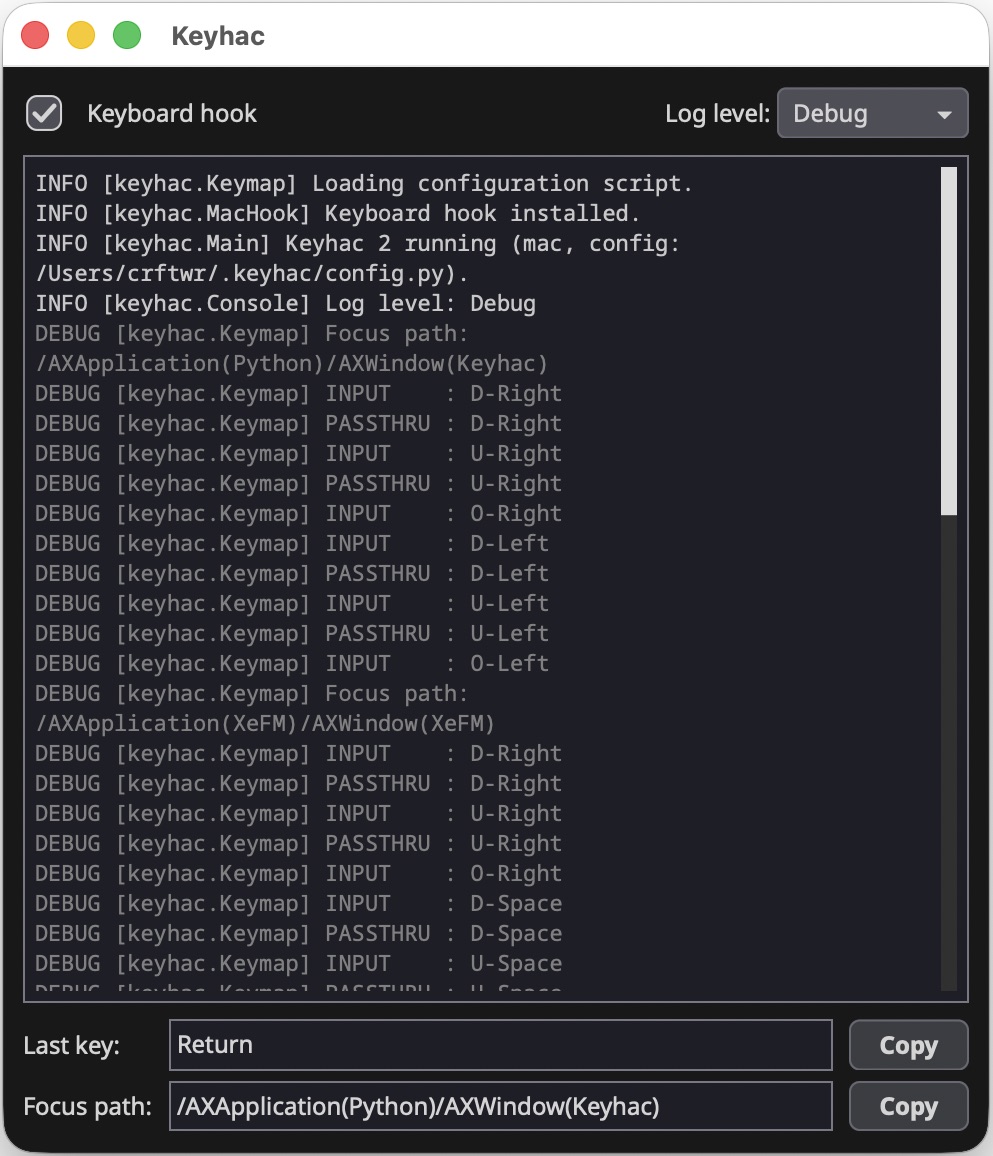 |
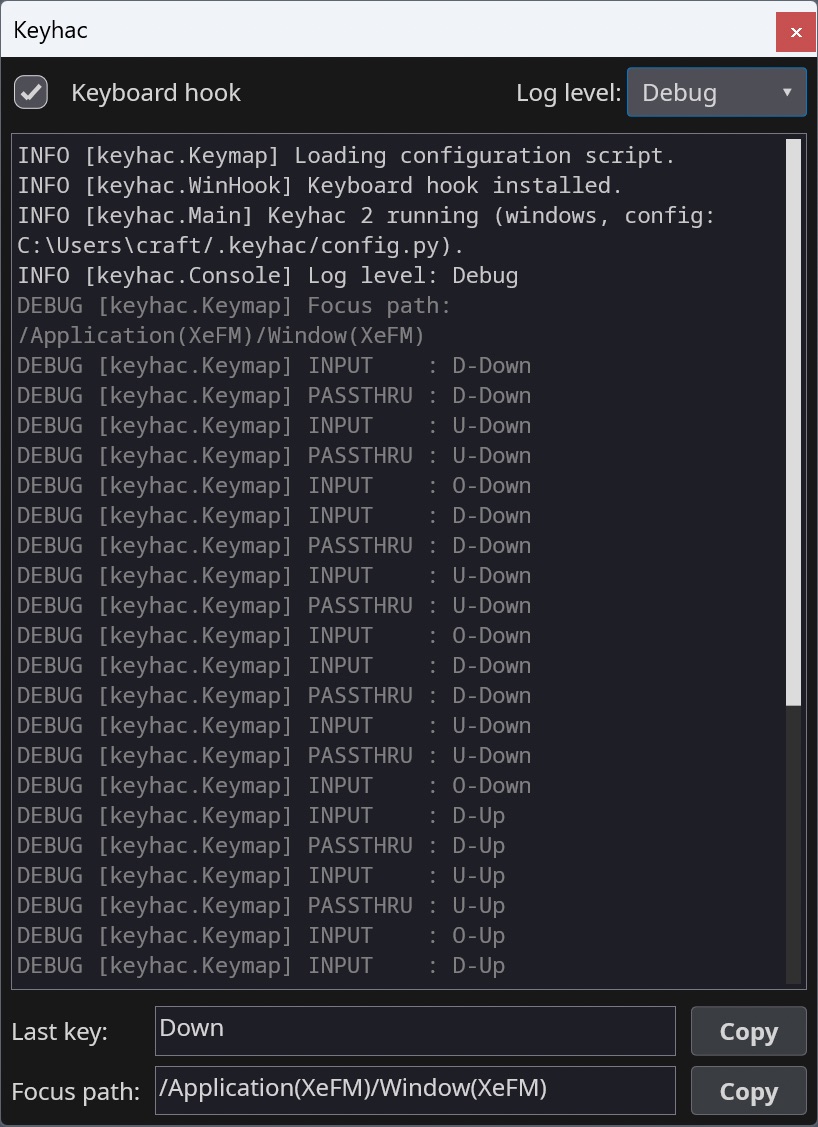 |
| Menu-bar extra (macOS) | Task tray (Windows) |
|---|---|
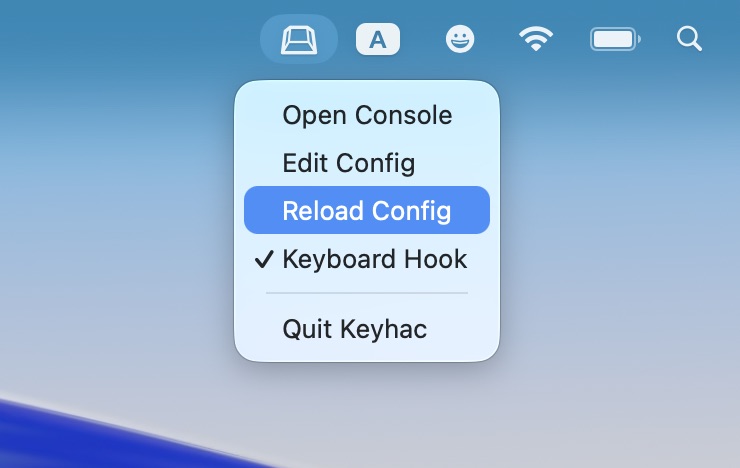 |
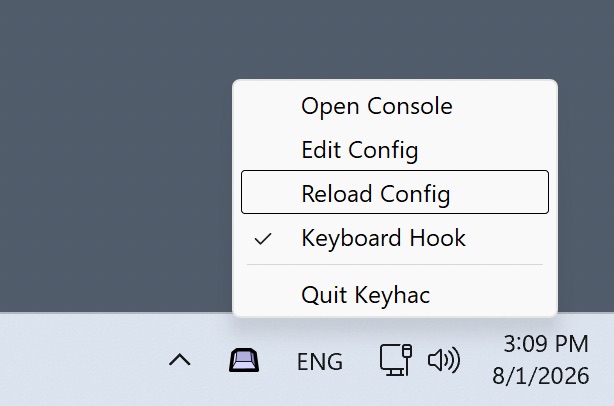 |
Install
- macOS 15+ — download
Keyhac-<version>-macos.dmgfrom Releases: drag Keyhac.app into Applications and launch it. Grant the Accessibility permission when prompted (required for the keyboard hook). - Windows 10/11 (x64) — install from the
Microsoft Store
(or
winget install --id 9P8H1PG6PRHH --source msstore) — automatic updates, no SmartScreen warning. Alternatively, downloadKeyhac-<version>-win64.zipfrom Releases, unzip anywhere and runKeyhac.exe.
Details, data locations and privacy notes: doc/installation.md.
Quick start
On first run Keyhac creates ~/.keyhac/config.py from a fully commented template.
Open it from the tray / menu-bar icon ("Edit Config"), edit, then "Reload Config".
A config defines one function:
from keyhac import *

def configure(keymap):
    kt = keymap.define_keytable(focus_path_pattern="*")   # active everywhere

    kt["Fn-J"] = "Left"                        # key -> key
    kt["Fn-A"] = "Home", "Shift-End"           # key -> sequence

    def hello():                               # key -> Python function
        print("Hello from config.py")
    kt["Fn-H"] = hello

    kt["Fn-V"] = ShowClipboardHistory()        # clipboard history popup

    kt_browser = keymap.define_keytable(app="chrome|Safari")   # per-app table
    kt_browser["Fn-R"] = "Cmd-R"
The full guide is doc/configuration.md, the per-symbol reference doc/api_reference.md; the shipped template (keyhac/_config.py) is a working tour of every feature.
Documentation
- Installation — install, permissions, data files, privacy.
- Configuration — the complete config.py guide.
- API reference — every class and function a config.py can reach, with its exact arguments.
- Migrating from Keyhac for macOS — mostly drop-in.
- Migrating from Keyhac for Windows — API renamed; translation table.
- Legacy products (no longer developed, kept for reference): Keyhac for Windows 1.x, Keyhac for macOS 1.x.
- Developer documentation — architecture, platform layer, packaging, testing. Project guide for coding agents: CLAUDE.md.
Running from source
python3 -m venv .venv
.venv/bin/pip install -e ".[dev]"
.venv/bin/python -m pytest          # engine + unit tests, no permissions needed
.venv/bin/python -m keyhac          # run (macOS: needs Accessibility permission)
python -m keyhac -d enables debug logging, --no-ui runs headless (hook + engine
only), --config PATH uses an alternate config file (its data files live beside it).
Contact & Support
- GitHub Issues: Report bugs or request features
- PyPI: pypi.org/project/keyhac — released versions
- Author's X (Twitter): @crftwr
License
MIT — see LICENSE.
1 maintainer

Metadata
1 maintainer
Release files for keyhac 2.2.0
For a detailed explanation of source distributions (sdists) and built distributions (wheels), please see the package formats documentation.
Source distribution (sdist)
| File | Size | Uploaded | |
|---|---|---|---|
| keyhac-2.2.0.tar.gz | 241.8 kB | Details |
Built distribution (wheel)
| File | Interpreter | ABI | Platform | Reset |
|---|---|---|---|---|
| keyhac-2.2.0-py3-none-any.whl | Python 3 | none | any | Details |
Total release size: 505.4 kB
Release files / keyhac-2.2.0.tar.gz
| Download URL | keyhac-2.2.0.tar.gz |
|---|---|
| Size | 241.8 kB |
| Tags | Source |
|
SHA-256 checksum How to use checksums |
8777383e884f2991a4a07a7372f03cef8174767225b7b177ca8826a2389cdb17
|
|
BLAKE2b-256 checksum How to use checksums |
12350f194f4089f92aaaab674bb5a8feab18d7aca44bf164a0857d8e267585b5
|
| Upload date | |
|
Uploaded using Trusted Publishing? What is trusted publishing? |
No |
| Uploaded via |
twine/7.0.0 CPython/3.13.12
|
Release files / keyhac-2.2.0-py3-none-any.whl
| Download URL | keyhac-2.2.0-py3-none-any.whl |
|---|---|
| Size | 263.6 kB |
| Tags | Python 3 |
|
SHA-256 checksum How to use checksums |
34a619117ca55831f412f1c2ff4861e564bb3164406391853d57c1d532a7033c
|
|
BLAKE2b-256 checksum How to use checksums |
0baa83dc18545c58e681344e0b4c911d3692535b46d4fb409b27c3cdacf8b6b4
|
| Upload date | |
|
Uploaded using Trusted Publishing? What is trusted publishing? |
No |
| Uploaded via |
twine/7.0.0 CPython/3.13.12
|














