
A powerful Django app for creating APIs.

Project description

Django KHAPI
Khapi is a powerful Django app that simplifies the process of creating APIs for your Django web app. It utilizes a Reverse Hash Table to optimize data retrieval and provides easy-to-use API classes for various operations.
Features
Reverse Hash Table: Efficiently stores and retrieves data from your Django models.
Simple API Creation: Create APIs with minimal code using predefined classes.
Built-in API Classes: Includes ListAPI, ListByValueAPI, GetByIdAPI, SearchAPI, CreateAPI, UpdateAPI, and ImageSearchAPI.
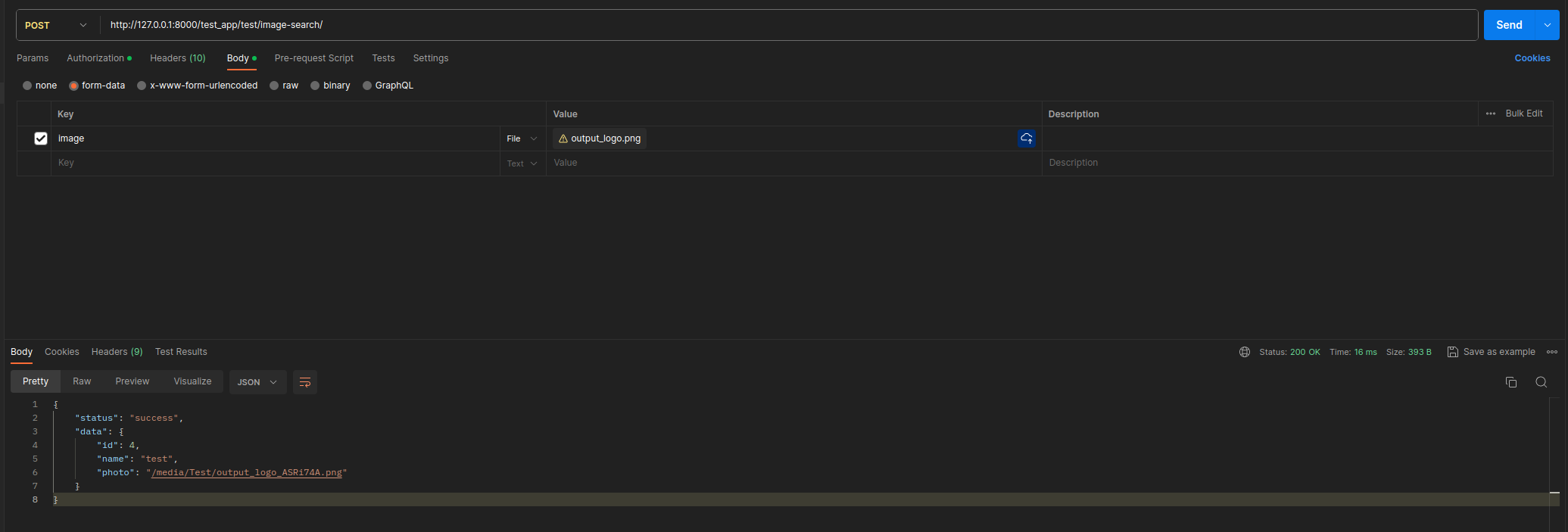
Image Search: Utilize AI-based image search functionality.
API Security Settings: Django admin integration for managing API authorization settings.
Getting Started
Installation
Install khapi using pip:
pip install khapiIn your Django project’s settings.py, add the following configurations:
INSTALLED_APPS = [
    "khapi",
    "khapi.auth_system",
    # ... other apps ...
]
#For your User model
AUTH_USER_MODEL = "your_app.CustomUser"

KHAPI = {
    "CACHE_APPS": [
        "your_apps",
    ],
}
Now, go to any app file, specifically urls.py, and add the following to initialize khapi:
from khapi.khapi_start import khapi_cache_start
khapi_cache_start()
After making these changes, run the following command:
python manage.py khapi*After any use of python manage.py makemigrations, you need to run python manage.py khapi to create a cache dict for your models.
Example
To create an API endpoint that returns a list of all your model data by field value:
# app/views.py
from .models import Language
from khapi.views import (
    ListByValueAPI,
)
class LanguageListByValueAPI(ListByValueAPI):
    model = Language

# app/urls.py
from khapi.khapi_start import khapi_cache_start
from . import views
from django.urls import path

khapi_cache_start()
urlpatterns = [
    path(
        "language/value/<str:value>/",
        views.LanguageListByValueAPI.as_api(),
        name="languagebyvalue-view",
    ),
]

# project/urls.py
from django.urls import include, path
urlpatterns = [
    path('admin/', admin.site.urls),
    path("your_app/", include("your_app.urls")),
]
Fastest GET Response Ever
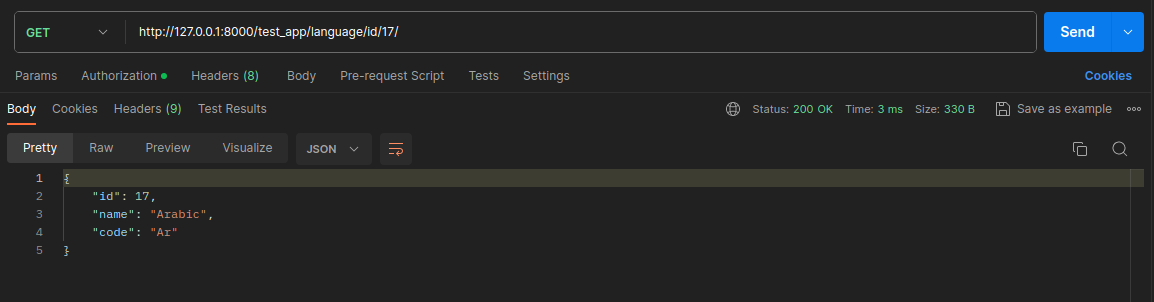
Fastest GET Response Ever
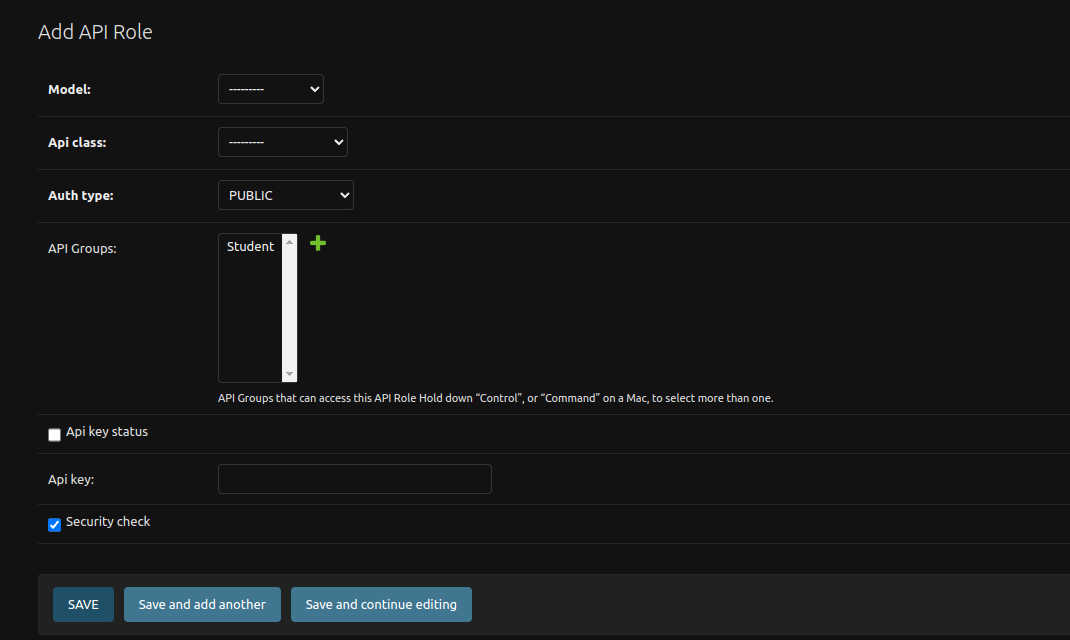
Built-in API Classes
KhAPI comes with several built-in API classes that make it easy to create APIs for your Django models. Below is a brief overview of each class:
ListAPI
Description: Returns all data from the model as a list.
Usage:
from khapi.views import ListAPI
class YourListAPI(ListAPI):
    model = YourModel
ListByValueAPI
Description: Returns data from the model based on a specified field value.
Usage:
from khapi.views import ListByValueAPI
class YourListByValueAPI(ListByValueAPI):
    model = YourModel
GetByIdAPI
Description: Returns data from the model based on the specified ID.
Usage:
from khapi.views import GetByIdAPI
class YourGetByIdAPI(GetByIdAPI):
    model = YourModel
SearchAPI
Description: Searches for data in the model based on specified values.
Usage:
from khapi.views import SearchAPI
class YourSearchAPI(SearchAPI):
    model = YourModel
CreateAPI
Description: Creates new entries in the model.
Usage:
from khapi.views import CreateAPI
class YourCreateAPI(CreateAPI):
    model = YourModel
UpdateAPI
Description: Updates existing entries in the model.
Usage:
from khapi.views import UpdateAPI
class YourUpdateAPI(UpdateAPI):
    model = YourModel
ImageSearchAPI
Visit khapitools for installation.
Description: Utilizes AI-based image search functionality.
Usage:
from khapitools.views import ImageSearchAPI
class YourImageSearchAPI(ImageSearchAPI):
    model = YourModel
License
This project is licensed under the MIT License.
Support
For questions or issues, please open an issue or contact us at hamza.alkhatib.se@gmail.com
Acknowledgments
Thanks to the Django community.
Release history Release notifications | RSS feed


Download files
Download the file for your platform. If you're not sure which to choose, learn more about installing packages.
Source Distribution
Built Distribution
Filter files by name, interpreter, ABI, and platform.
If you're not sure about the file name format, learn more about wheel file names.
Copy a direct link to the current filters
File details
Details for the file khapi-0.9.0.tar.gz.
File metadata
- Download URL: khapi-0.9.0.tar.gz
- Upload date:
- Size: 180.2 kB
- Tags: Source
- Uploaded using Trusted Publishing? No
- Uploaded via: twine/4.0.2 CPython/3.11.5
File hashes
| Algorithm | Hash digest | |
|---|---|---|
| SHA256 |
4b0db67fb3ef8e4aa9ceb3762a51332999e2005ec37469aaa67f37044d03e371
|
|
| MD5 |
4ae59e3d4f56c6183b0d87b4338dc100
|
|
| BLAKE2b-256 |
bb5f950f5deffca9d8619fc311ac6d1dbd3835d753183a86c18c3ce1dcc1532d
|
File details
Details for the file khapi-0.9.0-py3-none-any.whl.
File metadata
- Download URL: khapi-0.9.0-py3-none-any.whl
- Upload date:
- Size: 22.6 kB
- Tags: Python 3
- Uploaded using Trusted Publishing? No
- Uploaded via: twine/4.0.2 CPython/3.11.5
File hashes
| Algorithm | Hash digest | |
|---|---|---|
| SHA256 |
bcf71969e46004f8c664b6a9bb89503f71cc5a092485b216e51e40e90cdb7ab1
|
|
| MD5 |
99f0fccf82cc0fa9b36eda5c53f752da
|
|
| BLAKE2b-256 |
955002d9f70b1bc0e0c6f7f62d7185311aefa1e16f7285e33d7433a0bca9974b
|






