
Kili Python SDK



SDK Reference: https://python-sdk-docs.kili-technology.com/
Kili Documentation: https://docs.kili-technology.com/docs
App: https://cloud.kili-technology.com/label/
Website: https://kili-technology.com/
What is Kili?
Kili is a platform that empowers a data-centric approach to Machine Learning through quality training data creation. It provides collaborative data annotation tools and APIs that enable quick iterations between reliable dataset building and model training. More info here.
Annotation tools examples
| Named Entities Extraction and Relation | PDF classification and bounding-box | Object detection (bounding-box) |
|---|---|---|
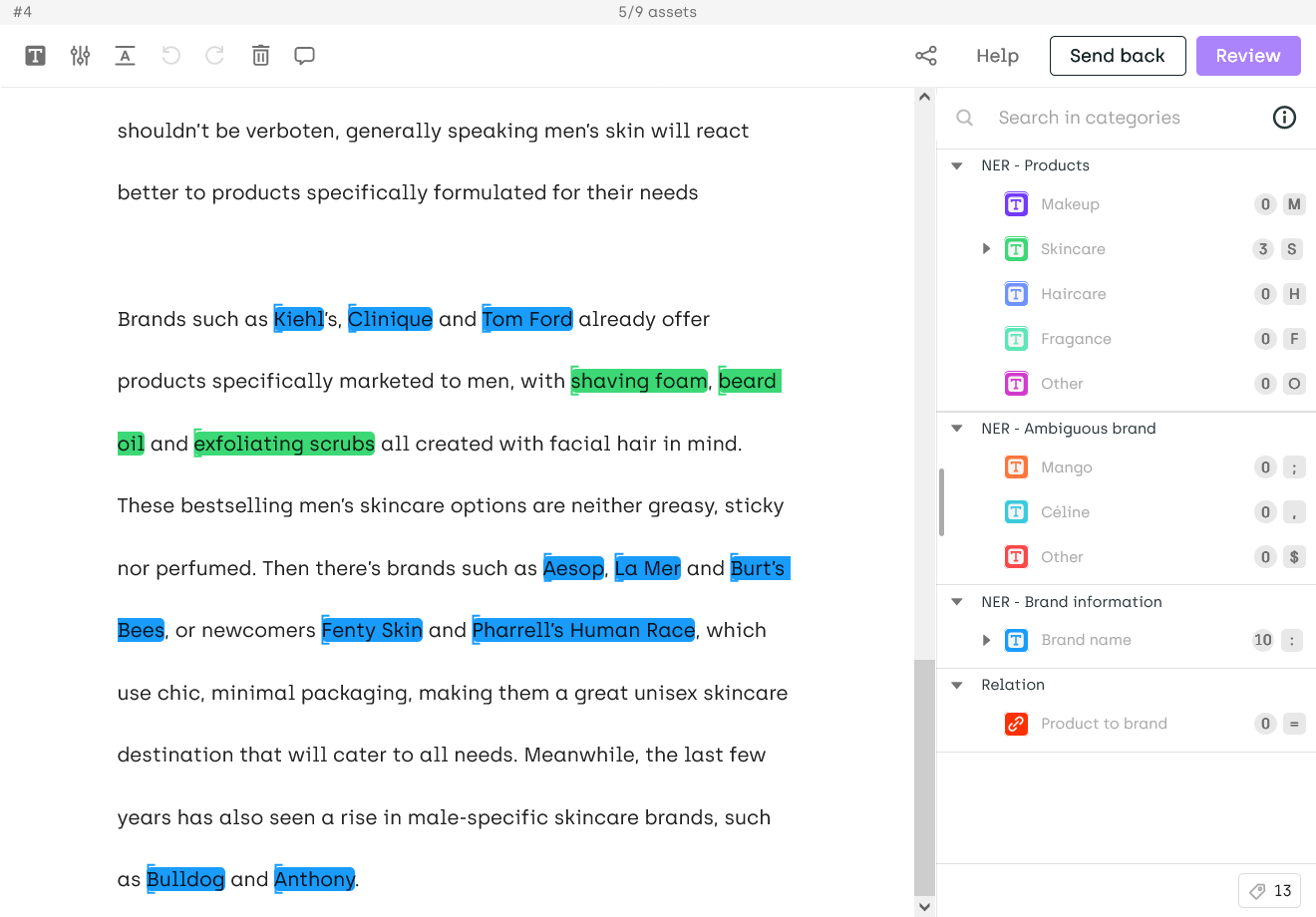 |
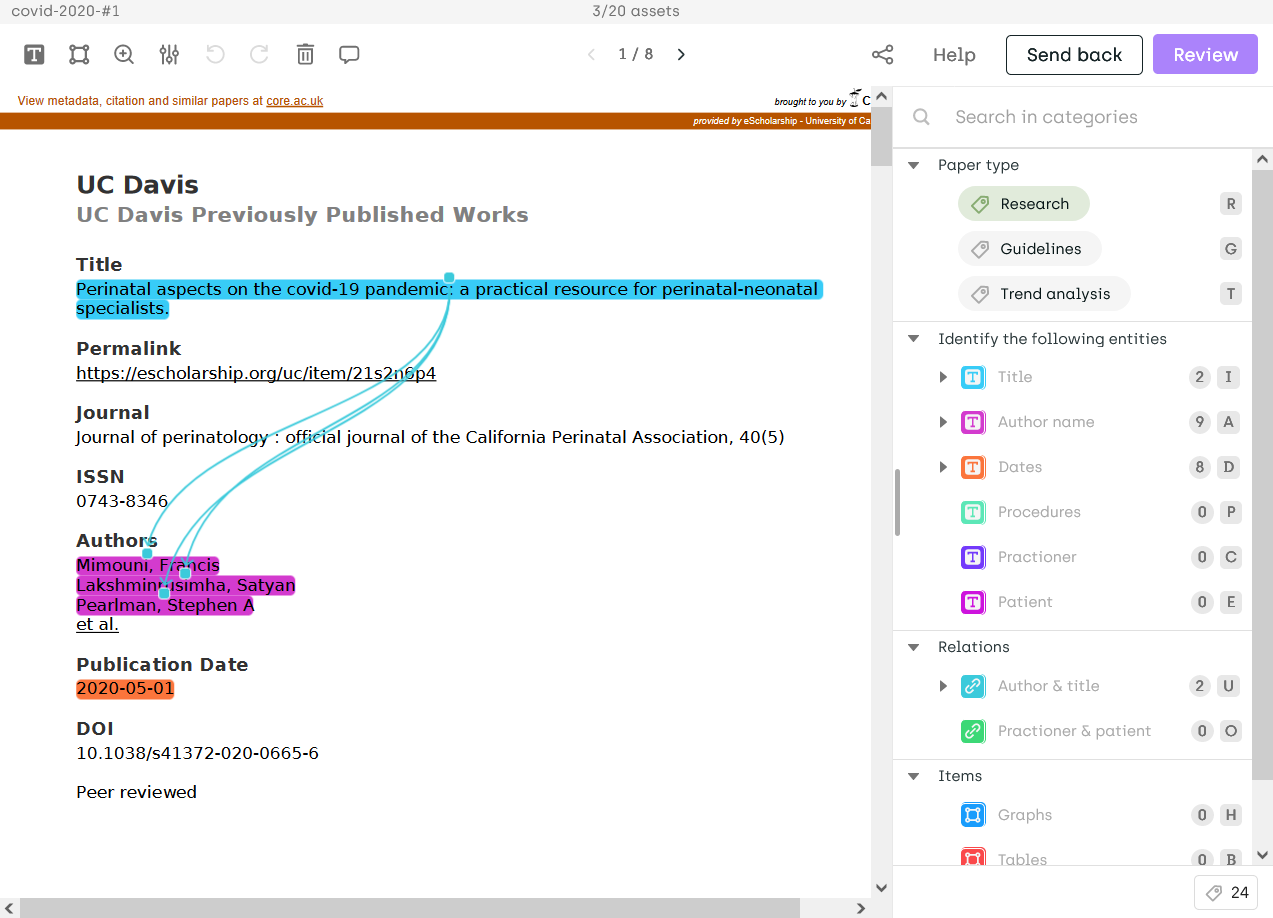 |
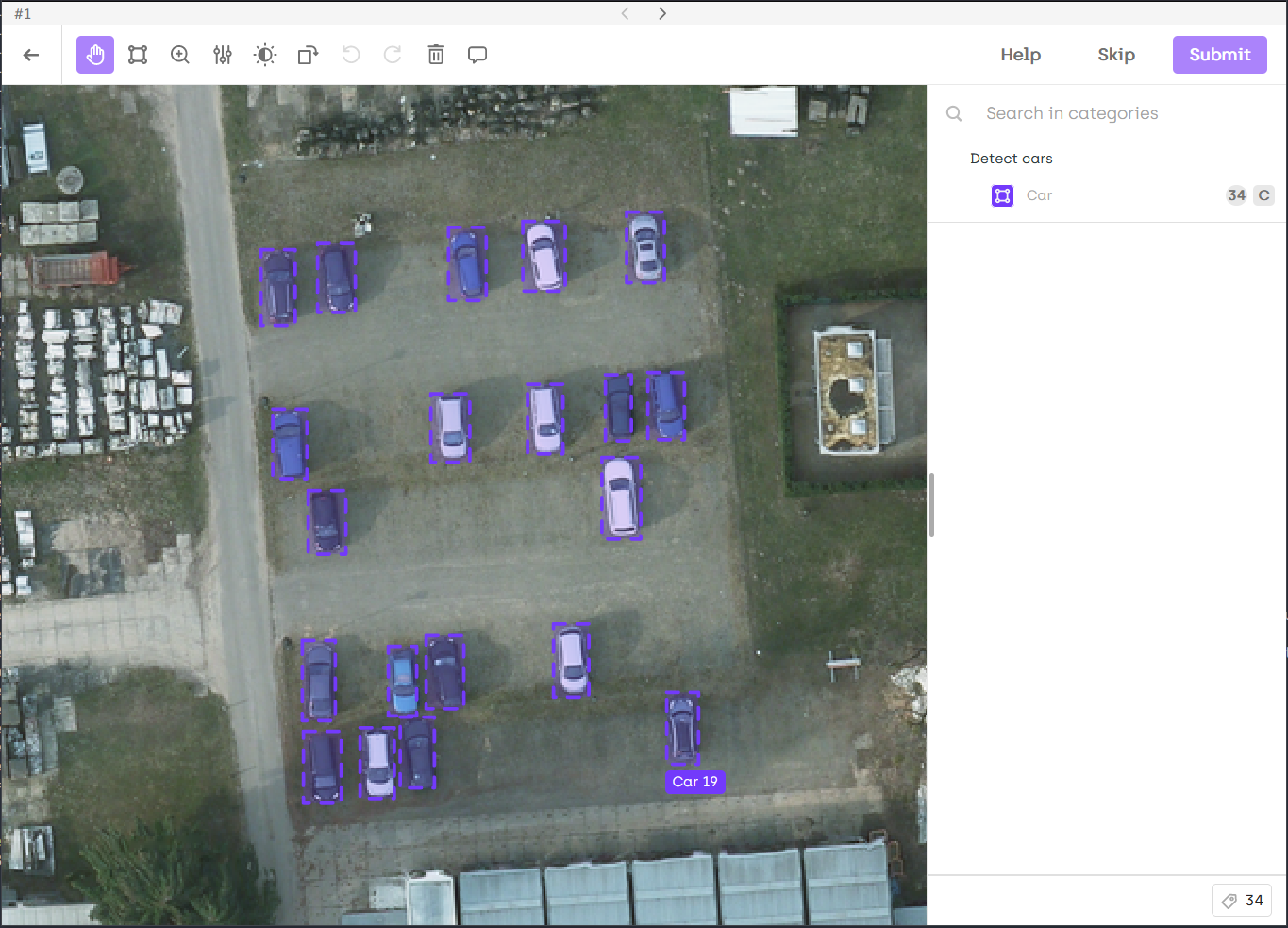 |
and many more.
What is Kili Python SDK?
Kili Python SDK is the Python client for the Kili platform. It allows to query and manipulate the main entities available in Kili, like projects, assets, labels, api keys...
It comes with several tutorials that demonstrate how to use it in the most frequent use cases.
Requirements
- Python >= 3.10
- Create and copy a Kili API key
- Add the
KILI_API_KEYvariable in your bash environment (or in the settings of your favorite IDE) by pasting the API key value you copied above:
export KILI_API_KEY='<your api key value here>'
Installation
Install the Kili client with pip:
pip install kili
If you want to contribute, here are the installation steps.
Usage
Instantiate the Kili client:
from kili.client import Kili
kili = Kili()
# You can now use the Kili client!
Note that you can also pass the API key as an argument of the Kili initialization:
kili = Kili(api_key='<your api key value here>')
For more details, read the SDK reference or the Kili documentation.
Tutorials
Check out our tutorials! They will guide you through the main features of the Kili client.
You can find several other recipes in this folder.
Examples
Here is a sample of the operations you can do with the Kili client:
Creating an annotation project
json_interface = {
    "jobs": {
        "CLASSIFICATION_JOB": {
            "mlTask": "CLASSIFICATION",
            "content": {
                "categories": {
                    "RED": {"name": "Red"},
                    "BLACK": {"name": "Black"},
                    "WHITE": {"name": "White"},
                    "GREY": {"name": "Grey"}},
                "input": "radio"
            },
            "instruction": "Color"
        }
    }
}
project_id = kili.create_project(
    title="Color classification",
    description="Project ",
    input_type="IMAGE",
    json_interface=json_interface
)["id"]
Importing data to annotate
assets = [
    {
        "externalId": "example 1",
        "content": "https://images.caradisiac.com/logos/3/8/6/7/253867/S0-tesla-enregistre-d-importantes-pertes-au-premier-trimestre-175948.jpg",
    },
    {
        "externalId": "example 2",
        "content": "https://img.sportauto.fr/news/2018/11/28/1533574/1920%7C1280%7Cc096243e5460db3e5e70c773.jpg",
    },
    {
        "externalId": "example 3",
        "content": "./recipes/img/man_on_a_bike.jpeg",
    },
]

external_id_array = [a.get("externalId") for a in assets]
content_array = [a.get("content") for a in assets]

kili.append_many_to_dataset(
    project_id=project_id,
    content_array=content_array,
    external_id_array=external_id_array,
)
See the detailed example in this tutorial.
Importing predictions
prediction_examples = [
    {
        "external_id": "example 1",
        "json_response": {
            "CLASSIFICATION_JOB": {
                "categories": [{"name": "GREY", "confidence": 46}]
            }
        },
    },
    {
        "external_id": "example 2",
        "json_response": {
            "CLASSIFICATION_JOB": {
                "categories": [{"name": "WHITE", "confidence": 89}]
            }
        },
    }
]

kili.create_predictions(
    project_id=project_id,
    external_id_array=[p["external_id"] for p in prediction_examples],
    json_response_array=[p["json_response"] for p in prediction_examples],
    model_name="My SOTA model"
)
See detailed examples in this recipe.
Exporting labels
kili.export_labels("your_project_id", "export.zip", "yolo_v4")
See a detailed example in this tutorial.
1 maintainer

Download files
Download the file for your platform. If you're not sure which to choose, learn more about installing packages.
Source Distribution
Built Distribution
Filter files by name, interpreter, ABI, and platform.
If you're not sure about the file name format, learn more about wheel file names.
Copy a direct link to the current filters
File details
Details for the file kili-26.1.10.tar.gz.
File metadata
- Download URL: kili-26.1.10.tar.gz
- Upload date:
- Size: 283.0 kB
- Tags: Source
- Uploaded using Trusted Publishing? Yes
- Uploaded via:
twine/6.1.0 CPython/3.13.7
File hashes
| Algorithm | Hash digest | |
|---|---|---|
| SHA256 |
5f8dc40f4850f3bc3700ab58437876ac7910f9ea0a4cc8b56d4c24a4783b54c0
|
|
| MD5 |
0243576ce43e8ad715aef81546d4d233
|
|
| BLAKE2b-256 |
658590720103aa36951cd4bf925b9b991a39a21d224c1e2696657fa49c9a089d
|
Provenance
The following attestation bundles were made for kili-26.1.10.tar.gz:
Publisher:
release.yml on kili-technology/kili-python-sdk
-
Statement:
-
Statement type:
https://in-toto.io/Statement/v1 -
Predicate type:
https://docs.pypi.org/attestations/publish/v1 -
Subject name:
kili-26.1.10.tar.gz -
Subject digest:
5f8dc40f4850f3bc3700ab58437876ac7910f9ea0a4cc8b56d4c24a4783b54c0 - Sigstore transparency entry: 2162845143
- Sigstore integration time:
-
Permalink:
kili-technology/kili-python-sdk@a88c16a78291cd8b515c8096384f3660305e0b0a -
Branch / Tag:
refs/tags/26.1.10 - Owner: https://github.com/kili-technology
-
Access:
public
-
Token Issuer:
https://token.actions.githubusercontent.com -
Runner Environment:
github-hosted -
Publication workflow:
release.yml@a88c16a78291cd8b515c8096384f3660305e0b0a -
Trigger Event:
release
-
Statement type:
File details
Details for the file kili-26.1.10-py3-none-any.whl.
File metadata
- Download URL: kili-26.1.10-py3-none-any.whl
- Upload date:
- Size: 394.5 kB
- Tags: Python 3
- Uploaded using Trusted Publishing? Yes
- Uploaded via:
twine/6.1.0 CPython/3.13.7
File hashes
| Algorithm | Hash digest | |
|---|---|---|
| SHA256 |
8c0c9cf432e88b3f61997b7e7abd93a6113b3eaeec9f45de1e71f9e41e83e618
|
|
| MD5 |
c2f47082921f5d5bd51d6f2ef9ec355c
|
|
| BLAKE2b-256 |
873b75201f0198e3e46f0048abc76bb18e02e55937c07db6f91d71b949d5e881
|
Provenance
The following attestation bundles were made for kili-26.1.10-py3-none-any.whl:
Publisher:
release.yml on kili-technology/kili-python-sdk
-
Statement:
-
Statement type:
https://in-toto.io/Statement/v1 -
Predicate type:
https://docs.pypi.org/attestations/publish/v1 -
Subject name:
kili-26.1.10-py3-none-any.whl -
Subject digest:
8c0c9cf432e88b3f61997b7e7abd93a6113b3eaeec9f45de1e71f9e41e83e618 - Sigstore transparency entry: 2162845148
- Sigstore integration time:
-
Permalink:
kili-technology/kili-python-sdk@a88c16a78291cd8b515c8096384f3660305e0b0a -
Branch / Tag:
refs/tags/26.1.10 - Owner: https://github.com/kili-technology
-
Access:
public
-
Token Issuer:
https://token.actions.githubusercontent.com -
Runner Environment:
github-hosted -
Publication workflow:
release.yml@a88c16a78291cd8b515c8096384f3660305e0b0a -
Trigger Event:
release
-
Statement type:







