
Kilnworks




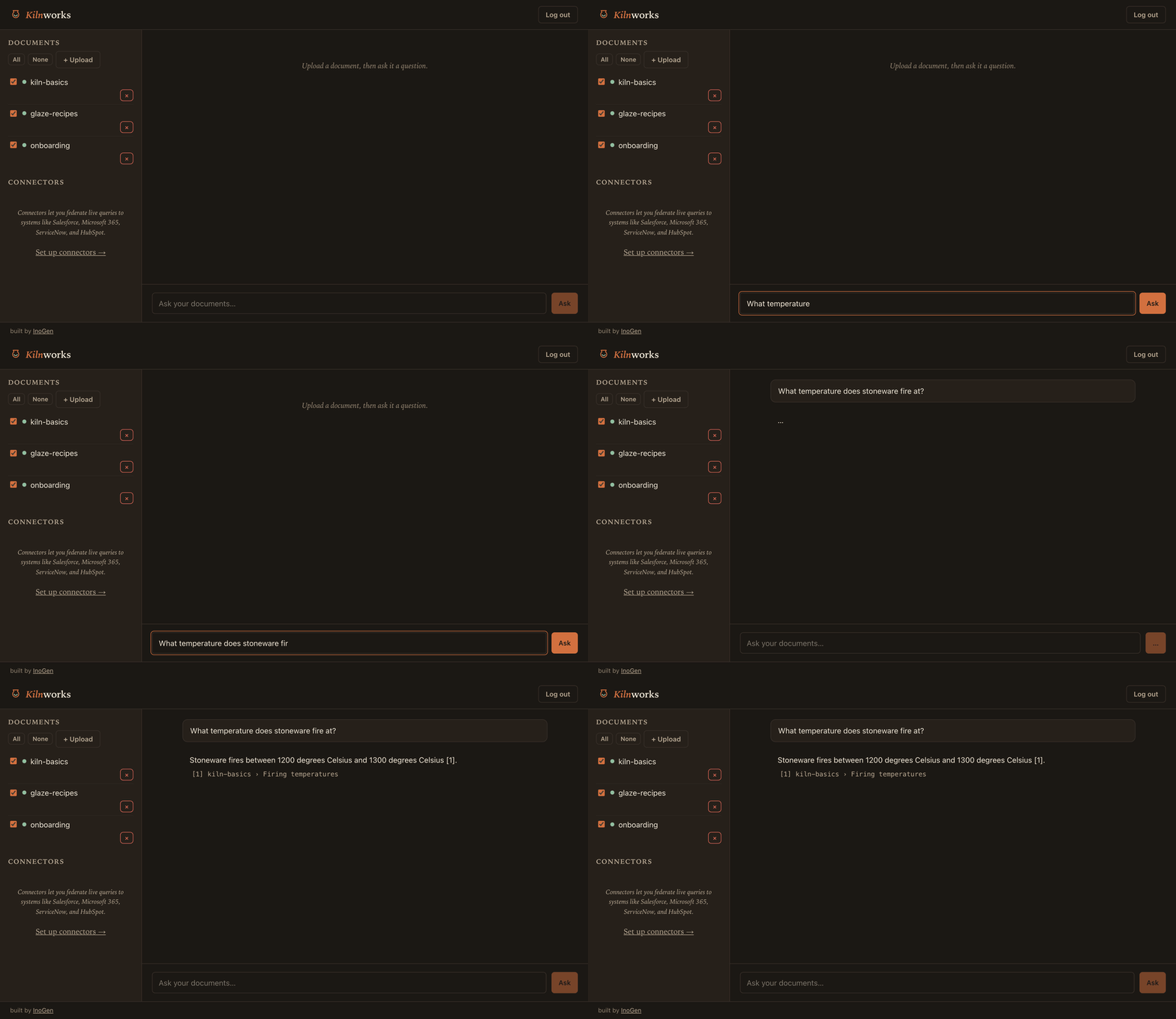
Live site → kilnworks.inogen.ai
Self-hostable RAG assistant that enforces document ACLs at retrieval — every chunk carries its source document's ACL and queries are filtered by caller identity before ranking — backed by a five-minute Compose quickstart with a fully-offline fake-provider mode and the production posture tutorials skip: a lease-reclaiming job queue, a per-user cost ledger, CI-gated evals, and OIDC SSO that maps IdP groups to ACLs.
Screenshots
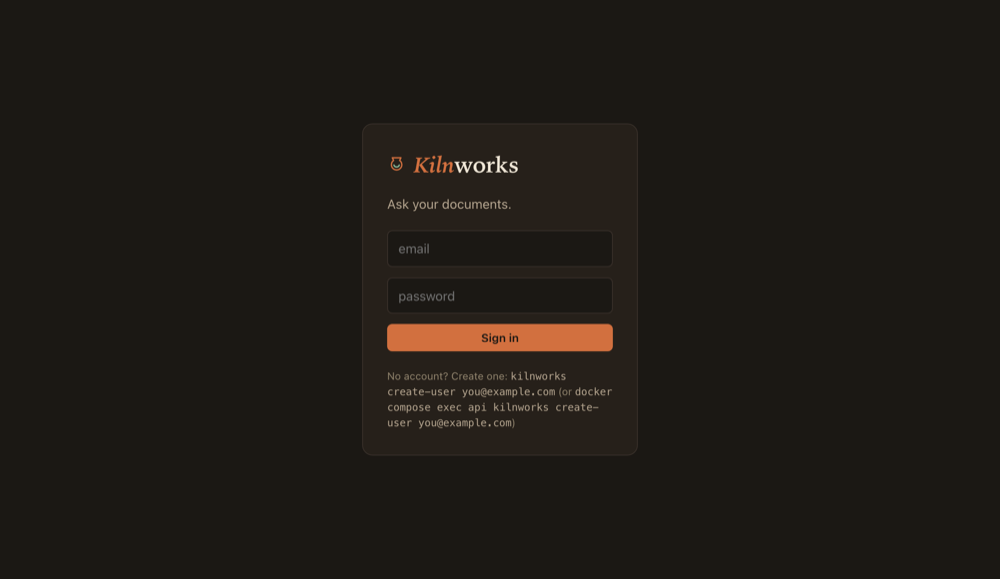
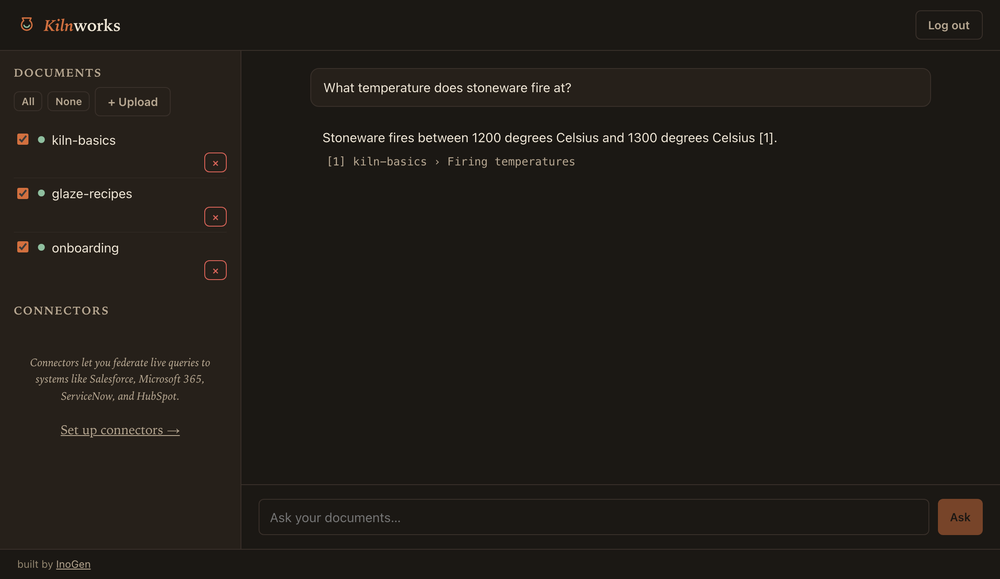
| Sign in | Ask your documents, with citations |
|---|---|
 |
 |
Quickstart
Kilnworks is built and maintained by InoGen — we design and deploy production AI systems for enterprises. This is the knowledge-assistant architecture we use in client work.
export KILNWORKS_OPENAI_API_KEY=sk-...        # or KILNWORKS_FAKE_PROVIDERS=true to try it offline
docker compose up -d --build
docker compose exec api kilnworks create-user you@example.com --password change-me
Open http://localhost:8000 — the built-in chat UI — and sign in with the user you created.
TOKEN=$(curl -s localhost:8000/auth/token -H 'content-type: application/json' \
  -d '{"email":"you@example.com","password":"change-me"}' \
  | python3 -c 'import json,sys; print(json.load(sys.stdin)["access_token"])')
curl -s localhost:8000/documents -H "authorization: Bearer $TOKEN" -F 'file=@your-doc.pdf'
curl -s localhost:8000/ask -H "authorization: Bearer $TOKEN" \
  -H 'content-type: application/json' -d '{"question":"What does the doc say about X?"}'
Set KILNWORKS_SECRET_KEY (32+ chars, e.g. openssl rand -hex 32) before any real use —
the compose file ships a development-only default.
Providers
Kilnworks defaults to OpenAI for both chat and embeddings. Two other flavors are supported:
-
Default (OpenAI): set
KILNWORKS_OPENAI_API_KEY; nothing else to configure. -
Anthropic chat: set
KILNWORKS_CHAT_PROVIDER=anthropicandKILNWORKS_ANTHROPIC_API_KEY. Embeddings stay on OpenAI or Ollama — Anthropic doesn't offer an embeddings API. -
Fully local (Ollama), no API keys:
ollama pull llama3.2 && ollama pull nomic-embed-text
export KILNWORKS_CHAT_PROVIDER=ollama
export KILNWORKS_EMBEDDING_PROVIDER=ollama
export KILNWORKS_EMBEDDING_DIMENSIONS=768
Changing embedding settings (provider, model, or dimensions) requires re-running
kilnworks init-dband re-ingesting all documents — the startup check enforces that the configured dimensions match the schema.Under
docker compose, an Ollama server running on the host is reached through the preconfigured defaultKILNWORKS_OLLAMA_BASE_URL=http://host.docker.internal:11434(override it if Ollama runs elsewhere). Because compose services are long-lived, changing embedding settings requiresdocker compose down -v(soinitre-creates the schema at the new dimensions) followed by a freshdocker compose up -d --buildand re-ingest.
Multilingual retrieval — asking questions in a language other than your source
documents, or vice versa — works best with a cloud embedding provider (OpenAI).
The local Ollama default, nomic-embed-text, is English-centric, so cross-lingual
similarity search is noticeably weaker fully offline. Answers themselves follow the
question's language by default; set KILNWORKS_ANSWER_LANGUAGE to pin every answer
to a specific language regardless of how the question or sources are written.
Install from PyPI (API + CLI)
Kilnworks is on PyPI: pip install kilnworks (or uvx kilnworks) gives the
command-line tool and the REST API — you bring your own Postgres (with the
pgvector extension). The bundled chat UI ships in the Docker image, not the
wheel, so for the full UI use the Docker Compose quickstart above. Optional
extras: kilnworks[connectors] (MCP connector client) and
kilnworks[local-whisper] (offline audio/video transcription).
Local development (CLI)
docker compose up -d db
export KILNWORKS_OPENAI_API_KEY=sk-...   # or KILNWORKS_FAKE_PROVIDERS=true to try it offline
uv run kilnworks init-db
uv run kilnworks ingest examples/corpus
Supported document types: Markdown, plain text, PDF, DOCX, HTML, CSV, TSV, XLSX, images (PNG/JPG/GIF/WEBP), and audio/video (MP3/WAV/M4A/MP4/MOV). Images and audio/video need a vision/transcription provider configured — see Multimodal ingestion below; everything else works offline with zero config.
PDF citations carry a page number (e.g. p. 3), so answers point at the exact page.
PDFs ingested before upgrading to this version must be re-ingested to populate page
numbers — run kilnworks init-db (idempotently adds the column in place) and re-ingest.
uv run kilnworks ask "What temperature does stoneware fire at?"
Multimodal ingestion
Text, Markdown, PDF, DOCX, HTML, and tables (CSV/TSV/XLSX) all parse offline — no API keys, no config, nothing beyond the quickstart above. Images and audio/video are opt-in on top of that: each needs a provider configured, and each degrades gracefully when one isn't.
Images (PNG/JPG/GIF/WEBP) are described by a vision model — the description
(including any verbatim on-image text) becomes the document's searchable content. Set
KILNWORKS_VISION_PROVIDER to one of:
openai— setKILNWORKS_OPENAI_API_KEY(shared with chat/embeddings).anthropic— setKILNWORKS_ANTHROPIC_API_KEY.ollama— fully offline, via a localllava-family model (ollama pull llava).
KILNWORKS_VISION_MODEL defaults to gpt-4o-mini, an OpenAI-specific model name —
it is the one shared model knob across all three vision providers (there's no
per-provider split the way chat has chat_model/anthropic_model/ollama_chat_model).
If you set KILNWORKS_VISION_PROVIDER=anthropic, override KILNWORKS_VISION_MODEL to a
Claude model (e.g. claude-opus-4-8); if you set it to ollama, override it to a
vision-capable Ollama model (e.g. llava). Leaving the default in place with a
non-OpenAI provider will fail.
Audio/video (MP3/WAV/M4A/MP4/MOV) are transcribed, with [MM:SS] timestamps
prefixing each segment so citations point at roughly where in the recording an answer
came from. Set KILNWORKS_TRANSCRIPTION_PROVIDER to one of:
openai— Whisper via the OpenAI API; setKILNWORKS_OPENAI_API_KEYand, optionally,KILNWORKS_TRANSCRIPTION_MODEL(defaultwhisper-1).local— fully offline, viafaster-whisperrunning on CPU; install it withpip install kilnworks[local-whisper](oruv sync --extra local-whisper) and setKILNWORKS_LOCAL_WHISPER_MODEL(defaultbase) to pick a model size.
Video ingestion requires ffmpeg on PATH — it's used to extract the audio track
before transcription. The official Docker image bundles it, so Docker Compose users
need nothing extra; for a non-Docker install, add it yourself (apt-get install ffmpeg
on Debian/Ubuntu, brew install ffmpeg on macOS). Audio-only files (MP3/WAV/M4A) don't
need it.
KILNWORKS_MAX_MEDIA_BYTES (default 104857600, 100 MiB) caps the size of any single
image/audio/video file, checked before it's sent to a provider. This applies to CLI
folder ingestion; uploads through the API/web UI are additionally bounded by
KILNWORKS_MAX_UPLOAD_BYTES (default 25 MiB), and OpenAI's transcription endpoint caps
files at 25 MB — so for large media, ingest via the CLI or use local transcription.
Graceful degradation: if KILNWORKS_VISION_PROVIDER/KILNWORKS_TRANSCRIPTION_PROVIDER
is left at its default of none, image/audio/video files aren't rejected outright —
each one produces a clear per-file failure (e.g. "ingesting .png files requires
KILNWORKS_VISION_PROVIDER to be configured") and the rest of the batch, including every
text/table document, still ingests normally. Nothing about the
five-minute quickstart above changes: text and tables work with zero media
configuration.
Vision and transcription calls are billable API usage, and Kilnworks records them in the
per-user cost ledger under the vision/transcription contexts, attributed to whichever
user's upload triggered the extraction — the same ledger that tracks chat and embedding
spend. Re-ingesting a media file re-runs (and re-bills) the extraction; there's no
content-hash dedupe yet (see known limitations).
Web UI development
cd web && npm install && npm run dev
The dev server proxies API calls to localhost:8000, so run uv run kilnworks serve (or the
compose API) alongside it.
Single sign-on (OIDC)
Kilnworks can authenticate users against any OIDC-compliant identity provider — Entra ID, Okta, Keycloak, Dex, or similar — instead of (or alongside) local passwords. It's unconfigured by default: leave the env vars below unset and the quickstart above is unaffected.
Set both KILNWORKS_OIDC_ISSUER and KILNWORKS_OIDC_CLIENT_ID to turn SSO on; the
built-in UI then shows a "Sign in with SSO" button automatically. Setting only one of
the two fails startup with a clear error.
| Variable | Default | Purpose |
|---|---|---|
KILNWORKS_OIDC_ISSUER |
(unset) | IdP issuer URL; must be https:// except for localhost |
KILNWORKS_OIDC_CLIENT_ID |
(unset) | OAuth client ID registered with the IdP |
KILNWORKS_OIDC_CLIENT_SECRET |
(unset) | Client secret; omit for public clients (PKCE is always used regardless) |
KILNWORKS_OIDC_GROUPS_CLAIM |
groups |
ID-token claim mapped to ACL principals |
KILNWORKS_OIDC_SCOPES |
openid email profile |
Scopes requested at the authorization endpoint |
Register this redirect URI with your IdP:
https://<your-kilnworks-host>/auth/oidc/callback
(use http:// only for localhost during development).
The flow is Authorization Code + PKCE. The ID token is validated locally (RS256 via
the IdP's published JWKS: issuer, audience, expiry, and nonce are all checked). Every
successful SSO login maps the KILNWORKS_OIDC_GROUPS_CLAIM claim to ACL principals —
["public", ...groups], deduplicated — and re-syncs them on the user's record, so a
group added or removed at the IdP takes effect on the next login. SSO users have no
local password; they can only sign in through the IdP.
Understand the trust model before enabling SSO. Accounts are linked by email: an
SSO login whose email matches an existing local (password) account signs in as that
account, and every SSO login overwrites the account's principals with the IdP's
groups — enabling SSO delegates authority over matching-email accounts, including any
locally granted principals, to the IdP. Kilnworks does not check email_verified, so
use an IdP that verifies email addresses. And because there is no allowlist or domain
restriction, everyone your IdP will authenticate can sign in (gaining the public
principal and upload rights) — point Kilnworks at a tenant-scoped IdP or an
IdP-side-restricted client, never at a public identity service with an unrestricted
user base.
Connectors (beta)
Kilnworks can query read-only MCP connector servers live, at question time, and blend their results into an answer alongside your ingested documents — cited like any other source. This is federated search, not ingestion: connector data is never copied into Kilnworks' database, and every question re-queries the connector fresh.
Connectors are opt-in and "bring your own server" in v1 — the connector server packages themselves (Salesforce, Microsoft 365, ServiceNow, HubSpot) are separate sibling projects, not bundled with Kilnworks or published to PyPI yet.
-
pip install kilnworks[connectors](oruv sync --extra connectors) — installs the MCP client library. -
Install the connector server(s) you want to use and make their command available on
PATH. InoGen maintains read-only MCP servers as separate sibling repositories (not yet published to PyPI — install directly from source per each repo's own setup): m365, ServiceNow, Salesforce, and HubSpot. -
Write a connectors config JSON and point
KILNWORKS_CONNECTORS_CONFIGat its path:{ "connectors": [ { "name": "salesforce", "command": ["sfdc-mcp-server"], "env": {"SFDC_INSTANCE_URL": "https://your-org.my.salesforce.com"}, "allowed_groups": ["sales"], "search_limit": 5, "search_tool": "search", "query_arg": "term", "limit_arg": "limit", "extra_args": {} } ] }commandis the argv Kilnworks spawns the server's stdio process with — fresh for every query, not once at startup. The spawned process gets a minimal, safe base environment (PATH,HOME, and similar — never Kilnworks' own secrets likeKILNWORKS_SECRET_KEYor its database URL), andenvis merged on top of that base (values pass through shell-style$VARexpansion, so you can reference Kilnworks' own environment to pass through a specific secret deliberately).allowed_groupsis which Kilnworks ACL groups may use this connector (see governance note below).search_tool,query_arg, andextra_argsmap the question onto whatever the connector server's own search tool expects — they vary per server: Salesforce's tool takes the query underquery_arg: "term"instead of the default"query"; HubSpot's requiresextra_args: {"object_type": "contacts"}to say which object type to search.limit_arg(default"limit") is the tool's result-count argument name; set it tonullfor a search tool that doesn't accept a limit at all. -
Device-code connectors (m365, Salesforce) need a one-time interactive login: pre-authenticate once from a terminal by running the server's command directly and completing the device-code flow — the resulting token caches to disk, so the per-query spawns Kilnworks does afterward reuse it without re-prompting. Static-credential connectors (ServiceNow, HubSpot) just need their env vars set; no interactive step.
Once configured, GET /connectors lists the connectors visible to the caller (name,
status, whether it still needs the device-code login above), and POST /ask accepts an
optional "connectors": ["salesforce", ...] list naming which of those to query for that
question.
Governance: each connector authenticates as a single service identity (its own
credentials/token cache), not per Kilnworks user — so its results are gated at the
Kilnworks level by allowed_groups matched against the caller's ACL principals, not by
what that individual user could see in the source system. KILNWORKS_CONNECTOR_TIMEOUT
(default 8s) bounds each connector call, and a slow, timed-out, or failing connector is
skipped rather than failing the whole /ask.
Connectors are entirely opt-in: leave KILNWORKS_CONNECTORS_CONFIG unset and Kilnworks
behaves exactly as the base/offline quickstart above describes.
Evals
Kilnworks includes a built-in evaluation framework for assessing RAG pipeline quality. Evals measure:
- Hit rate: whether the retrieval found a relevant chunk.
- Citation rate: whether the answer cites a retrieved chunk.
- Faithfulness: whether the LLM-as-judge confirms the answer is grounded in context.
Datasets are JSONL, one case per line:
{"question": "What temperature range does stoneware fire at?", "expected_sources": ["kiln-basics"]}
Run evals against real providers (requires API keys) with:
uv run kilnworks init-db
uv run kilnworks ingest examples/corpus
uv run kilnworks eval evals/golden.jsonl --limit 1 --min-hit-rate 1.0 --min-citation-rate 1.0 --min-faithfulness 1.0
The --min-* flags set CI gating thresholds; if any metric falls below its threshold, the eval job exits with code 1. Pick thresholds with your dataset size in mind — each case in an N-case dataset moves a rate by 1/N, so golden.jsonl's 4 cases mean one miss already drops a rate to 0.75; 1.0 is only appropriate for a small, fully-trusted dataset. The smoke set (evals/smoke-corpus + evals/smoke.jsonl) runs deterministically against fake providers in CI to detect pipeline regressions; metrics are only semantically meaningful with real providers. Judge calls are billed but not yet attributed in the cost ledger. The CI eval job is a copyable template for adoption.
API
uv run kilnworks create-user you@example.com --password change-me
export KILNWORKS_SECRET_KEY=$(openssl rand -hex 32)   # must be >= 32 chars
uv run kilnworks serve
# in another shell:
TOKEN=$(curl -s localhost:8000/auth/token -H 'content-type: application/json' \
  -d '{"email":"you@example.com","password":"change-me"}' \
  | python3 -c 'import json,sys; print(json.load(sys.stdin)["access_token"])')
curl -s localhost:8000/ask -H "authorization: Bearer $TOKEN" \
  -H 'content-type: application/json' -d '{"question":"What do new hires get?"}'
Endpoints:
GET /health— liveness check, no auth required.POST /auth/token— exchange email/password for a bearer token.GET /documents— list documents visible to the caller's ACL principals.POST /documents— multipart file upload; enqueues an ingestion job and returns202with ajob_id.GET /jobs/{id}— poll job status (queued/running/done/failed), scoped to the uploader.POST /ask— ask a question, get a single JSONAnswerback.POST /ask/stream— ask a question, get an SSE stream ofdelta/answer/done/errorevents back. This is POST-based SSE: browsers' built-inEventSourceonly issues GET requests, so consume it withcurl -Norfetch()with aReadableStreamreader instead.
Uploaded documents are ingested asynchronously by a worker process:
uv run kilnworks worker
Run uv run kilnworks worker --once to drain the current queue and exit (useful for scripts
and tests) instead of polling indefinitely. Do not run worker --once alongside the compose worker —
the startup reaper assumes a single worker.
Environment variables (all prefixed KILNWORKS_):
| Variable | Default | Purpose |
|---|---|---|
KILNWORKS_DATABASE_URL |
postgresql://kilnworks:kilnworks@localhost:5432/kilnworks |
Postgres connection string (local-dev-only; docker compose hardcodes its own) |
KILNWORKS_SECRET_KEY |
(unset) | JWT signing key; must be >= 32 chars |
KILNWORKS_TOKEN_TTL_MINUTES |
60 |
Bearer token lifetime |
KILNWORKS_API_HOST |
127.0.0.1 |
kilnworks serve bind host |
KILNWORKS_API_PORT |
8000 |
kilnworks serve bind port |
KILNWORKS_DATA_DIR |
./data |
Directory for uploaded files |
KILNWORKS_MAX_UPLOAD_BYTES |
26214400 |
Max upload size in bytes (25 MiB) |
KILNWORKS_WORKER_POLL_SECONDS |
1.0 |
Worker idle poll interval |
KILNWORKS_JOB_TIMEOUT_SECONDS |
300 |
Max wall-clock time per job |
KILNWORKS_JOB_LEASE_SECONDS |
420 |
Lease duration for stalled-job reclaim; must exceed KILNWORKS_JOB_TIMEOUT_SECONDS (enforced at worker startup) |
KILNWORKS_DB_POOL_SIZE |
10 |
API database connection pool size |
KILNWORKS_WEB_DIST_DIR |
(unset, falls back to web/dist) |
Built UI directory served at / |
KILNWORKS_CHAT_PROVIDER |
openai |
Chat backend: openai, anthropic, ollama |
KILNWORKS_EMBEDDING_PROVIDER |
openai |
Embedding backend: openai, ollama |
KILNWORKS_FAKE_PROVIDERS |
false |
Use canned deterministic responses instead of calling real providers (no API keys needed); what CI's eval gate runs against |
KILNWORKS_ANTHROPIC_API_KEY |
(unset) | API key when KILNWORKS_CHAT_PROVIDER=anthropic |
KILNWORKS_ANTHROPIC_MODEL |
claude-opus-4-8 |
Anthropic chat model |
KILNWORKS_ANTHROPIC_MAX_TOKENS |
2048 |
Anthropic max output tokens per answer |
KILNWORKS_OLLAMA_BASE_URL |
http://localhost:11434 |
Ollama server URL |
KILNWORKS_OLLAMA_CHAT_MODEL |
llama3.2 |
Ollama chat model |
KILNWORKS_OLLAMA_EMBEDDING_MODEL |
nomic-embed-text |
Ollama embedding model |
KILNWORKS_OLLAMA_NUM_CTX |
8192 |
Ollama context window (small defaults truncate RAG prompts) |
KILNWORKS_OLLAMA_TIMEOUT_SECONDS |
300.0 |
Ollama request timeout (generation can be slow on CPU) |
KILNWORKS_OPENAI_API_KEY |
(unset) | API key for the default OpenAI providers |
KILNWORKS_CHAT_MODEL |
gpt-4o-mini |
OpenAI chat model |
KILNWORKS_EMBEDDING_MODEL |
text-embedding-3-small |
OpenAI embedding model |
KILNWORKS_EMBEDDING_DIMENSIONS |
1536 |
Vector column width; must match the embedding model; capped at 2000 (pgvector HNSW limit) |
KILNWORKS_SYSTEM_PROMPT |
(unset, built-in default) | Override the RAG system prompt |
KILNWORKS_NO_ANSWER_TEXT |
(unset, built-in default) | Override the "nothing found" fallback answer |
KILNWORKS_ANSWER_LANGUAGE |
(unset, follows the question's language) | Force every answer into a specific language |
Development
Requires Python 3.12+, uv, and Docker (for integration tests).
uv sync
uv run pytest
Token spend is recorded per request in the cost_events table (see kilnworks.costmeter).
After upgrading, re-run uv run kilnworks init-db (idempotent) to pick up new tables.
Known limitations are tracked in docs/limitations.md.
Contributing
Contributions welcome — see CONTRIBUTING.md for dev setup and PR expectations, SECURITY.md for reporting vulnerabilities privately, and CODE_OF_CONDUCT.md for community standards.
Part of InoGen's open-source portfolio: Kilnworks plus the read-only MCP connectors m365, servicenow, salesforce, and hubspot.
Built and maintained by InoGen.
1 maintainer

Metadata
1 maintainer
Release files for kilnworks 0.9.1
For a detailed explanation of source distributions (sdists) and built distributions (wheels), please see the package formats documentation.
Source distribution (sdist)
| File | Size | Uploaded | Provenance | |
|---|---|---|---|---|
| kilnworks-0.9.1.tar.gz | 1.1 MB | Without provenance | Details |
Built distribution (wheel)
| File | Interpreter | ABI | Platform | Reset |
|---|---|---|---|---|
| kilnworks-0.9.1-py3-none-any.whl | Python 3 | none | any | Details |
Total release size: 1.2 MB
Release files / kilnworks-0.9.1.tar.gz
| Download URL | kilnworks-0.9.1.tar.gz |
|---|---|
| Size | 1.1 MB |
| Tags | Source |
|
SHA-256 checksum How to use checksums |
f410a0a30be668ea26a26e0cc044ce3f2f64d01cb7f7002364f9694de8841713
|
|
BLAKE2b-256 checksum How to use checksums |
56a3acde3094c6ec6161e9d962044ab0b6ce99f1ff3138f9955bf91e1f51ffff
|
| Upload date | |
|
Uploaded using Trusted Publishing? What is trusted publishing? |
No |
| Uploaded via |
uv/0.9.29 {"installer":{"name":"uv","version":"0.9.29","subcommand":["publish"]},"python":null,"implementation":{"name":null,"version":null},"distro":{"name":"macOS","version":null,"id":null,"libc":null},"system":{"name":null,"release":null},"cpu":null,"openssl_version":null,"setuptools_version":null,"rustc_version":null,"ci":null}
|
Release files / kilnworks-0.9.1-py3-none-any.whl
| Download URL | kilnworks-0.9.1-py3-none-any.whl |
|---|---|
| Size | 86.4 kB |
| Tags | Python 3 |
|
SHA-256 checksum How to use checksums |
2a6c0ebe5bc7131e07b1772ecfb99dfd5fef37ac63ee68d14611a133bed8b8a8
|
|
BLAKE2b-256 checksum How to use checksums |
6c8fd49d130b1cc455eb48786c983d602e2e27a2d4442e1bb477493787f8725e
|
| Upload date | |
|
Uploaded using Trusted Publishing? What is trusted publishing? |
No |
| Uploaded via |
uv/0.9.29 {"installer":{"name":"uv","version":"0.9.29","subcommand":["publish"]},"python":null,"implementation":{"name":null,"version":null},"distro":{"name":"macOS","version":null,"id":null,"libc":null},"system":{"name":null,"release":null},"cpu":null,"openssl_version":null,"setuptools_version":null,"rustc_version":null,"ci":null}
|
Security for kilnworks 0.9.1
Provenance
Provenance describes where a file came from. On PyPI, provenance is shared via attestations, which provide a verifiable record of the build or publishing details. View details, limitations and caveats.
No provenance found
None of the files in this release were uploaded with provenance metadata.
A note on package security
PyPI is a repository for distributing packages, not a service for auditing them. While third-party security researchers and our staff do their best to detect and remove malicious packages, PyPI cannot guarantee the quality, security or suitability of any given package.
To learn more about protecting yourself from malicious actors, visit our package security documentation.













