
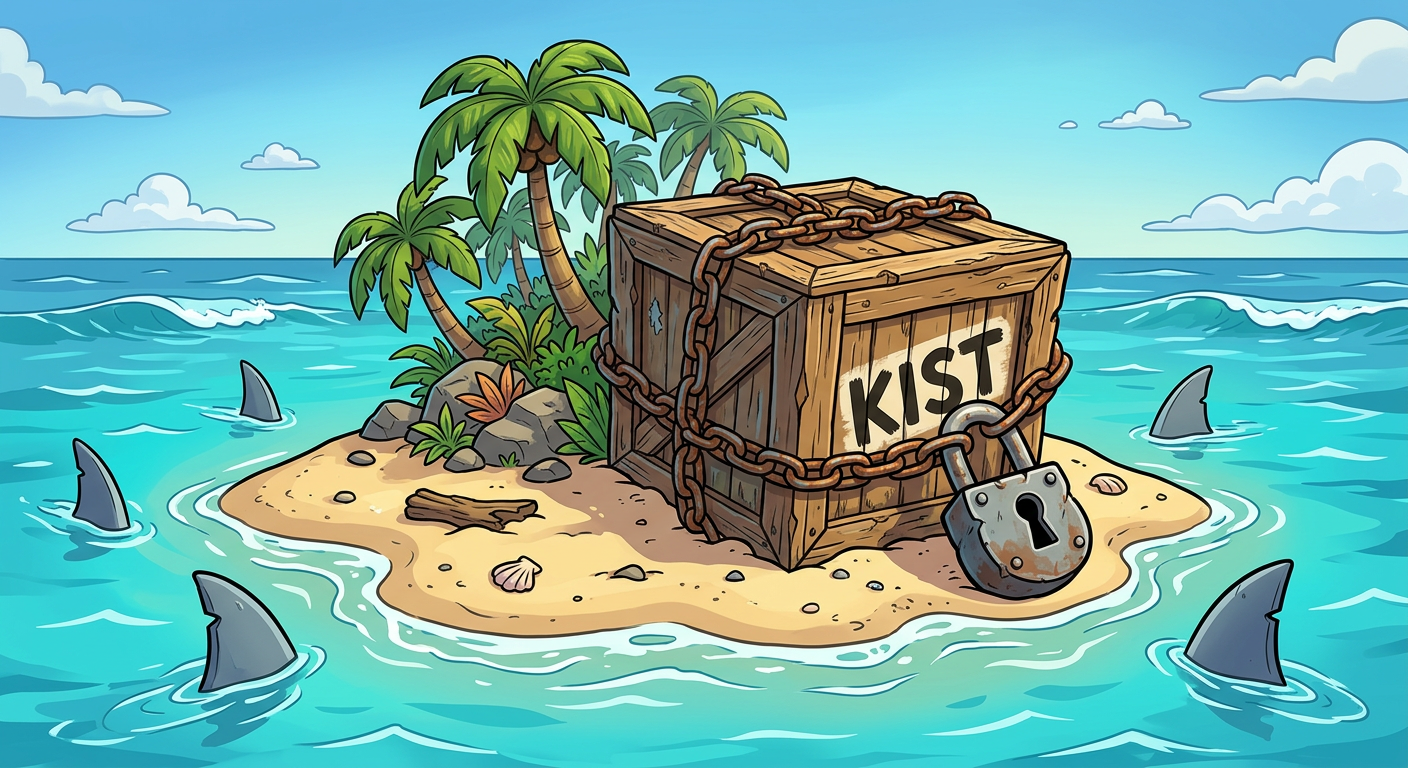
Kist
Keep It Simple and Trusted.
Git-governed encrypted secret storage for Python applications.




Status · 60-second demo · Comparison · Quick start · How it works · Git workflow · CI/CD & GitOps · Offline & embedded · Password rotation · Security boundaries · License
Alpha software. Kist is suitable for evaluation and controlled self-hosted deployments. Its API, database schema, and encrypted-envelope format may evolve before a stable release. Review the code, test recovery procedures, and do not treat a local Git hook as an organisational security control.
Kist is a Python library and CLI for teams that want secret changes reviewed in Git, stored encrypted in PostgreSQL, and retrieved by Python applications—without operating a separate Vault cluster.
Kist means Keep It Simple and Trusted: your Git, your PostgreSQL, your passwords. No third party ever holds your secrets (why).
What Kist does
- Encrypted secrets in Git. YAML secret files are encrypted automatically on
git addand readable only where the profile password is present. Changes go through pull requests like any code, andgit diffshows them in plaintext wherever the password is present. - A runtime store in your PostgreSQL. Python apps read secrets with
Kist().get()and pick up changes live without a restart. - Multi-team isolation. Each team or environment gets its own profile (
secrets/payments.yaml,secrets/production.yaml) with its own password and data keys, scoped by organisation and project. One profile's password opens nothing else, in Git or in PostgreSQL. - Offline and embedded use.
kist exportships ciphertext into firmware or containers;Kist.from_file()reads it on the device with no database. - Password rotation. One command re-encrypts everything under fresh keys; old commits still open through retired passwords.
- Leak guard. A pre-commit hook and CI templates (GitHub, GitLab, Bitbucket) catch plaintext before it lands.
Hello Kist in 60 seconds
# 1. Start a throwaway PostgreSQL (docker-compose.yml is in this repo)
docker compose up -d

# 2. Install Kist and point it at the database
uv tool install kist
export KIST_ENV=development KIST_TLS_MODE=disable
export KIST_DATABASE_URL='postgresql://kist:kist@127.0.0.1:5432/kist'

# 3. Create a profile password and the schema
kist profile create default
kist init-db

# 4. Enable Git encryption in your repo (run before staging any secret file)
kist init

# 5. Write a secret, lock it into PostgreSQL, and commit it encrypted
mkdir -p secrets && printf 'example:\n  api_key: example-value\n' > secrets/default.yaml
kist lock
git add secrets/default.yaml   # the clean filter stores an encrypted Kist envelope
git commit -m "Add encrypted secrets"
from kist import Kist

print(Kist().get("example.api_key"))  # example-value
Your working copy of secrets/default.yaml stays readable; Git only stores ciphertext. Check with git show :secrets/default.yaml | head -c 4, which prints KIST.
The full setup, including production TLS, is in Quick start.
How Kist compares
| Kist | sops | git-crypt | python-dotenv | HashiCorp Vault | Infisical / Doppler | |
|---|---|---|---|---|---|---|
| Changes go through Git review & history | ✅ encrypted in commits + CI leak guard | ✅ | ✅ | ❌ plaintext .env, usually gitignored |
❌ | ⚠️ via integrations |
| Readable diffs | ⚠️ plaintext locally with the password (git diff, git log -p), binary on GitHub |
✅ key names visible, values encrypted | ⚠️ plaintext locally when unlocked, binary on GitHub | n/a | n/a | n/a |
| Secret names hidden in the repository | ✅ whole file encrypted, by design | ❌ key names stay in cleartext | ✅ | ❌ | n/a | n/a |
| Transparent Git workflow | ✅ clean/smudge filters | ⚠️ explicit sops edit |
✅ clean/smudge filters | ❌ | ❌ | ❌ |
| Runtime retrieval API (Python) | ✅ Kist().get() |
⚠️ decrypt file at startup | ❌ file only | ✅ plaintext env | ✅ client libs | ✅ SDKs |
| Live reload without restart | ✅ PostgreSQL LISTEN/NOTIFY |
❌ | ❌ | ❌ | ⚠️ leases / agent | ✅ |
| Offline / embedded devices | ✅ kist export file + Kist.from_file(); password from TPM via systemd-creds |
✅ decrypt with an age/PGP key; ⚠️ cloud KMS needs network | ⚠️ whole repo + shared key on the device | ❌ plaintext file on the device | ❌ needs the Vault server | ⚠️ encrypted fallback snapshot (Doppler) |
| Password / key rotation | ✅ one command across PostgreSQL + Git; old commits open via retired passwords | ✅ sops rotate per file |
❌ not supported | n/a | ✅ | ✅ managed |
| Where your secrets live | Your Git + your PostgreSQL | Your Git (+ cloud KMS if used) | Your Git | Your disk | Your Vault cluster | Vendor cloud (or self-hosted server) |
| Extra infrastructure | PostgreSQL (you likely have it) | None (+ KMS optional) | None | None | Vault cluster | SaaS or self-hosted server |
| Encryption | Argon2id → AES-256-GCM, scope-bound AAD | AES-256-GCM, age / PGP / cloud KMS | AES-256-CTR, GPG | None | AES-256-GCM | AES-256-GCM |
| Multi-team / multi-profile isolation | ✅ per-profile passwords, path-based routing | ⚠️ via .sops.yaml rules |
⚠️ multiple keys | ❌ | ✅ policies | ✅ projects/envs |
| Anti-transplant / rollback protection | ✅ context + version bound | ⚠️ MAC per file | ❌ | ❌ | n/a | n/a |
| Cloud KMS / HSM | 🔜 planned | ✅ | ❌ | ❌ | ✅ | ✅ |
| Fine-grained access policies & audit | ❌ (use Git + DB roles) | ❌ | ❌ | ❌ | ✅ | ✅ |
| Best fit | Python teams wanting GitOps secrets + runtime store, no Vault | Polyglot config files, KMS-backed | Small repos, few trusted devs | Local dev only | Enterprise, dynamic secrets | Teams wanting a managed UI |
Choose Kist when you want secret changes reviewed in Git, served at runtime from the PostgreSQL you already run, refreshed live, and shipped as an encrypted file to offline or embedded devices—without operating a Vault cluster.
Kist and sops make opposite choices on purpose. sops keeps key names readable so pull
requests show which secret changed; Kist encrypts the whole file, because names such as
stripe.live_secret_key, aws.prod_root or vpn.customer_acme already reveal your vendors,
environments and customers to anyone who can read the repository. Kist shows readable diffs
only where the profile password is present (Readable diffs).
Choose something else when you need cloud KMS today, dynamic credentials, or central access policies and audit logs.
Why your own PostgreSQL
Kist does not ask you to sign up for anything. Ciphertext lives in your Git repository and in a PostgreSQL database you already run. Keys live with the people and machines you trust. This is deliberate, for two reasons.
Keep it simple. Most teams already operate PostgreSQL: they back it up, monitor it, restrict access to it and know how to restore it. Reusing it means no new cluster to run, no extra agent, and no new vendor to evaluate. That is the first half of the name.
Keep it trusted. Secrets are never better protected than by those who own them. Handing them to a third party does not remove the risk; it moves it somewhere you can neither see nor control. A hosted secret manager or CI platform holds the credentials of thousands of customers, which makes it one of the most valuable targets on the internet. When it is breached, every customer rotates at once, on someone else's timeline. With Kist, your secrets are only as exposed as your own infrastructure, and only your own incident response decides what happens next.
Bringing your own database also means:
- No lock-in. The schema is documented in Database model, and the envelope format is open. You can leave whenever you like.
- No outbound dependency. Secret retrieval keeps working when a vendor has an outage, changes its pricing or shuts down.
- Defence in depth. The database never sees plaintext or secret names, only AES-256-GCM ciphertext and HMAC-blinded keys. A stolen database dump is useless without the profile passwords.
The trade-off is honest: you own backups, key custody and access control. Kist keeps those jobs small; it does not make them disappear.
What Kist does not do
- It does not provide the sharks surrounding the island in the image above. Bring your own perimeter defence.
- It is not a replacement for Vault, a cloud secret manager or an identity platform.
- It does not support cloud KMS or HSM yet.
- It does not protect a secret once an authorised application has decrypted it.
- It does not make a Git hook impossible to bypass:
git commit --no-verifyremains an effective way to shoot oneself in the foot.
Kist reduces moving parts; it does not replace operational judgement, backups or the uncomfortable meeting after a leaked credential.
Status
Kist is currently an alpha project.
The current release supports the password-v1 encryption mode (see How it works for the envelope model).
Planned for future releases:
KMS data-encryption keys
Kist Guard integration
Cloud KMS providers
Managed hosting
Migration tooling between key modes (password → KMS/TPM)
Installation
1. Add to your project
Install from PyPI with uv:
uv add kist
2. Install globally on your workstation (recommended for Git integration)
To ensure Git clean/smudge filters and pre-commit hooks execute reliably across all IDEs (PyCharm, VS Code, Git GUI clients) and shells without requiring an active virtualenv:
uv tool install kist
Quick start
1. Configure Kist
For local development, configure PostgreSQL and a profile password. Never commit these values to Git.
Setting up profile passwords
You can either generate local password files or inject passwords via environment variables:
Option A: Generate a secure local profile password (recommended for local development)
Generate a cryptographically secure random password and store it securely in ~/.kist/ with owner-only permissions (0600):
# Generate password for the default profile (~/.kist/pwd_default)
kist profile create default

# Generate password for a specific profile (~/.kist/pwd_team_a)
kist profile create team_a
When a local password file exists in ~/.kist/, Kist resolves it automatically—no password environment variables required.
Option B: Set environment variables (recommended for CI/CD and containers)
export KIST_ENV=development
export KIST_TLS_MODE=disable

export KIST_DATABASE_URL='postgresql://kist_user:replace-me@127.0.0.1:5432/kist'
export KIST_PASSWORD='replace-with-a-long-random-password'

# Optional scope values.
export KIST_ORG_ID='local'
export KIST_PROJECT_ID='default'
export KIST_PROFILE='default'
For a remote production PostgreSQL service, use TLS with certificate verification:
export KIST_ENV=production
export KIST_TLS_MODE=verify-full
export PGSSLROOTCERT='/run/secrets/postgres-ca.pem'

export KIST_DATABASE_URL='postgresql://kist_user:replace-me@db.example.internal:5432/kist?sslmode=verify-full'
export KIST_PASSWORD='provided-by-your-runtime-secret-injection-mechanism'
sslmode=require encrypts transport but does not verify the database server identity. Prefer verify-full for remote production databases.
Understanding KIST_ENV vs KIST_PROFILE
To maintain clarity and prevent misconfiguration, Kist separates runtime operational policy from secret partitioning:
| Variable | Dimension | Purpose & Behavior | Typical Values |
|---|---|---|---|
KIST_ENV |
Operational Mode | Controls transport security and connection safeguards (e.g. enforcing strict TLS and certificate validation on PostgreSQL connections in production). Does not change keys or secret partitions. |
development, staging, production (default: development) |
KIST_PROFILE |
Cryptographic Partition | Defines the active secret scope, key bundle, and database partition in kist_profiles. Determines default password lookup (KIST_PASSWORD_<PROFILE>), default file paths (secrets/<profile>.yaml), and zero-knowledge blind indexing. |
default, team_a, billing, production (default: default) |
Common Combinations:
- Local development on a team profile:
KIST_ENV=development KIST_PROFILE=team_a(permits local non-TLS Postgres while scoping secrets toteam_a). - Production service deployment:
KIST_ENV=production KIST_PROFILE=team_a(strictly enforces database TLS while decryptingteam_asecrets).
2. Initialise the database schema
Schema setup is explicit. Run it using the CLI:
kist init-db
Or programmatically in Python:
from kist import Kist

# Initialize the v1 schema
store = Kist()
store.init_db()
A normal runtime application should ideally have only the database permissions required to read and write Kist data; it should not need DDL permissions to create or alter tables.
3. Enable Git encryption with kist init
Run this once per repository, before you git add any secret file:
kist init
kist init registers the Kist clean/smudge filters, adds the secrets*.yaml rules to .gitattributes, ignores .kist/, and installs the pre-commit leak guard. From then on, git add secrets/<profile>.yaml stores an encrypted envelope while your working copy stays plaintext. Without it, Git commits secret files in plaintext.
Each developer must run kist init after cloning, because Git filter configuration lives in the local .git/config and is never shared through the repository. See Git workflow for details, and kist diagnose if a file is not being encrypted.
4. Lock secrets into PostgreSQL
Lock your default profile's YAML secrets into PostgreSQL using the CLI:
kist lock
Or specify an explicit file path:
kist lock secrets/default.yaml
5. Retrieve secrets in Python
from kist import Kist

# Automatically resolves credentials, active profile, and database URL from environment variables
store = Kist()

# Retrieve a value
api_key = store.get("example.api_key")
print(api_key)
Output:
example-value
You can also set or delete values programmatically:
# Set a secret value
store.set("example.api_key", "example-value")

# Delete a secret value (returns True if deleted, False if not found)
store.delete("example.api_key")
Or target another profile explicitly (e.g. in multi-profile services or administrative scripts):
billing_store = Kist(profile_name="billing")
stripe_key = billing_store.get("stripe.api_key")
The public API is intentionally small:
from kist import (
    DecryptionError,
    InvalidEnvelopeError,
    Kist,
    KistError,
    KistScope,
    MissingKeyError,
)
How it works
Password-v1 envelopes
Kist stores an encrypted binary envelope, not a plaintext secret value.
profile password + random salt
    ↓ Argon2id
Key Encryption Key (KEK)
    ↓ wraps (AES-256-GCM)
Random Data Key (DEK) / Key Bundle
    ↓ encrypts (AES-256-GCM)
Encrypted payload (JSON serialised value + context)
Each envelope contains, conceptually:
| Component | Purpose | Secret? |
|---|---|---|
| Magic/version fields | Identifies the Kist format and supported algorithms | No |
| Argon2id parameters | Allows the same password-derived KEK to be recreated | No |
| Salt | Makes each password-key derivation distinct | No |
| Nonce | Makes every AES-GCM encryption distinct | No |
| Wrapped Key Bundle | Stores the encrypted DEK and index key (KEK-wrapped) | Protected |
| Ciphertext and authentication tag | Stores the protected secret value (DEK-encrypted) | Protected, but safe to store |
| Context commitment | Binds the envelope to its intended scope and identity | No |
For a comprehensive beginner-friendly explanation of Kist's cryptographic architecture, envelope model, and threat defenses, see KIST_ENCRYPTION_101.md.
The salt is used before encryption to derive a key from a password. The nonce is used for every AES-GCM encryption. Both are stored with the ciphertext; neither is a secret. The important rule is that Kist uses a fresh nonce for every encryption under a key.
Authenticated context
Kist binds each database value to authenticated context that includes:
organisation ID
project ID
profile ID
profile name
logical secret key
secret version
That means an encrypted value should not successfully decrypt if it is copied to a different profile, secret key, scope, or version.
For example, ciphertext created for:
local/default/production/database.password/version-4
cannot simply be relabelled as:
local/default/production/payment.api_key/version-4
and accepted by Kist. The authentication check fails closed.
YAML lock and unlock
Kist accepts nested YAML mappings and flattens them into dot-separated keys.
# secrets/production.yaml
sql:
  pg:
    host: db.internal
    port: 5432
    ssl_enabled: true
third_party:
  stripe:
    api_key: sk_example_value
This becomes values similar to:
sql.pg.host                    → "db.internal"
sql.pg.port                    → 5432
sql.pg.ssl_enabled             → true
third_party.stripe.api_key     → "sk_example_value"
JSON-compatible types are preserved. Kist supports standard YAML anchors and merge keys (<<: *anchor) to eliminate boilerplate across configurations, while actively validating against duplicate keys within the same block. YAML roots must be mappings and mapping keys must be non-empty strings without dots.
Lock YAML secrets into PostgreSQL (defaults to the active profile's secret file, such as secrets/default.yaml or secrets/<profile>.yaml when KIST_PROFILE is set):
kist lock
Or lock an explicit file:
kist lock secrets/production.yaml
Explicitly specify or override a profile:
kist --profile production lock
Defense-in-Depth Safety: By default,
kist lockverifies that the active profile matches the target file basename (e.g.--profile productionexpectsproduction.yamlorsecrets/production.yaml). Accidental mismatches are blocked to prevent cross-profile data corruption. To explicitly load a differently named file for custom workflows, use--allow-mismatchor--force:kist --profile production lock secrets/custom_seed.yaml --allow-mismatch
Prune database values that no longer appear in the YAML source:
kist lock secrets/production.yaml --prune
Destructive Flag Protection: In interactive terminals,
--pruneprompts for explicit user confirmation before permanently deleting obsolete database rows. In automated pipelines or scripted workflows, supply--forceor--yesto proceed without interactive confirmation.
Delete an individual secret key from PostgreSQL:
# Delete a secret (prompts for confirmation in interactive terminals):
kist delete stripe.api_key

# Bypass confirmation prompts in scripts or automated pipelines:
kist delete stripe.api_key --force
Delete an entire profile partition or manage local password files:
# Permanently delete a profile partition and all its encrypted secrets in PostgreSQL:
kist profile delete preview_env

# Delete database partition and also remove local password file (~/.kist/pwd_preview_env):
kist profile delete preview_env --delete-password --force

# Remove local password file without modifying the database:
kist profile remove-password preview_env
Reconstruct a profile as YAML:
kist unlock secrets/production.yaml
Writer model & concurrency: Kist serializes concurrent profile writes (such as overlapping CI deployment runs) using PostgreSQL transaction-level advisory locks (
pg_advisory_xact_lock), and protects programmatic single-key updates (kist.set) with row-level locks (SELECT ... FOR UPDATE) and automatic retry loops.
Runtime cache invalidation
When Kist changes a value, it sends a PostgreSQL notification on the kist_secret_updated channel. DynamicSecretStore and AsyncDynamicSecretStore can listen for these events and clear the affected in-memory cache entry.
Git/deployment writer updates Kist database
    ↓
PostgreSQL NOTIFY
    ↓
running application cache invalidates the affected key
    ↓
next read decrypts the current stored value
This is cache invalidation, not secret telepathy: each application still needs its configured database access and profile password to retrieve a value.
Git workflow
Kist integrates with Git clean/smudge filters for selected YAML secret files.
authorised working tree       Git index / repository
-----------------------       ----------------------
plaintext secrets.yaml
        │
        ├── git add ── clean filter ──> encrypted Kist envelope
        │
        └── git checkout <── smudge filter <── encrypted Kist envelope
                                      │
                                      └── plaintext working-tree file
Initialise a repository
Inside a Git work tree, and again after every fresh clone:
kist init
Kist configures local clean/smudge filters, appends missing Kist rules to .gitattributes, adds .kist/ to .gitignore, and installs a local pre-commit guard when safe to do so.
Expected Kist attribute rules include:
secrets*.yaml filter=kist diff=kist
secrets*.yml filter=kist diff=kist
**/secrets/**/*.yaml filter=kist diff=kist
**/secrets/**/*.yml filter=kist diff=kist
Run kist init again in repositories set up by older versions: it upgrades the existing rules in place.
Readable diffs
git diff, git log -p and git show show the plaintext YAML change wherever the profile password is present, while the repository only ever stores ciphertext:
$ git log -p -1 -- secrets/device.yaml
@@ -1,2 +1,2 @@
 cloud:
-  api_key: example-one
+  api_key: example-two
- Without the password, the diff shows a placeholder with a short fingerprint instead of failing, so a change is still visible:
[kist: encrypted content 936e812039c9; no password for profile 'payments' opens it]. - Old commits written before a password rotation are decrypted with the retired passwords.
- Renamed files decrypt across the rename with
git log -p --follow. - On GitHub or GitLab, pull requests show binary changes, by design: decryption only happens on machines that hold the password. Unlike sops, Kist does not leave key names in cleartext, because the names alone (
stripe.live_secret_key,vpn.customer_acme) tell an outsider which vendors, environments and customers you have.
Kist does not set diff.kist.cachetextconv, so decrypted text is never cached in Git notes.
Locked files, stable ciphertext and renames
- Locked files. When no password opens a file at checkout, Kist leaves it encrypted in the working tree instead of failing, as git-crypt does. Applications reading it fail; commits, checkouts and diffs keep working. In multi-team repositories each developer sees plaintext only for their own profiles. Content that is not a Kist envelope is still refused.
- Stable ciphertext. Encryption is randomised, so
git addreuses the existing envelope when the plaintext has not changed. Untouched files never show up as modified and commits contain only real changes. Password rotation always re-encrypts; setKIST_FRESH_ENCRYPTION=1to force it manually. - Renames. Each envelope is bound to its path. After
git mv, re-encrypt for the new path withgit add --renormalize <new-path>; the pre-commit guard blocks the commit until you do.
Kist will not silently overwrite an unrelated pre-commit hook. Review the hook first, then use the explicit force option only when appropriate.
Multi-team repositories and per-developer defaults
In shared repositories where multiple teams or services maintain separate secret files (for example, secrets/team_a.yaml and secrets/team_b.yaml), Kist allows each developer to set their own active default profile without hardcoding team settings into Git:
1. Automatic Git Filter Routing
Git clean/smudge filters automatically infer the target profile from the file path (e.g., secrets/team_a.yaml → team_a). Developers only need the cryptographic credentials for their own team; other teams' secret files safely remain as encrypted ciphertext blobs in the local working tree without blocking commits or checkouts.
2. Configure Per-Developer Defaults
Each developer sets their active default profile locally (e.g., via directory-level .envrc / direnv, an untracked .env.local, or shell profile):
# For Team A members:
export KIST_PROFILE=team_a
export KIST_PASSWORD_TEAM_A='team-a-master-password'  # or run: kist profile create team_a

# For Team B members:
export KIST_PROFILE=team_b
export KIST_PASSWORD_TEAM_B='team-b-master-password'  # or run: kist profile create team_b
3. Seamless Daily Workflow
With KIST_PROFILE configured:
- CLI Commands: Running
kist lockorkist unlockwithout file arguments automatically targetssecrets/<profile>.yaml(e.g.,secrets/team_a.yaml). - Safety Checks:
kist lockdetects and blocks accidental cross-team operations if run against another team's file without explicit--profileor--allow-mismatchflags, preventing cross-profile corruption. - Python Runtime: Calling
store = Kist()with zero arguments automatically resolves the developer's default team partition and credentials.
Check and repair local setup
kist diagnose
kist fix
kist fix --apply
kist status
kist fix is a dry run. kist fix --apply repairs only local Git integration. It does not create profile passwords, restage files, or modify encrypted secret values.
Local hook limits
The local pre-commit guard blocks likely plaintext credentials and plaintext files in Kist-managed secret paths before a normal commit. It is useful fast feedback, but it is not an absolute Git leak guard.
Any developer who controls a local clone can bypass a client-side hook, for example with:
git commit --no-verify
Treat local hooks as a seatbelt, not an indestructible force field.
For organisation-wide enforcement:
- Run an equivalent secret scanner in required CI.
- Protect production/default branches.
- Require merge requests and passing security checks.
- Restrict who can modify CI configuration and security policy.
- Where you administer the Git server, consider a server-side pre-receive scanner that rejects pushes before refs are updated.
CI/CD integration & GitOps
Kist turns Git into a secure, reviewable control plane for application secrets (GitOps for Secrets) while keeping raw credentials strictly outside of unencrypted Git history and log streams.
┌───────────────────────────────┐     Pull Request     ┌────────────────────────────────────┐
│ Developer pushes branch       │ ───────────────────> │ CI Server: PR Leak Guard           │
│ (secrets encrypted by filter) │                      │ - Verifies valid Kist envelopes    │
└───────────────────────────────┘                      │ - Blocks unencrypted files/tokens  │
                                                       └─────────────────┬──────────────────┘
                                                                         │ Approved & Merged
                                                                         ▼
┌───────────────────────────────┐     PostgreSQL       ┌────────────────────────────────────┐
│ Application Runtime Containers│ <─────────────────── │ CI/CD Server: Secret Sync          │
│ - DynamicSecretStore caches   │    LISTEN/NOTIFY     │ - Runs `kist lock secrets.yaml`    │
│ - Instant auto-invalidation   │                      │ - Updates database ciphertext      │
└───────────────────────────────┘                      └────────────────────────────────────┘
1. Server-side PR leak protection
While local pre-commit hooks provide fast feedback for developers, server-side CI checks guarantee that no unencrypted secret file or exposed credential ever merges into protected branches (e.g., main, staging).
In Pull Requests / Merge Requests, CI verifies that all tracked secrets*.yaml files are valid kist-v1 binary envelopes:
- name: Verify Secret Envelope Encryption
  run: |
    python - << 'EOF'
    import sys
    from pathlib import Path
    from kist.core import is_kist_envelope

    secret_files = list(Path('.').glob('secrets*.yaml')) + list(Path('.').glob('secrets*.yml'))
    for file_path in secret_files:
        if file_path.is_file() and file_path.stat().st_size > 0:
            if not is_kist_envelope(file_path.read_bytes()):
                print(f"🚨 Plaintext secret leak detected in {file_path}!", file=sys.stderr)
                sys.exit(1)
    print("✅ All secret files verified as encrypted Kist envelopes.")
    EOF
2. Automated secret deployment & live reload
When a reviewed PR merges to main, CI securely synchronizes the updated secrets to your centralized PostgreSQL database:
# In CI with KIST_DATABASE_URL and KIST_PASSWORD_PRODUCTION configured:
kist --profile production lock secrets/production.yaml
When secrets are locked into PostgreSQL, Kist emits a NOTIFY kist_secret_updated event. Applications running DynamicSecretStore or AsyncDynamicSecretStore receive the signal in real time and automatically refresh cached values without container restarts or downtime.
3. Production-ready CI templates
Standalone, copy-paste templates are available in the resources/ directory:
- GitHub Actions (
resources/github/):leak-guard.yml: PR scan and leak prevention.deploy.yml: PostgreSQL secret sync on merge tomain.
- GitLab CI/CD (
resources/gitlab/):.gitlab-ci.yml: Multi-stage pipeline with security scanning, secret sync, and deployment.
- Bitbucket Pipelines (
resources/bitbucket/):bitbucket-pipelines.yml: Step definitions for PR leak guard and automated deployment.
For detailed setup instructions and variable configuration, see the CI/CD Resources Guide.
Password resolution and local profile passwords
For any profile named <name>, Kist resolves the required password in the following order of precedence:
- Profile-Specific Environment Variable:
KIST_PASSWORD_<NAME_UPPERCASE>(e.g.,KIST_PASSWORD_PRODUCTION,KIST_PASSWORD_STAGING,KIST_PASSWORD_DEFAULT) - Global Fallback Environment Variable:
KIST_PASSWORD(used across profiles if no specific variable is defined) - Local password file:
~/.kist/pwd_<name>(e.g.,~/.kist/pwd_production,~/.kist/pwd_staging,~/.kist/pwd_default)
Managing multiple profiles with the CLI
When running CLI commands with the --profile flag, Kist automatically resolves the corresponding profile password:
# 1. Using profile-specific environment variables (recommended for CI/CD & Cloud)
export KIST_PASSWORD_PRODUCTION='super-secret-random-production-key'
export KIST_PASSWORD_STAGING='staging-specific-random-key'

kist --profile production lock secrets/production.yaml
kist --profile staging status

# 2. Using local password files (recommended for local development)
kist profile create development
kist profile create staging

kist --profile staging status
Create a local profile password explicitly:
kist profile create production
Kist intentionally does not generate profile passwords implicitly during normal operations. A surprise password is a fine way to create a surprise recovery problem.
On POSIX systems, Kist uses owner-only protections for local password material:
~/.kist/                 0700
~/.kist/pwd_<profile>    0600
Keep local profile passwords out of Git, backups with broad access, screenshots, and chat messages. Prefer runtime-injected environment variables or a purpose-built secret delivery mechanism for deployed applications.
Rotating a profile password
Rotate when someone with access leaves, on a schedule, or after a suspected leak:
kist profile rotate production --dry-run   # validate the current password and show the plan
kist profile rotate production             # asks for confirmation; --yes in scripts
git commit -m "rotate production profile password"
One command updates everything Kist controls, in an order that never leaves you without a working key:
| Step | What happens |
|---|---|
| 1. Check | The current password must open the profile in PostgreSQL and in Git. Secret files must have no uncommitted changes, so the rotation commit contains only re-encryption. |
| 2. Stage the new password | A new random password is written to ~/.kist/pwd_<profile>.new (0600) before anything else changes. |
| 3. PostgreSQL | In one transaction, Kist generates new data keys (content and index keys), re-encrypts every secret, increments every record version and wraps the new data keys with the new password. Either everything is rotated or nothing is. Listeners receive a key_bundle_rotated notification. |
| 4. Local password | The new password replaces ~/.kist/pwd_<profile>. The old one is kept as pwd_<profile>.old-<timestamp>. |
| 5. Git | git add --renormalize re-encrypts the profile's secret files with the new password and stages them for review. Nothing is committed for you. |
The command then prints a checklist of what Kist cannot reach: CI/CD secrets, environment variables, other developers, running services, exported device bundles and TPM-sealed credentials.
| Option | Use |
|---|---|
--dry-run |
Show the plan and verify the current password; change nothing |
--yes |
Skip the prompt (required when not interactive) |
--new-password-stdin |
Use your own password instead of a generated one, e.g. pass show kist/prod | kist profile rotate prod --yes --new-password-stdin |
--rewrap-only |
Only re-protect the existing keys with the new password. Faster, but anyone who already obtained the keys keeps access. Prefer a full rotation. |
--skip-db / --skip-git |
Limit the rotation to one side |
--git-only |
Recovery: if the database and password file were rotated but Git failed, re-encrypt the Git files with the current password |
--show-password |
Print the new password once (interactive terminals only) |
Password history: old commits keep working
Rotation keeps each old password as a retired password (~/.kist/pwd_<profile>.old-<timestamp>, owner-only). Retired passwords are used only to read older content: when you check out an old commit, git bisect, or rebuild an old release. Kist tries the current password first, then retired passwords from newest to oldest. New content is always encrypted with the current password.
git checkout v1.4.0            # files from before the rotation still open
# kist: secrets/device.yaml: opened with retired password pwd_device.old-20261018-101500 (older content).

kist profile retired-passwords production                     # list
kist profile retired-passwords production --delete --keep 1   # forget all but the newest
- CI and build machines without local password files can provide retired passwords with
KIST_RETIRED_PASSWORDS_<PROFILE>(one per line), for example to rebuild an old firmware release. - Turn it off with
KIST_USE_RETIRED_PASSWORDS=off, for instance on machines that should only ever read current content. - Deleting a retired password makes commits encrypted only with it unreadable on that machine. That is the intended way to retire access to old history, short of deleting it.
- Each retired password that is tried costs one Argon2id derivation, so keep the list short.
Kist does not rewrite Git history to re-encrypt old commits. It would force-push every branch and tag and break every clone, yet anyone who had the old password and a copy of the repository could still read the old values. Password history gives the convenience without that cost; changing leaked values is what actually limits exposure.
What rotation does not do:
- It does not rewrite history. Old Git commits and old database backups still open with the old password (see Password history). After a leak, also change the secret values themselves (new API keys and so on), and treat the old password as compromised.
- It does not reach other machines. Running services fail closed on their next database read until they receive the new password. Plan a short rollout: rotate, update CI and deployment secrets, restart services.
From Python:
from kist import Kist

store = Kist("production")                 # current password
store.rotate_profile_keys(new_password)    # new keys, every secret re-encrypted
store.rewrap_profile_password(new_password)  # or: rewrap only
Python runtime stores
Kist includes optional bounded in-memory cache wrappers in kist.stores.
from kist.stores import TTLSecretStore

store = TTLSecretStore(
    profile_name="production",
    ttl_seconds=30,
)

api_key = store.get("third_party.stripe.api_key")
For PostgreSQL notification-driven invalidation:
from kist.stores import DynamicSecretStore

store = DynamicSecretStore(
    profile_name="production",
    auto_start=True,
)

try:
    api_key = store.get("third_party.stripe.api_key")
finally:
    store.close()
For asynchronous applications:
from kist.stores import AsyncDynamicSecretStore

async def use_secrets() -> None:
    async with AsyncDynamicSecretStore(
        profile_name="production",
    ) as store:
        api_key = await store.get("third_party.stripe.api_key")
Caching warning
Caching makes reads faster by retaining plaintext in process memory for a bounded period. Use it only when that trade-off is acceptable for your application. Set an explicit cache policy or disable caching if you need every read to go back through Kist.
Offline and embedded systems
Devices, air-gapped hosts and CI jobs that cannot reach PostgreSQL can read secrets straight from the encrypted envelope that Git stores, with no database involved.
Export the committed blob at build time. It is ciphertext, so it is safe to ship in an image:
kist export secrets/device.yaml -o dist/device.kist --verify --strict
| Option | Effect |
|---|---|
-o FILE / -o - |
Destination (default <profile>.kist), or stdout for pipelines |
--rev REV |
Export from a tag or commit, e.g. --rev v1.4.0 (default HEAD) |
--staged |
Export the staged version instead of a commit |
--verify |
Decrypt in memory with the profile password to prove the export works; needs the key on the build host |
--strict |
Fail if the working copy has uncommitted changes (recommended in CI) |
kist export reads the blob with git cat-file, so plaintext is never written. It refuses files that are not committed or not Kist-encrypted. Without Kist installed, git show HEAD:secrets/device.yaml > dist/device.kist produces the same file.
Reading on the device
from kist import Kist

with Kist.from_file("/etc/app/device.kist", git_path="secrets/device.yaml") as store:
    api_key = store.get("cloud.api_key")
    port = store.get("mqtt.port", 8883)
git_pathis the repository-relative path at commit time. It is authenticated, together with the profile,KIST_ORGANIZATION,KIST_PROJECTandKIST_REPOSITORY_ID. An envelope moved to another path, profile or scope fails to decrypt.- The profile defaults to the one Git used (
secrets/device.yaml→device). The password comes from the usual lookup:KIST_PASSWORD_DEVICE,KIST_PASSWORD, or~/.kist. - Argon2id runs once per load, not per
get(). Values stay in memory only. Callreload()after an update;close()(or leaving thewithblock) drops them. - The store is read-only and has no live reload. Plaintext working copies are refused.
Practical examples
The pattern is the same everywhere: CI exports ciphertext, the device holds the key. The build pipeline never needs the profile password, so a compromised build runner cannot leak plaintext. Run --verify only where the key is legitimately present.
Use one profile per device class (secrets/gateway.yaml, secrets/sensor.yaml) so that a compromised unit only exposes its own class.
Embedded Linux fleet with the password sealed in the TPM
On systemd 250 or later, systemd-creds can seal the profile password to the device's TPM 2.0, so it never sits in plaintext on disk. Kist needs no TPM code for this.
Provision each device once:
# Read the password from stdin, seal it to this device's TPM, keep only the sealed file
systemd-creds encrypt --with-key=tpm2 --name=kist-password - \
  /etc/credstore.encrypted/kist-password.cred
Service unit /etc/systemd/system/gateway.service:
[Service]
ExecStart=/usr/bin/python3 -m gateway
LoadCredentialEncrypted=kist-password:/etc/credstore.encrypted/kist-password.cred
DynamicUser=yes
Application:
import os
from pathlib import Path
from kist import Kist

password = (Path(os.environ["CREDENTIALS_DIRECTORY"]) / "kist-password").read_text().strip()

with Kist.from_file("/usr/share/gateway/gateway.kist",
                    git_path="secrets/gateway.yaml",
                    password=password) as secrets:
    mqtt_password = secrets.get("mqtt.password")
    cloud_token = secrets.get("cloud.token")
systemd decrypts the credential into a private, in-memory directory that only this service can read. A cloned SD card is useless on another board, because the TPM will not unseal it. Add --tpm2-pcrs=7 when encrypting to also bind it to the device's Secure Boot state.
Try it on any Linux machine with systemd 250+ and a TPM 2.0, without writing a unit file:
sudo systemd-run --wait --pipe -p DynamicUser=yes \
  -p LoadCredentialEncrypted=kist-password:/etc/credstore.encrypted/kist-password.cred \
  /opt/gateway/bin/python -m gateway
Verified on openSUSE with TPM 2.0 and Kist 0.2.0:
| Check | Result |
|---|---|
Service runs as a throwaway DynamicUser and reads secrets via Kist.from_file() |
Works |
Same service without LoadCredentialEncrypted= |
Cannot read anything (CREDENTIALS_DIRECTORY absent) |
| Password on disk | Only the sealed .cred file; no plaintext anywhere |
| Credential loaded under another name | Refused by systemd: Embedded credential name 'kist-password' does not match filename 'other', refusing (status 243/CREDENTIALS) |
Files the service needs (Python, the .kist file) must live outside /home and /tmp: DynamicUser=yes gives the service a private /tmp and a read-only /home, and the throwaway user cannot enter your home folder anyway.
Firmware build in GitHub Actions
Export from the release tag so that every image is reproducible and traceable to a reviewed commit:
# .github/workflows/firmware.yml
on:
  push:
    tags: ["v*"]

jobs:
  build:
    runs-on: ubuntu-latest
    steps:
      - uses: actions/checkout@v7
      - uses: actions/setup-python@v7
        with:
          python-version: "3.13"   # Kist requires Python 3.13+
      - run: pip install kist
      # No KIST_PASSWORD here: CI handles ciphertext only.
      - run: kist export secrets/gateway.yaml -o rootfs/usr/share/gateway/gateway.kist --rev "$GITHUB_REF_NAME"
      - run: ./build-image.sh rootfs/   # Yocto, Buildroot, mkosi, RAUC bundle…
      - uses: actions/upload-artifact@v7
        with:
          name: gateway-${{ github.ref_name }}
          path: out/*.img
Yocto / BitBake recipe
Copy the exported file next to your application's recipe (files/gateway.kist) and add this to the recipe or a .bbappend:
SRC_URI += "file://gateway.kist"

do_install:append() {
    # Use ${WORKDIR} instead of ${UNPACKDIR} on Yocto releases before 5.1
    install -D -m 0644 ${UNPACKDIR}/gateway.kist ${D}${datadir}/gateway/gateway.kist
}

FILES:${PN} += "${datadir}/gateway/gateway.kist"
A standalone recipe that only ships this file also needs S = "${UNPACKDIR}" on Yocto 5.1 and later.
Ciphertext in the image is fine. Keep the profile password out of the image and provision it per device, as shown above.
Edge container with Docker secrets
Bake the envelope into the image and inject the password only at run time:
FROM python:3.13-slim
RUN pip install --no-cache-dir kist
COPY dist/edge.kist /app/edge.kist
COPY app/ /app/
CMD ["python", "/app/main.py"]
# compose.yaml on the edge host
services:
  edge:
    image: registry.example.com/edge:1.4.0
    secrets: [kist_password_edge]
secrets:
  kist_password_edge:
    file: /etc/edge/kist_password    # chmod 600, provisioned per host; the container user must be able to read it
from pathlib import Path
from kist import Kist

password = Path("/run/secrets/kist_password_edge").read_text().strip()
secrets = Kist.from_file("/app/edge.kist", git_path="secrets/edge.yaml", password=password)
Air-gapped server
Export on a connected machine, carry the file across, and check it on arrival:
# Connected side
kist export secrets/plant.yaml -o plant.kist --rev v2.3.0 --strict
sha256sum plant.kist > plant.kist.sha256    # transfer both, e.g. on removable media

# Air-gapped side
sha256sum -c plant.kist.sha256
sudo install -m 0644 plant.kist /etc/plant/plant.kist
The checksum catches corruption in transit, and Kist's authenticated encryption rejects any tampering. Neither replaces your site's media-transfer policy.
Integration tests without a database
Test jobs can read real, reviewed configuration without a PostgreSQL service:
# conftest.py
import pytest
from kist import Kist

@pytest.fixture(scope="session")
def secrets():
    with Kist.from_file("build/ci.kist", git_path="secrets/ci.yaml") as store:
        yield store
kist export secrets/ci.yaml -o build/ci.kist && KIST_PASSWORD_CI="$CI_KEY" pytest
Native hardware-backed keys (TPM 2.0, secure elements) are planned through kist/kms. Until then, seal the profile password with systemd-creds (see above) or protect it as you would any root credential.
Security boundaries
Kist is deliberately explicit about what it protects and what it does not.
Kist helps protect against
- Accidental storage of plaintext secret values in the Kist PostgreSQL tables.
- Accidental storage of configured Kist YAML files as plaintext Git blobs when filters are installed and used normally.
- Undetected modification or substitution of encrypted values across authenticated Kist scope/context.
- Simple reuse of a database dump or Git blob without the corresponding profile password.
- Stale in-process cache values after a Kist update, when notification invalidation is configured and connected.
Kist does not protect against
- A compromised authorised application process that can legitimately retrieve a secret.
- Malware, debug tooling, crash dumps, or hostile dependencies reading application memory.
- A leaked profile password.
- A developer intentionally bypassing or removing a local Git hook.
- A Git server, CI system, database administrator, or operating-system administrator compromised at a higher trust level.
- Deletion, rollback, availability failures, or backup loss unless your infrastructure handles them.
- Business-sensitive metadata in logical secret names, project names, or environment variables.
Do not put plaintext secret values, bearer tokens, passwords, or private keys into:
Git commit messages
CI logs
issue trackers
URLs or query strings
KMS/encryption context
error messages
screenshots
Database model
Kist organizes PostgreSQL storage into an isolated, zero-knowledge relational hierarchy:
kist_organizations
    └── kist_projects
            └── kist_profiles
                    ├── kist_key_bundles (wrapped content & index keys)
                    └── kist_secrets     (HMAC lookup tokens & encrypted payloads)
kist_key_bundles: Stores the randomly generated 256-bitcontent_keyandindex_key, wrapped with the Argon2id-derived profile password (KEK).kist_secrets:lookup_token: 32-byte HMAC-SHA256 hash of the secret name (zero plaintext secret names in the database).encrypted_blob: AES-256-GCM encrypted payload containing{"key": ..., "value": ...}bound to scope, bundle ID, and version via authenticated additional data (AAD).secret_version: Monotonically incremented version number preventing rollback and transplantation attacks.updated_at: Timestamp of the latest mutation.
The database stores encrypted values and wrapped keys, never profile passwords or plaintext secret names. The profile password remains external to PostgreSQL.
For production, use separate roles:
migration/setup role
→ creates or migrates schema

runtime application role
→ reads/writes only required Kist data
→ does not have broad DDL permissions
Troubleshooting
MissingKeyError or “No encryption key configured”
Set the relevant profile environment variable:
export KIST_PASSWORD_PRODUCTION='...'
or create an explicit local password:
kist profile create production
PostgreSQL connection fails
Check that the URL points to a running PostgreSQL server and that local TLS settings are intentional:
pg_isready -h 127.0.0.1 -p 5432
For a local non-TLS development server:
export KIST_ENV=development
export KIST_TLS_MODE=disable
For production remote PostgreSQL, use verify-full and provide a trusted CA certificate.
Git checkout refuses to decrypt a secret file
Check that the correct profile password is available and that the repository/path/scope context matches the one used when the file was encrypted:
kist status
kist diagnose
Kist fails closed when the password, encrypted content, profile, scope, or path does not match.
Kist pre-commit guard blocks a commit
First, assume the warning is useful. Check the staged content:
git diff --cached
If a real credential was staged in plaintext, remove it, rotate it if needed, and use the approved Kist workflow. If you believe it is a false positive, adjust policy deliberately rather than treating --no-verify as a normal workflow.
Development and release notes
Kist is designed to be understandable before it is expansive. If you find a security issue, report it privately through the repository’s security-advisory process rather than opening a public issue with exploit details.
Before using Kist for sensitive production workloads, review:
- profile-password generation, storage, backup, and rotation;
- PostgreSQL authentication, authorisation, network exposure, and backups;
- TLS verification for remote database connections;
- CI/server-side secret scanning and protected branch policy;
- runtime process security and logging;
- recovery procedures after a lost profile password or leaked credential.
License
Kist is licensed under the Apache License, Version 2.0.
Apache-2.0 is a permissive license: you may use, modify, redistribute, and use Kist commercially, subject to the license terms and preservation of applicable notices. It includes an explicit patent grant from contributors.
Cryptographic primitives (AES-256-GCM AEAD and Argon2id KDF) are powered by the standard Python Cryptographic Authority (cryptography) library.
Keep It Simple and Trusted.
Encrypt the value. Review the change. Protect the boundary. Keep the drama for production incidents you did not have.
1 maintainer

Metadata
1 maintainer
Release files for kist 0.2.2
For a detailed explanation of source distributions (sdists) and built distributions (wheels), please see the package formats documentation.
Source distribution (sdist)
| File | Size | Uploaded | Provenance | |
|---|---|---|---|---|
| kist-0.2.2.tar.gz | 82.2 kB | Without provenance | Details |
Built distribution (wheel)
| File | Interpreter | ABI | Platform | Reset |
|---|---|---|---|---|
| kist-0.2.2-py3-none-any.whl | Python 3 | none | any | Details |
Total release size: 153.9 kB
Release files / kist-0.2.2.tar.gz
| Download URL | kist-0.2.2.tar.gz |
|---|---|
| Size | 82.2 kB |
| Tags | Source |
|
SHA-256 checksum How to use checksums |
1c07ee791e327dae4862e0f86fa51456cc5d8c5d89fa1b30005bb6ab6eecc42b
|
|
BLAKE2b-256 checksum How to use checksums |
9d630b3240fb7292c62fc23bffad621e56e81aa456e3c53da767681f6dcffb36
|
| Upload date | |
|
Uploaded using Trusted Publishing? What is trusted publishing? |
No |
| Uploaded via |
uv/0.9.18 {"installer":{"name":"uv","version":"0.9.18","subcommand":["publish"]},"python":null,"implementation":{"name":null,"version":null},"distro":{"name":"openSUSE Tumbleweed","version":"20260922","id":null,"libc":null},"system":{"name":null,"release":null},"cpu":null,"openssl_version":null,"setuptools_version":null,"rustc_version":null,"ci":null}
|
Release files / kist-0.2.2-py3-none-any.whl
| Download URL | kist-0.2.2-py3-none-any.whl |
|---|---|
| Size | 71.6 kB |
| Tags | Python 3 |
|
SHA-256 checksum How to use checksums |
1300692cba59e3e4fb35eb7bb917a4d790a28d1132305c6d645dc52732404fd7
|
|
BLAKE2b-256 checksum How to use checksums |
b92608e9fa5a399fff7a2e55a63e8d10ae56d6050ba0d0dc48a4e33f54ccd7e8
|
| Upload date | |
|
Uploaded using Trusted Publishing? What is trusted publishing? |
No |
| Uploaded via |
uv/0.9.18 {"installer":{"name":"uv","version":"0.9.18","subcommand":["publish"]},"python":null,"implementation":{"name":null,"version":null},"distro":{"name":"openSUSE Tumbleweed","version":"20260922","id":null,"libc":null},"system":{"name":null,"release":null},"cpu":null,"openssl_version":null,"setuptools_version":null,"rustc_version":null,"ci":null}
|
Security for kist 0.2.2
Provenance
Provenance describes where a file came from. On PyPI, provenance is shared via attestations, which provide a verifiable record of the build or publishing details. View details, limitations and caveats.
No provenance found
None of the files in this release were uploaded with provenance metadata.
A note on package security
PyPI is a repository for distributing packages, not a service for auditing them. While third-party security researchers and our staff do their best to detect and remove malicious packages, PyPI cannot guarantee the quality, security or suitability of any given package.














