
kitcat
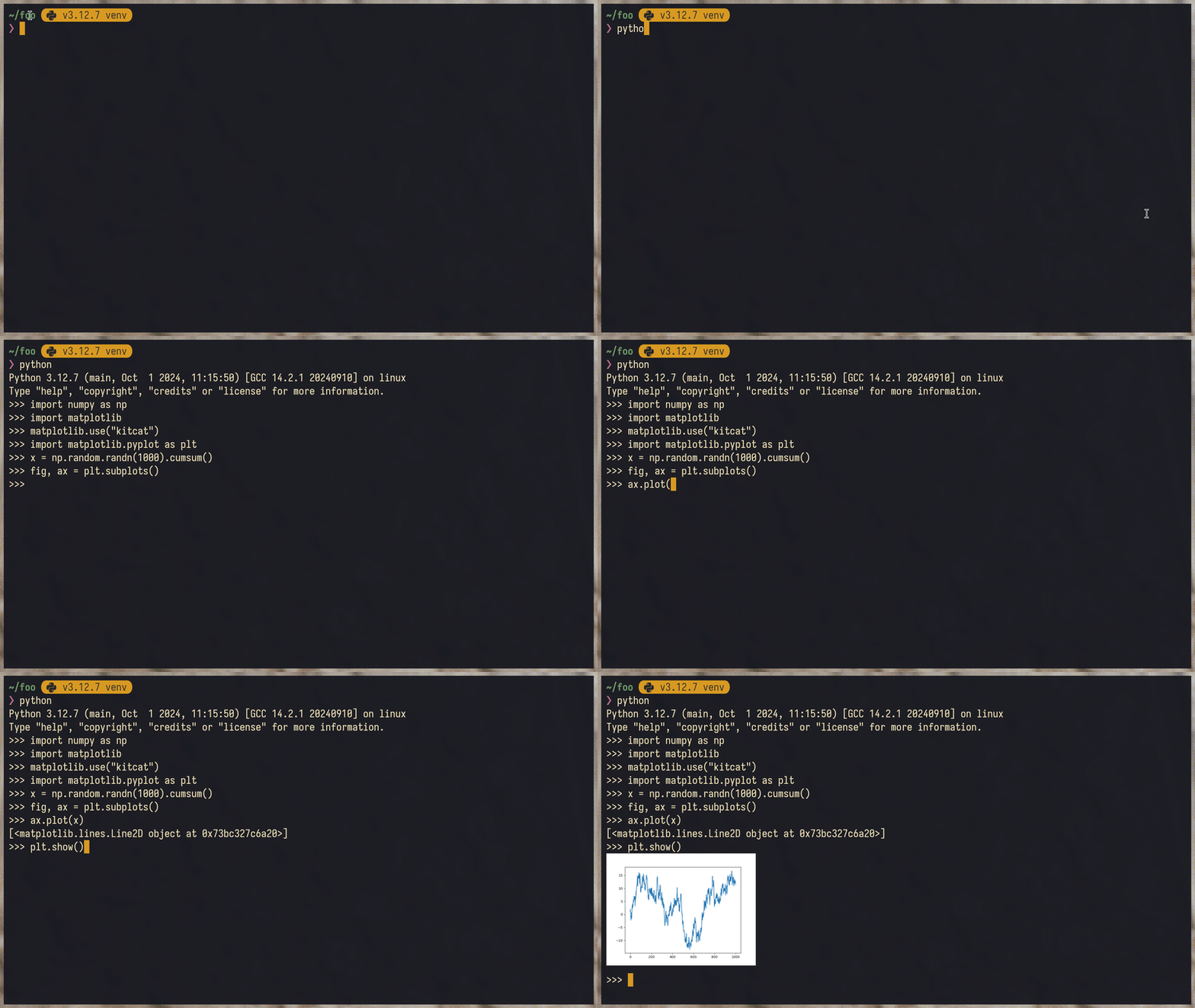
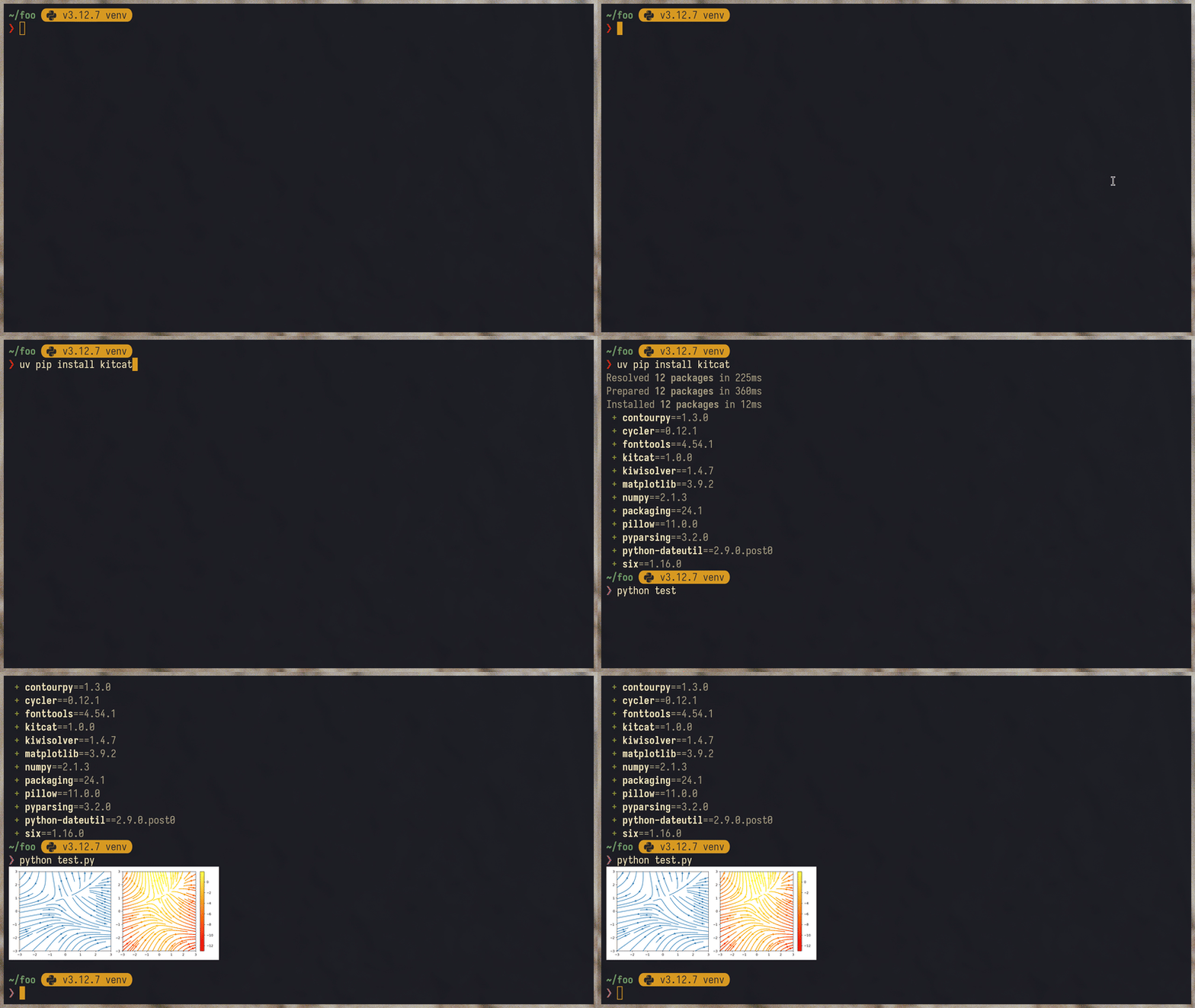
This project introduces a new kitcat backend for Matplotlib that allows plots to be displayed directly in the terminal. It utilizes the "agg" backend for rendering plots before sending them to the terminal.
- Direct Matplotlib plotting in terminal emulators that support Kitty or iTerm2 graphics protocols.
- Works seamlessly over SSH and inside tmux.
Installation
pip install kitcat
Usage
Select kitcat backend after importing matplotlib:
import matplotlib
matplotlib.use("kitcat")
or if pyplot is already imported, switch_backend() can be used to select kitcat backend:
import matplotlib.pyplot as plt
plt.switch_backend("module://kitcat")
Terminal Emulator Support
Kitty and Ghostty are the recommended terminals. They implement modern protocol which let kitcat embed the image into the terminal's text buffer rather than overlaying it on the screen. This means plots scroll with the buffer, clip correctly at pane boundaries, and behave properly inside tmux — see tmux notes. Other supported terminals still work, but the image is drawn at a fixed screen position and won't track the buffer as cleanly.
| Terminal Emulator | Supported | Notes |
|---|---|---|
| Kitty | ✅✨ | |
| Ghostty | ✅✨ | |
| iTerm2 | ✅ | |
| VSCode | ✅ | Requires terminal.integrated.enableImages in settings |
| WezTerm | ✅ | |
| tmux | ✅ | See tmux notes |
| Warp | ✅ | |
| wayst | ✅ | |
| st | ✅ | Requires st-kitty-graphics patch |
| Zellij | ❌ | |
| Alacritty | ❌ | |
| Terminal.app (macOS) | ❌ |
tmux notes
On Kitty and Ghostty, kitcat uses Unicode placeholders so the image becomes part of tmux's text buffer — it scrolls with the buffer, clips at the pane boundary, and disappears when the pane is hidden. On other terminals, the image is drawn directly by the outer emulator and stays at a fixed screen position (so it can persist when switching panes — this is a tmux/terminal limitation, not a kitcat one).
Either way, set -g allow-passthrough on is required in your tmux config.
Acknowledgements
I discovered matplotlib-backend-kitty repository, which provides similar functionality in Kitty. I aimed to create a simpler solution that works across any terminal supporting the protocol.
1 maintainer

Metadata
1 maintainer
Release files for kitcat 2.0.2
For a detailed explanation of source distributions (sdists) and built distributions (wheels), please see the package formats documentation.
Source distribution (sdist)
| File | Size | Uploaded | |
|---|---|---|---|
| kitcat-2.0.2.tar.gz | 12.5 kB | Details |
Built distribution (wheel)
| File | Interpreter | ABI | Platform | Reset |
|---|---|---|---|---|
| kitcat-2.0.2-py3-none-any.whl | Python 3 | none | any | Details |
Total release size: 28.3 kB
Release files / kitcat-2.0.2.tar.gz
| Download URL | kitcat-2.0.2.tar.gz |
|---|---|
| Size | 12.5 kB |
| Tags | Source |
|
SHA-256 checksum How to use checksums |
5e77abff140c12230086c4f120f98a48a09f2cb33e63b3d06818a134767c4728
|
|
BLAKE2b-256 checksum How to use checksums |
a1e6e470293651d654b978fb1fff083808dea9f96ead77c2fd4f3c9702408dcd
|
| Upload date | |
|
Uploaded using Trusted Publishing? What is trusted publishing? |
Yes |
| Uploaded via |
uv/0.5.11
|
Release files / kitcat-2.0.2-py3-none-any.whl
| Download URL | kitcat-2.0.2-py3-none-any.whl |
|---|---|
| Size | 15.8 kB |
| Tags | Python 3 |
|
SHA-256 checksum How to use checksums |
764733af7253d8b507a6fed0398ae44dcdf3af2db4a818ee321e4fbdcdc38128
|
|
BLAKE2b-256 checksum How to use checksums |
db06e4b11e33168b7229742e76c70f4fa827e4110c7914293c498fdba1d5ab1c
|
| Upload date | |
|
Uploaded using Trusted Publishing? What is trusted publishing? |
Yes |
| Uploaded via |
uv/0.5.11
|














