
Kizaru - Open-source MCP server for Lightdash


Kizaru is an open-source MCP server for self-hosted Lightdash, with per-user sign-in.
Query your Lightdash data, and manage its access, content and deliveries, from any AI assistant with your Lightdash permissions.
Works with Claude, ChatGPT, Claude Code and any MCP client that supports OAuth.
Use cases
-
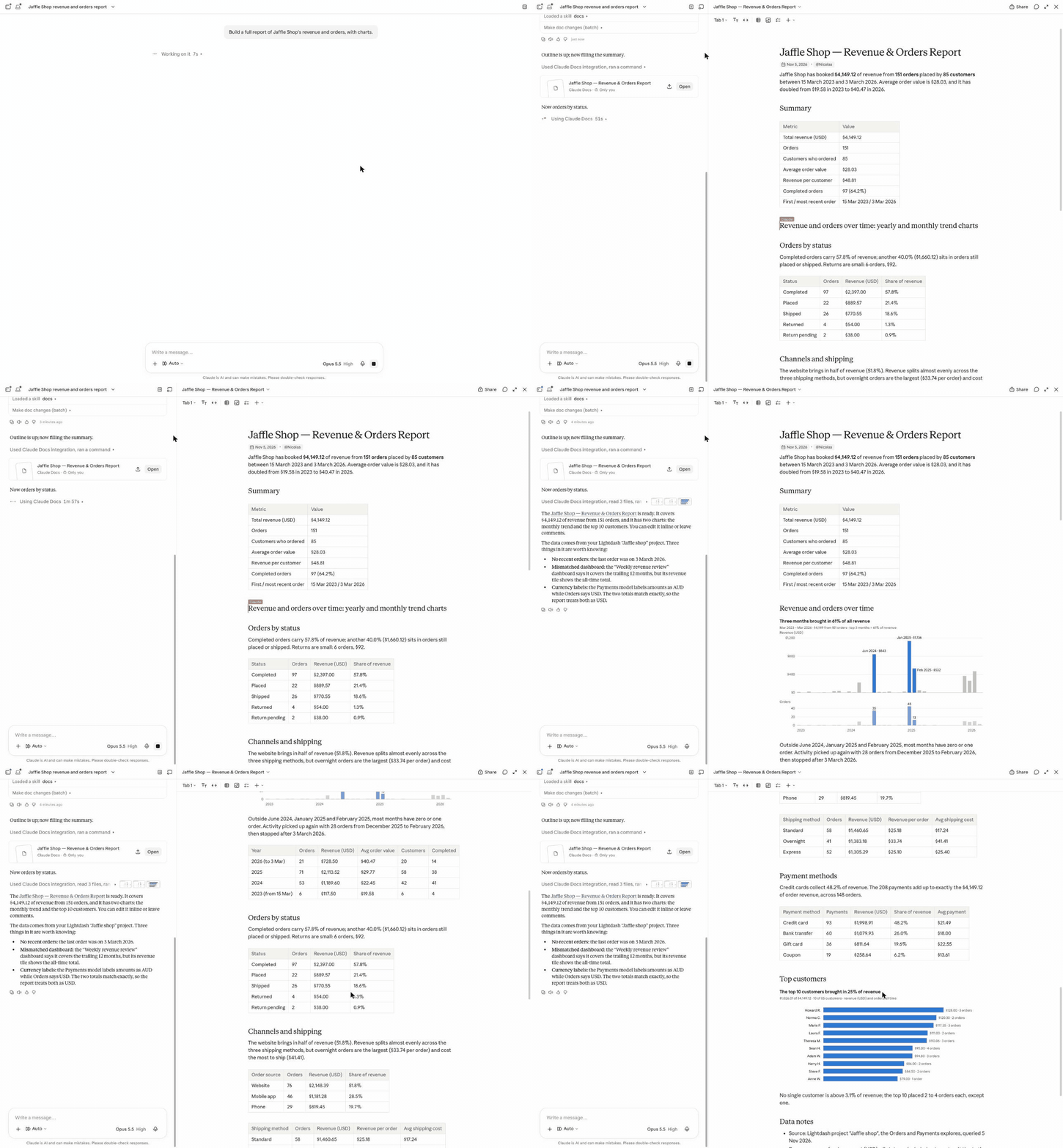
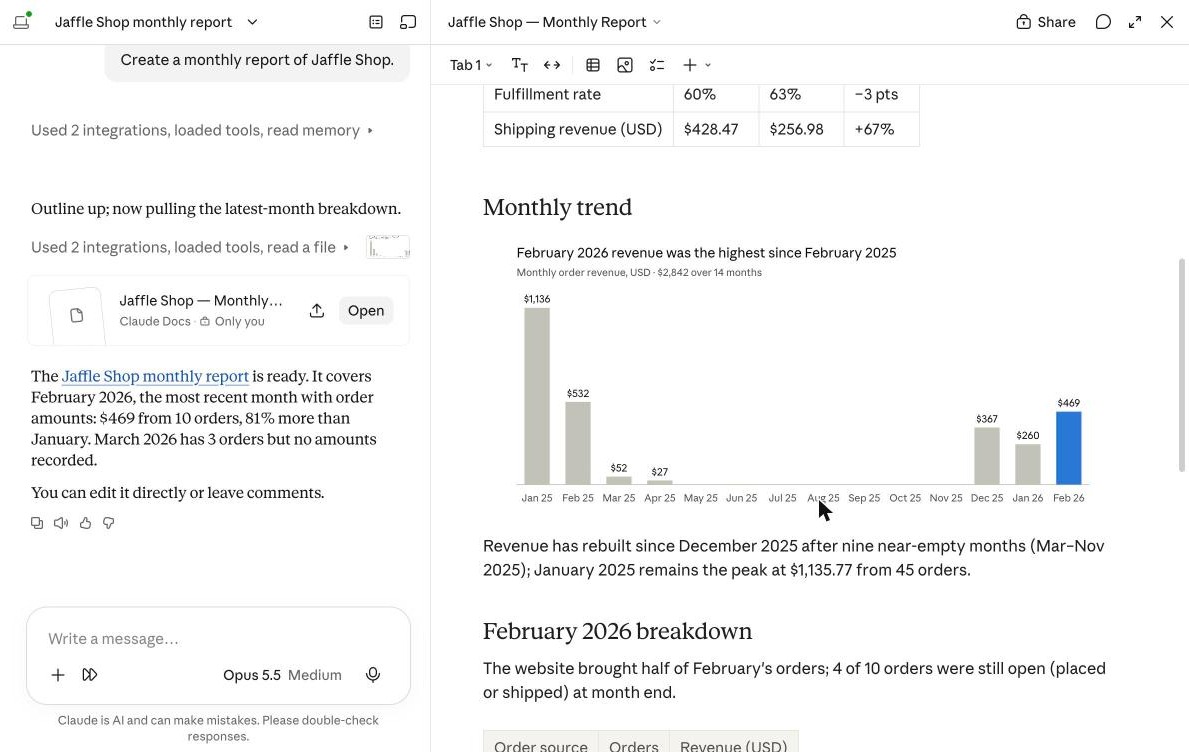
"Create a monthly report of Jaffle Shop."
-
"Which dashboards has nobody opened in 90 days? Move them to an Archive space."
See all use cases with screenshots.
Features
- Data: list explores and their dimensions and metrics, and run queries with filters, sorts and a row limit.
- Access: list users, groups and roles. See who can reach a project or a space and why. Grant, change and revoke project access, and manage group membership.
- Content: find charts and dashboards nobody views, list validation errors, move and delete content.
- Deliveries: list scheduled deliveries with their latest run, pause, edit and delete them.
See all tools.
Principles
- Acts as you. Users sign in with Lightdash. Every call runs with their own role, so the assistant can never do more than they can.
- Safe by default. Deletions only preview what they would remove until confirmed, and your client asks before running them.
- Private tokens. Lightdash tokens never leave the server.
Quick start
Try it on a local Lightdash
Needs Docker and uv.
git clone https://github.com/ntrossat/kizaru-mcp && cd kizaru-mcp && make dev
This starts Lightdash with demo data on http://localhost:8080 and the MCP server on http://localhost:8000/mcp. Add it to your MCP client, then sign in as demo@lightdash.com with demo_password!:
claude mcp add --transport http lightdash http://localhost:8000/mcp
Run it on your Lightdash
Needs Python 3.15+, uv, Redis, and a Lightdash instance (tested on 3.93.6). Its OAuth server is part of open-source Lightdash.
-
Register an OAuth client with your Lightdash, as in Configuration.
-
Clone the repository, fill in
.env(your Lightdash URL, the OAuth client and aFERNET_KEY), and start the server:git clone https://github.com/ntrossat/kizaru-mcp && cd kizaru-mcp cp .env.example .env uv sync uv run kizaru-mcp
Web clients such as ChatGPT or Claude on the web can't reach localhost. Give the server a public HTTPS address, as in Behind a proxy or a tunnel.
Documentation
- Configuration: run the server and connect clients
- Use cases: example prompts with screenshots
- Tools: every tool and the Lightdash API it calls
- Architecture: sign-in, tokens, storage and errors
- Development: local Lightdash, make targets and tests
Contributing
Issues and pull requests are welcome. Run make lint and make test before opening a pull request, and update docs/ in the same change as the code.
Security
Report vulnerabilities privately, as in SECURITY.md.
License
1 maintainer

Metadata
1 maintainer
Release files for kizaru-mcp 0.1.0
For a detailed explanation of source distributions (sdists) and built distributions (wheels), please see the package formats documentation.
Source distribution (sdist)
| File | Size | Uploaded | Provenance | Actions |
|---|---|---|---|---|
| kizaru_mcp-0.1.0.tar.gz | 1.3 MB | Without provenance | Details for kizaru_mcp-0.1.0.tar.gz |
Built distribution (wheel)
| File | Interpreter | ABI | Platform | Actions Reset |
|---|---|---|---|---|
| kizaru_mcp-0.1.0-py3-none-any.whl | Python 3 | none | any | Details for kizaru_mcp-0.1.0-py3-none-any.whl |
Total release size: 1.3 MB
Release files / kizaru_mcp-0.1.0.tar.gz
| Download URL | kizaru_mcp-0.1.0.tar.gz |
|---|---|
| Size | 1.3 MB |
| Tags | Source |
|
SHA-256 checksum How to use checksums |
5b8f78b46918b8bfffdc4b86250ad7fc0b205ffe0b8f500c478426bd524a3c80
|
|
BLAKE2b-256 checksum How to use checksums |
78c25178ab9792adef68253b4333efb72f167f11854091e223d326dcdc6cdb75
|
| Upload date | |
|
Uploaded using Trusted Publishing? What is trusted publishing? |
No |
| Uploaded via |
uv/0.5.4
|
Release files / kizaru_mcp-0.1.0-py3-none-any.whl
| Download URL | kizaru_mcp-0.1.0-py3-none-any.whl |
|---|---|
| Size | 24.4 kB |
| Tags | Python 3 |
|
SHA-256 checksum How to use checksums |
0f6a609363ab248248dab5b9abb6f22fd39ece58c3d440d779cf8725c6bb39dc
|
|
BLAKE2b-256 checksum How to use checksums |
7899bda6f30813ab828532d9923b489f9ce165d582a631559f99dd463590d643
|
| Upload date | |
|
Uploaded using Trusted Publishing? What is trusted publishing? |
No |
| Uploaded via |
uv/0.5.4
|
Security for kizaru-mcp 0.1.0
Provenance
Provenance describes where a file came from. On PyPI, provenance is shared via attestations, which provide a verifiable record of the build or publishing details. View details, limitations and caveats.
No provenance found
None of the files in this release were uploaded with provenance metadata.
A note on package security
PyPI is a repository for distributing packages, not a service for auditing them. While third-party security researchers and our staff do their best to detect and remove malicious packages, PyPI cannot guarantee the quality, security or suitability of any given package.
To learn more about protecting yourself from malicious actors, visit our package security documentation.














