
Color shades generator
Verified details
These details have been verified by PyPIProject links
GitHub Statistics
Maintainers

Project description
Kleur: HSLuv based color utils & palette generators


I'd like to give special credits to Alexei Boronine and everyone else who contributed to the HSLuv project. This work provided the fundaments to build this package on (and is the only dependency used in it).
Installation
pip install kleur
Library usage
When used as a dependency the kleur package contains convenience wrappers around the HSLuv Python API, as well as utilities for styling console ouput built on top of it.
(API reference to be added)
Command line usage
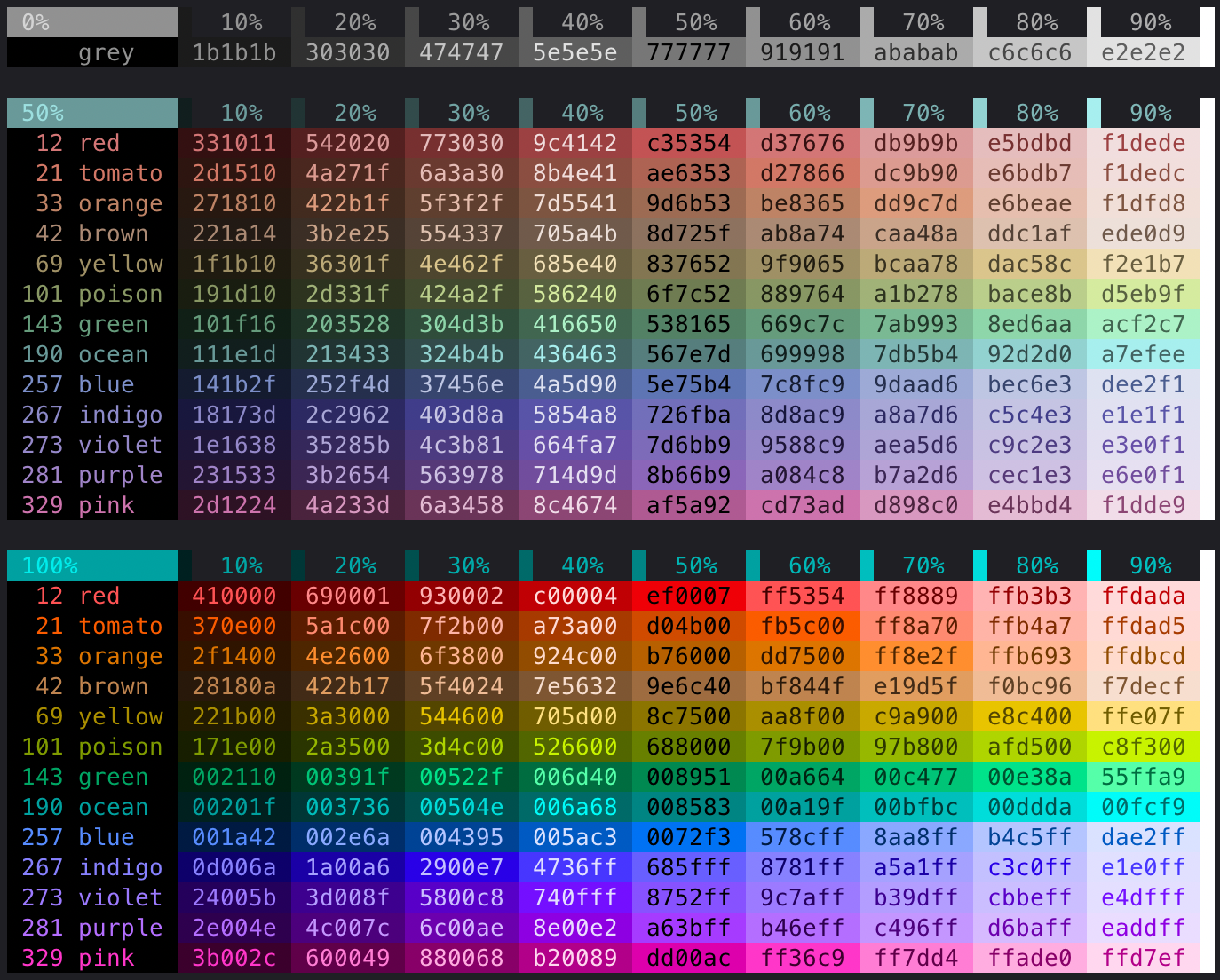
Preview a color palette
General help
$ kleur palette -h
usage: kleur palette [-h] [-c NAME=HUE (1-360) [NAME=HUE (1-360) ...]]
[-m] [-a] [-s NUMBER_OF_SHADES] [-v NUMBER_OF_VIBRANCES]

options:
  -h, --help            show this help message and exit
  -c, --colors NAME=HUE (1-360) [NAME=HUE (1-360) ...]
  -m, --merge-with-default-palette
  -a, --alt-default-palette
  -s, --number-of-shades NUMBER_OF_SHADES
  -v, --number-of-vibrances NUMBER_OF_VIBRANCES
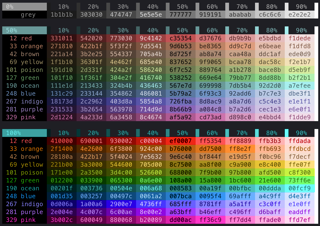
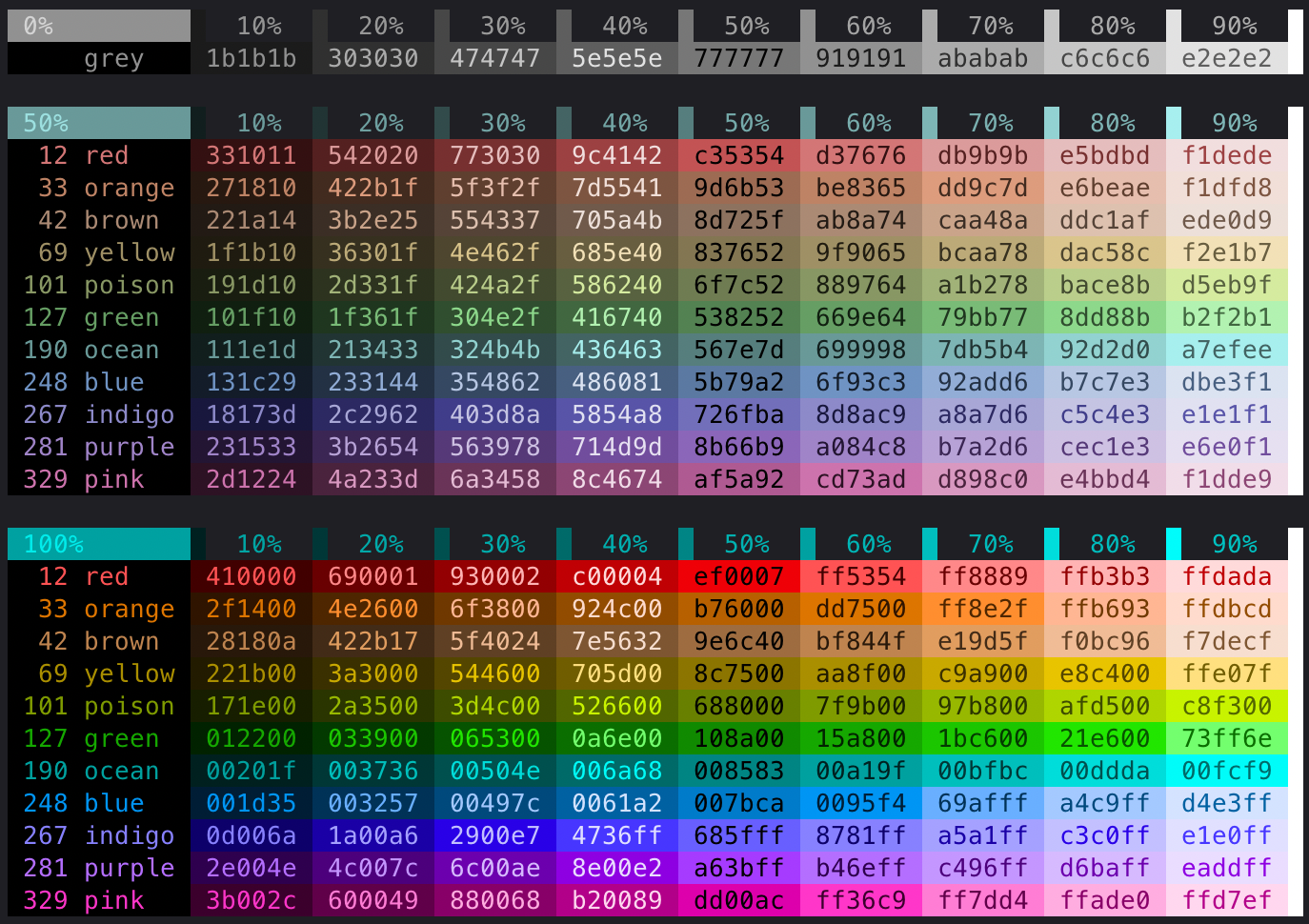
Preview default palette
$ kleur palette
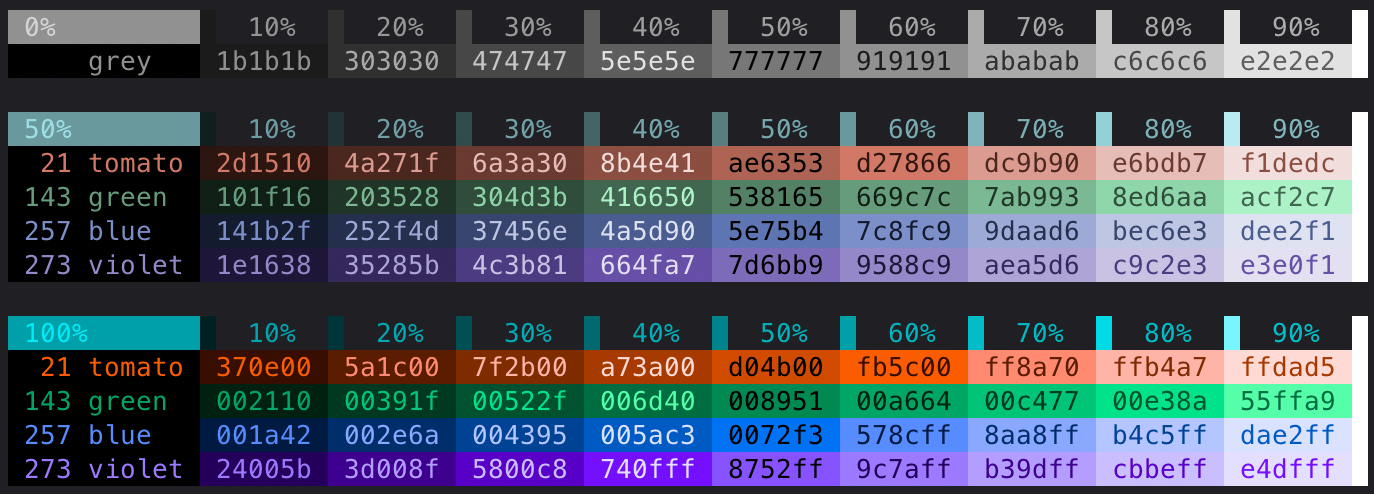
Preview custom palette
$ kleur palette -c green=143 blue=257 tomato=21 violet=273
Preview custom palette merged with default palette
$ kleur palette -c green=143 blue=257 tomato=21 violet=273 -m
Generate shades (as CSS variables), based one 1 or 2 (hex) colors
General help
$ kleur shades -h
usage: kleur shades [-h] [-l LABEL] -c COLOR1 [-k COLOR2]
[-s NUMBER_OF_SHADES] [-b] [-i] [-d DYNAMIC_RANGE]

options:
  -h, --help            show this help message and exit
  -l, --label LABEL
  -c, --color1 COLOR1
  -k, --color2 COLOR2
  -s, --number-of-shades NUMBER_OF_SHADES
  -b, --include-black-and-white
  -i, --include-input-shades
  -d, --dynamic-range DYNAMIC_RANGE
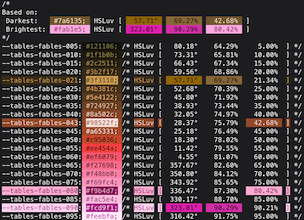
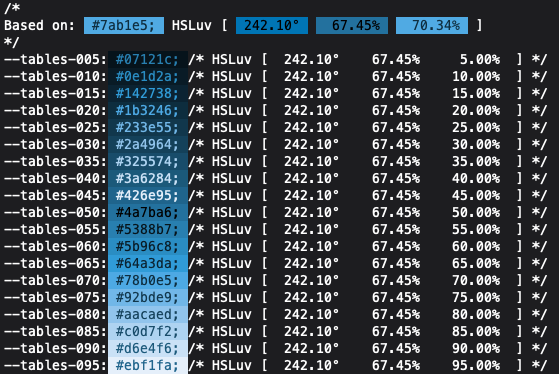
Based on one input color
$ kleur shades -l tables -c 7ab1e5
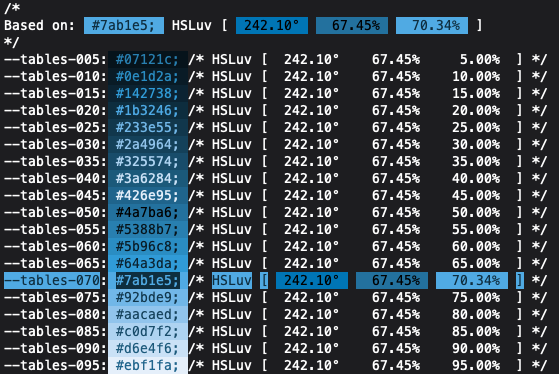
With input markers:
$ kleur shades -l tables -c 7ab1e5 -i
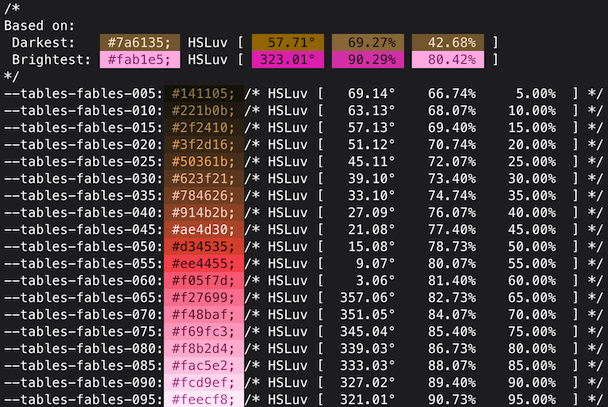
Based on two input colors
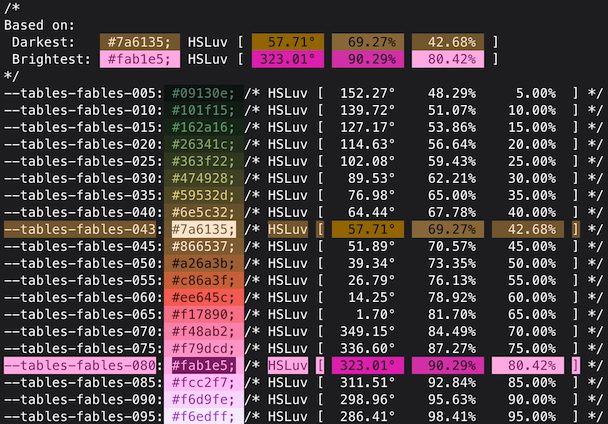
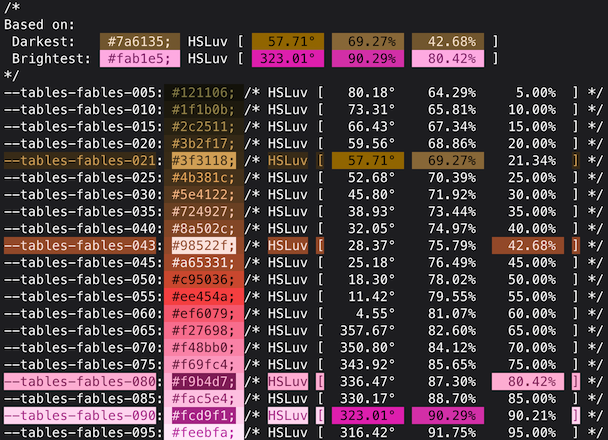
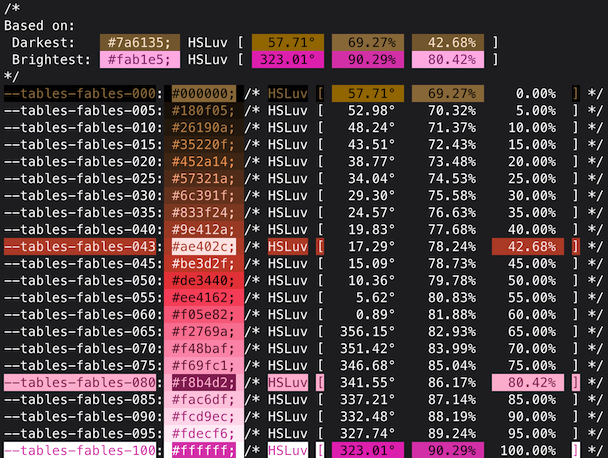
The dynamic range specifies to what degree the hue of the input colors will be used as boundaries:
-
Dynamic range 0 (0%):
The shades will interpolate (or extrapolate) between the input colors.
-
Dynamic range between 0 and 1 (between 0% and 100%):
The shades will interpolate (or extrapolate) between darker / brighter shades of the input colors.
-
Dynamic range 1 (100%):
The shades will interpolate between the darkest & brightest shades of the input colors.
$ kleur shades -l bad-guy -c badddd -k aa601f -d 66
With input markers, varying in dynamic range:
$ kleur shades -l bad-guy -c badddd -k aa601f -d 0 -i
$ kleur shades -l bad-guy -c badddd -k aa601f -d 50 -i
$ kleur shades -l bad-guy -c badddd -k aa601f -d 100 -i
Project details
Verified details
These details have been verified by PyPIProject links
GitHub Statistics
Maintainers
Release history Release notifications | RSS feed


Download files
Download the file for your platform. If you're not sure which to choose, learn more about installing packages.
Source Distribution
Built Distribution
Filter files by name, interpreter, ABI, and platform.
If you're not sure about the file name format, learn more about wheel file names.
Copy a direct link to the current filters
File details
Details for the file kleur-2.0.8.tar.gz.
File metadata
- Download URL: kleur-2.0.8.tar.gz
- Upload date:
- Size: 11.2 kB
- Tags: Source
- Uploaded using Trusted Publishing? Yes
- Uploaded via: twine/6.1.0 CPython/3.13.7
File hashes
| Algorithm | Hash digest | |
|---|---|---|
| SHA256 |
c1f84af4ae09b9d9ab351cbfbf4cadcb6df8616c06284fe0328c091c41ba7405
|
|
| MD5 |
9fcf42299f6480d75b9560b195524b54
|
|
| BLAKE2b-256 |
d2278ab19bfa9b3a72524a6d28bdfaf849684a55122fe98941bdd8e3ea9435d8
|
Provenance
The following attestation bundles were made for kleur-2.0.8.tar.gz:
Publisher:
on-release-tag__publish-to-pypi.yml on githuib/kleur
-
Statement:
-
Statement type:
https://in-toto.io/Statement/v1 -
Predicate type:
https://docs.pypi.org/attestations/publish/v1 -
Subject name:
kleur-2.0.8.tar.gz -
Subject digest:
c1f84af4ae09b9d9ab351cbfbf4cadcb6df8616c06284fe0328c091c41ba7405 - Sigstore transparency entry: 779995142
- Sigstore integration time:
-
Permalink:
githuib/kleur@ae2b749dd207cdb7650ddaa98cc730316405072f -
Branch / Tag:
refs/tags/v2.0.8 - Owner: https://github.com/githuib
-
Access:
public
-
Token Issuer:
https://token.actions.githubusercontent.com -
Runner Environment:
github-hosted -
Publication workflow:
on-release-tag__publish-to-pypi.yml@ae2b749dd207cdb7650ddaa98cc730316405072f -
Trigger Event:
push
-
Statement type:
File details
Details for the file kleur-2.0.8-py3-none-any.whl.
File metadata
- Download URL: kleur-2.0.8-py3-none-any.whl
- Upload date:
- Size: 13.3 kB
- Tags: Python 3
- Uploaded using Trusted Publishing? Yes
- Uploaded via: twine/6.1.0 CPython/3.13.7
File hashes
| Algorithm | Hash digest | |
|---|---|---|
| SHA256 |
58a4cf5b0c6dd364582ab9583ba94fc5557ccb01a74b3f96dcda03face714fca
|
|
| MD5 |
255d0a453e79cf4db5d4ceba0beee68c
|
|
| BLAKE2b-256 |
8b4678ac933f6b575f96c9e0505bfdec537a5fdf9b231dbf5ee428e31fceb968
|
Provenance
The following attestation bundles were made for kleur-2.0.8-py3-none-any.whl:
Publisher:
on-release-tag__publish-to-pypi.yml on githuib/kleur
-
Statement:
-
Statement type:
https://in-toto.io/Statement/v1 -
Predicate type:
https://docs.pypi.org/attestations/publish/v1 -
Subject name:
kleur-2.0.8-py3-none-any.whl -
Subject digest:
58a4cf5b0c6dd364582ab9583ba94fc5557ccb01a74b3f96dcda03face714fca - Sigstore transparency entry: 779995145
- Sigstore integration time:
-
Permalink:
githuib/kleur@ae2b749dd207cdb7650ddaa98cc730316405072f -
Branch / Tag:
refs/tags/v2.0.8 - Owner: https://github.com/githuib
-
Access:
public
-
Token Issuer:
https://token.actions.githubusercontent.com -
Runner Environment:
github-hosted -
Publication workflow:
on-release-tag__publish-to-pypi.yml@ae2b749dd207cdb7650ddaa98cc730316405072f -
Trigger Event:
push
-
Statement type:






