
Kindle cLIPpings NAVigator

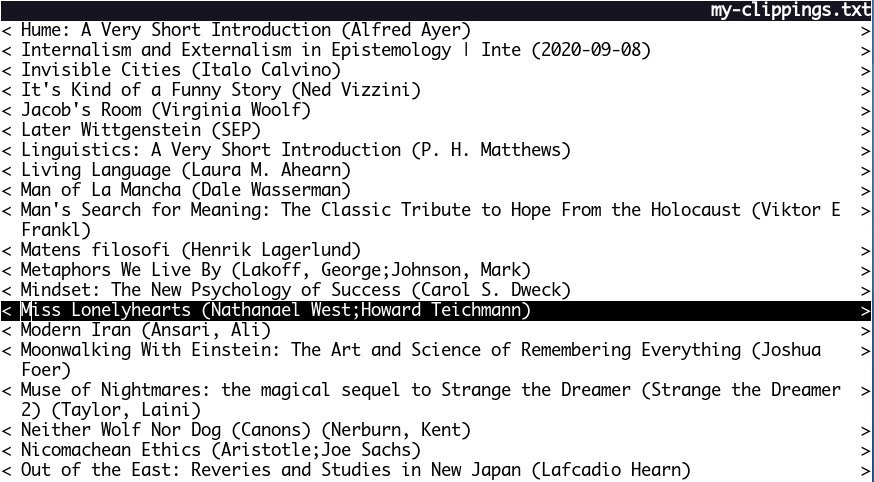
Opinionated TUI Python program to explore Kindle clippings on a book-to-book basis.
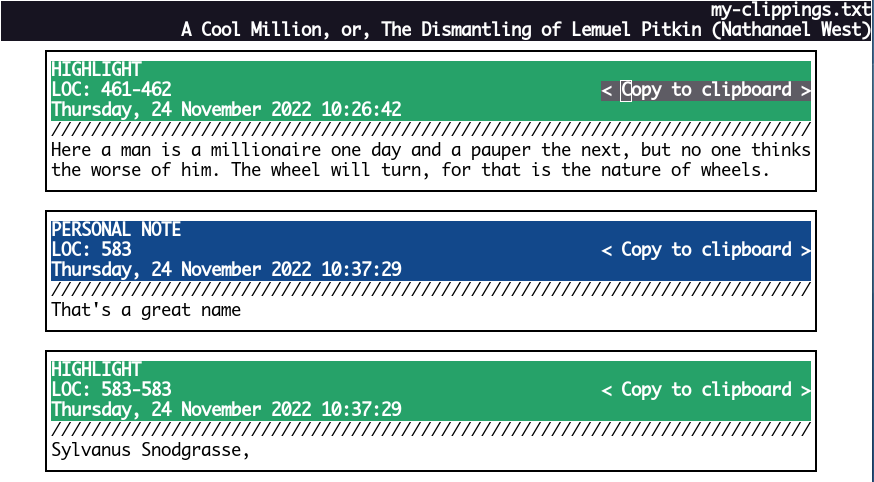
It was written to encompass my workflow where I need easy access to copy-to-clipboard for note/highlight contents (useful for making flashcards).
Installation
pip install klip_nav
or if on a distro without global pip (like Debian Bookworm) use a helper
like pipx:
pipx install klip_nav
Usage
klip_nav CLIPPINGS_FILE
Keybindings
Vim keybindings (hjkl/u/d) or arrow keys if using keyboard, Enter to
select, q to quit. The mouse can also be used to scroll and click through
entries.
1 maintainer

Download files
Download the file for your platform. If you're not sure which to choose, learn more about installing packages.
Source Distribution
Built Distribution
Filter files by name, interpreter, ABI, and platform.
If you're not sure about the file name format, learn more about wheel file names.
Copy a direct link to the current filters













