
🚪 knock
Give your AI coding agent a memory of your codebase.
Stop paying your agent to re-read the same files every session. Knock first, then read only what matters.






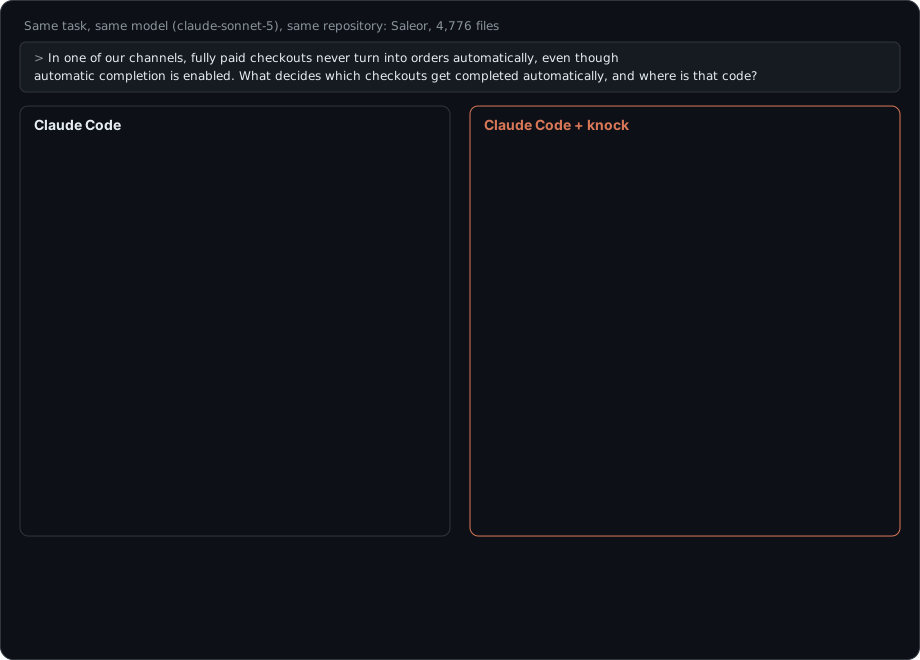
Two real Claude Code sessions on Saleor, abridged: each side's median-cost run out of three. Results vary between runs and repositories; on a small, well-known repo the difference was within noise. Full numbers: docs/benchmark.md.
🤔 The problem, in one table
Every new chat with a coding agent starts with amnesia. To answer "where is X?" or "how do we deploy?" it greps, opens big files, reads them... and next session it does it all over again.
| 😩 Without knock | 😎 With knock | |
|---|---|---|
| First move | grep around, open whole files, or spawn a sub-agent to explore |
one map call: the relevant code as a skeleton with exact line ranges |
| Text the agent reads | ~27,000–118,000 characters per question | ~4,300 characters per question |
| Finds "why did we do it this way?" | only if it opens the right doc | decisions and their rationale come back with the answer |
| Remembers yesterday's bug hunt | ❌ | ✅ agents save findings with remember |
| Knows when its notes are outdated | — | ✅ every answer says fresh or stale |
Median characters per task on the held-out benchmark (targeted-grep and grep-and-read baselines vs knock). Fewer characters ≠ an identical cut in your bill; see the FAQ.
⚡ Getting started
You set knock up once, then you just keep using your AI agent as usual. The agent talks to knock in the background; you never have to run knock commands day to day.
1️⃣ Connect it to Claude Code (once per project)
From inside the project you work on:
claude mcp add knock -- uvx knock-mcp serve --repo . --toolset map
This uses uv, which downloads and runs knock for you. No uv? Run pipx install knock-mcp (or pip install knock-mcp), then claude mcp add knock -- knock serve --repo . --toolset map.
--toolset map gives the agent three tools (map, open, remember) and is the setup measured in the results below. Leave it out to get the original eight tools.
That's the whole setup. The next time you open Claude Code in that project, knock reads the project and builds its notes automatically. This takes a few seconds for a small project and a minute or two for about 5,000 files; after that it only re-reads files that changed.
2️⃣ Work normally
Ask your agent what you'd always ask. Here's what changes behind the scenes:
| You type | What the agent does |
|---|---|
| "Add rate limiting to the login endpoint" | asks knock first and gets the login handler's file:line, your middleware conventions and the test setup, then opens only those lines |
| "Why do we use Postgres instead of Mongo?" | gets the decision and its reasoning from your docs or ADRs, with a link to the source |
| "Tests fail with a Redis error, any idea?" | finds the finding a previous session saved: "login tests need Redis running" |
| (after it figures something out) | saves it with remember, so tomorrow's session already knows |
Nothing to maintain: when code changes, knock updates its notes, and flags anything that may be outdated.
🖥️ Optional: use knock yourself from the terminal
You never need these, but they're handy.
| Command | When you'd use it |
|---|---|
knock map "where are expired checkouts cleaned up?" |
see the same code map your agent gets |
knock open SomeClass.method |
exact code for a symbol, with its callers and callees |
knock context "how do we deploy?" |
ask a question yourself, e.g. when onboarding onto an unfamiliar repo |
knock search "rate limit" |
look up what knock knows about a topic |
knock status |
check how fresh the notes are and how much knock knows |
knock index . |
update the notes right now; your agent normally does this for you |
knock index . --full |
rebuild everything from scratch after a huge refactor |
knock forget . --yes |
delete everything knock stored about this project |
Want knock to ignore some files? List them in a .knockignore file (same format as .gitignore).
👥 Setting it up for a whole team
Commit a .mcp.json file to your repo, and every teammate's Claude Code picks up knock automatically (each person needs knock installed):
{
  "mcpServers": {
    "knock": { "command": "knock", "args": ["serve", "--repo", ".", "--toolset", "map"] }
  }
}
Each person's notes live on their own machine. Sharing findings across a team isn't supported yet (see Status below).
🧠 How it works
flowchart LR
    A["📁 Your repo<br/>code · docs · configs · git log"] -->|"knock index<br/>(only changed files)"| B["🗂️ Notes<br/>each one points to<br/>file + lines + hash"]
    B --> C[("💾 SQLite<br/>on your machine")]
    C -->|"map"| D["🤖 Your agent"]
    D -->|"open / Read<br/>(verify the real lines)"| A
    D -->|"remember<br/>(save what it learned)"| C
- Index: knock reads your repo without running anything in it. It writes short notes: what each module defines, what the docs say about setup and deployment, which tools and dependencies you use, why decisions were made, and which recent commits fixed bugs.
- Ask: your agent asks a question and gets a small, ranked answer with
file:linepointers, instead of reading whole files. - Verify: before editing, the agent reads just the lines it needs. The original files are always the source of truth.
- Remember: the agent saves what it learned. If those files change later, knock marks the note stale so nobody trusts outdated info.
🧰 What your agent gets
With --toolset map (recommended):
| Tool | What it does | |
|---|---|---|
map |
🗺️ | Use when you'd otherwise explore. The code relevant to a task as a skeleton: signatures, exact line ranges, what each function uses and catches, who calls it; plus the history behind it and the docs that matter. For change requests, a lighter version with the exact range to read and existing code to copy. |
open |
📄 | Exact, line-numbered code for a function or class with its callers and callees, a line range, or a file's skeleton |
remember |
✍️ | Save a finding for future sessions; it's flagged automatically when the cited files change |
The original 8-tool set (default without --toolset map)
| Tool | What it does | |
|---|---|---|
get_context |
🔎 | Start here when you'd otherwise explore. A ranked package for a task: notes, functions with file:line, files worth opening, related commits, and honest "nothing known about X" gaps |
search_knowledge |
📚 | Search notes, filtered by category (architecture, decision, workflow, …) or folder |
get_knowledge |
🧾 | One note with full provenance: where it came from, when, and whether it is still current |
get_source |
📄 | Read real lines from a file, with secrets redacted. Only files knock indexed |
record_knowledge |
✍️ | Save a finding; duplicates are merged, contradictions flagged |
update_knowledge_status |
✅ | Mark a note verified, or wrong |
get_repository_status |
🩺 | How fresh the index is, plus counts and stats |
refresh_repository |
🔄 | Re-index changed files (takes milliseconds, no AI calls) |
👀 See a real example session (8-tool set, Flask)
On Flask, an agent is told: "sessions signed with an old key in SECRET_KEY_FALLBACKS are rejected after rotating SECRET_KEY".
get_contextreturns ~7.7 KB containing:src/flask/sessions.py:317:SecureCookieSessionInterface.get_signing_serializertests/test_basic.py:374:test_session_secret_key_fallbacks- related commits
fb54159861 secret key rotation: fix key list orderingande13373f838 enable secret key rotation - the docs sections on sessions and secret keys
get_source("src/flask/sessions.py", symbol="get_signing_serializer")returns the ~80 relevant lines, not the whole file.record_knowledgesaves the finding:{"category": "debugging", "content": "get_signing_serializer builds the key list as SECRET_KEY_FALLBACKS followed by SECRET_KEY; ordering was fixed in fb54159.", "sources": [{"path": "src/flask/sessions.py", "start_line": 317, "end_line": 335}]}
The next session gets it instantly. Ifsessions.pychanges, the note is flagged stale.
📊 Does it actually help?
Measured with a reproducible benchmark: 12 engineering tasks per repo, covering architecture, finding a feature, deployment, bug investigation, design rationale and following conventions.
Held-out repo (full-stack-fastapi-template; knock was never tuned on it):
| Approach | Found the needed facts | Characters read | Tool calls |
|---|---|---|---|
| 🐢 grep + read 3 files | 9 / 12 | 1,215,570 | 72 |
| 🐇 targeted grep + read snippets | 7 / 12 | 328,206 | 60 |
| 🚪 knock | 10 / 12 | 88,962 | 17 |
More numbers, and the fine print
- Flask (used during development, so optimistic): knock 12/12 with 92K chars, baselines 7/12 with 2.1M and 247K chars.
- Speed: a ~200-file repo indexes in 0.3–0.6 s; re-indexing with no changes takes ~30 ms.
- What this measures: whether the facts reached the agent, not whether the agent then solved the task. The baselines are simulations of agent behaviour.
- In real Claude Code sessions (3 runs each), the result depends on the repository and the task:
- Flask (small and well known): knock was break-even on a bug investigation and slightly more expensive on an easy edit, where its extra steps outweigh a single search.
- Saleor (4,776 files, released days before the test), with the compact
maptoolset: on a multi-module investigation, knock cut the median cost from $0.49 to $0.29 and model time from 170 s to 78 s, and every knock run was cheaper. On a follow-up edit whose file one regex search found, knock cost more ($0.14 vs $0.08). - Latest version (adds edit mode and "skip knock for easy edits" guidance), over the full investigate-then-edit scenario: Saleor's median two-day cost fell from $0.70 to $0.43 (−39%). On Flask it was $0.31 vs $0.27, within run-to-run noise. Claude followed the guidance: it used knock for every investigation and skipped it for all the Flask edits.
- Details and caveats are in docs/benchmark.md.
- Not yet measured: real billed tokens with a live model. The harness is ready (
benchmarks/agent_bench.py) but costs API credits to run. - Where knock missed: wording mismatches ("linters" vs "lint") and module-level variables it doesn't index yet.
Full methodology: docs/benchmark.md.
🔒 Your code stays yours
- 💻 Everything is local: one SQLite file in
~/.knock. No cloud, no telemetry, no network calls (a test enforces this). - 🙈 Secrets are skipped:
.envfiles, keys and credentials are never indexed, and tokens or passwords inside code are redacted. - 🧱 Nothing is executed: knock never runs your scripts, hooks or tests. It only reads.
- 🚧 Sandboxed reads: agents can only fetch files knock indexed, never
../../anything.
❓ FAQ
So it saves tokens?
That's the goal, and the benchmark shows far less text reaching the agent. But your bill also includes system prompts, reasoning, and output, and prompt caching already discounts repeated input. Expect the biggest wins on exploration-heavy questions ("how does X work?", "where is Y?", "how do we deploy?"), and little on pure code-writing. Faster answers and memory across sessions are wins either way.
Do I need an API key or a paid model?
No. Indexing and search are fully deterministic and local. The only thing that uses an API is the optional benchmark.
Which agents work with it?
Any agent that supports MCP over stdio. Verified: Claude Code (the session at the top of this page is a real recording of Claude using knock's tools) and the official MCP Python SDK client (all 8 tools, in the test suite). Cursor, Windsurf and others should work but are untested. Setup: docs/agents.md.
Which languages and files does it understand?
Python (deeply, via its syntax tree), plus JavaScript/TypeScript, Go, Rust, Java, Kotlin, C#, Ruby, PHP, Swift, C/C++ and more. It also reads Markdown and reStructuredText docs, ADRs, package.json, pyproject.toml, go.mod, Cargo.toml, Dockerfiles, Makefiles, GitHub Actions, linter configs and git history. Full list: docs/architecture.md.
What if the docs are wrong or outdated?
Every note is labelled with where it came from (extracted from docs, recorded by an agent, git history) and how fresh it is. Agents can mark a note as wrong, and it stays hidden until the source changes. The real file is always one get_source away.
How is this different from "RAG over my repo"?
No embeddings and no vector database. knock stores small structured facts that point back to exact lines, tracks when those lines change, and lets agents add what they learn. It's closer to a team wiki that maintains itself than to a search index.
🗺️ Status
knock is an early MVP (v0.1). What works today and what's next:
- Incremental, resumable indexing that respects
.gitignoreand skips secrets - Structured knowledge with sources, freshness and lifecycle
- MCP server with 8 tools, caching and local metrics
- Reproducible benchmark with a held-out repo
- Model-in-the-loop token and cost benchmark (harness ready)
- Compact 3-tool "code map" (
--toolset map), measured in real Claude Code sessions on Flask and Saleor - Measure on more large repositories, and on private codebases
- Smarter matching for synonyms, and indexing module-level variables
- Optional AI-assisted extraction (opt-in, disclosed)
- Sharing knowledge across a team
🤝 Contributing
Issues and PRs are welcome. Start with CONTRIBUTING.md.
.venv/bin/pip install -e '.[dev]' && .venv/bin/pytest
Deeper docs: Architecture · Security · Agents · Benchmark · Troubleshooting
📜 License
1 maintainer

Metadata
1 maintainer
Release files for knock-mcp 0.1.0
For a detailed explanation of source distributions (sdists) and built distributions (wheels), please see the package formats documentation.
Source distribution (sdist)
| File | Size | Uploaded | Provenance | Actions |
|---|---|---|---|---|
| knock_mcp-0.1.0.tar.gz | 119.1 kB | With provenance | Details for knock_mcp-0.1.0.tar.gz |
Built distribution (wheel)
| File | Interpreter | ABI | Platform | Actions Reset |
|---|---|---|---|---|
| knock_mcp-0.1.0-py3-none-any.whl | Python 3 | none | any | Details for knock_mcp-0.1.0-py3-none-any.whl |
Total release size: 223.6 kB
Release files / knock_mcp-0.1.0.tar.gz
| Download URL | knock_mcp-0.1.0.tar.gz |
|---|---|
| Size | 119.1 kB |
| Tags | Source |
|
SHA-256 checksum How to use checksums |
317caabf14fb75ef62836728375b92b8d137447593ba1ece6241560bf07dbe4a
|
|
BLAKE2b-256 checksum How to use checksums |
92ed59efd006361136207c3766742032661a84586bd6386098949a105213aa6a
|
| Upload date | |
|
Uploaded using Trusted Publishing? What is trusted publishing? |
Yes |
| Uploaded via |
twine/7.0.0 CPython/3.13.16
|
Provenance
Provenance describes where a file came from. On PyPI, provenance is shared via attestations, which provide a verifiable record of the build or publishing details. View details, limitations and caveats.


PyPI Publish Attestation
PyPI verified that this artifact, at this checksum, originated from the publisher listed below.
Signed by GitHub Actions, verified by PyPI on Nov 2, 2026.
Transparency logRelease files / knock_mcp-0.1.0-py3-none-any.whl
| Download URL | knock_mcp-0.1.0-py3-none-any.whl |
|---|---|
| Size | 104.5 kB |
| Tags | Python 3 |
|
SHA-256 checksum How to use checksums |
6a4b9ebfc4b39efa40110e45c7d9ee849240ff06bf0b4630e2c0065ad86862f5
|
|
BLAKE2b-256 checksum How to use checksums |
81a966bc7d16ecac8c476392844343c32fb51d30a9d2c7048a2218dc5b9efee5
|
| Upload date | |
|
Uploaded using Trusted Publishing? What is trusted publishing? |
Yes |
| Uploaded via |
twine/7.0.0 CPython/3.13.16
|
Provenance
Provenance describes where a file came from. On PyPI, provenance is shared via attestations, which provide a verifiable record of the build or publishing details. View details, limitations and caveats.
PyPI Publish Attestation
PyPI verified that this artifact, at this checksum, originated from the publisher listed below.
Signed by GitHub Actions, verified by PyPI on Nov 2, 2026.
Transparency logSecurity for knock-mcp 0.1.0
Provenance
Provenance describes where a file came from. On PyPI, provenance is shared via attestations, which provide a verifiable record of the build or publishing details. View details, limitations and caveats.
Full provenance
All 2 files in this release have been uploaded with provenance metadata.
Attestation for knock_mcp-0.1.0.tar.gz
PyPI Publish Attestation
PyPI verified that this artifact, at this checksum, originated from the publisher listed below.
Signed by GitHub Actions, verified by PyPI on Nov 2, 2026.
Transparency logA note on package security
PyPI is a repository for distributing packages, not a service for auditing them. While third-party security researchers and our staff do their best to detect and remove malicious packages, PyPI cannot guarantee the quality, security or suitability of any given package.
To learn more about protecting yourself from malicious actors, visit our package security documentation.














