
knot


Detect and visualize circular imports in Python projects — fast, static, and dependency-free.
Circular imports are a common source of ImportError and "partially initialized
module" failures, and they quietly couple your code together. knot finds them
without importing or running a single line of your project: it parses the
source with the standard-library ast module, builds the internal module
dependency graph, and reports every cycle with a concrete example path.
It has zero runtime dependencies, runs in CI (non-zero exit on cycles), and can emit a Mermaid diagram of your import graph.
Demo
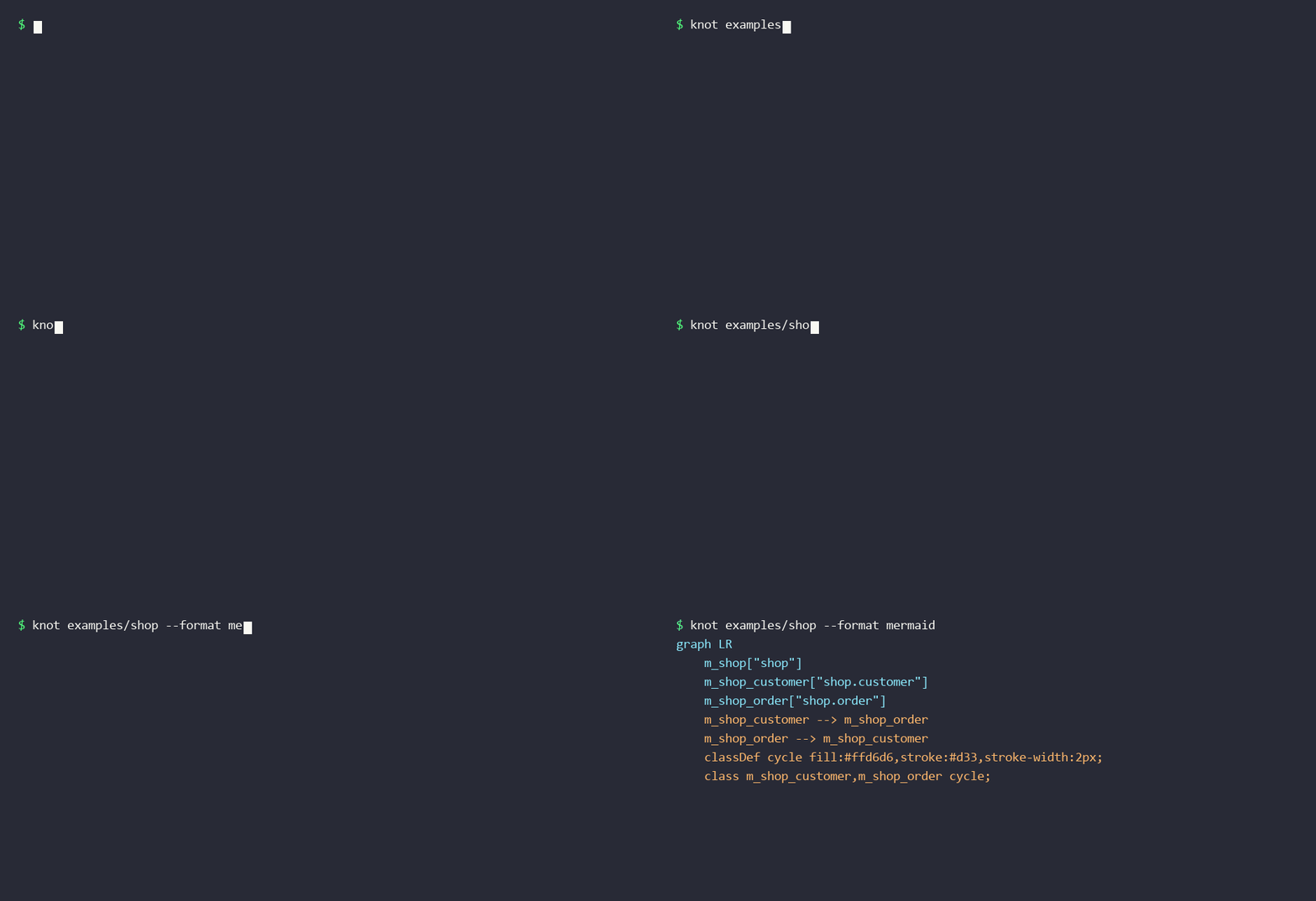
The
examples/shoppackage intentionally contains a circular import so you can tryknotimmediately:knot examples/shop.
Installation
pip install knot-imports
Or run from a checkout without installing:
PYTHONPATH=src python -m knot path/to/project
Usage
# Analyze the current directory
knot .

# Analyze a specific package or project
knot path/to/your_package

# Exclude directories (repeatable); common ones are skipped by default
knot . --exclude migrations --exclude examples
Example
Given a package where order and customer import each other:
$ knot shop
Analyzed 3 modules, 3 internal imports.
Found 1 import cycle:

  1. shop.customer -> shop.order -> shop.customer
Output formats
--format text (default), json, or mermaid:
knot . --format json      # machine-readable: summary, cycles, full graph
knot . --format mermaid   # a graph LR diagram with cycle nodes highlighted
The Mermaid output pastes directly into a GitHub Markdown ```mermaid block
or the Mermaid Live Editor.
Exit codes
| Code | Meaning |
|---|---|
0 |
No cycles found |
1 |
One or more cycles found |
2 |
Error (e.g. path not found) |
Pass --no-fail to always exit 0 (useful when you only want the report).
Drop knot . into a pre-commit hook or CI step to keep cycles out of main.
How it works
- Discover every
.pyfile under the target and map it to its fully-qualified module name, mirroring how Python would import it. - Parse each file with
astand resolveimport/from ... importstatements (absolute and relative) to internal modules; external imports are ignored. - Detect cycles by computing strongly connected components with an iterative implementation of Tarjan's algorithm (safe on very large graphs), then extract a concrete example path for each cycle.
Development
git clone https://github.com/gazzycodes/knot
cd knot
PYTHONPATH=src python -m unittest discover -s tests -v
The demo GIF is regenerated with python make_demo.py (requires pillow).
Contributions are welcome — please open an issue or PR.
License
MIT — see LICENSE.
1 maintainer

Metadata
1 maintainer
Release files for knot-imports 0.1.0
For a detailed explanation of source distributions (sdists) and built distributions (wheels), please see the package formats documentation.
Source distribution (sdist)
| File | Size | Uploaded | Provenance | |
|---|---|---|---|---|
| knot_imports-0.1.0.tar.gz | 84.6 kB | Without provenance | Details |
Built distribution (wheel)
| File | Interpreter | ABI | Platform | Reset |
|---|---|---|---|---|
| knot_imports-0.1.0-py3-none-any.whl | Python 3 | none | any | Details |
Total release size: 96.2 kB
Release files / knot_imports-0.1.0.tar.gz
| Download URL | knot_imports-0.1.0.tar.gz |
|---|---|
| Size | 84.6 kB |
| Tags | Source |
|
SHA-256 checksum How to use checksums |
0c02a71f7c34d44eb2dd7507840beae4b8b764c270cc6676e1808dc34372a1ce
|
|
BLAKE2b-256 checksum How to use checksums |
5d0092e17f7377058f50b128820befa1e9726129a42402b7f221245c5a1de757
|
| Upload date | |
|
Uploaded using Trusted Publishing? What is trusted publishing? |
No |
| Uploaded via |
twine/6.2.0 CPython/3.14.3
|
Release files / knot_imports-0.1.0-py3-none-any.whl
| Download URL | knot_imports-0.1.0-py3-none-any.whl |
|---|---|
| Size | 11.6 kB |
| Tags | Python 3 |
|
SHA-256 checksum How to use checksums |
6eefe68afb4ad84f43594d173b9c671e6987a05ee4d53b498e42c0793942c3dc
|
|
BLAKE2b-256 checksum How to use checksums |
677214d374f2cf1c70a090615373d413679f11b8b383bda4a5ce7ce55cae8580
|
| Upload date | |
|
Uploaded using Trusted Publishing? What is trusted publishing? |
No |
| Uploaded via |
twine/6.2.0 CPython/3.14.3
|
Security for knot-imports 0.1.0
Provenance
Provenance describes where a file came from. On PyPI, provenance is shared via attestations, which provide a verifiable record of the build or publishing details. View details, limitations and caveats.
No provenance found
None of the files in this release were uploaded with provenance metadata.
A note on package security
PyPI is a repository for distributing packages, not a service for auditing them. While third-party security researchers and our staff do their best to detect and remove malicious packages, PyPI cannot guarantee the quality, security or suitability of any given package.
To learn more about protecting yourself from malicious actors, visit our package security documentation.













