
Command-line interface for Kolay IK (https://apidocs.kolayik.com)

Project description
kolay-cli
       ##################
      ###            ###
    ####           ####        %%%                       %%%
   ####           ####         %%%                       %%%
  ####           ####          %%%                       %%%
 ####           ####           %%%   %%%%   %%%%%%%%%    %%%    %%%%%%%%%%%  %%%     %%%%
####           ###             %%%  %%%%  %%%%%   %%%%   %%%  %%%%%   %%%%%  %%%%    %%%
####          #####            %%%%%%%    %%%       %%%  %%%  %%%       %%%   %%%%  %%%%
 ####       ########           %%%%%%%    %%%       %%%  %%%  %%%       %%%    %%%%%%%%
  ####     ####  ####          %%% %%%%   %%%%     %%%%  %%%  %%%%     %%%%     %%%%%%
   ####   ####    ####         %%%   %%%%  %%%%%%%%%%%   %%%   %%%%%%%%%%%%      %%%%
     ### ####      ####        %%%     %%%    %%%%%      %%%      %%%%  %%%      %%%%
      #####          ###                                                       %%%%%
       ##################                                                     %%%%%
A production-ready command-line interface and MCP server for the Kolay IK API. Manage employees, leaves, timelogs, transactions, calendar events, and more — from your terminal or through AI assistants.
Installation
pipx install kolay-cli
Note: If
kolay: command not found, runpipx ensurepathand restart your terminal.
Getting Started
Run the setup wizard — it handles authentication, shell completion, and verification in one go:
kolay setup
Or do it step by step:
1. Authenticate
kolay auth login
You will be prompted for your Kolay API token. It is stored securely in the OS Keychain (macOS Keychain, Windows Credential Manager, or Linux Secret Service) — never in a plaintext file.
2. Verify your installation
kolay doctor
3. Explore
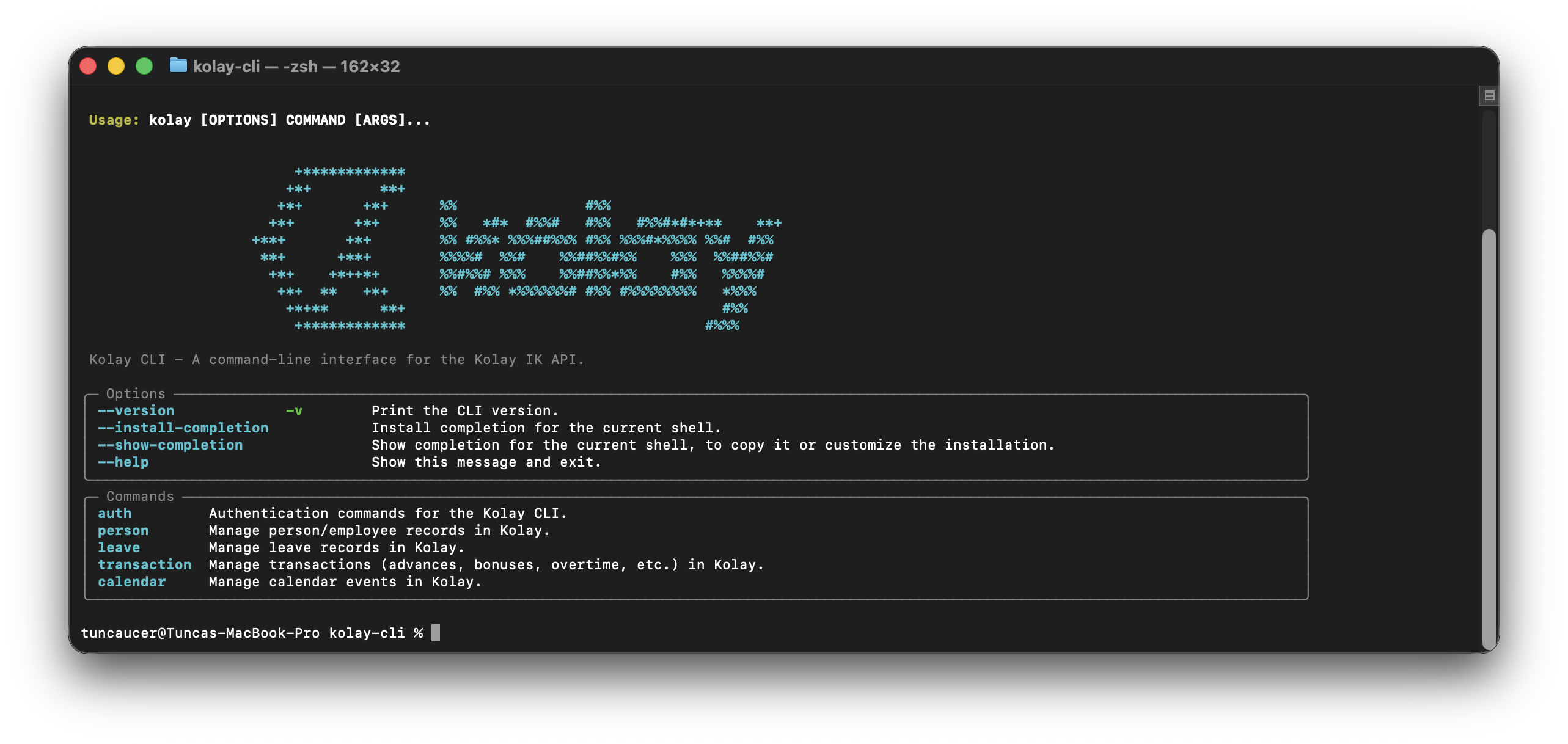
kolay              # logo + full command list
kolay person list  # list active employees
kolay --help       # grouped command reference
Commands
Authentication
| Command | Description |
|---|---|
kolay auth login |
Save and verify your API token (stored in OS Keychain) |
kolay auth logout |
Remove your token from the OS Keychain and config file |
kolay auth status |
Show login status, token source, and user profile |
kolay auth me |
Show your full profile |
Configuration
| Command | Description |
|---|---|
kolay config show |
Display active config (source: env / keychain / file) |
kolay config set <key> <value> |
Write a config key (tokens go to the keychain) |
kolay config validate |
Ping the API to verify your token is valid |
Valid keys: api_token, base_url
People
| Command | Description |
|---|---|
kolay person list |
List active employees |
kolay person list --status inactive |
List terminated employees |
kolay person list --search "ali" |
Search by name or email |
kolay person view <id> |
Full profile of an employee |
kolay person summary <id> |
Quick profile summary |
kolay person create |
Create a new employee record |
kolay person update <id> |
Update profile fields |
kolay person leave-status <id> |
View leave balances |
kolay person list-files <id> |
List attached documents |
kolay person list-trainings <id> |
List assigned trainings |
kolay person assign-training |
Assign a training to an employee |
kolay person update-training <id> |
Update training status/dates |
kolay person delete-training <id> |
Remove a training assignment |
kolay person fields |
List all available person field tokens |
kolay person bulk-view <ids> |
View multiple profiles at once |
kolay person terminate <id> |
Terminate an employee |
Leave
| Command | Description |
|---|---|
kolay leave list |
List approved leave records |
kolay leave list --status waiting |
Show pending requests |
kolay leave list --person-id <id> |
Filter by employee |
kolay leave view [id] |
View a specific leave record |
kolay leave create |
Create a new leave request |
Timelogs
| Command | Description |
|---|---|
kolay timelog list |
List timelog records |
kolay timelog list --type overtime |
Filter by type |
kolay timelog list --status waiting |
Filter by approval status |
kolay timelog view [id] |
View a specific timelog |
kolay timelog create |
Create a new timelog entry |
kolay timelog delete [id] |
Delete a timelog |
Training Catalogue
| Command | Description |
|---|---|
kolay training list |
List all training courses |
kolay training list --search "fire" |
Search by name |
kolay training view [id] |
View training details |
kolay training create |
Add a training to the catalogue |
kolay training update [id] |
Update a training record |
kolay training delete [id] |
Remove a training from the catalogue |
Transactions
| Command | Description |
|---|---|
kolay transaction list |
List all transactions |
kolay transaction list --type bonus |
Filter by type |
kolay transaction list --status waiting |
Filter by approval status |
kolay transaction view [id] |
View a specific transaction |
kolay transaction create |
Create a new transaction |
kolay transaction delete [id] |
Delete a transaction |
Supported types: expense, advancePayment, bonus, premium, otherCut, militaryBenefit, nationalHolidayBenefit, fuelAllowanceBenefit
Expense Categories
| Command | Description |
|---|---|
kolay expense categories |
List expense categories |
kolay expense categories --enabled |
Show only active categories |
kolay expense categories --title "taxi" |
Filter by title |
Approvals
| Command | Description |
|---|---|
kolay approval list |
List configured approval processes |
Calendar
| Command | Description |
|---|---|
kolay calendar list |
List events for the next 30 days |
kolay calendar list --start 2026-01-01 --end 2026-12-31 |
Date range filter |
kolay calendar list --search "meeting" |
Search by title |
kolay calendar view [id] |
View event details |
kolay calendar create |
Create a new event |
kolay calendar update [id] |
Update an event |
kolay calendar delete [id] |
Delete an event |
Organisation Units
| Command | Description |
|---|---|
kolay unit tree |
Show the full organisational tree |
kolay unit create-item |
Add an item to a unit |
Getting Started
| Command | Description |
|---|---|
kolay setup |
Guided first-run wizard (auth + completion + health check) |
kolay doctor |
Post-install health check (PATH, keychain, token, API, completion) |
MCP Server (AI/LLM Integration)
| Command | Description |
|---|---|
kolay mcp serve |
Start the MCP server (STDIO, for Claude Desktop / Cursor / Gemini CLI) |
kolay mcp serve --transport http |
Start as an HTTP endpoint for network access |
kolay mcp tools |
List all 31 registered MCP tools |
Interactive Selection
Any command that takes an ID supports interactive selection. Omit the ID to get a live search-and-pick menu:
kolay leave view          # pick from recent leave records
kolay timelog delete      # pick from recent timelogs
kolay training update     # pick from the catalogue
You can also select by row number from any list:
kolay person list         # shows numbered rows
kolay leave view 3        # select row 3 from the last list
Error Handling
Errors are never raw tracebacks. Every failure renders a branded panel:
- 401 Unauthorized — contextual message + exact fix (
kolay auth login) - 403 Forbidden — friendly "wrong floor" message + admin contact hint
- 429 Too Many Requests — "slow down" message with retry guidance
- 500 Server Error — "the server sneezed" with retry suggestion
- Other errors — plain panel with message and recovery hint
First-run detection: if the CLI has never been configured, any command will show Run kolay setup instead of the generic "no token" error.
Bare command groups (kolay auth, kolay person, etc.) show a hint and automatically display help after a 3-second countdown — instead of the generic "Missing command" error.
Configuration
API Token
The token resolution order is:
KOLAY_API_TOKENenvironment variable ← CI / Docker- OS Keychain (macOS Keychain, Windows Credential Manager, Linux Secret Service) ← interactive users
- Config file
~/.config/kolay/config.yaml← legacy / fallback
Interactive login (recommended)
kolay auth login
Stores the token in the OS Keychain — no plaintext file involved.
Environment variable (CI / Docker)
export KOLAY_API_TOKEN=your_token_here
Takes highest priority. Ideal for GitHub Actions, GitLab CI, and Docker deployments.
Logout
kolay auth logout
Removes the token from both the OS Keychain and any config file.
Check token status
kolay auth status    # human-readable: name, source, validity
kolay --json auth status  # machine-readable JSON
Linux (headless / CI)
On Linux without a desktop keyring (e.g., servers or Docker containers), use the environment variable:
export KOLAY_API_TOKEN=your_token_here
For Linux desktop users who want keyring storage:
pip install 'kolay-cli[linux]' # installs keyrings.alt as a file-backed fallback
Base URL
Default: https://api.kolayik.com. Override:
export KOLAY_BASE_URL=https://custom.domain.com
# or
kolay config set base_url https://custom.domain.com
HTTPS is mandatory. HTTP base URLs are rejected at startup.
Config File Location
~/.config/kolay/config.yaml   (preferred)
~/.config/kolay/config.json   (legacy)
File permissions: 0600 (owner read/write only). Tokens are auto-migrated from config files to the OS Keychain on first use.
Debug Logging
kolay --debug person list
Writes full HTTP request/response cycles to ~/.config/kolay/debug.log. The Authorization header is always redacted (Bearer [REDACTED]) — the raw token is never written to disk.
MCP Server (AI/LLM Integration)
Kolay CLI includes a built-in Model Context Protocol (MCP) server powered by FastMCP. This lets AI assistants and LLMs interact with Kolay IK directly.
Quick Start
# List available tools
kolay mcp tools

# Start the server (STDIO mode)
kolay mcp serve
Claude Desktop / Cursor / Gemini CLI
Add to ~/.claude/claude_desktop_config.json:
{
  "mcpServers": {
    "kolay-ik": {
      "command": "kolay",
      "args": ["mcp", "serve"]
    }
  }
}
HTTP Mode
Expose as a network endpoint for multi-client or remote access:
kolay mcp serve --transport http --port 8000
Authentication in MCP
All 31 MCP tools are protected by a @require_auth decorator. If the token is missing or expired, the tool returns a structured error dict to the LLM client instead of crashing:
{
  "error": true,
  "code": 401,
  "message": "No API token configured.",
  "hint": "Run 'kolay auth login' or set the KOLAY_API_TOKEN environment variable."
}
The token is resolved once from env → keychain → config file and cached in-process — no keychain round-trip on every tool call.
Available Tools (31)
| Domain | Tools |
|---|---|
| People | person_list, person_view, person_summary, person_leave_status, person_create, person_update, person_terminate, person_rehire, person_assign_training |
| Leave | leave_list, leave_view, leave_create |
| Timelogs | timelog_list, timelog_view, timelog_create, timelog_delete |
| Training | training_list, training_view, training_create, training_delete |
| Transactions | transaction_list, transaction_view, transaction_create, transaction_delete |
| Calendar | calendar_list, calendar_view, calendar_create, calendar_update, calendar_delete |
| Organisation | unit_tree, approval_list |
Available Prompts (4)
The server also exposes Advanced MCP Prompts that instruct the LLM (like Claude) on how to seamlessly orchestrate the tools above:
| Prompt | Description |
|---|---|
employee_snapshot |
Generates a clean Markdown HR snapshot (ID card, tenure, unused leave) for a searched employee. |
burnout_analyzer |
Analyzes all employees in a department, highlights those with >20 days unused annual leave, and drafts an email. |
onboarding_plan |
Drafts a welcome email, guesses IT setup checklists, and schedules a first-week key-role meeting for new hires. |
offboarding_plan |
Creates a handover checklist, calculates exact leave payout, and crafts 5 strategic exit interview questions. |
Architecture
Both the CLI and MCP server share a common services/ layer — zero logic duplication:
  CLI (Typer)         MCP (FastMCP)
  commands/*          mcp_server.py
       \                  /
        +--- services/ ---+     pure business logic
                |
           api/client.py        HTTP calls
Shell Auto-completion
# Zsh
kolay --install-completion zsh

# Bash
kolay --install-completion bash
After installation, restart your shell or run source ~/.zshrc.
Security
| Area | Implementation |
|---|---|
| Token storage | OS Keychain (macOS Keychain / Windows Credential Vault / Linux Secret Service) via keyring — no plaintext |
| Token priority | env var → keychain → config file; auto-migrates legacy config-file tokens to keychain |
| JWT validation | Expiry (exp) checked locally with 5-second clock-skew leeway; JWKS/IdP placeholder in security.py |
| MCP auth | All 31 tools wrapped with @require_auth; returns structured 401 dict instead of crashing |
| Debug log safety | Authorization: Bearer [REDACTED] — raw token never written to debug.log |
| Repr safety | KolayClient.__repr__ never exposes the bearer token — safe in tracebacks and crash reports |
| HTTPS enforced | HTTP base URLs rejected at startup to prevent token leakage |
| Input sanitization | User-supplied IDs validated against [a-zA-Z0-9_-]; path traversal (../../) and embedded :// blocked |
| Atomic file writes | Config files written via `O_WRONLY |
| No token echo | Login prompt uses hide_input=True; token never printed to terminal |
| Request timeouts | All HTTP calls capped at 30 seconds |
| Retry safety | Exponential backoff only on transient errors (429, 5xx); never retries auth failures |
Token Resolution for CI/CD
# GitHub Actions example
- name: Run Kolay CLI
  env:
    KOLAY_API_TOKEN: ${{ secrets.KOLAY_API_TOKEN }}
  run: kolay --json person list
No keyring needed in CI — KOLAY_API_TOKEN takes priority over all other sources.
Agent Usage
Use --json for structured output and --yes to bypass confirmations:
kolay --json person list --limit 10
kolay --json calendar list --start 2025-03-01 --end 2025-03-31
kolay --yes training delete <id>
Exit Codes
| Code | Meaning |
|---|---|
0 |
Success |
1 |
Server / general error |
2 |
Bad input / syntax error |
3 |
Resource not found |
4 |
Auth / permission error |
5 |
Conflict |
Development
git clone https://github.com/ezapmar/kolay-cli
cd kolay-cli
uv sync
kolay --version
Run tests
uv run --extra test pytest tests/ -v
267 tests covering API client, security (keyring, JWT, require_auth, token cache), all command modules, services layer, UI helpers, witty error rendering, header redaction, repr safety, and UX improvements.
Security audit
uv run bandit -r src/ -f screen
Code style
uv run ruff check src/
uv run mypy src/
License
MIT — see LICENSE.
Links
Release history Release notifications | RSS feed


Download files
Download the file for your platform. If you're not sure which to choose, learn more about installing packages.
Source Distribution
Built Distribution
Filter files by name, interpreter, ABI, and platform.
If you're not sure about the file name format, learn more about wheel file names.
Copy a direct link to the current filters
File details
Details for the file kolay_cli-0.9.2.tar.gz.
File metadata
- Download URL: kolay_cli-0.9.2.tar.gz
- Upload date:
- Size: 93.6 kB
- Tags: Source
- Uploaded using Trusted Publishing? No
- Uploaded via: uv/0.10.6 {"installer":{"name":"uv","version":"0.10.6","subcommand":["publish"]},"python":null,"implementation":{"name":null,"version":null},"distro":{"name":"macOS","version":null,"id":null,"libc":null},"system":{"name":null,"release":null},"cpu":null,"openssl_version":null,"setuptools_version":null,"rustc_version":null,"ci":null}
File hashes
| Algorithm | Hash digest | |
|---|---|---|
| SHA256 |
5a805596fa380c841560a3df33256a59bcc9d37505b32cf0588a80b75bd1e181
|
|
| MD5 |
420b3c5e28e6097d82728d5499fcc6f5
|
|
| BLAKE2b-256 |
5d5ace5599259e46815137ee51fcf3c33fdc14cc20f13095790e008c24d05fdc
|
File details
Details for the file kolay_cli-0.9.2-py3-none-any.whl.
File metadata
- Download URL: kolay_cli-0.9.2-py3-none-any.whl
- Upload date:
- Size: 88.4 kB
- Tags: Python 3
- Uploaded using Trusted Publishing? No
- Uploaded via: uv/0.10.6 {"installer":{"name":"uv","version":"0.10.6","subcommand":["publish"]},"python":null,"implementation":{"name":null,"version":null},"distro":{"name":"macOS","version":null,"id":null,"libc":null},"system":{"name":null,"release":null},"cpu":null,"openssl_version":null,"setuptools_version":null,"rustc_version":null,"ci":null}
File hashes
| Algorithm | Hash digest | |
|---|---|---|
| SHA256 |
f2ee597e6a677d1b72969abac9dd17a8d3b303b45cdb3b92a04288c3991b99ea
|
|
| MD5 |
e16769aa492062d8316a4a6609c40de0
|
|
| BLAKE2b-256 |
82ce312c98e7b0eb99c1267580514e868fd84010f337f14d7d130de9d9630668
|






