
matplotlib의 폰트 설정을 자동으로 한국어화

Project description
koreanize-matplotlib
matplotlib를 한국어 표시에 대응시킵니다.
사용법
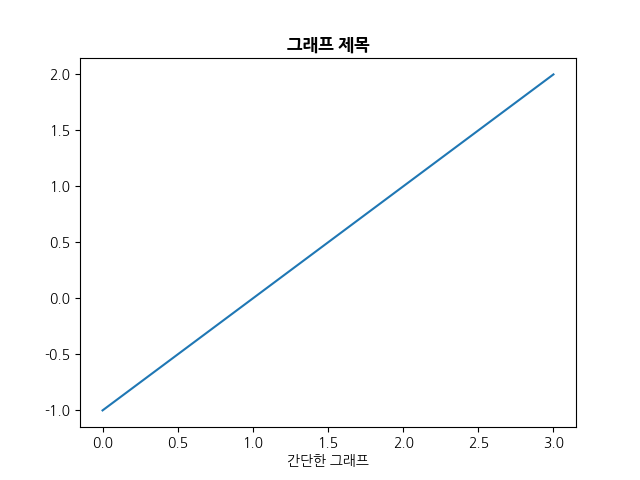
matplotlib를 import한 후 koreanize_matplotlib를 import합니다.
import matplotlib.pyplot as plt
import koreanize_matplotlib

plt.plot([-1, 0, 1, 2])
plt.xlabel('간단한 그래프')
plt.show()
설치
python setup.py install
사용한 폰트
Release history Release notifications | RSS feed


Download files
Download the file for your platform. If you're not sure which to choose, learn more about installing packages.
Source Distributions
No source distribution files available for this release.See tutorial on generating distribution archives.
Built Distribution
Filter files by name, interpreter, ABI, and platform.
If you're not sure about the file name format, learn more about wheel file names.
Copy a direct link to the current filters
File details
Details for the file koreanize_matplotlib-0.0.1-py3-none-any.whl.
File metadata
- Download URL: koreanize_matplotlib-0.0.1-py3-none-any.whl
- Upload date:
- Size: 2.5 MB
- Tags: Python 3
- Uploaded using Trusted Publishing? No
- Uploaded via: twine/4.0.0 CPython/3.9.7
File hashes
| Algorithm | Hash digest | |
|---|---|---|
| SHA256 |
855b8ce7a5917b2e424c7db144a7affca27a9086fc547c02570297bd2c688fd6
|
|
| MD5 |
33cd88bea41f78bea125cb063a17d461
|
|
| BLAKE2b-256 |
f6f0e9f037d6bc02d5b00454d81c3b8dd63611cfb5e94b706c6e66c01a490ef2
|






