
Open Source Differentiable Computer Vision Library for PyTorch


Project description







Kornia is a differentiable computer vision library that provides a rich set of differentiable image processing and geometric vision algorithms. Built on top of PyTorch, Kornia integrates seamlessly into existing AI workflows, allowing you to leverage powerful batch transformations, auto-differentiation and GPU acceleration. Whether you’re working on image transformations, augmentations, or AI-driven image processing, Kornia equips you with the tools you need to bring your ideas to life.
Key Components
- Differentiable Image Processing
Kornia provides a comprehensive suite of image processing operators, all differentiable and ready to integrate into deep learning pipelines.- Filters: Gaussian, Sobel, Median, Box Blur, etc.
- Transformations: Affine, Homography, Perspective, etc.
- Enhancements: Histogram Equalization, CLAHE, Gamma Correction, etc.
- Edge Detection: Canny, Laplacian, Sobel, etc.
- ... check our docs for more.
- Advanced Augmentations
Perform powerful data augmentation with Kornia’s built-in functions, ideal for training AI models with complex augmentation pipelines.- Augmentation Pipeline: AugmentationSequential, PatchSequential, VideoSequential, etc.
- Automatic Augmentation: AutoAugment, RandAugment, TrivialAugment.
- AI Models
Leverage pre-trained AI models optimized for a variety of vision tasks, all within the Kornia ecosystem.- Face Detection: YuNet
- Feature Matching: LoFTR, LightGlue
- Feature Descriptor: DISK, DeDoDe, SOLD2
- Segmentation: SAM
- Classification: MobileViT, VisionTransformer.
See here for some of the methods that we support! (>500 ops in total !)
| Category | Methods/Models |
|---|---|
| Image Processing | - Color conversions (RGB, Grayscale, HSV, etc.) - Geometric transformations (Affine, Homography, Resizing, etc.) - Filtering (Gaussian blur, Median blur, etc.) - Edge detection (Sobel, Canny, etc.) - Morphological operations (Erosion, Dilation, etc.) |
| Augmentation | - Random cropping, Erasing - Random geometric transformations (Affine, flipping, Fish Eye, Perspecive, Thin plate spline, Elastic) - Random noises (Gaussian, Median, Motion, Box, Rain, Snow, Salt and Pepper) - Random color jittering (Contrast, Brightness, CLAHE, Equalize, Gamma, Hue, Invert, JPEG, Plasma, Posterize, Saturation, Sharpness, Solarize) - Random MixUp, CutMix, Mosaic, Transplantation, etc. |
| Feature Detection | - Detector (Harris, GFTT, Hessian, DoG, KeyNet, DISK and DeDoDe) - Descriptor (SIFT, HardNet, TFeat, HyNet, SOSNet, and LAFDescriptor) - Matching (nearest neighbor, mutual nearest neighbor, geometrically aware matching, AdaLAM LightGlue, and LoFTR) |
| Geometry | - Camera models and calibration - Stereo vision (epipolar geometry, disparity, etc.) - Homography estimation - Depth estimation from disparity - 3D transformations |
| Deep Learning Layers | - Custom convolution layers - Recurrent layers for vision tasks - Loss functions (e.g., SSIM, PSNR, etc.) - Vision-specific optimizers |
| Photometric Functions | - Photometric loss functions - Photometric augmentations |
| Filtering | - Bilateral filtering - DexiNed - Dissolving - Guided Blur - Laplacian - Gaussian - Non-local means - Sobel - Unsharp masking |
| Color | - Color space conversions - Brightness/contrast adjustment - Gamma correction |
| Stereo Vision | - Disparity estimation - Depth estimation - Rectification |
| Image Registration | - Affine and homography-based registration - Image alignment using feature matching |
| Pose Estimation | - Essential and Fundamental matrix estimation - PnP problem solvers - Pose refinement |
| Optical Flow | - Farneback optical flow - Dense optical flow - Sparse optical flow |
| 3D Vision | - Depth estimation - Point cloud operations - Nerf |
| Image Denoising | - Gaussian noise removal - Poisson noise removal |
| Edge Detection | - Sobel operator - Canny edge detection |
| Transformations | - Rotation - Translation - Scaling - Shearing |
| Loss Functions | - SSIM (Structural Similarity Index Measure) - PSNR (Peak Signal-to-Noise Ratio) - Cauchy - Charbonnier - Depth Smooth - Dice - Hausdorff - Tversky - Welsch |
| Morphological Operations | - Dilation - Erosion - Opening - Closing |
Sponsorship
Kornia is an open-source project that is developed and maintained by volunteers. Whether you're using it for research or commercial purposes, consider sponsoring or collaborating with us. Your support will help ensure Kornia's growth and ongoing innovation. Reach out to us today and be a part of shaping the future of this exciting initiative!

Installation


From pip
pip install kornia
Other installation options
From source with editable mode
pip install -e .
For development with UV (Recommended)
For development, Kornia uses uv for fast Python package management and virtual environment creation. The project includes a uv.lock file for reproducible dependency management.
./setup_dev_env.sh
This will set up a complete development environment with all dependencies using the lock file for reproducibility. For more details on dependency management and lock file usage, see CONTRIBUTING.md.
From Github url (latest version)
pip install git+https://github.com/kornia/kornia
Quick Start
Kornia is not just another computer vision library — it's your gateway to effortless Computer Vision and AI.
Get started with Kornia image transformation and augmentation!
import numpy as np
import kornia_rs as kr

from kornia.augmentation import AugmentationSequential, RandomAffine, RandomBrightness
from kornia.filters import StableDiffusionDissolving

# Load and prepare your image
img: np.ndarray = kr.read_image_any("img.jpeg")
img = kr.resize(img, (256, 256), interpolation="bilinear")

# alternatively, load image with PIL
# img = Image.open("img.jpeg").resize((256, 256))
# img = np.array(img)

img = np.stack([img] * 2)  # batch images

# Define an augmentation pipeline
augmentation_pipeline = AugmentationSequential(
    RandomAffine((-45., 45.), p=1.),
    RandomBrightness((0.,1.), p=1.)
)

# Leveraging StableDiffusion models
dslv_op = StableDiffusionDissolving()

img = augmentation_pipeline(img)
dslv_op(img, step_number=500)

dslv_op.save("Kornia-enhanced.jpg")
Find out Kornia ONNX models with ONNXSequential!
import numpy as np
from kornia.onnx import ONNXSequential
# Chain ONNX models from HuggingFace repo and your own local model together
onnx_seq = ONNXSequential(
    "hf://operators/kornia.geometry.transform.flips.Hflip",
    "hf://models/kornia.models.detection.rtdetr_r18vd_640x640",  # Or you may use "YOUR_OWN_MODEL.onnx"
)
# Prepare some input data
input_data = np.random.randn(1, 3, 384, 512).astype(np.float32)
# Perform inference
outputs = onnx_seq(input_data)
# Print the model outputs
print(outputs)

# Export a new ONNX model that chains up all three models together!
onnx_seq.export("chained_model.onnx")
Multi-framework support
You can now use Kornia with TensorFlow, JAX, and NumPy. See Multi-Framework Support for more details.
import kornia
tf_kornia = kornia.to_tensorflow()

Call For Contributors
Are you passionate about computer vision, AI, and open-source development? Join us in shaping the future of Kornia! We are actively seeking contributors to help expand and enhance our library, making it even more powerful, accessible, and versatile. Whether you're an experienced developer or just starting, there's a place for you in our community.
Accessible AI Models
We are excited to announce our latest advancement: a new initiative designed to seamlessly integrate lightweight AI models into Kornia. We aim to run any models as smooth as big models such as StableDiffusion, to support them well in many perspectives. We have already included a selection of lightweight AI models like YuNet (Face Detection), Loftr (Feature Matching), and SAM (Segmentation). Now, we're looking for contributors to help us:
- Expand the Model Selection: Import decent models into our library. If you are a researcher, Kornia is an excellent place for you to promote your model!
- Model Optimization: Work on optimizing models to reduce their computational footprint while maintaining accuracy and performance. You may start from offering ONNX support!
- Model Documentation: Create detailed guides and examples to help users get the most out of these models in their projects.
Documentation And Tutorial Optimization
Kornia's foundation lies in its extensive collection of classic computer vision operators, providing robust tools for image processing, feature extraction, and geometric transformations. We continuously seek for contributors to help us improve our documentation and present nice tutorials to our users.
Cite
If you are using kornia in your research-related documents, it is recommended that you cite the paper. See more in CITATION.
@inproceedings{eriba2019kornia,
  author    = {E. Riba, D. Mishkin, D. Ponsa, E. Rublee and G. Bradski},
  title     = {Kornia: an Open Source Differentiable Computer Vision Library for PyTorch},
  booktitle = {Winter Conference on Applications of Computer Vision},
  year      = {2020},
  url       = {https://arxiv.org/pdf/1910.02190.pdf}
}
Contributing
We appreciate all contributions. If you are planning to contribute back bug-fixes, please do so without any further discussion. If you plan to contribute new features, utility functions or extensions, please first open an issue and discuss the feature with us. Please, consider reading the CONTRIBUTING notes. The participation in this open source project is subject to Code of Conduct.
Community
- Discord: Join our workspace to keep in touch with our core contributors, get latest updates on the industry and be part of our community. JOIN HERE
- GitHub Issues: bug reports, feature requests, install issues, RFCs, thoughts, etc. OPEN
- Forums: discuss implementations, research, etc. GitHub Forums
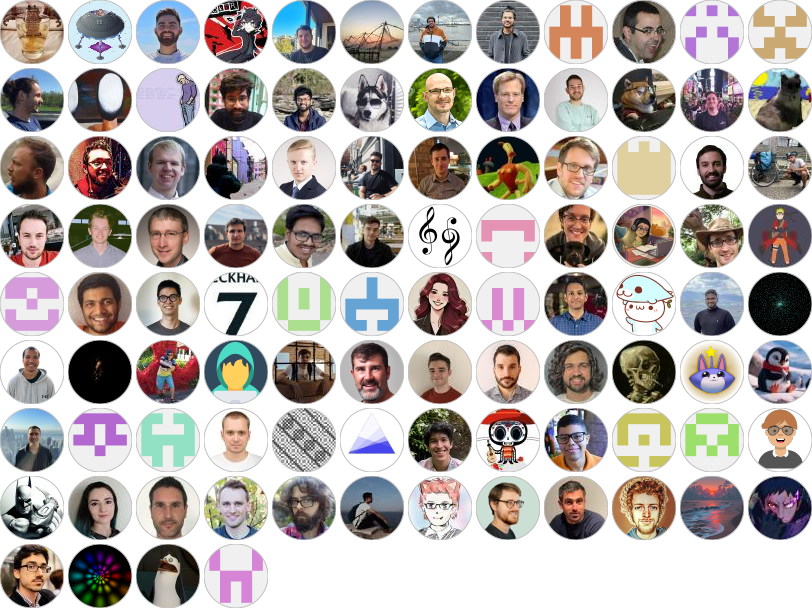
Made with contrib.rocks.
License
Kornia is released under the Apache 2.0 license. See the LICENSE file for more information.
Release history Release notifications | RSS feed


Download files
Download the file for your platform. If you're not sure which to choose, learn more about installing packages.
Source Distribution
Built Distribution
Filter files by name, interpreter, ABI, and platform.
If you're not sure about the file name format, learn more about wheel file names.
Copy a direct link to the current filters
File details
Details for the file kornia-0.8.2.tar.gz.
File metadata
- Download URL: kornia-0.8.2.tar.gz
- Upload date:
- Size: 667.2 kB
- Tags: Source
- Uploaded using Trusted Publishing? No
- Uploaded via: twine/6.1.0 CPython/3.8.20
File hashes
| Algorithm | Hash digest | |
|---|---|---|
| SHA256 |
5411b2ce0dd909d1608016308cd68faeef90f88c47f47e8ecd40553fd4d8b937
|
|
| MD5 |
563d678736279527dbb26290c22cfa72
|
|
| BLAKE2b-256 |
c6e645e757d4924176e4d4e111e10effaab7db382313243e0188a06805010073
|
File details
Details for the file kornia-0.8.2-py2.py3-none-any.whl.
File metadata
- Download URL: kornia-0.8.2-py2.py3-none-any.whl
- Upload date:
- Size: 1.1 MB
- Tags: Python 2, Python 3
- Uploaded using Trusted Publishing? No
- Uploaded via: twine/6.1.0 CPython/3.8.20
File hashes
| Algorithm | Hash digest | |
|---|---|---|
| SHA256 |
32dfe77c9c74a87a2de49395aa3c2c376a1b63c27611a298b394d02d13905819
|
|
| MD5 |
98b35fcab543e5dc7e88c717e70a197e
|
|
| BLAKE2b-256 |
79d4e9bd12b7b4cbd23b4dfb47e744ee1fa54d6d9c3c9bc406ec86c1be8c8307
|






