
Kubeflow MCP Server





Proposal: KEP-936 · ROADMAP · SECURITY · CONTRIBUTING
Overview
The Kubeflow MCP Server exposes Kubeflow Training operations as Model Context Protocol tools, enabling AI agents (Claude, Cursor, Claude Code, or any custom agents etc.) to plan, submit, monitor, and manage training jobs through natural language — without users needing to learn Kubernetes or the Kubeflow SDK directly.
Benefits
- Agent-Native: Tools auto-discovered via MCP — no manual API wiring
- Guided Workflow: Phase ordering with next-step hints (Plan → Discover → Train → Monitor)
- Preview-Before-Submit: Every mutating operation requires explicit confirmation
- Security-First: Persona gating, namespace enforcement, input validation, bearer/JWT auth
- Multi-Platform: Auto-detects OpenShift, EKS, GKE with platform-specific guidance
- Token-Efficient: Progressive/semantic modes compress 23 tools into 2-3 meta-tools
- Extensible: Plugin architecture for additional Kubeflow clients (TODO: optimizer, hub)
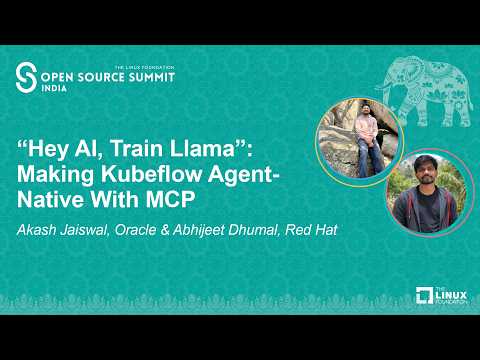
Demo
Get Started
Install from source
git clone https://github.com/kubeflow/mcp-server.git
cd mcp-server
pip install .
Run the server
kubeflow-mcp serve
Once published to PyPI, install with
pip install kubeflow-mcp.
Run with Docker
Pre-built multi-arch images are published to GHCR on every release:
docker run --rm -p 8000:8000 \
  -e KUBEFLOW_MCP_AUTH_TOKEN=my-secret-token \
  ghcr.io/kubeflow/mcp-server:latest
The server listens on http://localhost:8000/mcp.
Container and Kubernetes probes are available without MCP authentication:
GET /health  # liveness: the server process is accepting HTTP requests
GET /ready   # readiness: configured clients imported and packaged resources loaded
/ready returns 200 only when both clients_ready and resources_ready are true. It does
not contact Kubernetes or other APIs, so it is not a live dependency check. A missing
packaged resource Markdown file keeps /ready at 503 even though /health and registered
tools remain available; check the server logs and package contents rather than cluster
dependencies.
Environment variables
| Variable | Default | Description |
|---|---|---|
MCP_TRANSPORT |
http |
Transport protocol (http, sse, stdio) |
KUBEFLOW_MCP_AUTH_TOKEN |
(none) | Bearer token for HTTP auth |
KUBEFLOW_MCP_JWKS_URI |
(none) | JWKS endpoint for JWT verification (production) |
KUBEFLOW_MCP_JWT_ISSUER |
(none) | Expected JWT issuer |
KUBEFLOW_MCP_JWT_AUDIENCE |
(none) | Expected JWT audience |
KUBEFLOW_MCP_CLIENTS |
trainer |
Comma-separated client modules to load |
KUBEFLOW_MCP_PERSONA |
readonly |
Tool persona (readonly, data-scientist, ml-engineer, platform-admin) |
KUBEFLOW_MCP_ALLOWED_HOSTS |
(loopback) | Comma-separated Host header allowlist for DNS rebinding protection; :* port wildcard supported (e.g. mcp.example.com,mcp.example.com:*) |
KUBEFLOW_MCP_ALLOWED_ORIGINS |
(loopback) | Comma-separated Origin header allowlist; :* port wildcard supported (e.g. https://mcp.example.com) |
KUBEFLOW_MCP_DNS_REBINDING_PROTECTION |
true |
Set false to disable Host/Origin validation (not recommended) |
LOG_FORMAT |
json |
Log format (json, console) |
LOG_LEVEL |
INFO |
Log level (DEBUG, INFO, WARNING, ERROR) |
MCP client config (HTTP transport)
{
  "mcpServers": {
    "kubeflow": {
      "url": "http://localhost:8000/mcp",
      "headers": { "Authorization": "Bearer my-secret-token" }
    }
  }
}
For in-cluster deployments, replace localhost:8000 with the Kubernetes Service address and mount KUBEFLOW_MCP_AUTH_TOKEN from a Secret.
Note: DNS rebinding protection allows only loopback
Host/Originheaders by default. When exposing the server through a Service or Ingress, setKUBEFLOW_MCP_ALLOWED_HOSTS(e.g.KUBEFLOW_MCP_ALLOWED_HOSTS=kubeflow-mcp.kubeflow.svc:*,mcp.example.com) or requests will be rejected with HTTP 421.
Example: Fine-tune a model via AI agent
Once connected, your AI agent can run a complete training workflow through natural language:
User: "Fine-tune gemma-2b on the alpaca dataset"

Agent calls: check_compatibility()        → ✅ K8s 1.29, Trainer CRD installed
Agent calls: get_cluster_resources()      → 4x A100 GPUs available
Agent calls: estimate_resources("google/gemma-2b") → needs ~16GB GPU, 1x A100
Agent calls: list_runtimes()              → torchtune-llama, torchtune-gemma, ...
Agent calls: fine_tune(                   → preview config (confirmed=False)
    model="hf://google/gemma-2b",
    dataset="hf://tatsu-lab/alpaca",
    runtime="torchtune-gemma-2b"
)
Agent calls: fine_tune(..., confirmed=True) → TrainJob "train-gemma-abc" created
Agent calls: get_training_logs("train-gemma-abc") → training progress...
Every mutating tool requires confirmed=True — agents always preview before submitting.
MCP Client Config
Cursor
Add to .cursor/mcp.json (or use the .mcp.json at the repo root for local dev):
{
  "mcpServers": {
    "kubeflow": {
      "command": "uv",
      "args": ["run", "kubeflow-mcp", "serve"]
    }
  }
}
Claude Code
claude mcp add kubeflow -- kubeflow-mcp serve
Tools
23 tools organized by workflow phase:
| Phase | Tools | Description |
|---|---|---|
| Planning | pre_flight, check_compatibility, get_cluster_resources, estimate_resources |
Environment validation and resource estimation |
| Discovery | list_training_jobs, get_training_job, list_runtimes, get_runtime |
Browse jobs and available runtimes |
| Training | fine_tune, run_custom_training, run_container_training |
Submit LoRA/QLoRA fine-tuning, custom scripts, or container jobs |
| Monitoring | get_training_logs, get_training_events, wait_for_training |
Track progress, debug failures |
| Lifecycle | delete_training_job, update_training_job |
Manage existing jobs (ownership-guarded) |
| Platform | inspect_crd, inspect_controller, patch_runtime, create_runtime, delete_runtime |
Cluster inspection and runtime management |
| Health | health_check, get_server_logs |
Server diagnostics |
Requirements
| MCP Server | Kubeflow Trainer | Kubeflow SDK | Python | Kubernetes |
|---|---|---|---|---|
| 0.1.x | >= 2.2.0 | >= 0.4.0 | 3.10 - 3.12 | >= 1.27 |
CLI Reference
kubeflow-mcp serve
kubeflow-mcp serve \
  --clients trainer \             # modules: trainer, optimizer (stub), hub (stub)
  --persona ml-engineer \         # readonly | data-scientist | ml-engineer | platform-admin
  --mode full \                   # full | progressive | semantic
  --instruction-tier full \       # full | compact | minimal
  --transport stdio \             # stdio | http | sse
  --auth-token SECRET \           # bearer token for HTTP auth (dev/staging)
  --otel-endpoint URL \           # OTLP HTTP endpoint (optional tracing)
  --log-level INFO \              # DEBUG | INFO | WARNING | ERROR
  --log-format console \          # console | json (auto-detected if omitted)
  --no-banner                     # suppress startup banner
--mode progressive exposes 3 meta-tools (~85 tokens) for hierarchical discovery. --mode semantic exposes 2 meta-tools (~69 tokens) using embedding search. Both reduce token consumption significantly for agent workflows.
HTTP Authentication
When using --transport http, configure auth to secure the endpoint:
# Simple API key (dev/staging)
kubeflow-mcp serve --transport http --auth-token my-secret-token

# Or via env var
export KUBEFLOW_MCP_AUTH_TOKEN=my-secret-token
kubeflow-mcp serve --transport http

# JWT verification (production)
export KUBEFLOW_MCP_JWKS_URI=https://auth.example.com/.well-known/jwks.json
export KUBEFLOW_MCP_JWT_ISSUER=https://auth.example.com
export KUBEFLOW_MCP_JWT_AUDIENCE=kubeflow-mcp
kubeflow-mcp serve --transport http
Without auth configured, the server logs a warning that the HTTP endpoint is open.
Agent Subcommand
kubeflow-mcp agent \
  --backend ollama \              # ollama (default; more backends planned)
  --model qwen3:8b \              # model name for the backend
  --mode full \                   # full | progressive | semantic
  --thinking                      # enable thinking output (supported models)
Observability
OpenTelemetry tracing is optional and can be enabled without changing tool code.
- Install optional dependencies:
pip install ".[otel]" - Enable tracing with CLI flag or env var:
kubeflow-mcp serve --otel-endpoint http://localhost:4318
# or
export OTEL_EXPORTER_OTLP_ENDPOINT=http://localhost:4318
kubeflow-mcp serve
Each tool invocation emits a span with attributes:
tool.name, tool.args_preview, tool.success, tool.duration_ms, kubeflow.persona, and correlation_id.
Note:
kubeflow-mcp agent --otel-endpoint ...emits spans under a separatekubeflow-mcp-agentservice in Jaeger, distinct from thekubeflow-mcpserver spans.
Development
make install-dev                  # setup environment
make verify                       # lint + format check
make test-python                  # run tests
make inspector                    # launch MCP Inspector (stdio)
make inspector TRANSPORT=http     # Inspector + Streamable HTTP (start server separately)
make inspector TRANSPORT=sse      # Inspector + SSE (start server separately)
Community
- Slack: Join #kubeflow-ml-experience on CNCF Slack
- Meetings: Attend the Kubeflow SDK and ML Experience bi-weekly call
- GitHub: Issues and contributions at kubeflow/mcp-server
Documentation
- CONTRIBUTING: Development workflow and PR guidelines
- ROADMAP: Project roadmap
- SECURITY: Vulnerability reporting; see ARCHITECTURE.md#security-model for threat model, RBAC, and hardening
- KEP-936: Design proposal
License
Apache License 2.0 — see LICENSE.
1 maintainer

Metadata
1 maintainer
Release files for kubeflow-mcp 0.1.1
For a detailed explanation of source distributions (sdists) and built distributions (wheels), please see the package formats documentation.
Source distribution (sdist)
| File | Size | Uploaded | |
|---|---|---|---|
| kubeflow_mcp-0.1.1.tar.gz | 401.0 kB | Details |
Built distribution (wheel)
| File | Interpreter | ABI | Platform | Reset |
|---|---|---|---|---|
| kubeflow_mcp-0.1.1-py3-none-any.whl | Python 3 | none | any | Details |
Total release size: 527.2 kB
Release files / kubeflow_mcp-0.1.1.tar.gz
| Download URL | kubeflow_mcp-0.1.1.tar.gz |
|---|---|
| Size | 401.0 kB |
| Tags | Source |
|
SHA-256 checksum How to use checksums |
6300d3cf3a37fcc95349a3b0acc73a05abd5e57c4b46c6954cc33c007156d063
|
|
BLAKE2b-256 checksum How to use checksums |
2e680275f33fa5515ec3078a5cbd68ae0fb56f7719362ae70549c0d9fc349895
|
| Upload date | |
|
Uploaded using Trusted Publishing? What is trusted publishing? |
Yes |
| Uploaded via |
twine/7.0.0 CPython/3.13.14
|
Provenance
Provenance describes where a file came from. On PyPI, provenance is shared via attestations, which provide a verifiable record of the build or publishing details. View details, limitations and caveats.


PyPI Publish Attestation
PyPI verified that this artifact, at this checksum, originated from the publisher listed below.
Signed by GitHub Actions, verified by PyPI on Aug 11, 2026.
Transparency logRelease files / kubeflow_mcp-0.1.1-py3-none-any.whl
| Download URL | kubeflow_mcp-0.1.1-py3-none-any.whl |
|---|---|
| Size | 126.2 kB |
| Tags | Python 3 |
|
SHA-256 checksum How to use checksums |
5d36875ea970ae7ba336c60b8815bfccb03618d4285a0f2dd169a3e7c8f48483
|
|
BLAKE2b-256 checksum How to use checksums |
dee22195a23c03842962c8fed43a646ebbae536ae10ee0c5f02632bcedb4de8e
|
| Upload date | |
|
Uploaded using Trusted Publishing? What is trusted publishing? |
Yes |
| Uploaded via |
twine/7.0.0 CPython/3.13.14
|
Provenance
Provenance describes where a file came from. On PyPI, provenance is shared via attestations, which provide a verifiable record of the build or publishing details. View details, limitations and caveats.
PyPI Publish Attestation
PyPI verified that this artifact, at this checksum, originated from the publisher listed below.
Signed by GitHub Actions, verified by PyPI on Aug 11, 2026.
Transparency log













