
Label Studio annotation tool

Project description





Website • Docs • Twitter • Join Slack Community

What is Label Studio?
Label Studio is an open source data labeling tool. It lets you label data types like audio, text, images, videos, and time series with a simple and straightforward UI and export to various model formats. It can be used to prepare raw data or improve existing training data to get more accurate ML models.
- Try out Label Studio
- What you get from Label Studio
- Included templates for labeling data in Label Studio
- Set up machine learning models with Label Studio
- Integrate Label Studio with your existing tools
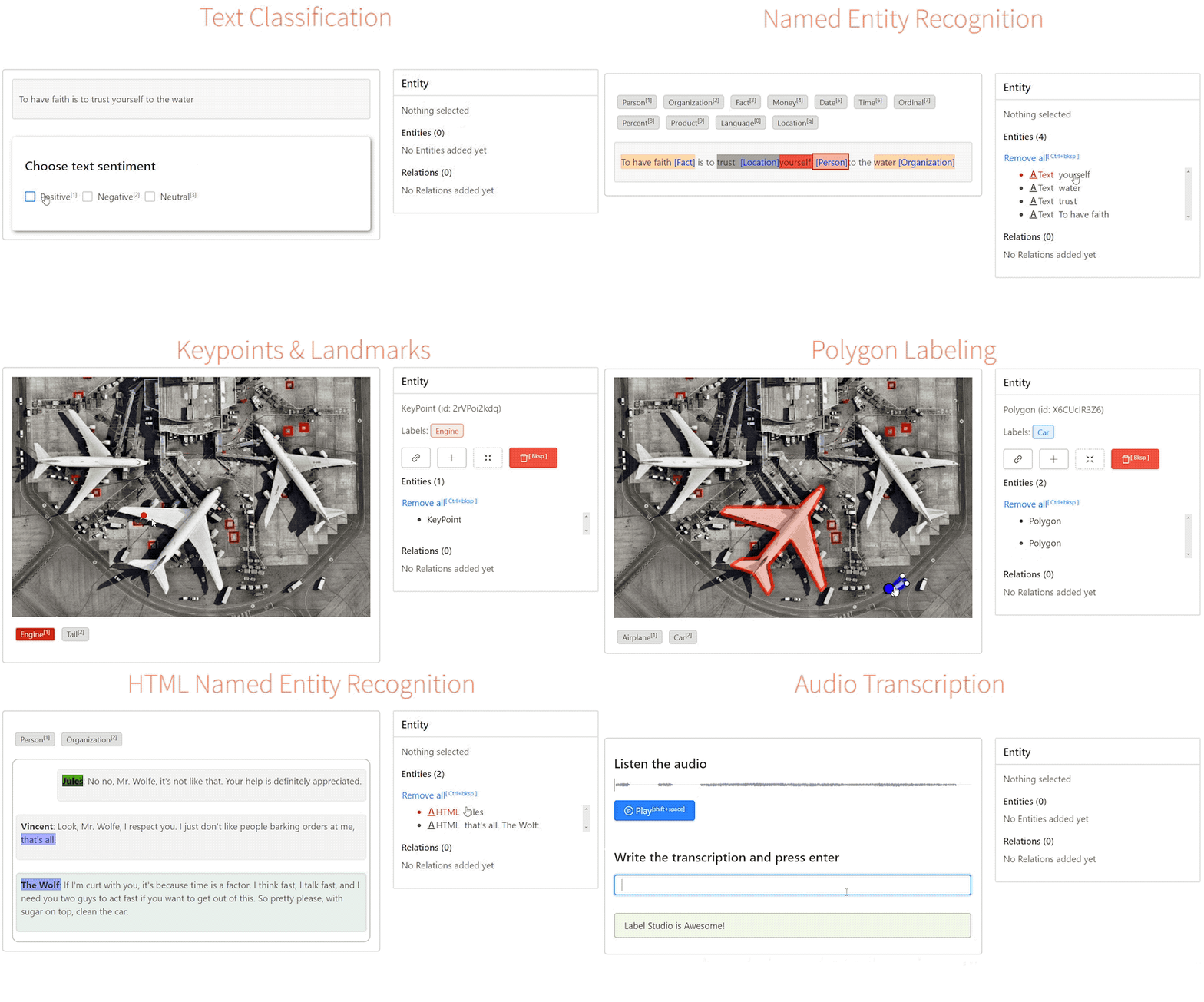
Have a custom dataset? You can customize Label Studio to fit your needs. Read an introductory blog post to learn more.
Try out Label Studio
Try out Label Studio in a running app, install it locally, or deploy it in a cloud instance.
- Install locally with Docker
- Run with Docker Compose
- Install locally with pip
- Install locally with Anaconda
- Install for local development
- Deploy in a cloud instance
Install locally with Docker
Run Label Studio in a Docker container and access it at http://localhost:8080.
docker run -p 8080:8080 -v `pwd`/mydata:/root/.local/share/label-studio/ heartexlabs/label-studio:latest
You can find all the generated assets, including SQLite3 database storage label_studio.sqlite3 and uploaded files, in the ./mydata directory.
Override default Docker install
You can override the default launch command by appending the new arguments:
docker run -p 8080:8080 -v `pwd`/mydata:/root/.local/share/label-studio/ heartexlabs/label-studio:latest label-studio --log-level DEBUG
Build a local image with Docker
If you want to build a local image, run:
docker build -t heartexlabs/label-studio:latest .
Run with Docker Compose
Use Docker Compose to serve Label Studio at http://localhost:8080.
Run this command the first time you run Label Studio:
docker-compose up -d
Install locally with pip
# Requires >=Python3.6
pip install label-studio

# Start the server at http://localhost:8080
label-studio
Install locally with Anaconda
conda create --name label-studio python=3.8
conda activate label-studio
pip install label-studio
Install for local development
You can run the latest Label Studio version locally without installing the package with pip.
# Install all package dependencies
pip install -e .
# Start the server in development mode at http://localhost:8000
python label_studio/manage.py runserver
Deploy in a cloud instance
You can deploy Label Studio with one click in Heroku, Microsoft Azure, or Google Cloud Platform:



Troubleshoot installation
If you see any errors during installation, try to rerun the installation
pip install --ignore-installed label-studio
Install dependencies on Windows
To run Label Studio on Windows, download and install the following wheel packages from Gohlke builds to ensure you're using the correct version of Python:
# Upgrade pip
pip install -U pip

# If you're running Win64 with Python 3.8, install the packages downloaded from Gohlke:
pip install lxml‑4.5.0‑cp38‑cp38‑win_amd64.whl

# Install label studio
pip install label-studio
What you get from Label Studio
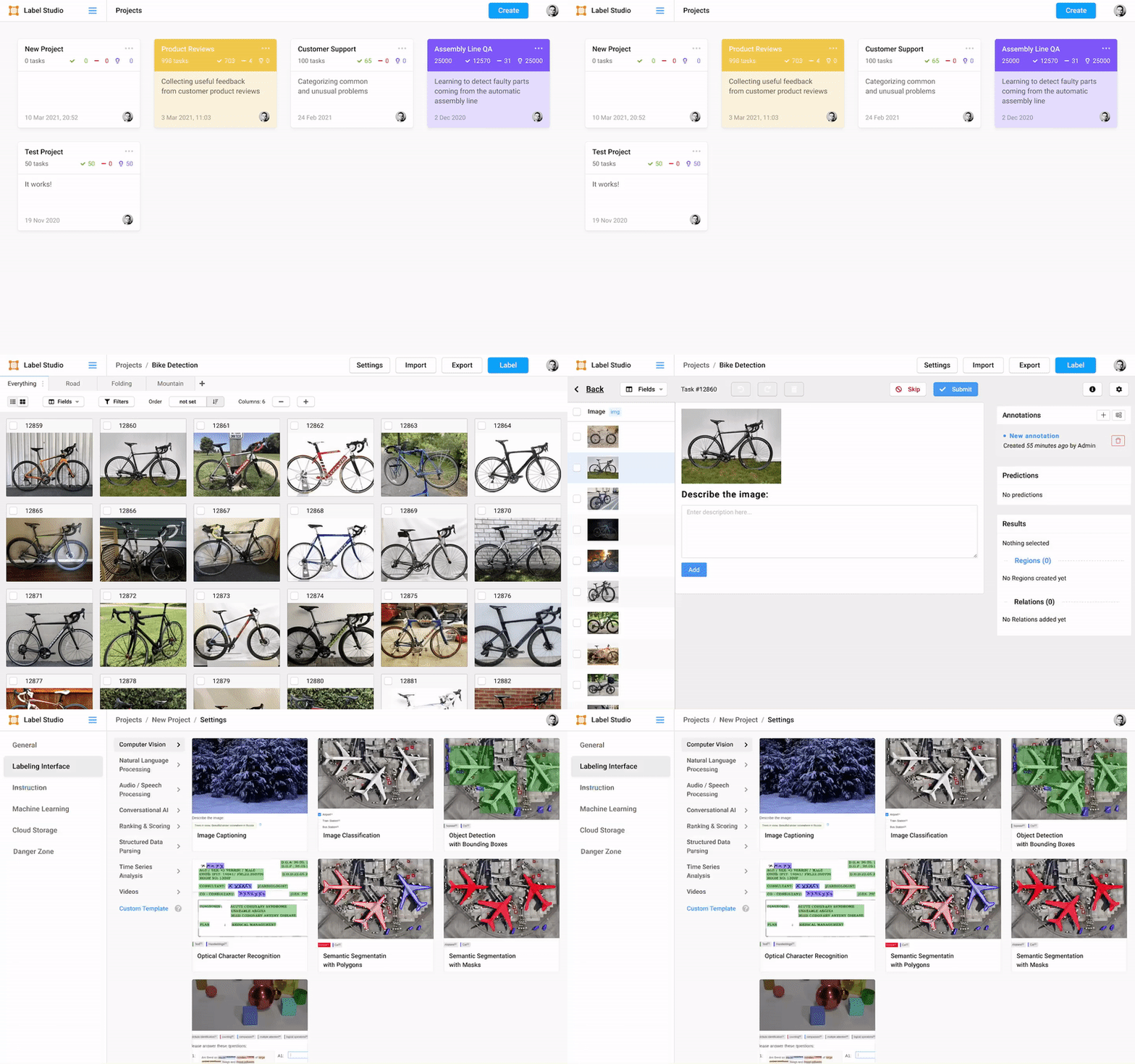
- Multi-user labeling sign up and login, when you create an annotation it's tied to your account.
- Multiple projects to work on all your datasets in one instance.
- Streamlined design helps you focus on your task, not how to use the software.
- Configurable label formats let you customize the visual interface to meet your specific labeling needs.
- Support for multiple data types including images, audio, text, HTML, time-series, and video.
- Import from files or from cloud storage in Amazon AWS S3, Google Cloud Storage, or JSON, CSV, TSV, RAR, and ZIP archives.
- Integration with machine learning models so that you can visualize and compare predictions from different models and perform pre-labeling.
- Embed it in your data pipeline REST API makes it easy to make it a part of your pipeline
Included templates for labeling data in Label Studio
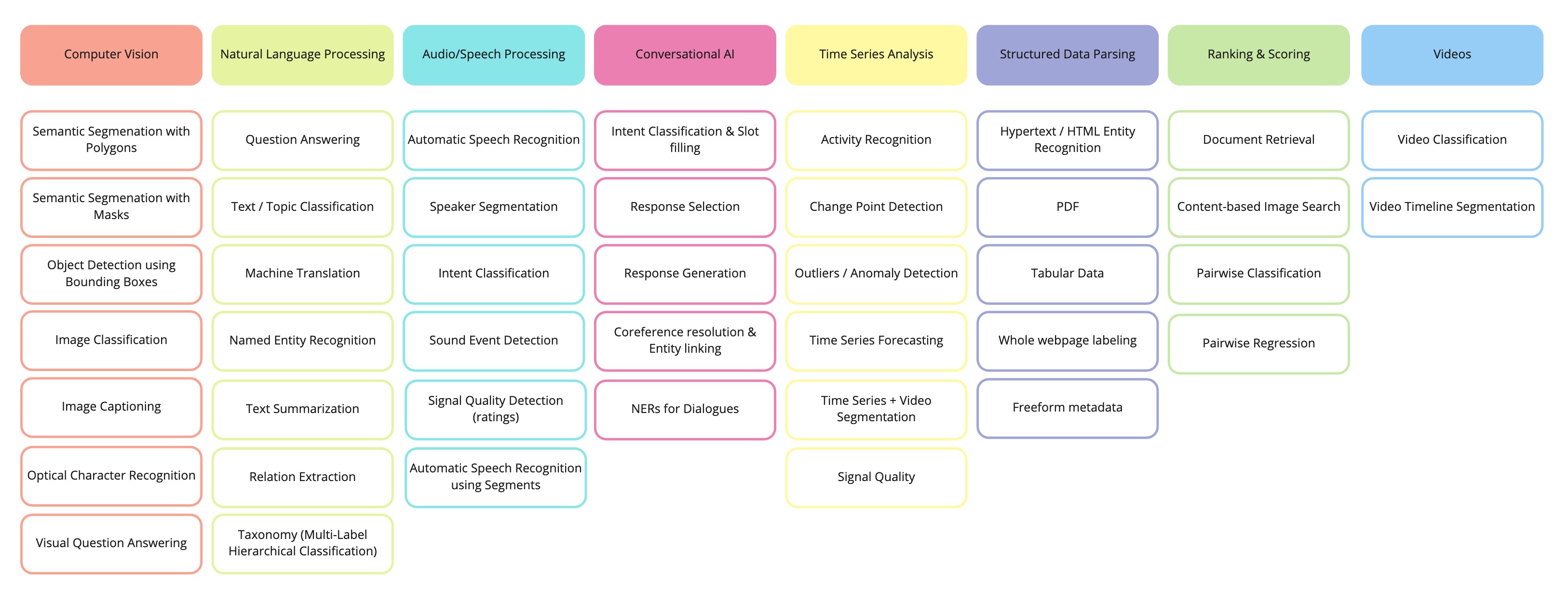
Label Studio includes a variety of templates to help you label your data, or you can create your own using specifically designed configuration language. The most common templates and use cases for labeling include the following cases:
Set up machine learning models with Label Studio
Connect your favorite machine learning model using the Label Studio Machine Learning SDK. Follow these steps:
- Start your own machine learning backend server. See more detailed instructions.
- Connect Label Studio to the server on the model page found in project settings.
This lets you:
- Pre-label your data using model predictions.
- Do online learning and retrain your model while new annotations are being created.
- Do active learning by labeling only the most complex examples in your data.
Integrate Label Studio with your existing tools
You can use Label Studio as an independent part of your machine learning workflow or integrate the frontend or backend into your existing tools.
- Use the Label Studio Frontend as a separate React library. See more in the Frontend Library documentation.
Ecosystem
| Project | Description |
|---|---|
| label-studio | Server, distributed as a pip package |
| label-studio-frontend | React and JavaScript frontend and can run standalone in a web browser or be embedded into your application. |
| data-manager | React and JavaScript frontend for managing data. Includes the Label Studio Frontend. Relies on the label-studio server or a custom backend with the expected API methods. |
| label-studio-converter | Encode labels in the format of your favorite machine learning library |
| label-studio-transformers | Transformers library connected and configured for use with Label Studio |
Citation
@misc{Label Studio,
  title={{Label Studio}: Data labeling software},
  url={https://github.com/heartexlabs/label-studio},
  note={Open source software available from https://github.com/heartexlabs/label-studio},
  author={
    Maxim Tkachenko and
    Mikhail Malyuk and
    Nikita Shevchenko and
    Andrey Holmanyuk and
    Nikolai Liubimov},
  year={2020-2021},
}
License
This software is licensed under the Apache 2.0 LICENSE © Heartex. 2020-2021

Release history Release notifications | RSS feed


Download files
Download the file for your platform. If you're not sure which to choose, learn more about installing packages.
Source Distribution
Built Distribution
Filter files by name, interpreter, ABI, and platform.
If you're not sure about the file name format, learn more about wheel file names.
Copy a direct link to the current filters
File details
Details for the file label-studio-1.0.0.tar.gz.
File metadata
- Download URL: label-studio-1.0.0.tar.gz
- Upload date:
- Size: 46.9 MB
- Tags: Source
- Uploaded using Trusted Publishing? No
- Uploaded via: twine/3.4.0 importlib_metadata/3.7.3 packaging/20.8 pkginfo/1.7.0 requests/2.22.0 requests-toolbelt/0.9.1 tqdm/4.58.0 CPython/3.7.9
File hashes
| Algorithm | Hash digest | |
|---|---|---|
| SHA256 |
9361bfd3a84c7888df297a3ca710ac1792caf567a8c983f8531c203c66196a5c
|
|
| MD5 |
f0b4a17873cc5bf7dbdb5c4e6f8a8965
|
|
| BLAKE2b-256 |
941073e150435c6aa882ff454362bfadbf484c85ebaa36b00ec112f237eb7594
|
File details
Details for the file label_studio-1.0.0-py3-none-any.whl.
File metadata
- Download URL: label_studio-1.0.0-py3-none-any.whl
- Upload date:
- Size: 47.7 MB
- Tags: Python 3
- Uploaded using Trusted Publishing? No
- Uploaded via: twine/3.4.0 importlib_metadata/3.7.3 packaging/20.8 pkginfo/1.7.0 requests/2.22.0 requests-toolbelt/0.9.1 tqdm/4.58.0 CPython/3.7.9
File hashes
| Algorithm | Hash digest | |
|---|---|---|
| SHA256 |
fb3c1675a9cfb3a8e330c416d3a04e1f4b1848f2ffd1a6a894605cf2cfebebbf
|
|
| MD5 |
c528b97b598c81a8e5771d5b3083416f
|
|
| BLAKE2b-256 |
f9e0196bbd336b67da8571e7beb0807d53c6658b3e05921a99b6d4898fcaf4ee
|






