

labelme - Customized by Shyandsy
Image Polygonal Annotation with Python


Installation
pip3 install labelme-shy
Customize Dev
$ python -m venv .venv
$ source .venv/bin/activate

$ curl -LsSf https://astral.sh/uv/install.sh | sh

$ pip install --upgrade hatch hatchling hatch-vcs hatch-fancy-pypi-readme setuptools wheel twine

$ make setup
Customized Feature
- show filename in file list widgt rather than full path
- show row # for files in file list widget
- keep previous scale by default
- specific the scale zoom value in config file to keep a scale
demo images
TODO
Description
Labelme is a graphical image annotation tool inspired by http://labelme.csail.mit.edu.
It is written in Python and uses Qt for its graphical interface.


VOC dataset example of instance segmentation.


Other examples (semantic segmentation, bbox detection, and classification).

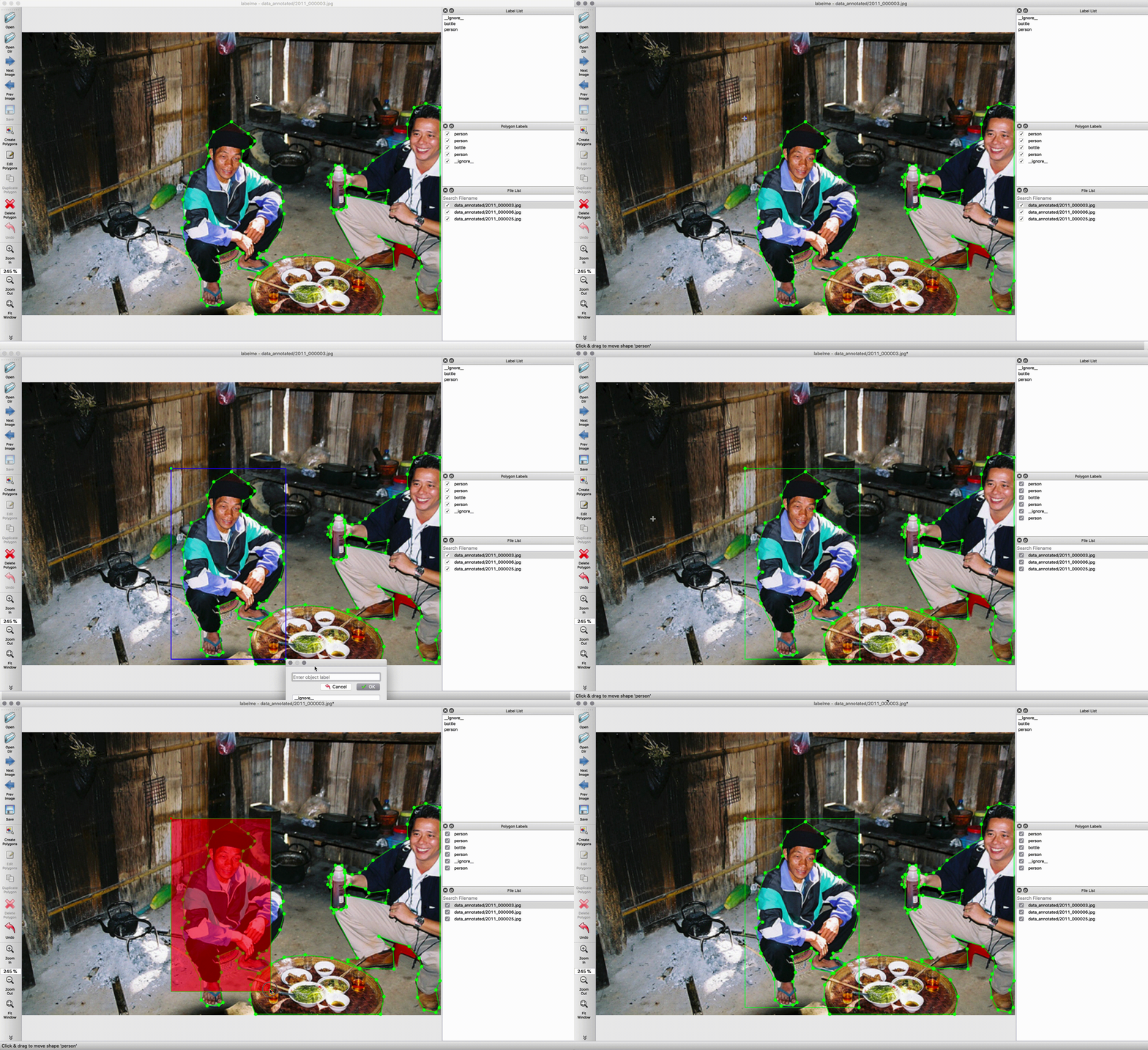
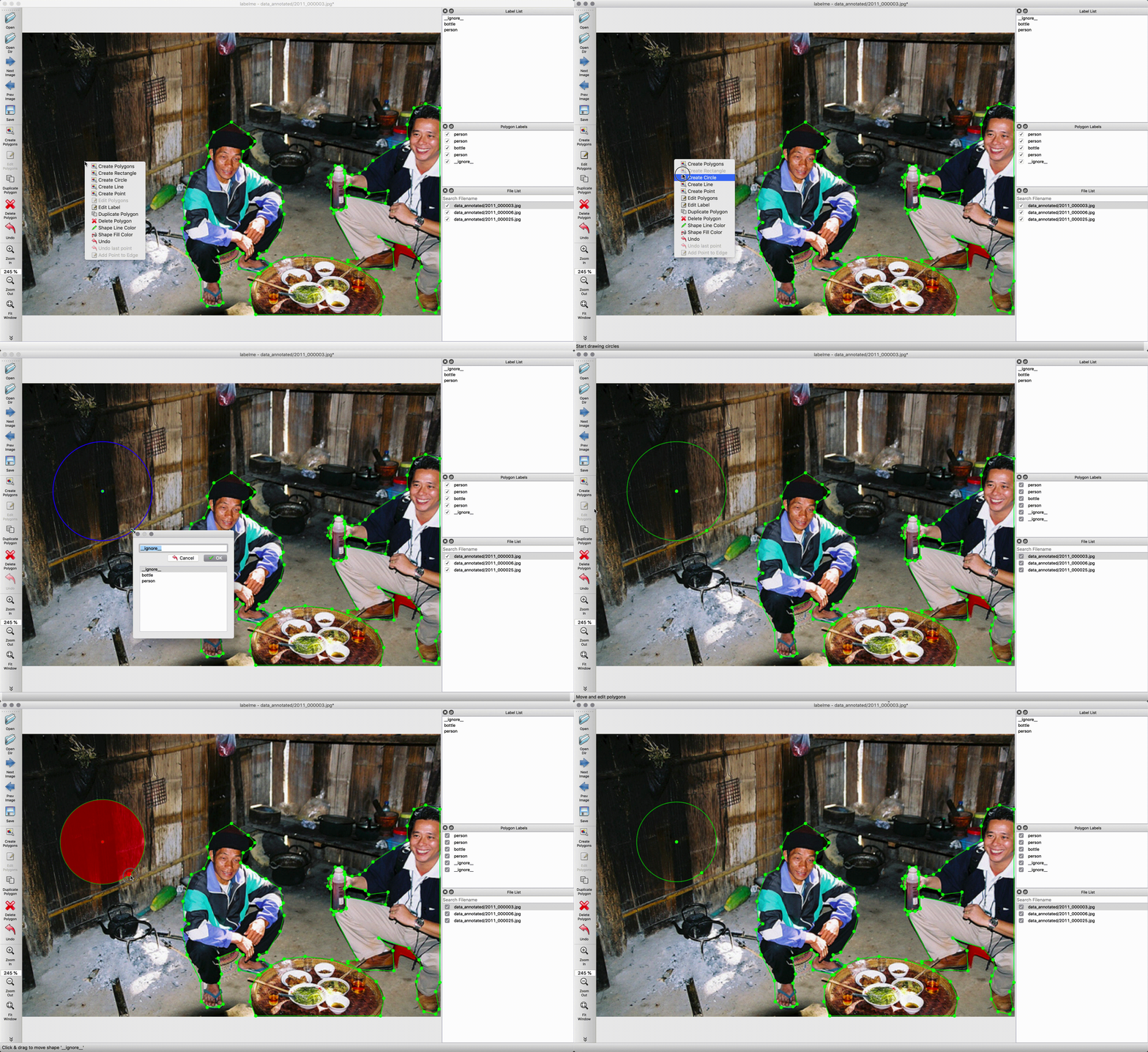
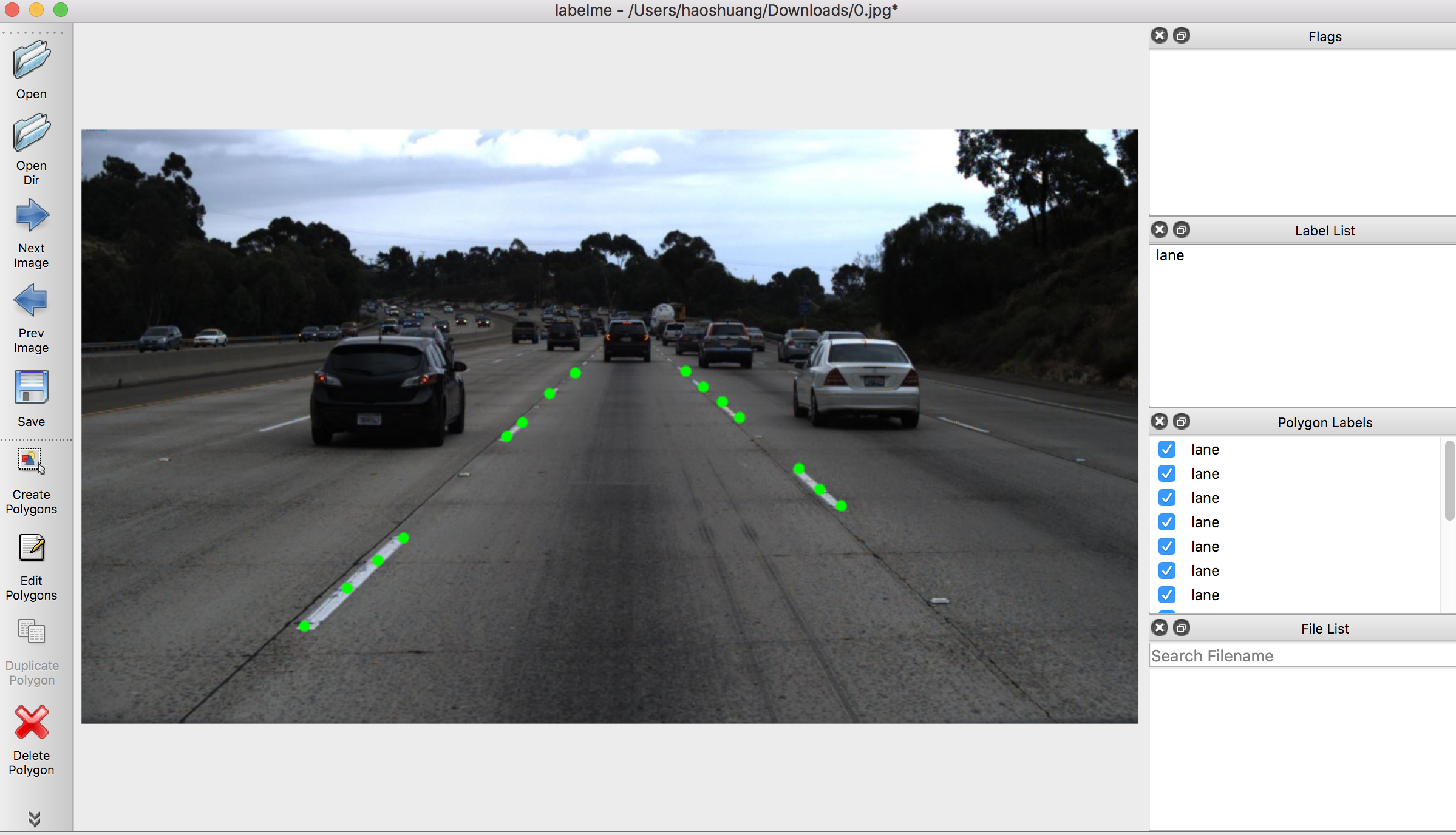
Various primitives (polygon, rectangle, circle, line, and point).
Features
- Image annotation for polygon, rectangle, circle, line and point. (tutorial)
- Image flag annotation for classification and cleaning. (#166)
- Video annotation. (video annotation)
- GUI customization (predefined labels / flags, auto-saving, label validation, etc). (#144)
- Exporting VOC-format dataset for semantic/instance segmentation. (semantic segmentation, instance segmentation)
- Exporting COCO-format dataset for instance segmentation. (instance segmentation)
Installation
There are 3 options to install labelme:
Option 1: Using pip
For more detail, check "Install Labelme using Pip".
pip install labelme

# To install the latest version from GitHub:
# pip install git+https://github.com/wkentaro/labelme.git
Option 2: Using standalone executable (Easiest)
If you're willing to invest in the convenience of simple installation without any dependencies (Python, Qt), you can download the standalone executable from "Install Labelme as App".
It's a one-time payment for lifetime access, and it helps us to maintain this project.
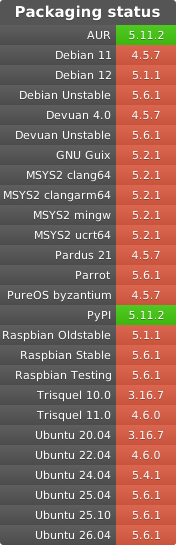
Option 3: Using a package manager in each Linux distribution
In some Linux distributions, you can install labelme via their package managers (e.g., apt, pacman). The following systems are currently available:
Usage
Run labelme --help for detail.
The annotations are saved as a JSON file.
labelme  # just open gui

# tutorial (single image example)
cd examples/tutorial
labelme apc2016_obj3.jpg  # specify image file
labelme apc2016_obj3.jpg -O apc2016_obj3.json  # close window after the save
labelme apc2016_obj3.jpg --nodata  # not include image data but relative image path in JSON file
labelme apc2016_obj3.jpg \
  --labels highland_6539_self_stick_notes,mead_index_cards,kong_air_dog_squeakair_tennis_ball  # specify label list

# semantic segmentation example
cd examples/semantic_segmentation
labelme data_annotated/  # Open directory to annotate all images in it
labelme data_annotated/ --labels labels.txt  # specify label list with a file
Command Line Arguments
--outputspecifies the location that annotations will be written to. If the location ends with .json, a single annotation will be written to this file. Only one image can be annotated if a location is specified with .json. If the location does not end with .json, the program will assume it is a directory. Annotations will be stored in this directory with a name that corresponds to the image that the annotation was made on.- The first time you run labelme, it will create a config file in
~/.labelmerc. You can edit this file and the changes will be applied the next time that you launch labelme. If you would prefer to use a config file from another location, you can specify this file with the--configflag. - Without the
--nosortlabelsflag, the program will list labels in alphabetical order. When the program is run with this flag, it will display labels in the order that they are provided. - Flags are assigned to an entire image. Example
- Labels are assigned to a single polygon. Example
FAQ
- How to convert JSON file to numpy array? See examples/tutorial.
- How to load label PNG file? See examples/tutorial.
- How to get annotations for semantic segmentation? See examples/semantic_segmentation.
- How to get annotations for instance segmentation? See examples/instance_segmentation.
Examples
- Image Classification
- Bounding Box Detection
- Semantic Segmentation
- Instance Segmentation
- Video Annotation
How to build standalone executable
LABELME_PATH=./labelme
OSAM_PATH=$(python -c 'import os, osam; print(os.path.dirname(osam.__file__))')
pyinstaller labelme/labelme/__main__.py \
  --name=Labelme \
  --windowed \
  --noconfirm \
  --specpath=build \
  --add-data=$(OSAM_PATH)/_models/yoloworld/clip/bpe_simple_vocab_16e6.txt.gz:osam/_models/yoloworld/clip \
  --add-data=$(LABELME_PATH)/config/default_config.yaml:labelme/config \
  --add-data=$(LABELME_PATH)/icons/*:labelme/icons \
  --add-data=$(LABELME_PATH)/translate/*:translate \
  --icon=$(LABELME_PATH)/icons/icon.png \
  --onedir
Acknowledgement
This repo is the fork of mpitid/pylabelme.
1 maintainer

Metadata
1 maintainer
Release files for labelme-shy 5.8.3.2
For a detailed explanation of source distributions (sdists) and built distributions (wheels), please see the package formats documentation.
Source distribution (sdist)
| File | Size | Uploaded | |
|---|---|---|---|
| labelme_shy-5.8.3.2.tar.gz | 18.2 kB | Details |
Built distribution (wheel)
| File | Interpreter | ABI | Platform | Reset |
|---|---|---|---|---|
| labelme_shy-5.8.3.2-py3-none-any.whl | Python 3 | none | any | Details |
Total release size: 1.5 MB
Release files / labelme_shy-5.8.3.2.tar.gz
| Download URL | labelme_shy-5.8.3.2.tar.gz |
|---|---|
| Size | 18.2 kB |
| Tags | Source |
|
SHA-256 checksum How to use checksums |
0a959e64c2e85e7a95d2d9a96d2a021ab25dae208dac2992adf512134bef567f
|
|
BLAKE2b-256 checksum How to use checksums |
31ae475242218eb75c0ec5e4dc3d43b8e47c71bf20237d25d2d6d603c0588cf9
|
| Upload date | |
|
Uploaded using Trusted Publishing? What is trusted publishing? |
No |
| Uploaded via |
twine/6.1.0 CPython/3.12.1
|
Release files / labelme_shy-5.8.3.2-py3-none-any.whl
| Download URL | labelme_shy-5.8.3.2-py3-none-any.whl |
|---|---|
| Size | 1.4 MB |
| Tags | Python 3 |
|
SHA-256 checksum How to use checksums |
6a2dc2efb7ff59901a491175468a49c32c3f315c2a6295ef2d7d5ebab63683ac
|
|
BLAKE2b-256 checksum How to use checksums |
1fad21001442e0a69fb0a31006f7a06bb550929214d36d55bc8eaa9ae5220c22
|
| Upload date | |
|
Uploaded using Trusted Publishing? What is trusted publishing? |
No |
| Uploaded via |
twine/6.1.0 CPython/3.12.1
|














