
A web-based MySQL/MariaDB GUI editor

Project description

Lagun
A minimal, web-based MySQL/MariaDB GUI editor. Install it, run it, use it.
Features
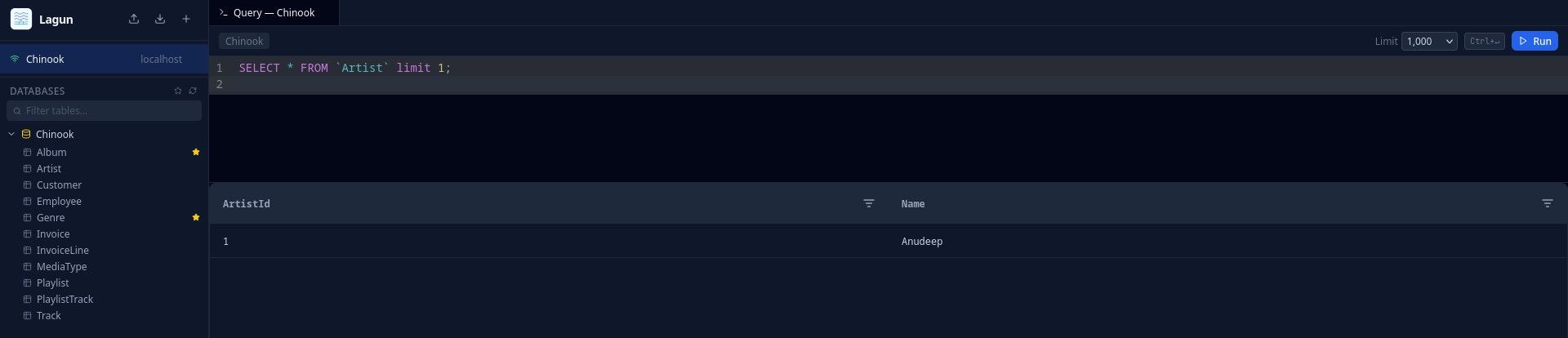
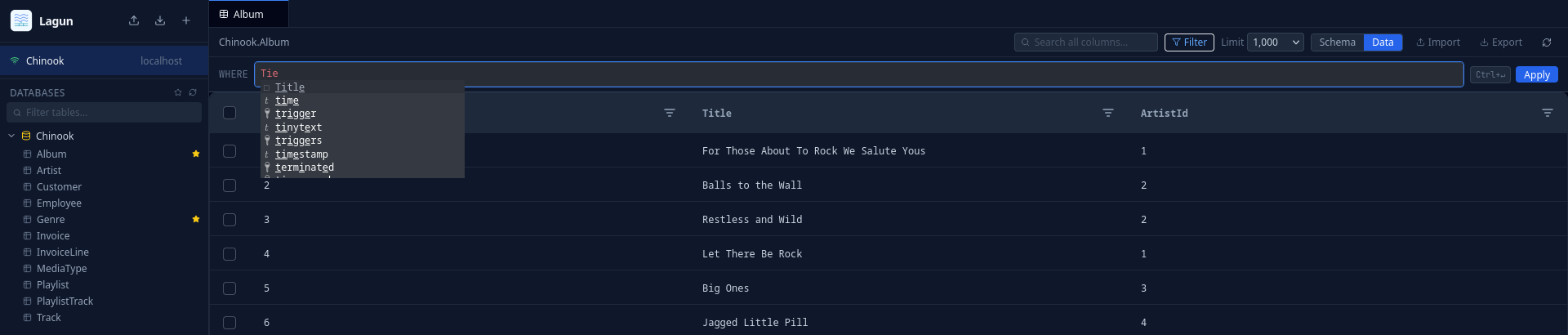
- Web-based SQL editor with syntax highlighting, autocompletion, and multi-tab support
- Multi-statement execution — run multiple statements at once, each result shown in its own sub-tab
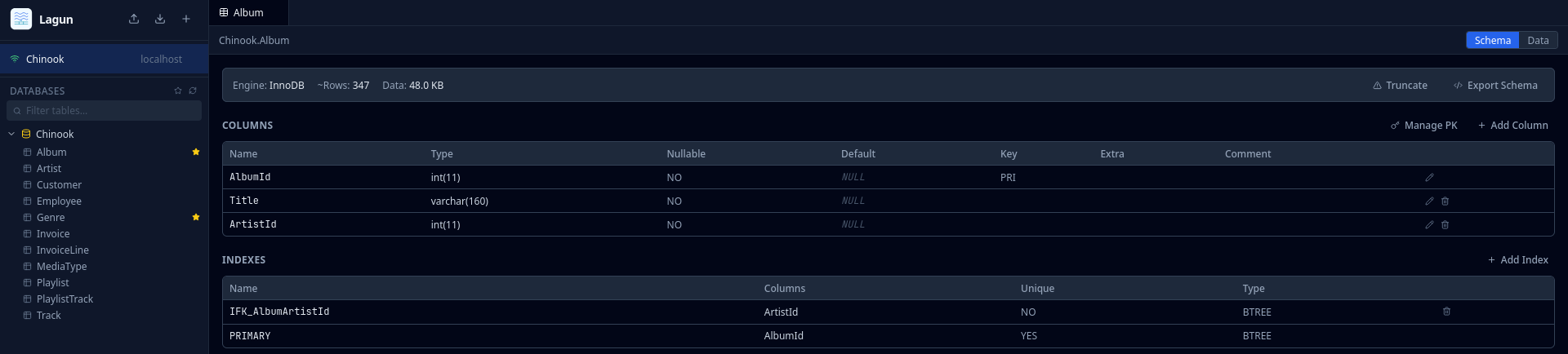
- Schema browser — explore databases, tables, columns, and indexes; resizable sidebar
- Schema management — create, modify, and drop tables, columns, and indexes
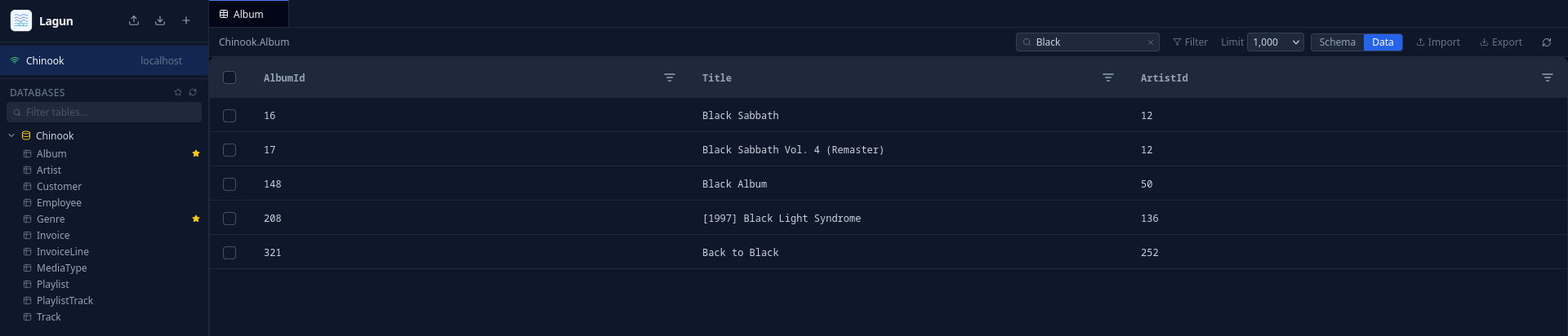
- In-line data editing — edit cells, insert rows, delete rows directly in the grid
- Import & export — CSV and SQL formats with streaming for large datasets; export respects active column filters
- Query history — full SQL with word wrap, copy or load any entry back into the editor
- Bookmarks — save and organize frequently used tables
- Connection management — import and export connection configs
- Secure connections — SSL/TLS, credentials stored in OS keyring, encrypted session backup
- LDAP/AD authentication — optional, via ldapgate
Install
pip install lagun
Usage
lagun serve
Opens the GUI in your browser. Connect to any MySQL or MariaDB database from there.
Options:
--host TEXT          Bind host. [default: 127.0.0.1]
--port INTEGER       Bind port. [default: 8080]
--no-open            Don't open the browser automatically.
--ldap-config PATH   Path to ldapgate YAML config to enable LDAP authentication.
LDAP Authentication
Lagun can require users to log in via LDAP/AD before accessing the editor. This uses ldapgate as FastAPI middleware — no separate proxy process needed.
pip install 'lagun[ldap]'
lagun serve --ldap-config /path/to/ldapgate.yaml
When LDAP is enabled, a logout button appears in the top-right corner of the tab bar.
See the ldapgate README for config file documentation.
Screenshots
Development
Requires uv.
git clone https://github.com/anudeepd/lagun
cd lagun
uv sync
uv run lagun serve
License
MIT
Release history Release notifications | RSS feed


Download files
Download the file for your platform. If you're not sure which to choose, learn more about installing packages.
Source Distribution
Built Distribution
Filter files by name, interpreter, ABI, and platform.
If you're not sure about the file name format, learn more about wheel file names.
Copy a direct link to the current filters
File details
Details for the file lagun-0.1.12.tar.gz.
File metadata
- Download URL: lagun-0.1.12.tar.gz
- Upload date:
- Size: 1.2 MB
- Tags: Source
- Uploaded using Trusted Publishing? No
- Uploaded via: uv/0.10.12 {"installer":{"name":"uv","version":"0.10.12","subcommand":["publish"]},"python":null,"implementation":{"name":null,"version":null},"distro":{"name":"CachyOS Linux","version":null,"id":null,"libc":null},"system":{"name":null,"release":null},"cpu":null,"openssl_version":null,"setuptools_version":null,"rustc_version":null,"ci":null}
File hashes
| Algorithm | Hash digest | |
|---|---|---|
| SHA256 |
6b8d9126754b9f7903c25c9e8455d9eb7307777e0927cb7da54cc9f28b576584
|
|
| MD5 |
1cf344d8d59e6fde01996eaa8d754cab
|
|
| BLAKE2b-256 |
5f322b3c663f957fa7fb608e63def25d788a7d7f3e9a675e3b6005ded7e9b571
|
File details
Details for the file lagun-0.1.12-py3-none-any.whl.
File metadata
- Download URL: lagun-0.1.12-py3-none-any.whl
- Upload date:
- Size: 1.2 MB
- Tags: Python 3
- Uploaded using Trusted Publishing? No
- Uploaded via: uv/0.10.12 {"installer":{"name":"uv","version":"0.10.12","subcommand":["publish"]},"python":null,"implementation":{"name":null,"version":null},"distro":{"name":"CachyOS Linux","version":null,"id":null,"libc":null},"system":{"name":null,"release":null},"cpu":null,"openssl_version":null,"setuptools_version":null,"rustc_version":null,"ci":null}
File hashes
| Algorithm | Hash digest | |
|---|---|---|
| SHA256 |
ec83ae203e00b91fdbebb5784e772dbf1dde04c61e1e4dc0bd8b453bf8b43911
|
|
| MD5 |
8a5ba6735608e34e3e75d18116cffeb9
|
|
| BLAKE2b-256 |
5e88e7c2d874cea0ba919dceabb04d109c82f35d908fa69aab1dcd8d3186b719
|






